Minimum Order Amount For Customer Group for Magento 2 - User Guide
Extension Installation
- Extract the zip folder and upload our extension to the root of your Magento 2 directory via FTP.
- Login to your SSH and run below commands step by step:
php bin/magento setup:upgrade
- for Magento version 2.0.x to 2.1.x -
php bin/magento setup:static-content:deploy
- for Magento version 2.2.x & above -
php bin/magento setup:static-content:deploy --f
php bin/magento cache:flush
- That's it.
Configuration
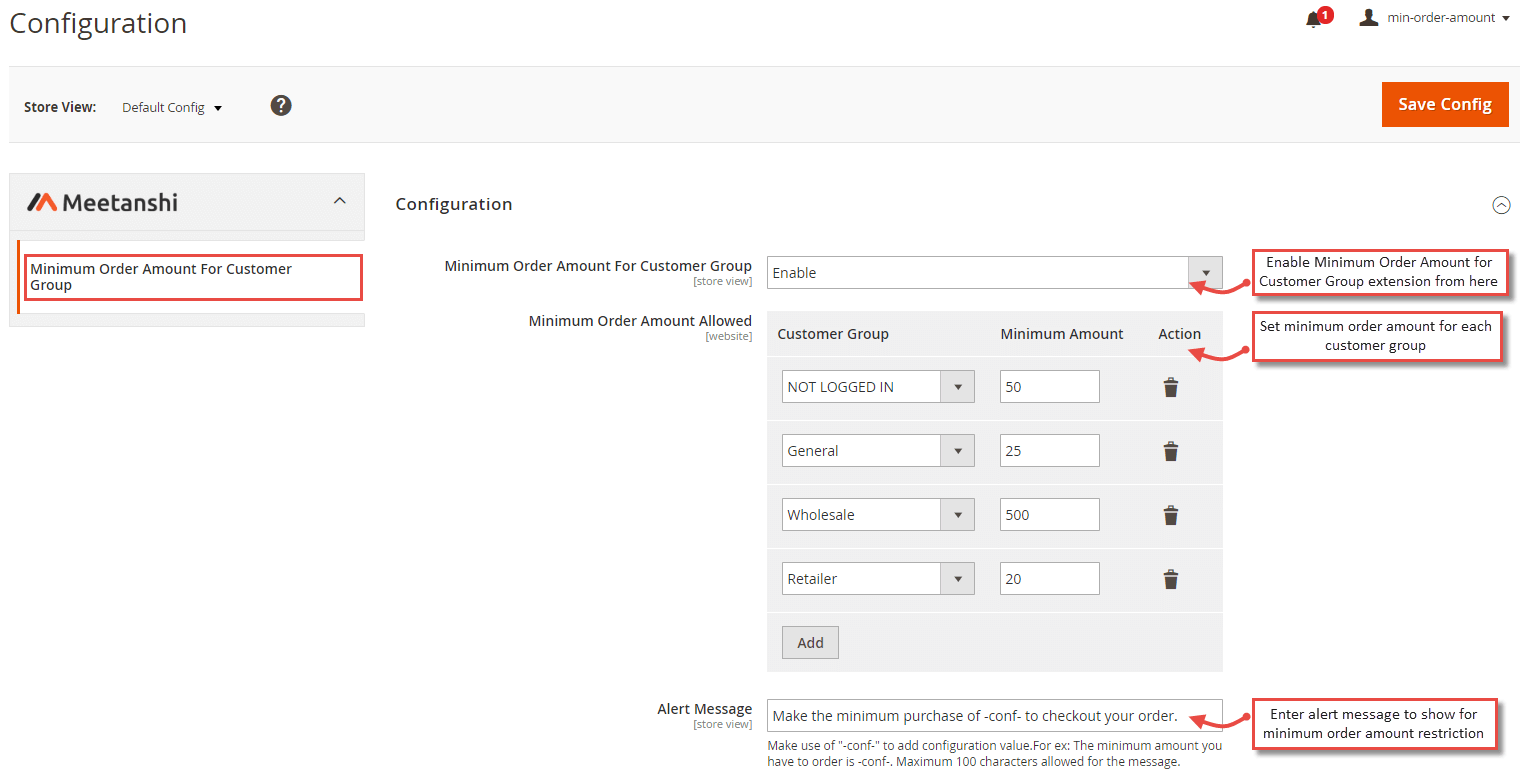
for configuring the Minimum Order Amount For Customer Group for Magento 2 extension, log in to Magento 2, move to Stores > Configuration > Minimum Order Amount for Customer Group where you can find various settings to enable the extension.
- Minimum Order Amount for Customer Group: Enable the Minimum Order Amount for Customer Group extension from here.
- Minimum Order Amount Allowed: Set customer group wise minimum order amount.
- Alert Message: Set alert message to restrict customer if they proceed to checkout without satisfying minimum order amount threshold.
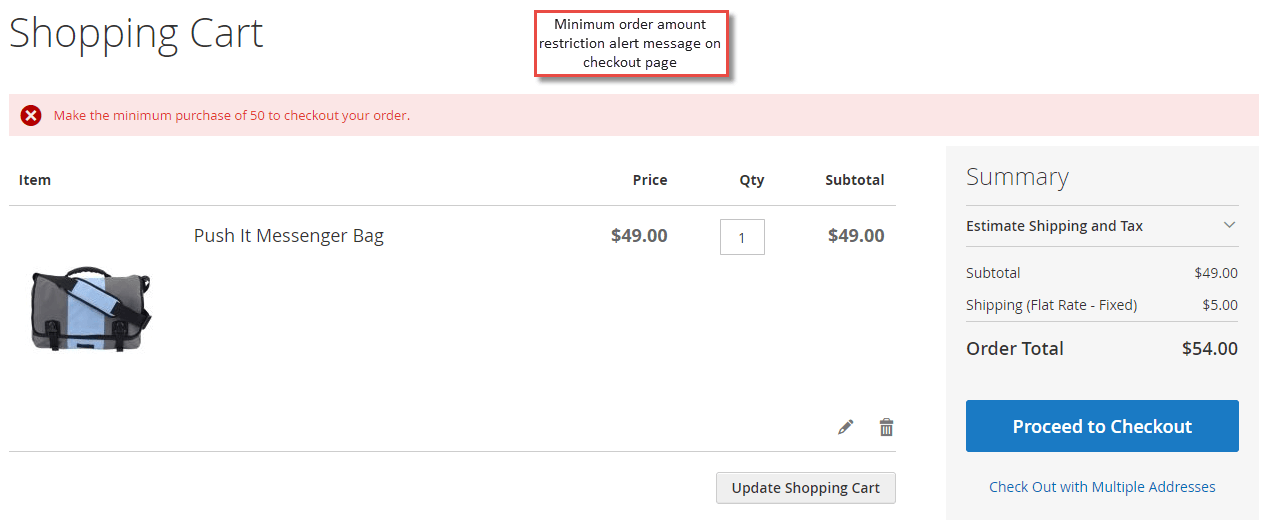
Minimum Order Amount for Customer Group in Frontend
Once the extension is enabled and minimum order amount is set for the various customer groups, it shows alert when a customer does not satisfy the minimum order amount criteria while placing the order.