AI Reviews Summary for Magento 2 - User Guide
Extension Installation
- Extract the ZIP file and upload the extension to the root of your Magento 2 directory via FTP.
- Log in to your server via SSH and run the following commands step by step:
php bin/magento setup:upgrade
Deploy static content:
- Magento 2.0.x – 2.1.x
php bin/magento setup:static-content:deploy - Magento 2.2.x & above
php bin/magento setup:static-content:deploy -f
- Magento 2.0.x – 2.1.x
Flush the cache:
php bin/magento cache:flush
Configuration
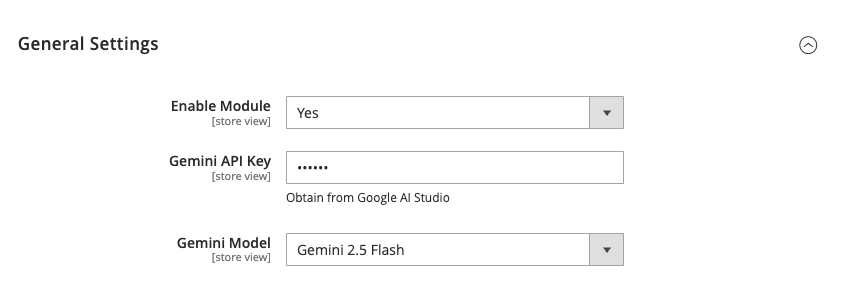
To configure the AI Reviews Summary for Magento 2 extension, log in to Magento 2, move to Stores > Configuration > Meetanshi > Review Summary where you can find various settings to configure the extension.
- Enable Module: Enable or disable the AI Reviews Summary extension.
- Gemini API Key: Enter your Google Gemini API key obtained from Google AI Studio.
- Gemini Model: Select the specific Gemini model (e.g., Gemini 1.5 Flash, Gemini 1.5 Pro) to use for generating summaries.
How It Works
The extension automatically processes product reviews using Google's generative AI to provide a concise summary for your customers.
- AI Summarization: The extension uses the configured Gemini model to analyze all approved reviews for a product.
- Automatic Updates: A daily Cron job (
product_review_summarize_update) runs at 2:00 AM to refresh the summaries based on new reviews.
Frontend Review Summary
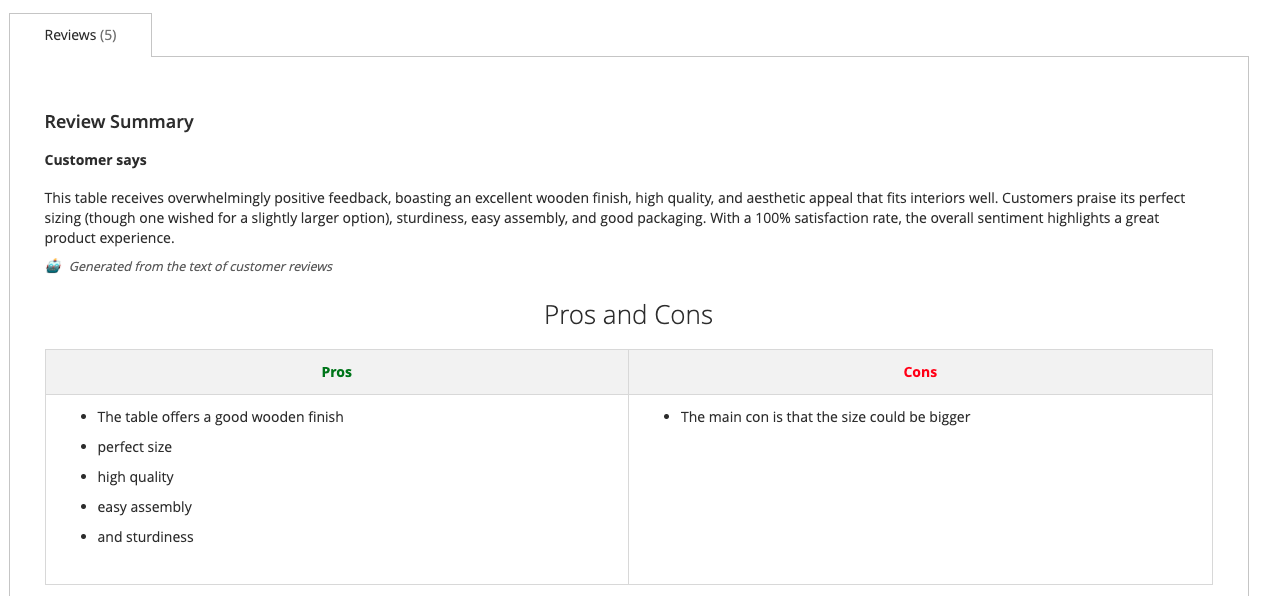
The AI-generated summary is displayed on the product page, typically above the detailed customer reviews, helping shoppers make quicker decisions.
- Customer says: A natural language summary of the overall sentiment and feedback from customers.
- Pros and Cons: A clear, tabular breakdown of the positive and negative aspects highlighted in the reviews.
- AI Attribution: A subtle note indicating that the content is AI-generated from customer reviews.
Support
For any queries or assistance, feel free to contact us at [email protected].