Improved Sorting for Magento 2 - User Guide
Meetanshi Improved Sorting extends Magento's product sorting with 19 strategies, product pinning, pre-built indexes, and OpenSearch and GraphQL support. This guide covers installation, configuration, every admin field, the sorting strategies, product pinning, indexers, CLI commands, the REST API, cron, and troubleshooting.
Extension Installation
- Extract the ZIP file and upload the extension to the root of your Magento 2 directory via FTP.
- Log in to your server via SSH and run:
php bin/magento setup:upgrade - Deploy static content and flush cache
php bin/magento setup:static-content:deploy -f
php bin/magento cache:flush
What happens on install
During setup:upgrade, a data patch (InitialReindex) runs automatically and back-fills all 7 sort index tables from your existing store data (orders, views, wishlists, ratings, reviews). No manual reindex is needed on a fresh install.
Post-Install Checklist
- Go to Stores > Configuration > Meetanshi > Improved Sorting and enable the module.
- Set your default sort options for category and search pages.
- Enable index-based sorting (Use Index = Yes) for large catalogs.
- Run
bin/magento indexer:reindexif the initial data patch was skipped. - Confirm the daily cron (
0 2 * * *) is present in your cron schedule.
Configuration: General Settings
Go to Stores > Configuration > Meetanshi > Improved Sorting > General Settings.
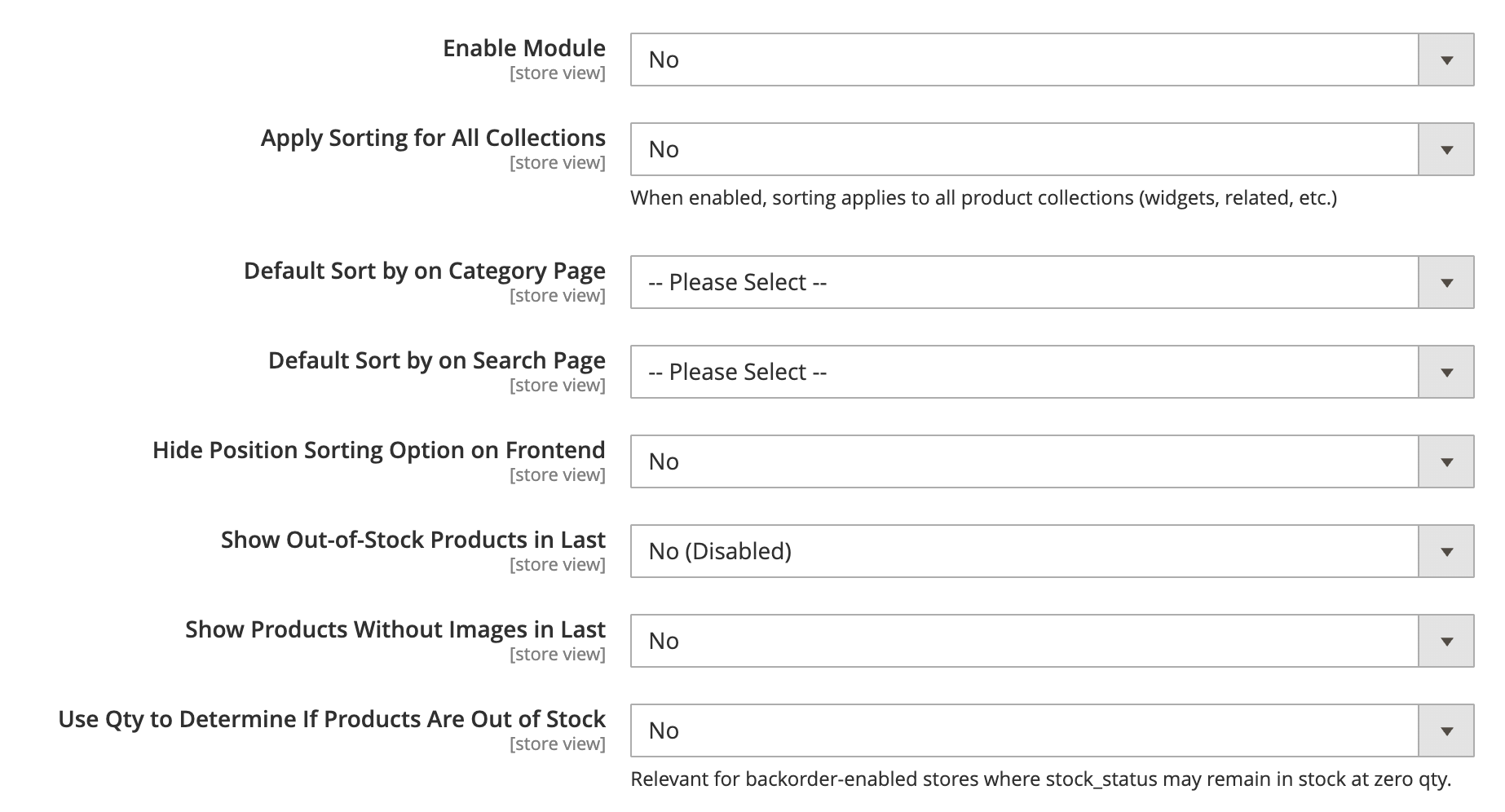
| Field | Default | Description |
|---|---|---|
| Enable Module | Yes | Master switch. When No, custom sorting is off and Magento defaults are restored. |
| Apply Sorting for All Collections | No | When Yes, strategies also apply to widgets, related products, upsells, and other collections, not just category and search. |
| Default Sort by on Category Page | (select) | The sort is pre-selected on category pages before the customer chooses one. |
| Default Sort by on Search Page | (select) | The sort pre-selected on search result pages. |
| Hide Position Sorting Option on Frontend | No | Removes Magento's native Position option from the sort dropdown. |
| Show Out-of-Stock Products in Last | Disabled | Moves out-of-stock products to the end. Mode 1 uses stock status, Mode 2 uses quantity below 1. |
| Show Products Without Images in Last | No | Moves products with no thumbnail to the end of results. |
| Use Qty to Determine If Products Are Out of Stock | No | Used with out-of-stock mode. When Yes, quantity below 1 is the threshold instead of the stock status flag. |
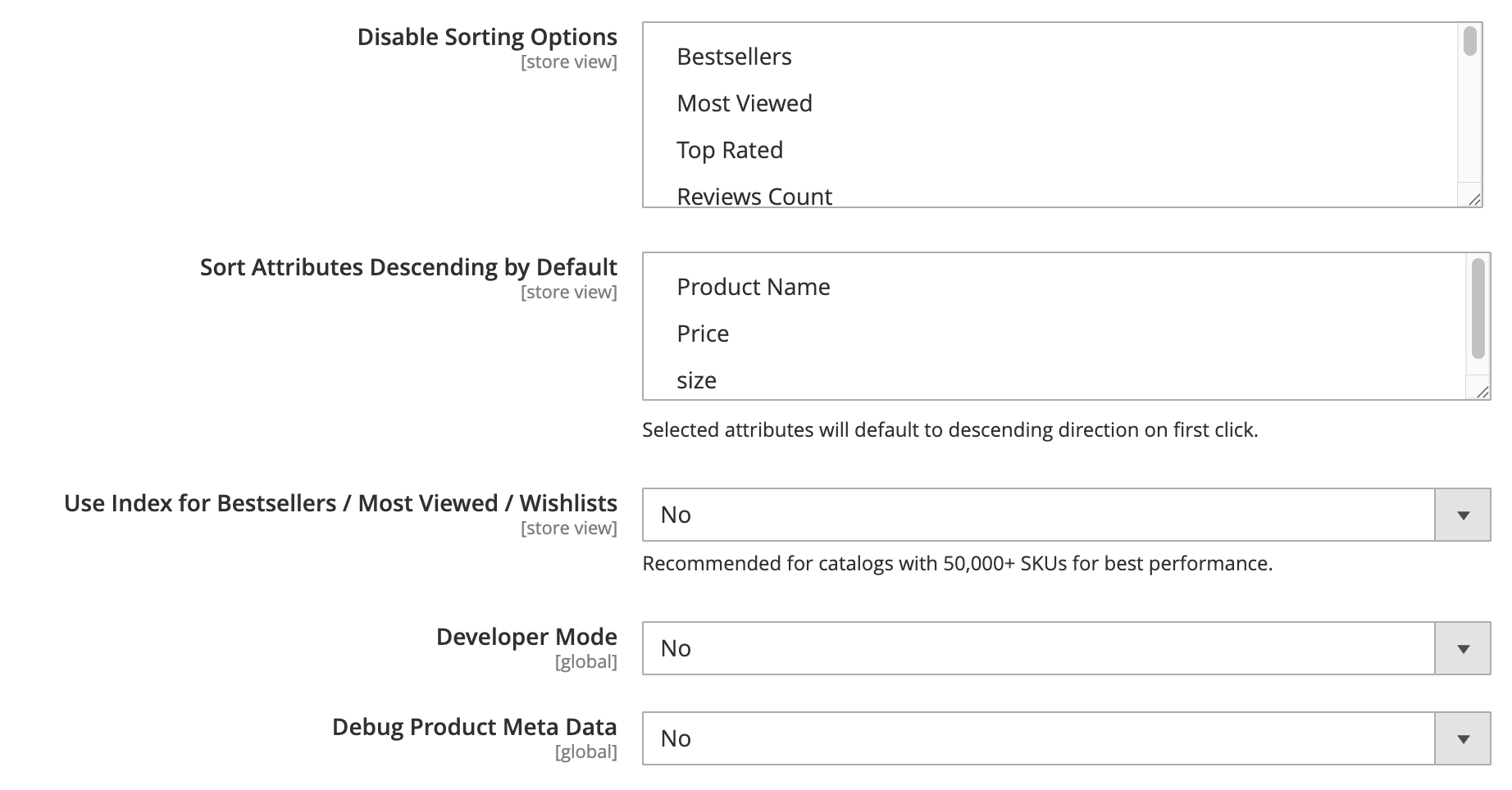
| Field | Default | Description |
|---|---|---|
| Disable Sorting Options | (none) | Removes selected strategies from the dropdown and from all processing. |
| Sort Attributes Descending by Default | (none) | Forces selected strategies to default to descending on first load. |
| Use Index for Bestsellers / Most Viewed / Wishlists | Yes | When Yes, behavioral sorts read from pre-built index tables instead of running live joins. Recommended for production. |
| Developer Mode | No | Adds debug output to var/log/meetanshi_improvedsorting.log. |
| Debug Product Meta Data | No | Adds sort score data as HTML comments in product list items for frontend debugging. |
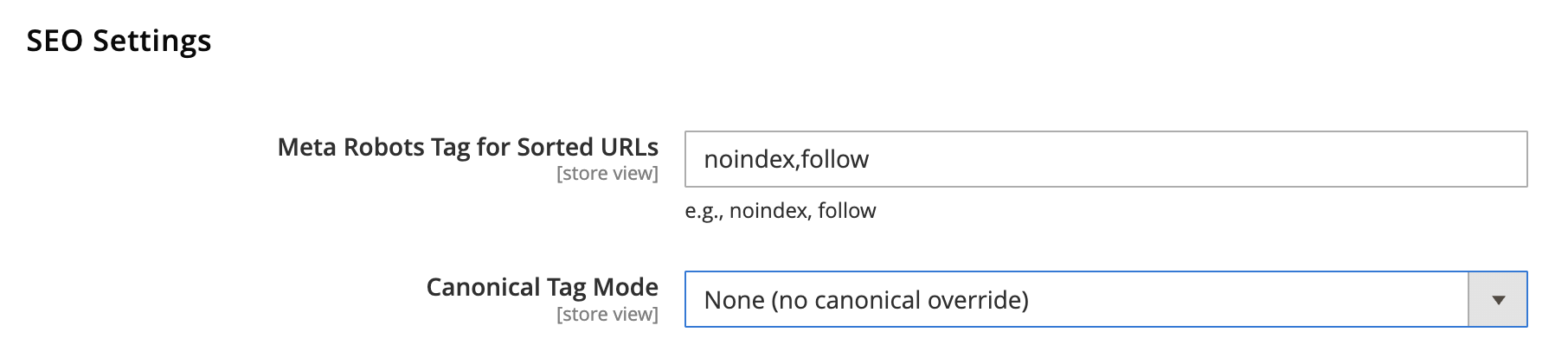
SEO Settings
Found under the same configuration screen.
| Field | Default | Description |
|---|---|---|
| Meta Robots Tag for Sorted URLs | NOINDEX,FOLLOW |
The robots meta value added on category and search pages when a non-default sort is active. Keeps sort parameter URLs out of the index. |
| Canonical Tag Mode | Default URL | Controls the canonical on sorted pages: Default URL (canonical is the category URL without sort params), Current URL (canonical includes sort params), or Disabled. |
Bestsellers
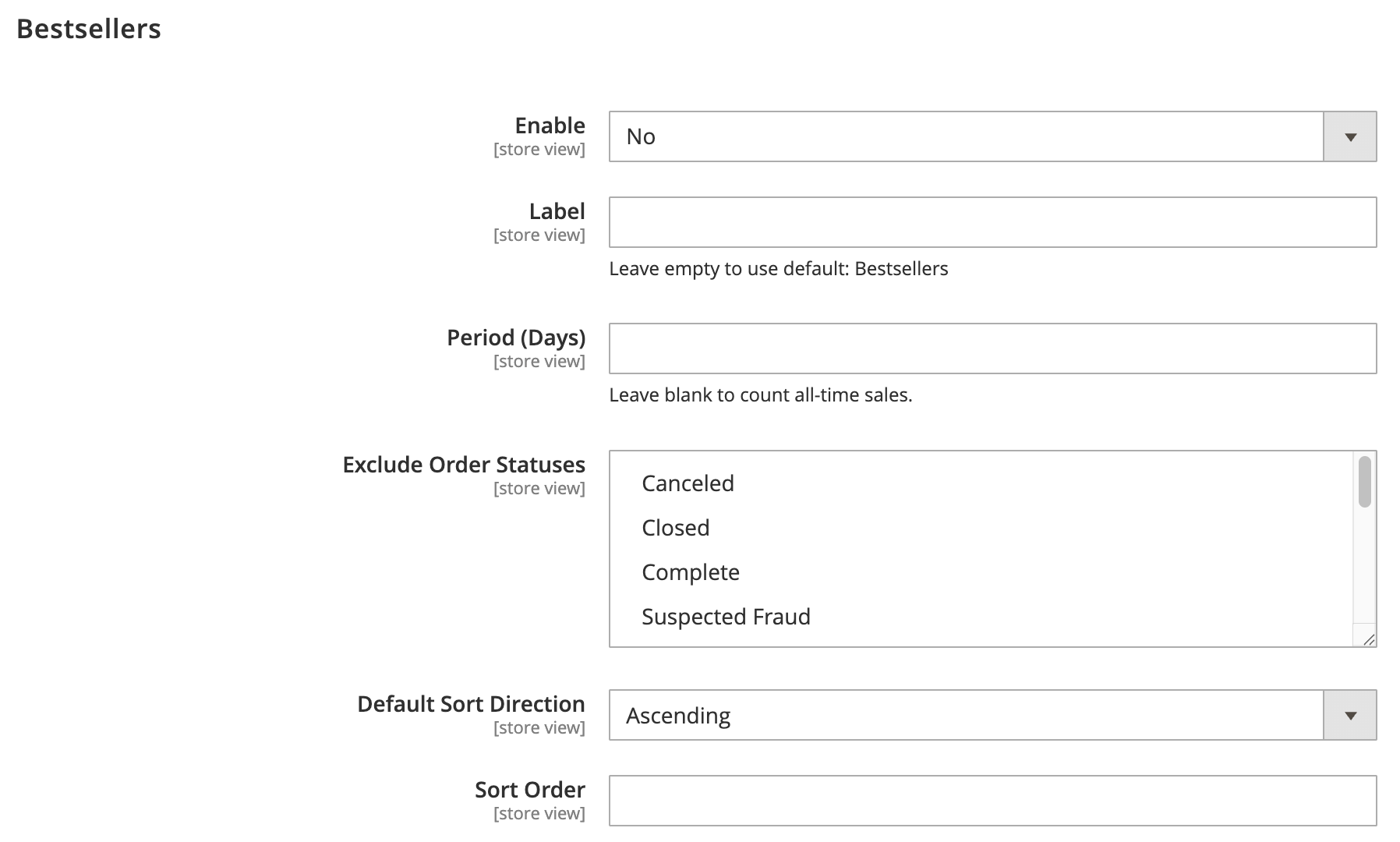
Each sorting strategy has its own group in the configuration. Most strategies share these fields:
- Enable: show or hide the option in the frontend dropdown.
- Label: a custom frontend label. If empty, the default label is used.
- Default Direction: ASC or DESC when the customer has not chosen a direction.
- Sort Order: the position of the option in the dropdown (lower appears first).
Some strategies add their own fields:
- Bestsellers: Period (days, 0 = all time) and Exclude Order Statuses (default: canceled, closed).
- Most Viewed: Period (days).
- Now in Wishlists: Period (days).
- Reviews Count: Reviews Source (All or Approved only).
- Newest: Date Source (
created_at,updated_at, ornews_from_date). - Biggest Saving: Sort by Percentage (Yes = discount percent, No = absolute amount).
- Profit: Cost Attribute Code (default
cost) and Price Attribute Code (defaultprice).
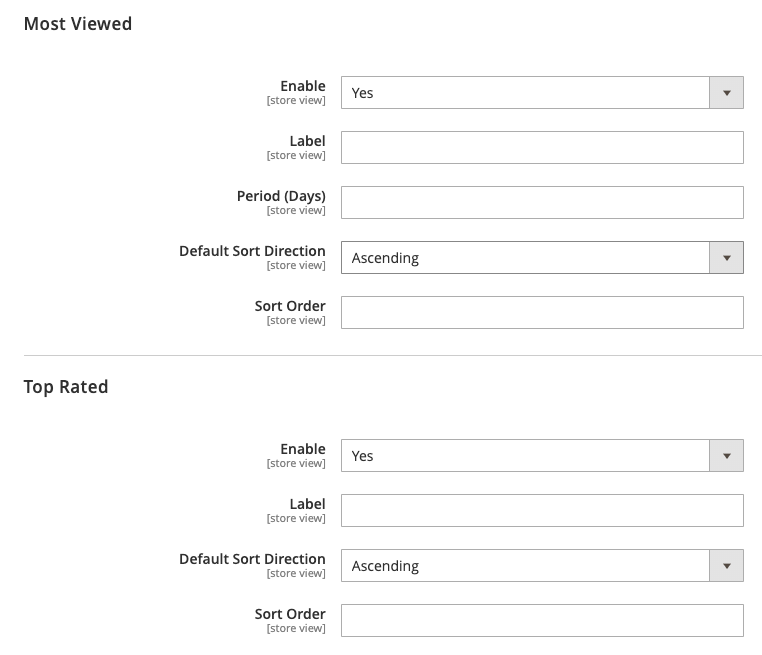
Most Viewed
Sorts products based on total customer page views.
Enable: Choose Yes to show or No to hide this option on the frontend. Default: Yes.
Label: Enter a custom label for the frontend dropdown. Leave empty to use the default title.
Period (Days): Specify the number of past days to track view counts. Enter
0or leave empty to track all-time views.Default Sort Direction: Select whether results sort in Ascending or Descending order by default. Default: Ascending.
Sort Order: Enter a numeric value to set the position of this option in the dropdown (lower numbers appear first).
Top Rated
Sorts products by their average review ratings.
Enable: Set to Yes to display or No to hide this sorting option on the frontend. Default: Yes.
Label: Enter a custom display label for the storefront. Defaults to the system name if left blank.
Default Sort Direction: Select the initial sort direction (Ascending or Descending). Default: Ascending.
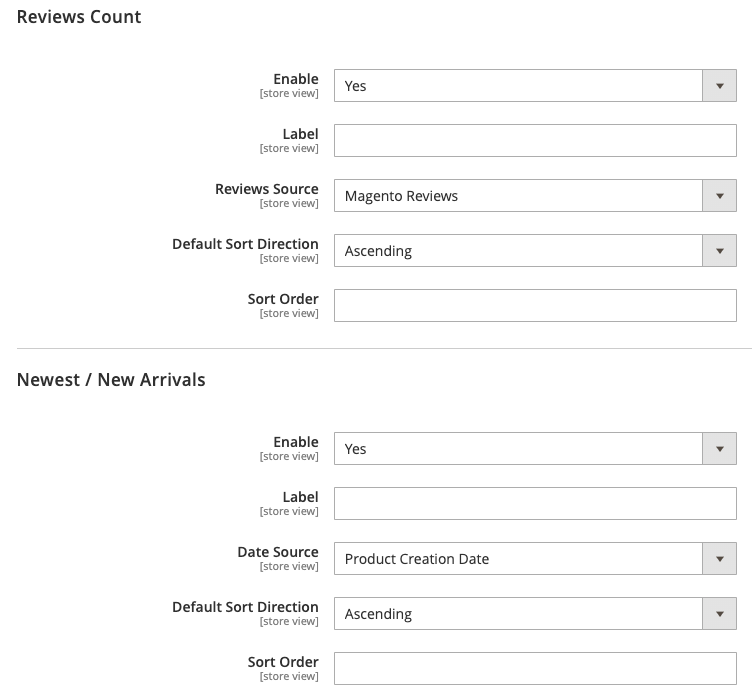
Reviews Count
Sorts products based on the total number of customer reviews received.
Enable: Enable or disable the option in the frontend dropdown. Default: Yes.
Label: Custom label displayed to shoppers.
Reviews Source: Select where review counts are calculated from (e.g., native Magento Reviews). Default: Magento Reviews.
Default Sort Direction: Choose between Ascending and Descending. Default: Ascending.
Sort Order: Defines the order of this option in the dropdown list.
Newest / New Arrivals
Orders products based on creation or promotional arrival dates.
Enable: Choose Yes to make new arrival sorting available to customers. Default: Yes.
Label: Custom text shown in the dropdown selector.
Date Source: Choose the date attribute used to calculate product newness (e.g., Product Creation Date). Default: Product Creation Date.
Default Sort Direction: Direction applied when selected (Ascending or Descending). Default: Ascending.
Sort Order: Priority position in the dropdown.
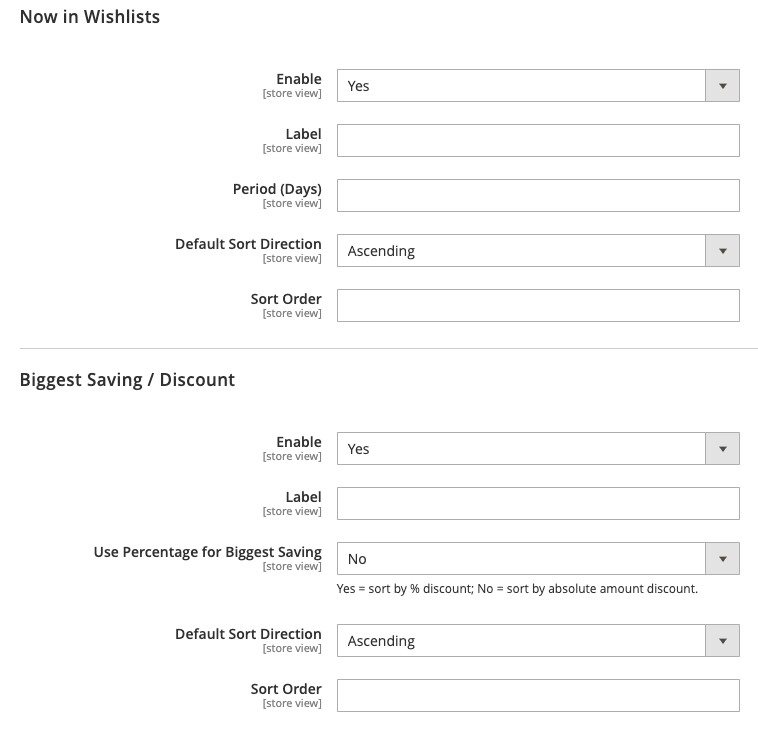
Now in Wishlists
Sorts products by how frequently they are added to customer wishlists.
Enable: Select Yes to display or No to hide the wishlist sorting option. Default: Yes.
Label: Enter a custom frontend title.
Period (Days): Number of days to include for wishlist aggregations. Leave blank for all time.
Default Sort Direction: Sets the default order to Ascending or Descending. Default: Ascending.
Sort Order: Dropdown list position index.
Biggest Saving / Discount
Promotes discounted catalog items based on markdown value.
Enable: Enable or disable the discount sorting option on catalog pages. Default: Yes.
Label: Custom title for the sort selector.
Use Percentage for Biggest Saving: Select Yes to sort by percentage discount, or No to sort by absolute currency amount saved. Default: No.
Default Sort Direction: Sets initial sorting direction (Ascending or Descending). Default: Ascending.
Sort Order: Display order in the dropdown.
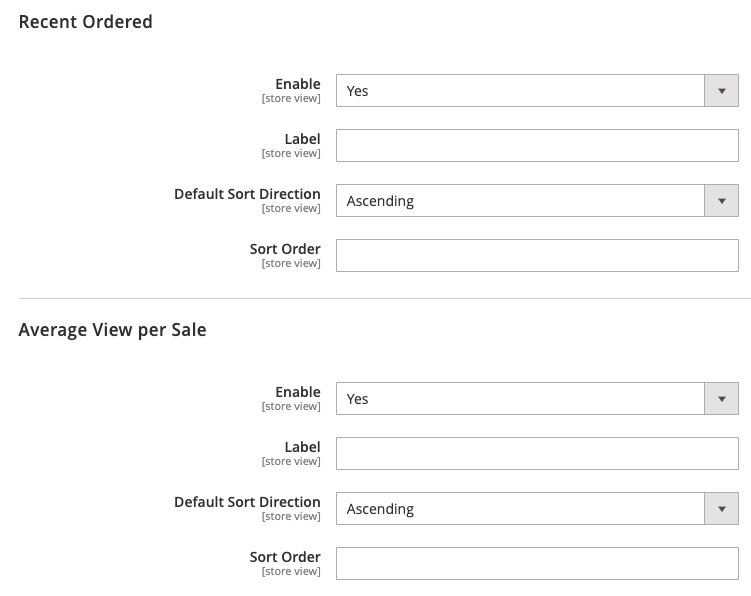
Recent Ordered
Ranks items by how recently customers completed an order for them.
Enable: Choose Yes to activate recent order sorting. Default: Yes.
Label: Custom frontend label.
Default Sort Direction: Sets default sorting flow (Ascending or Descending). Default: Ascending.
Sort Order: Position within the sort options list.
Average View per Sale
Sorts products by page views relative to units purchased to highlight conversion velocity.
Enable: Enables or disables this strategy on the storefront. Default: Yes.
Label: Custom title shown in the sort dropdown.
Default Sort Direction: Choose between Ascending and Descending. Default: Ascending.
Sort Order: Position order in the dropdown menu.
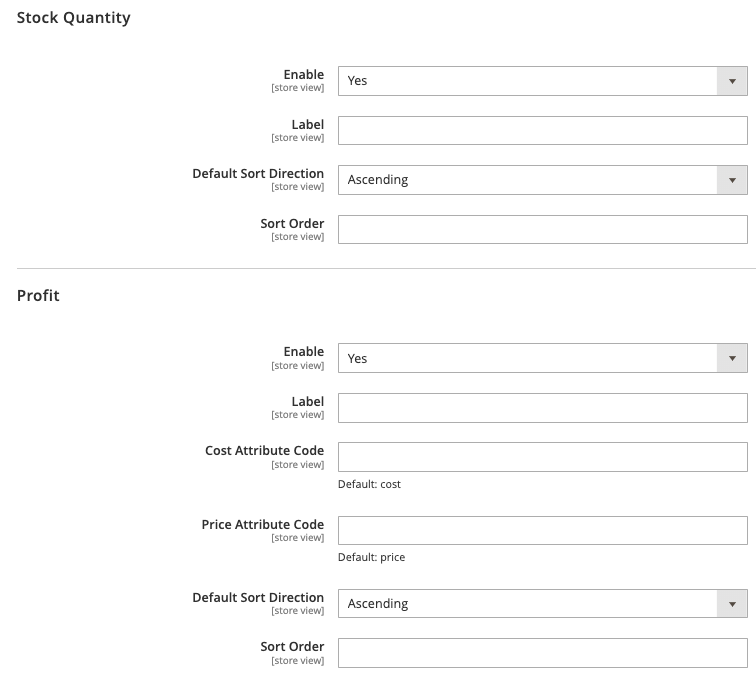
Stock Quantity
Sorts products directly by their available inventory count.
Enable: Set to Yes to let shoppers sort products by inventory level. Default: Yes.
Label: Custom frontend label.
Default Sort Direction: Sets the default order direction (Ascending or Descending). Default: Ascending.
Sort Order: Placement index in the dropdown list.
Profit
Orders products by profit margins calculated between cost and selling price.
Enable: Toggles the profit-based sorting option. Default: Yes.
Label: Custom display name for the storefront.
Cost Attribute Code: Specify the product attribute used for item cost. Defaults to
costwhen blank.Price Attribute Code: Specify the product attribute used for final price. Defaults to
pricewhen blank.Default Sort Direction: Sets sorting direction to Ascending or Descending. Default: Ascending.
Sort Order: Dropdown position index.
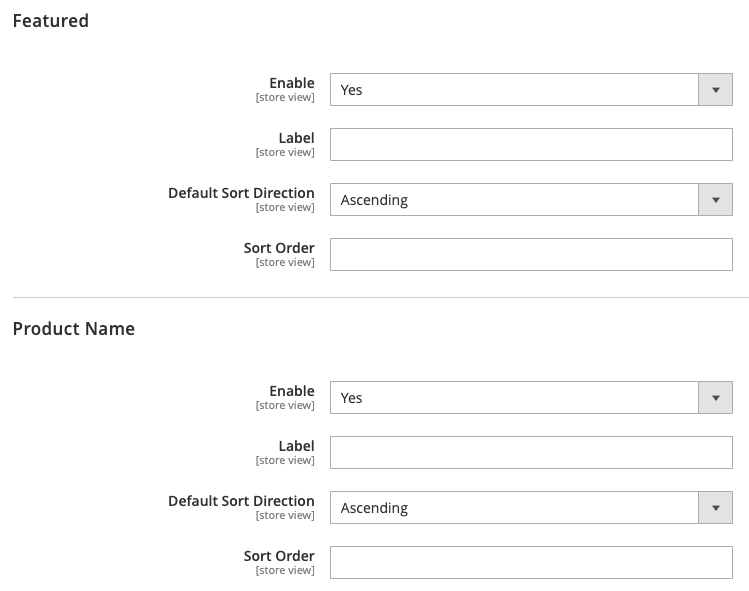
Featured
Prioritizes highlighted or featured products on catalog listing pages.
Enable: Choose Yes to make the featured sort option available. Default: Yes.
Label: Custom frontend label.
Default Sort Direction: Select default direction (Ascending or Descending). Default: Ascending.
Sort Order: Order priority in the sort dropdown.
Product Name
Sorts products alphabetically based on product title.
Enable: Enables or disables alphabetical title sorting. Default: Yes.
Label: Custom title for the sort selector (e.g., Name: A to Z).
Default Sort Direction: Initial sort direction (Ascending for A–Z or Descending for Z–A). Default: Ascending.
Sort Order: Position within the dropdown.
View pins in the grid
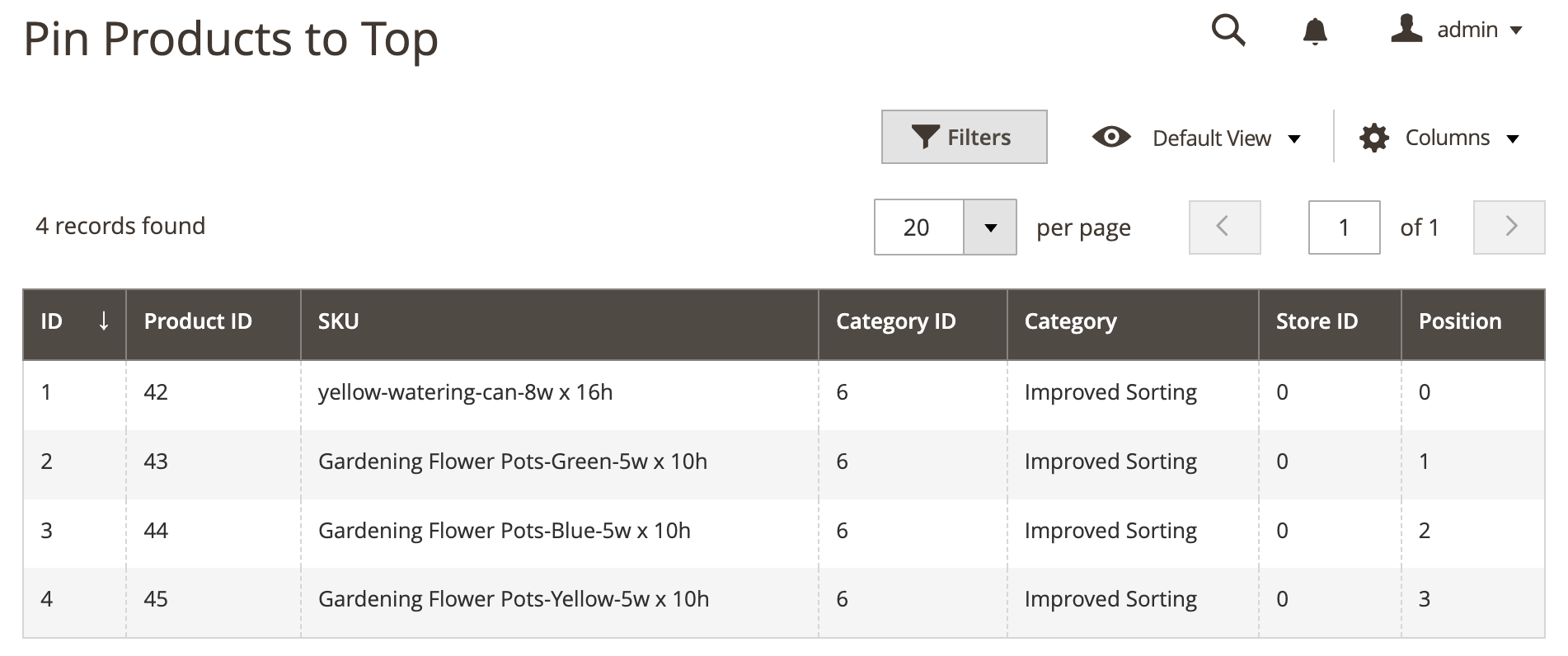
Go to System > Improved Sorting > Pin Products to Top. The grid lists all active pins with ID, Product ID, SKU, Category ID, Category, Store ID, and Position. This grid is read-only for audit. Pins are created from the category form or the REST API.
How pinning behaves
- On category pages, pinned products are placed first in the SQL order.
- On search pages, pinned products are boosted in OpenSearch so they reach page one, then reordered to the top.
- In GraphQL category queries, pinned products are moved to the front in pin order.
Improved Sorting on Frontend
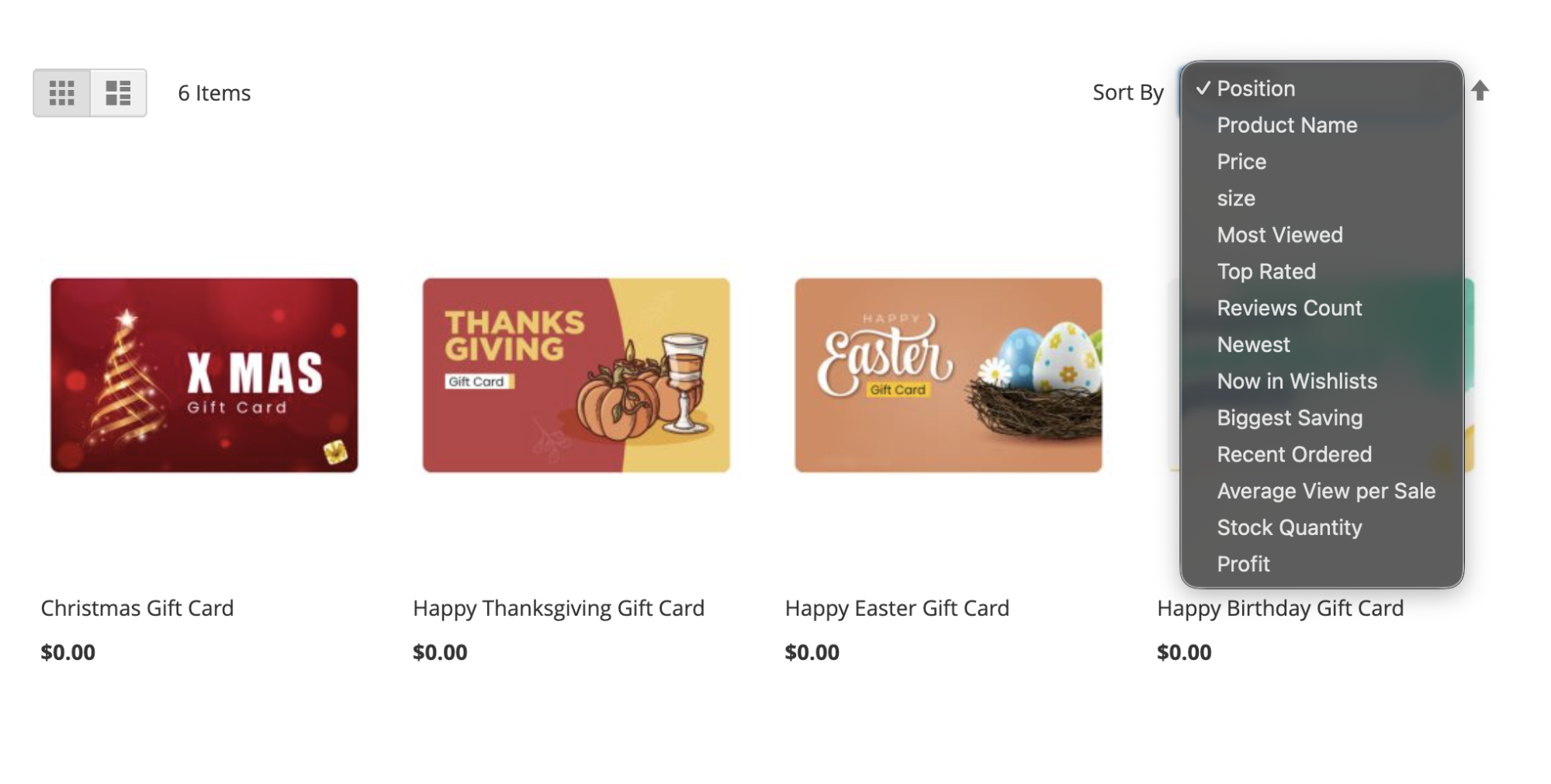
The enabled sorting options are enabled on the category and search result pages as per the configuration from the backend.
Indexers
The module registers 7 indexers, each pre-aggregating one sort metric into a flat table so behavioral sorts avoid slow live joins.
Reindex from the CLI:
# Reindex all Improved Sorting indexers
bin/magento meetanshi:improvedsorting:reindex
# Or reindex the individual Magento indexers
bin/magento indexer:reindex meetanshi_improvedsorting_bestsellers \
meetanshi_improvedsorting_mostviewed \
meetanshi_improvedsorting_wishlist \
meetanshi_improvedsorting_recentordered \
meetanshi_improvedsorting_avgview \
meetanshi_improvedsorting_toprated \
meetanshi_improvedsorting_reviewscount
# Check indexer status
bin/magento indexer:status
The 7 indexers cover bestsellers, most viewed, wishlist, recent ordered, average view per sale, top rated, and reviews count. They update in near real time through Magento's Mview (the indexer_update_all_views cron), and a full rebuild runs from the daily cron.
CLI Commands
Run from the Magento root.
| Command | Purpose |
|---|---|
meetanshi:improvedsorting:reindex |
Full reindex of all 7 sort indexers. Add --format=json for JSON output. |
meetanshi:improvedsorting:status |
Reports module configuration and lists enabled sort options. Supports --format=json. |
meetanshi:improvedsorting:pin:list |
Lists active pins. Filter with --category=<id> or --product=<id>, or use --format=json. |
meetanshi:improvedsorting:cache:clean |
Clears extension-specific cache entries. |
meetanshi:improvedsorting:export-config |
Exports current configuration as JSON. Use --output=/path/to/config.json to write to a file. |
meetanshi:improvedsorting:import-config <file> |
Imports configuration from a JSON file. Run bin/magento cache:clean config afterward. |
REST API
Base URL: /rest/V1/meetanshi-improvedsorting/. Authentication uses Magento's standard OAuth or bearer token.
- GET
/options(public): returns the list of enabled sorting options for a store. - POST
/pin(admin token, resourceMeetanshi_ImprovedSorting::improvedsorting_pin): creates a pin. Body:productId(required),categoryId(required),position(default 0),storeId(default 0). - DELETE
/pin/:pinId(admin token): deletes a pin by its ID. - POST
/reindex(admin token, resourceMeetanshi_ImprovedSorting::improvedsorting_config): triggers a full reindex of all 7 indexers.
Example pin request body:
{
"productId": 42,
"categoryId": 7,
"position": 0,
"storeId": 0
}
Cron and Auto-Refresh
A daily cron, meetanshi_improvedsorting_reindex_daily, runs at 0 2 * * * (2:00 AM). It rebuilds all 7 index tables, then marks the search index invalid so Magento's search reindex pushes the fresh sort scores into OpenSearch or Elasticsearch. Make sure Magento cron is running (bin/magento cron:run).