Limit Quantity Per Category for Magento 2 - User Guide
Extension Installation
- Extract the zip folder and upload our extension to the root of your Magento 2 directory via FTP.
- Login to your SSH and run below commands step by step:
php bin/magento setup:upgrade
- For Magento version 2.0.x to 2.1.x -
php bin/magento setup:static-content:deploy
- For Magento version 2.2.x & above -
php bin/magento setup:static-content:deploy -f
php bin/magento cache:flush
- That's it.
Configuration
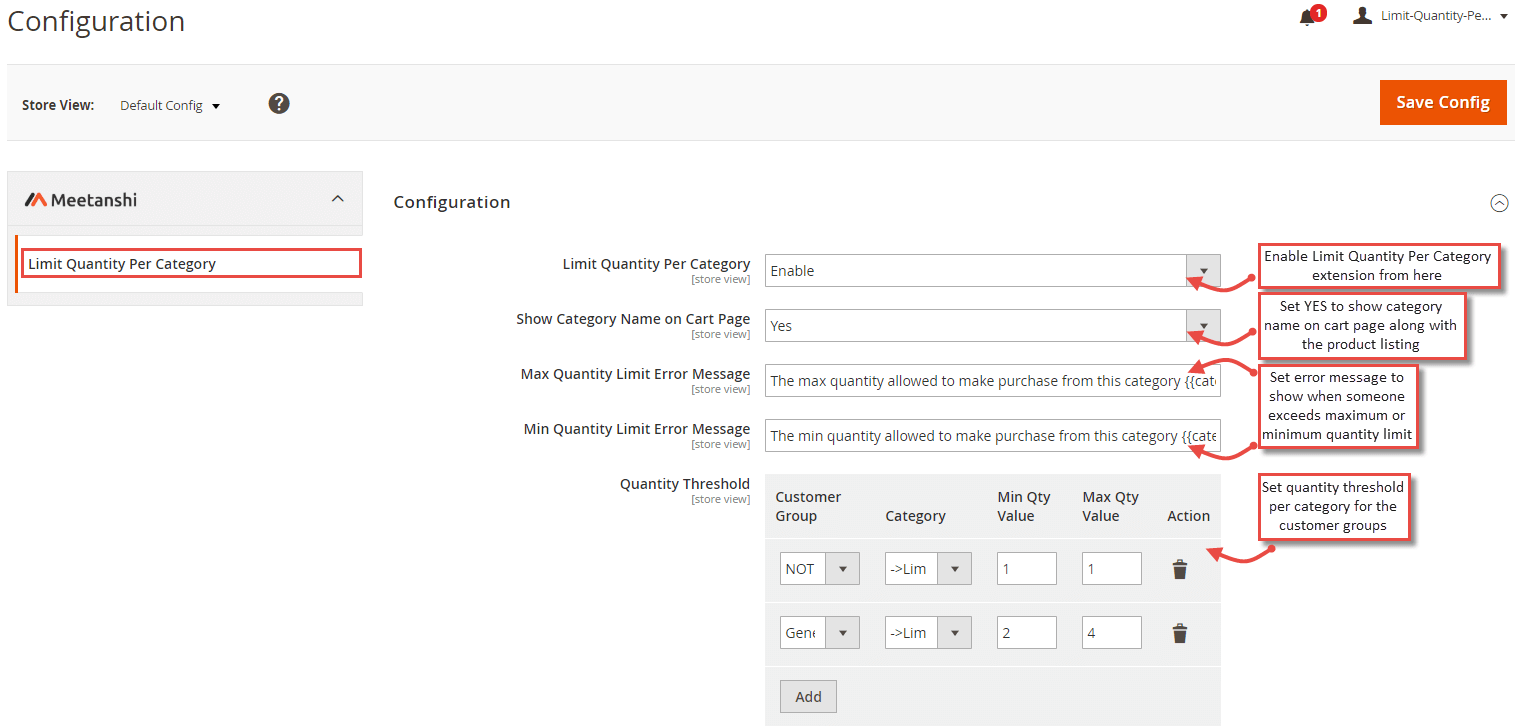
To configure the Limit Quantity Per Category for Magento 2 extension, log in to Magento 2 backend, move to Stores > Configuration > Limit Quantity Per Category where you can find various settings to configure the extension.
- Limit Quantity Per Category: Enable the extension from here.
- Show Category Name on Cart Page: Set YES to show category name on the cart page under the product listing.
- Max Quantity Limit Error Message: Enter an error message to show when someone exceeds the maximum quantity limit for the category.
- Min Quantity Limit Error Message: Enter an error message to show when someone underreaches minimum quantity limit for the category.
- Quantity Threshold: Set quantity threshold per category for various customer groups.
Limit Quantity Per Category in Frontend
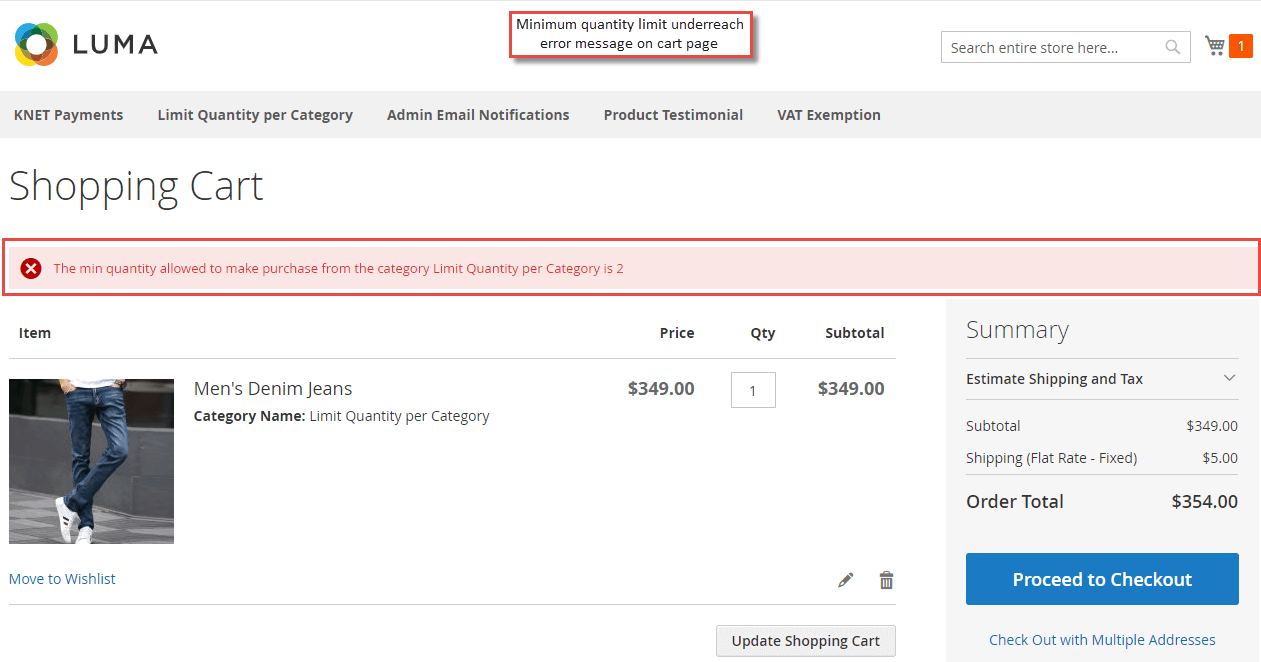
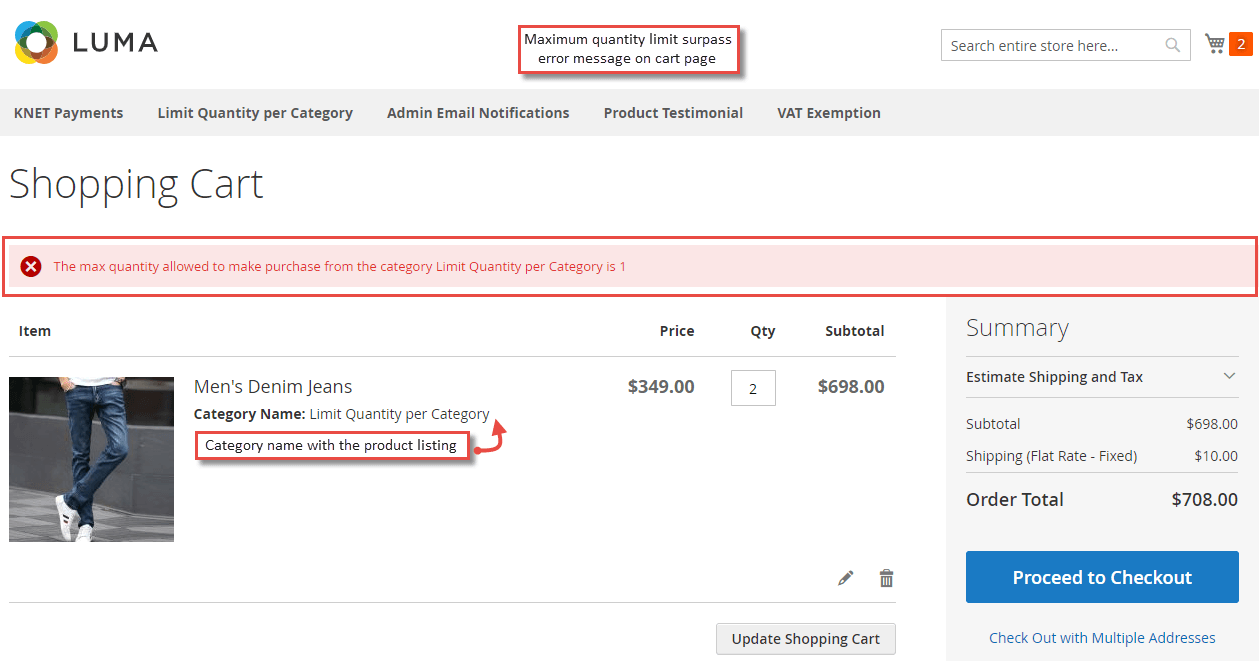
Once the settings are configured properly, when a customer from the frontend adds a product to cart with the quantity higher or lesser than the set threshold, an error message is shown accordingly.
- Maximum Quantity Limit Surpass Error Message on Cart Page
- Minimum Quantity Limit Underreach Error Message on Cart Page