Inventory Report for Magento 2 - User Guide
Extension Installation
For Magento Marketplace Customers
- Login to your SSH and run:
composer require meetanshi/magento2-inventory-report --ignore-platform-reqs
- Enter your authentication keys . Your public key is your username; your private key is your password.
- Wait for Composer to finish updating your project dependencies and make sure there aren't any errors.
- To verify that the extension is installed properly, run the command:
php bin/magento module:status Meetanshi_Inventory
- By default, the extension is probably disabled. Enable the extension and clear static view files:
php bin/magento module:enable Meetanshi_Inventory --clear-static-content
php bin/magento setup:upgrade
- For Magento version 2.0.x to 2.1.x -
php bin/magento setup:static-content:deploy
- For Magento version 2.2.x & above -
php bin/magento setup:static-content:deploy --f
php bin/magento cache:flush
For Meetanshi Customers
Extract the zip folder and upload our extension to the root of your Magento 2 directory via FTP.
Login to your SSH and run below commands step by step:
php bin/magento setup:upgrade
- For Magento version 2.0.x to 2.1.x -
php bin/magento setup:static-content:deploy
- For Magento version 2.2.x & above -
php bin/magento setup:static-content:deploy --f
php bin/magento cache:flush
Inventory Report Change on Order Placement
The Inventory Report for Magento 2 extension gets auto enabled after the installation. Whenever a new order is placed, the salable quantity gets decreased in the inventory report under Catalog > Inventory Report.

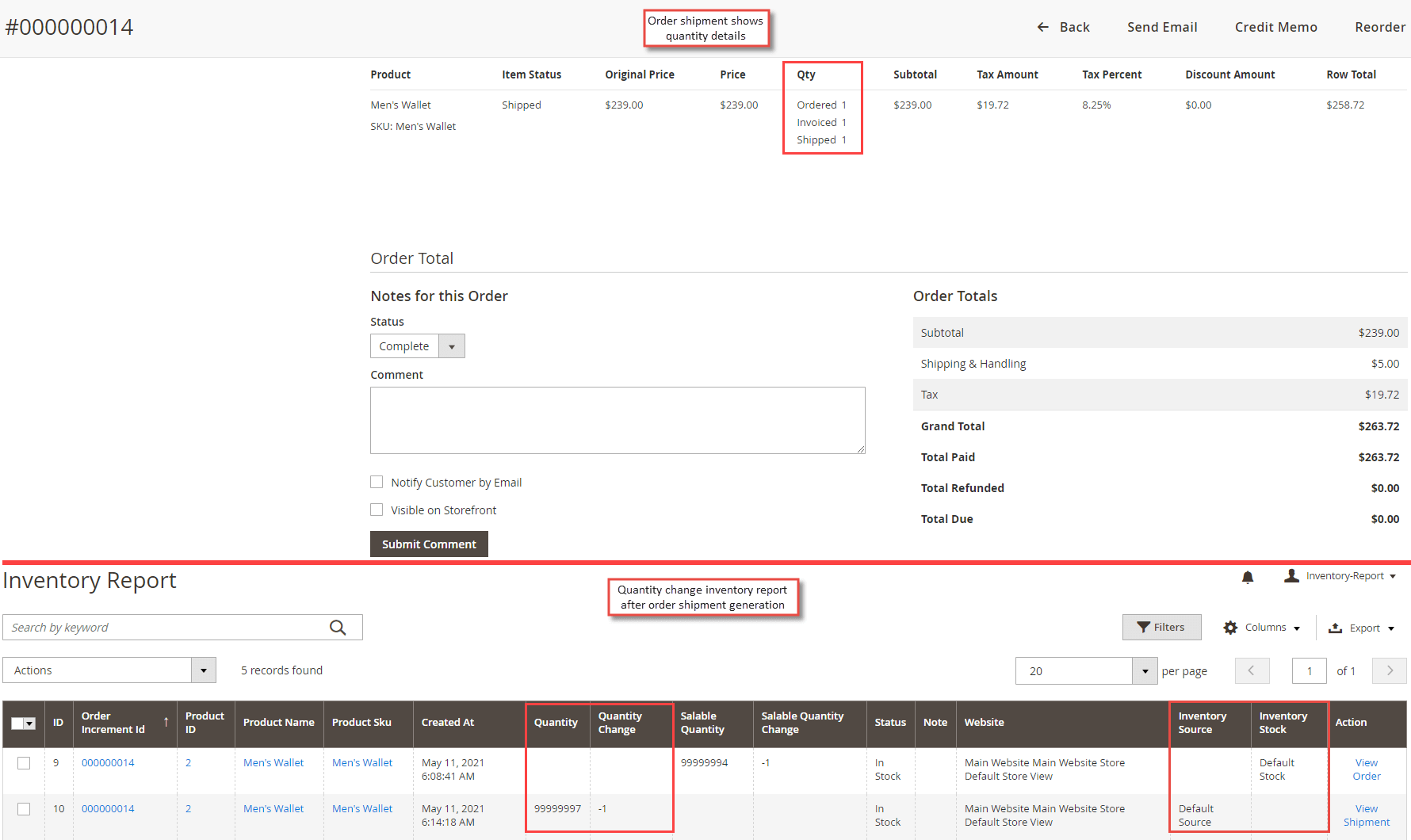
Inventory Report Change After Shipment Generation
Whenever the order is shipped or an order shipment is generated, the quantity gets increased in the inventory report under Catalog > Inventory Report .
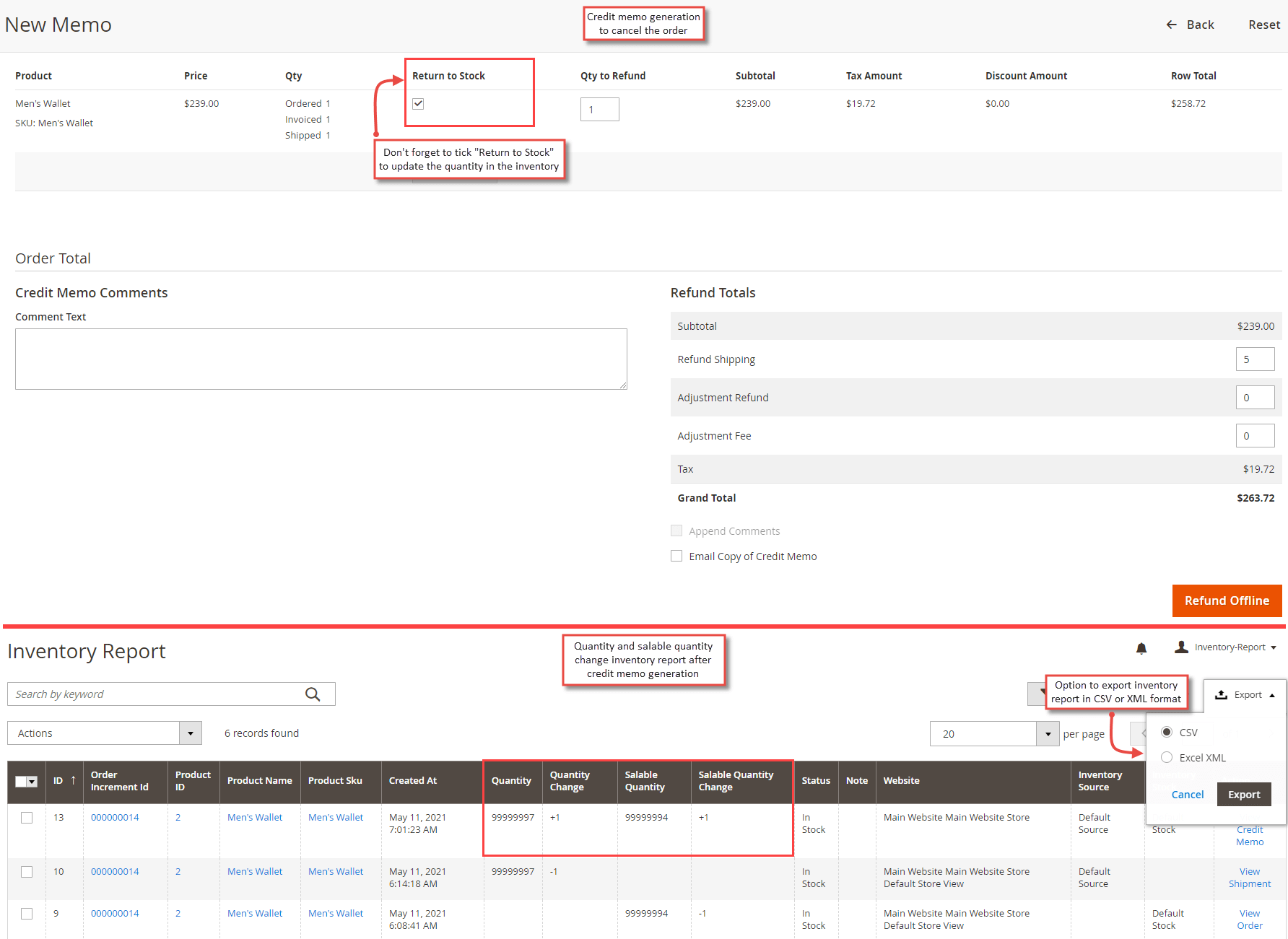
Inventory Report Change After Credit Memo Generation
Whenever the order is cancelled or a new credit memo is generated, the quantity and salable quantity get increased only if Return to Stock " is ticked while generating the credit memo from the backend in the inventory report under Catalog > Inventory Report . The admin can also export the inventory report in CSV or XML format.
Inventory Report Change After Product Quantity Update
Whenever the admin updates the product quantity from Catalog > Products > Product edit , the quantity and salable quantity get updated in the inventory report under Catalog > Inventory Report.
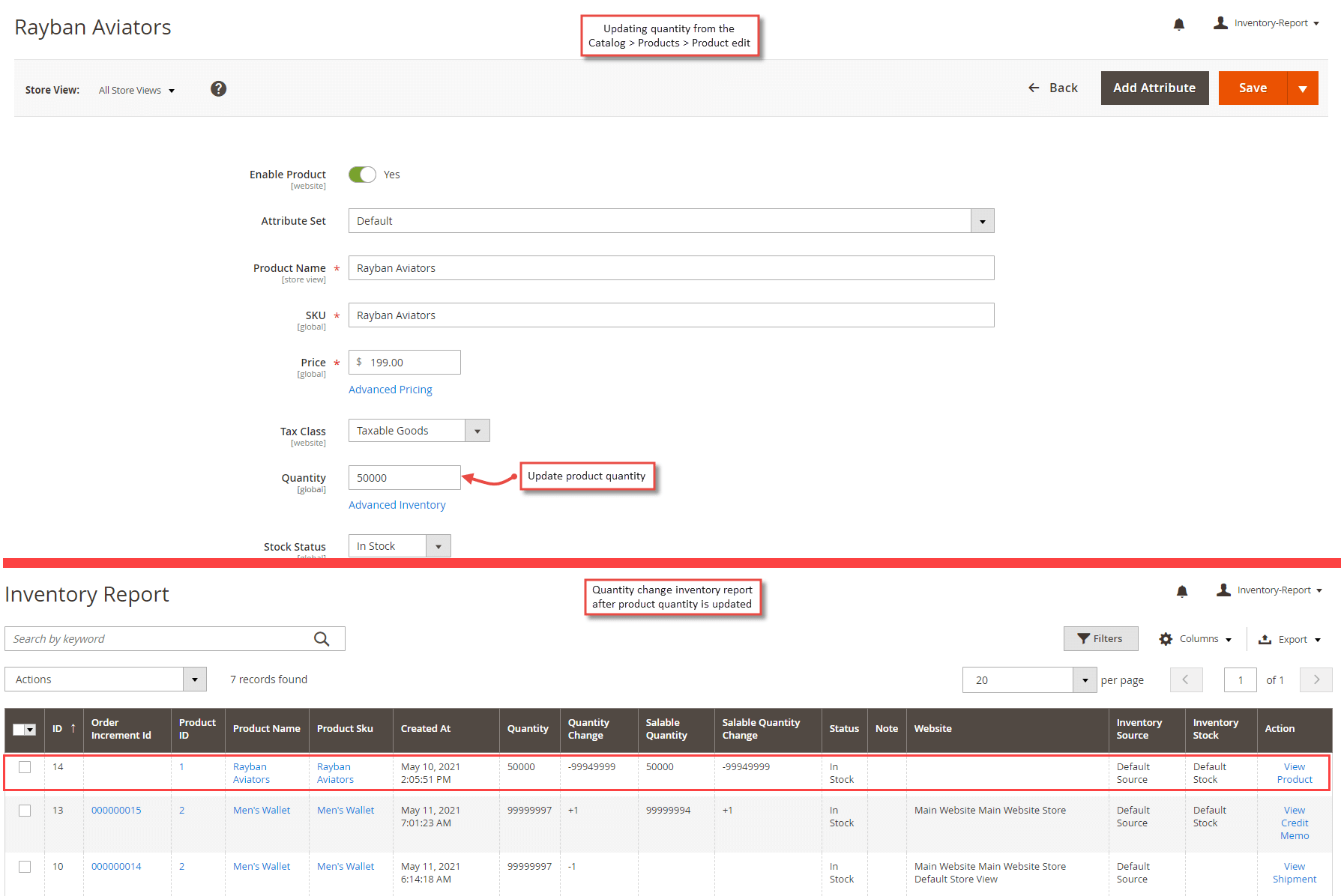
Similarly, whenever an action related to inventory is performed, the quantity is updated under the inventory report in Catalog > Inventory Report.