Duplicate CMS Page & Block for Magento 2 - User Guide
Extension Installation
- Extract the zip folder and upload our extension to the root of your Magento 2 directory via FTP.
- Login to your SSH and run below commands step by step:
php bin/magento setup:upgrade
For Magento version 2.0.x to 2.1.x -
php bin/magento setup:static-content:deploy
For Magento version 2.2.x & above -
php bin/magento setup:static-content:deploy -f
php bin/magento cache:flush
That's it.
Duplicate CMS Page
To configure the Duplicate CMS Page & Block for Magento 2, move to Content > Pages where you can find a grid with the pages.
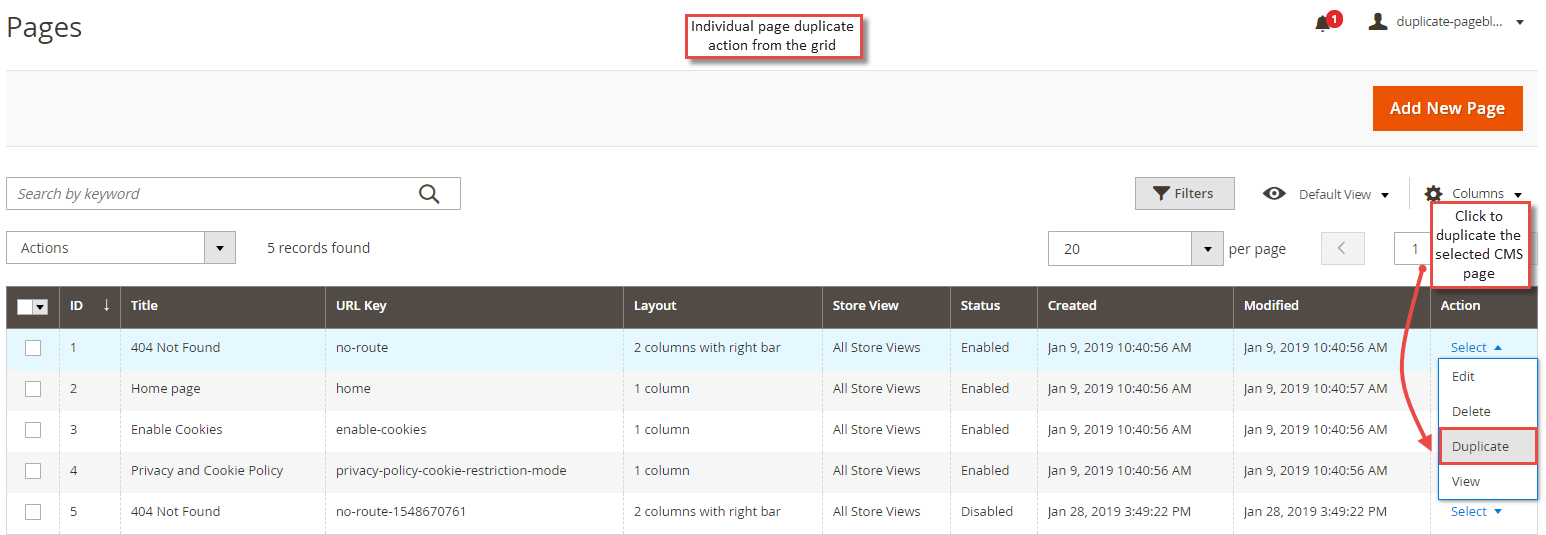
- Duplicate Individual Page from the Grid
The grid has the list of pages with the action column. On click of
"Select" action, you can find the "Duplicate" action for the page.
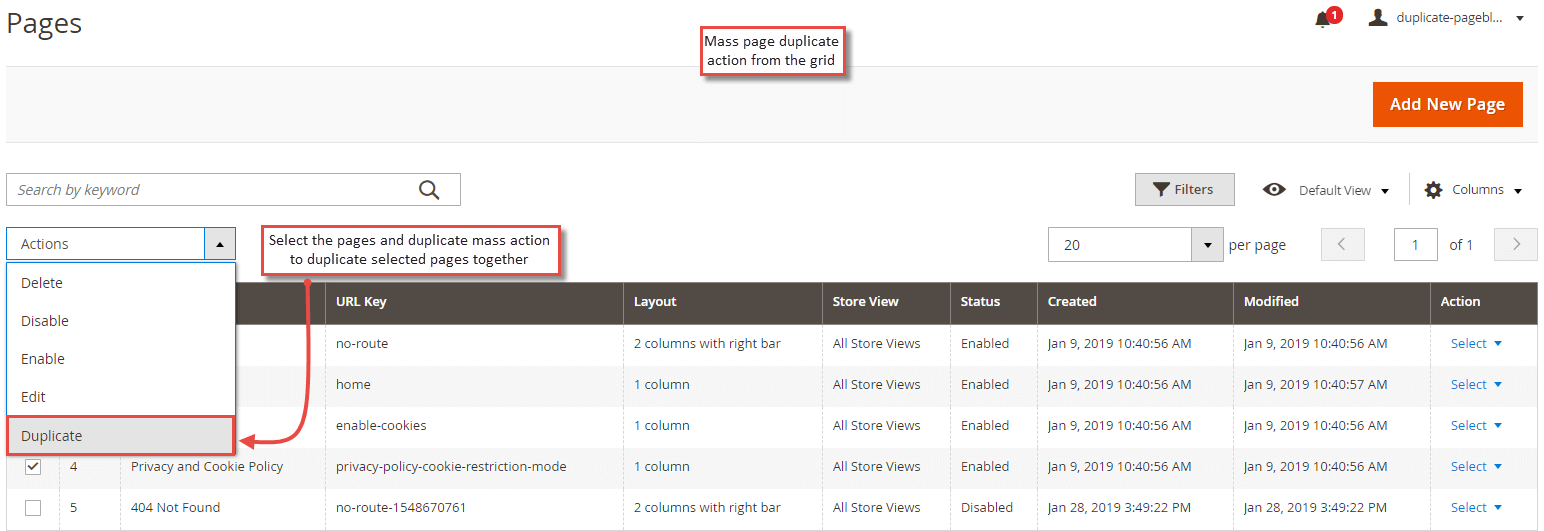
- Mass Duplicate Page Action
The extension facilitates to duplicate multiple pages together. Simply select the pages from the grid and select " Duplicate " action from the mass action dropdown.
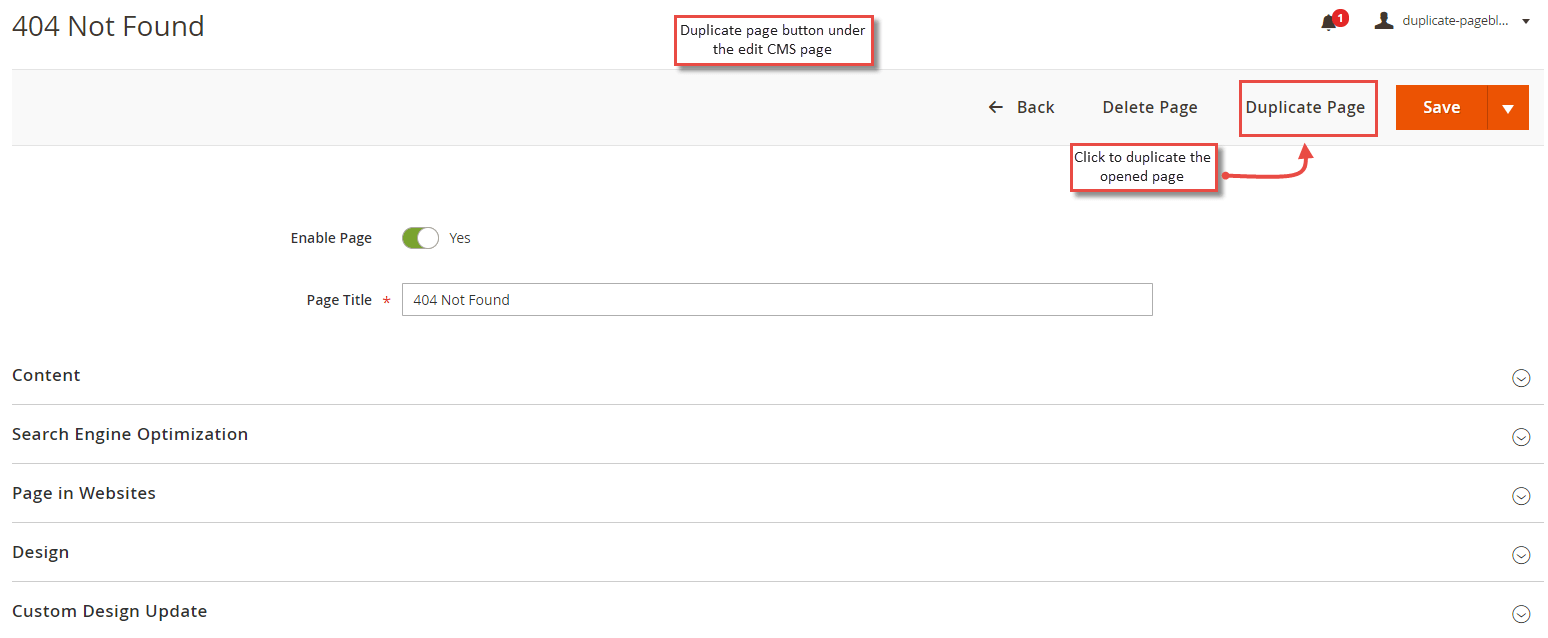
- Duplicate Page Button in Page Edit
Apart from the grid, the extension allows duplicating the page from the CMS page edit. Select a page and click edit action. From the page edit, you can see " Duplicate Page " button. Click it to create the duplicate page.
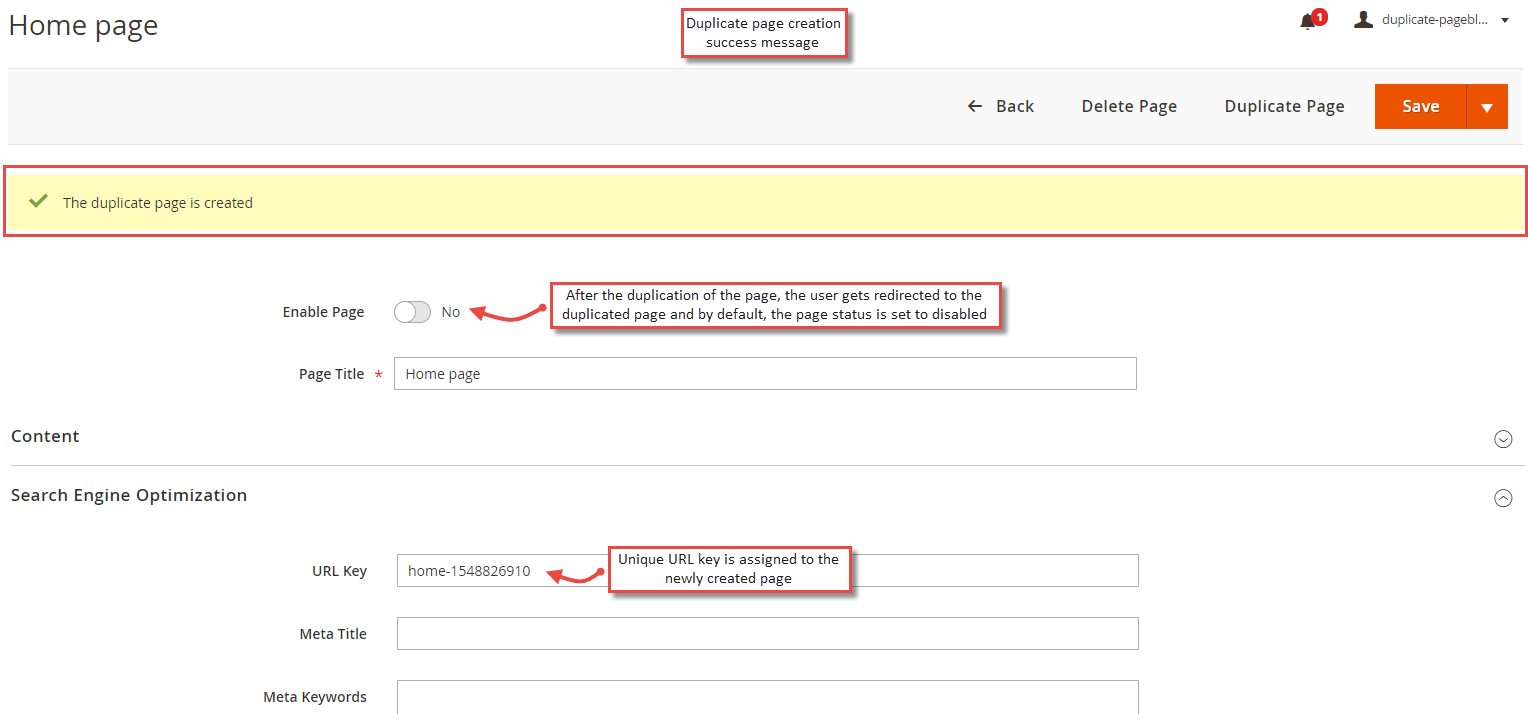
- Duplicate Page Creation Success Message
Once you click the button to create a duplicate page, the extension auto duplicates the CMS page and redirects you to the newly duplicated page set with the disabled status. Also, the page is assigned with a different URL key for the uniqueness.
Duplicate CMS Block
To duplicate CMS blocks, move to Content > Blocks where you can find a grid with the blocks.
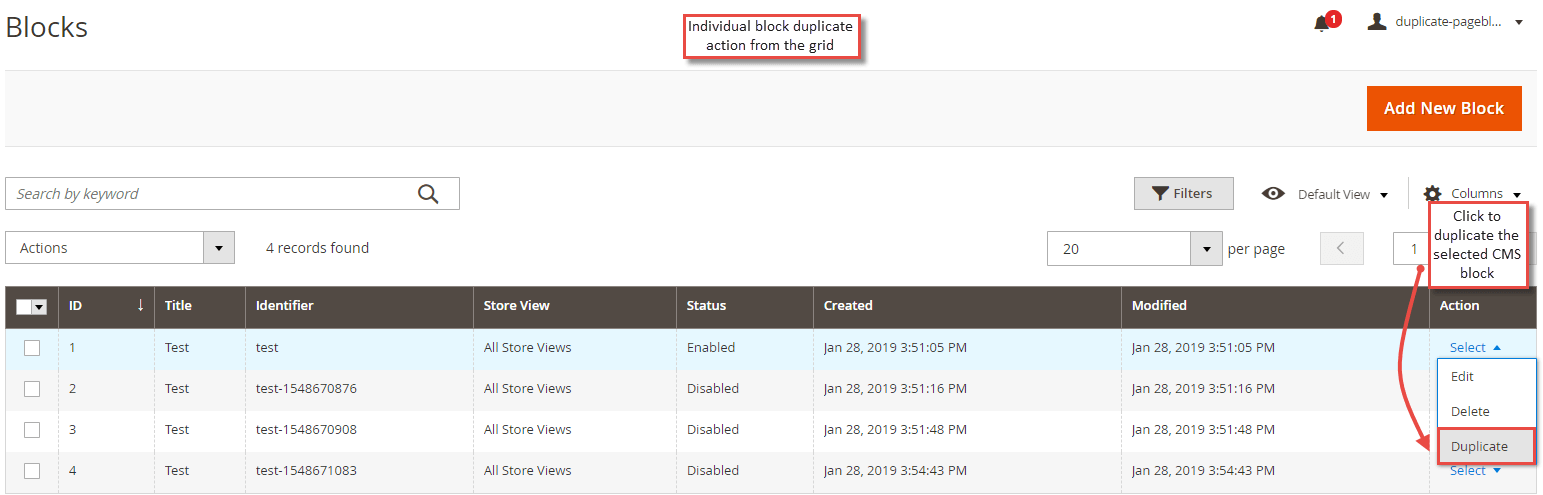
- Duplicate Individual Block from the Grid
The grid has the list of blocks with the action column. On click of "Select" action, you can find the "Duplicate" action for the block.
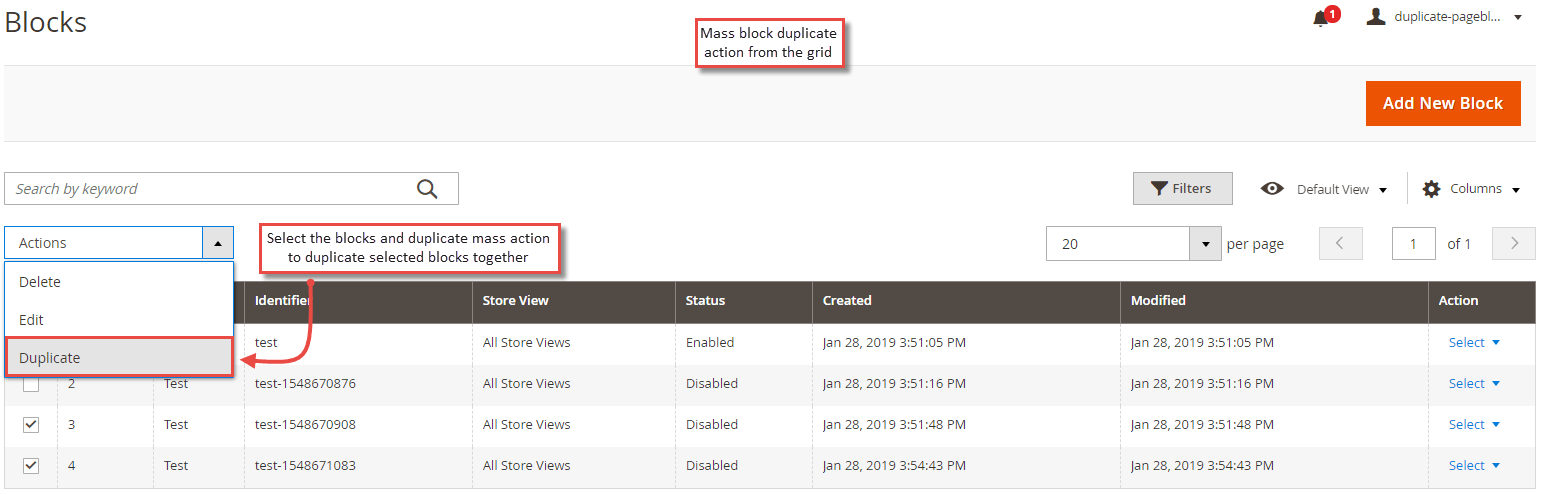
- Mass Duplicate Block Action
The extension facilitates to duplicate multiple CMS blocks together. Simply select the blocks from the grid and select " Duplicate " action from the mass action dropdown.
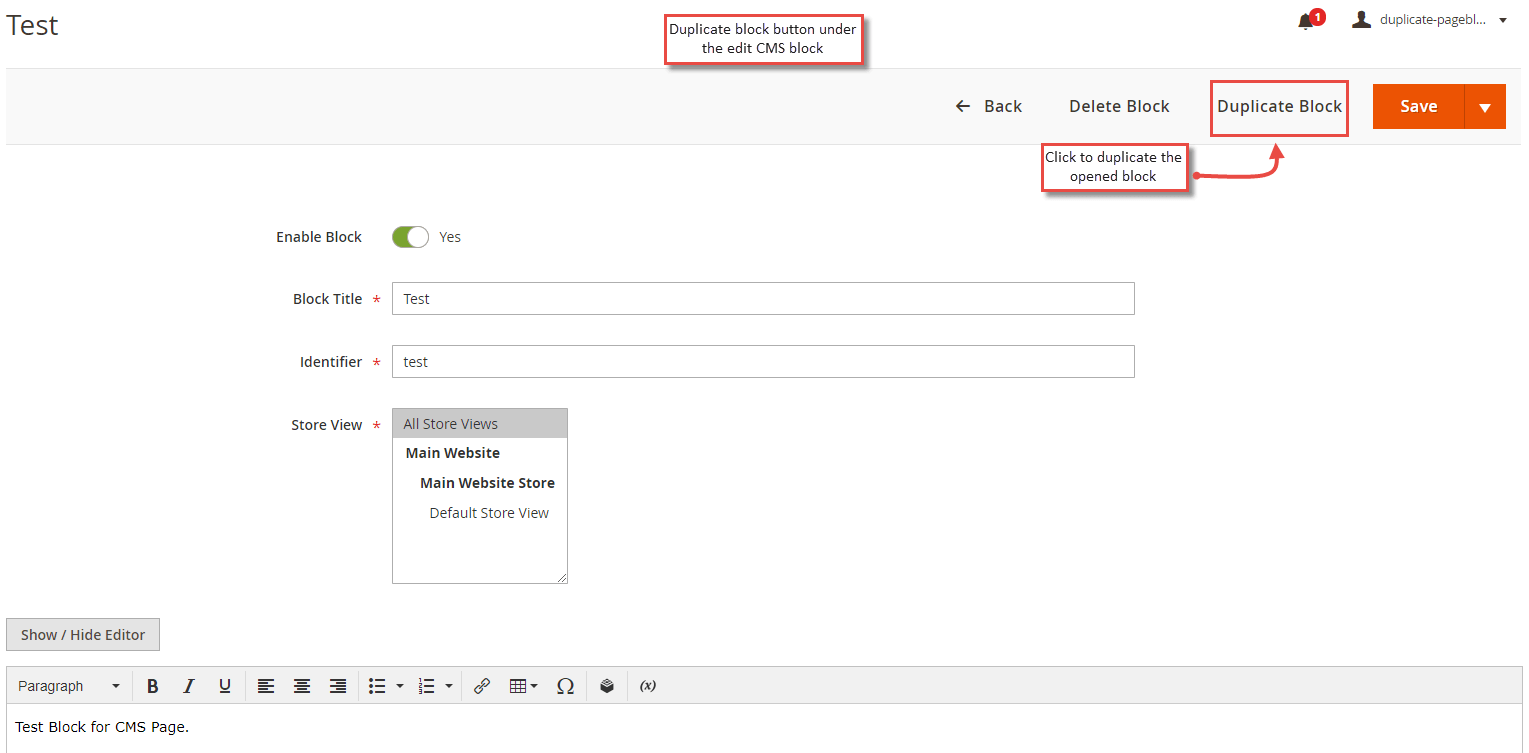
- Duplicate Block Button in Block Edit
Apart from the grid, the extension allows duplicating the block from the CMS block edit page. Select a block and click edit action. From the block edit, you can see " Duplicate Block " button. Click it to create the duplicate block.
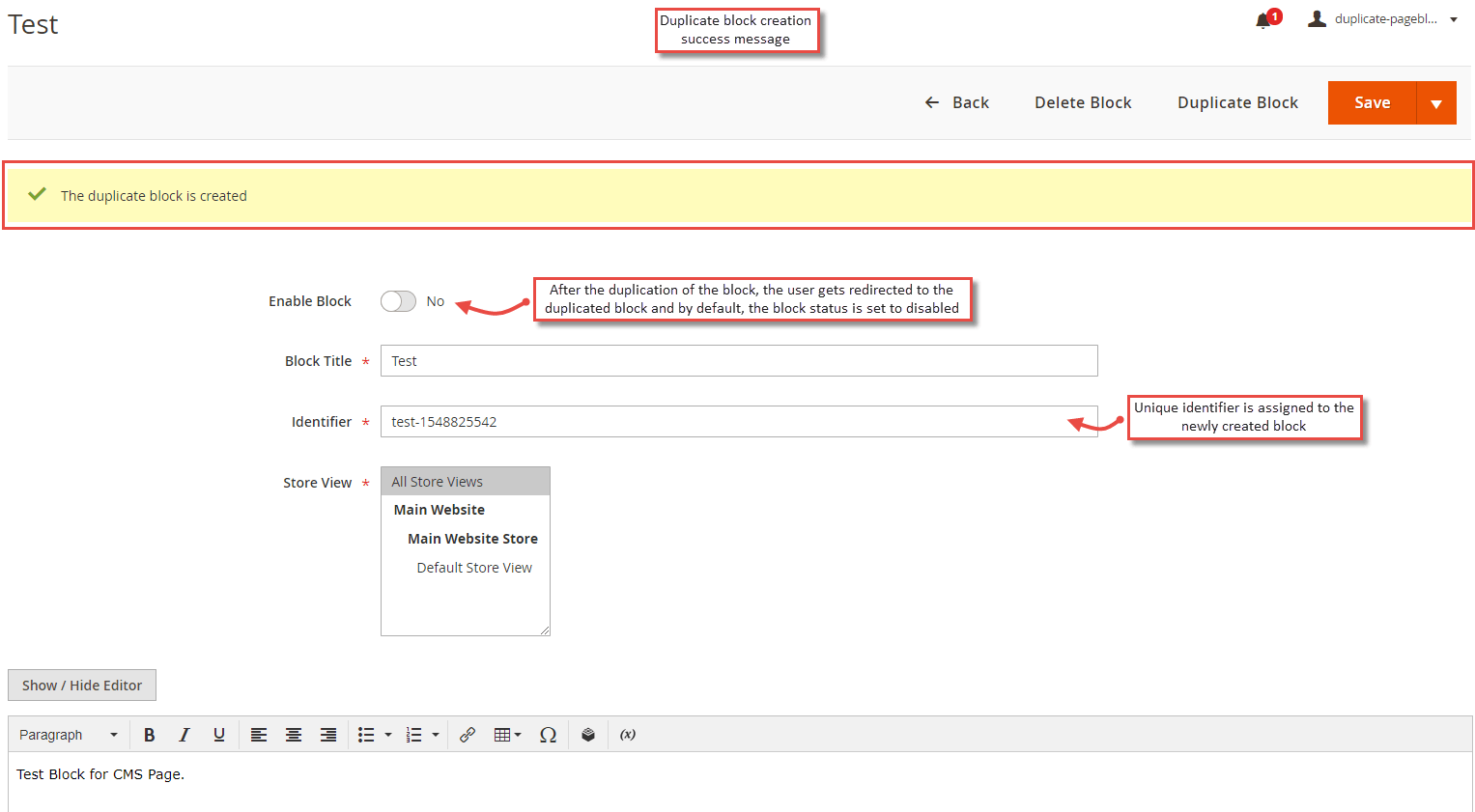
- Duplicate Block Creation Success Message
Once you click the button to create a duplicate block, the extension auto duplicates the block and redirects you to the newly duplicated CMS block set with the disabled status. Also, the block is assigned with a different identifier for the uniqueness.