Email Attachments for Magento 2 - User Guide
Extension Installation
- Extract the zip folder and upload our extension to the root of your Magento 2 directory via FTP.
- Login to your SSH and run below commands step by step:
php bin/magento setup:upgrade
- For Magento version 2.0.x to 2.1.x -
php bin/magento setup:static-content:deploy
- For Magento version 2.2.x & above -
php bin/magento setup:static-content:deploy --f
php bin/magento cache:flush
- That's it.
Configuration
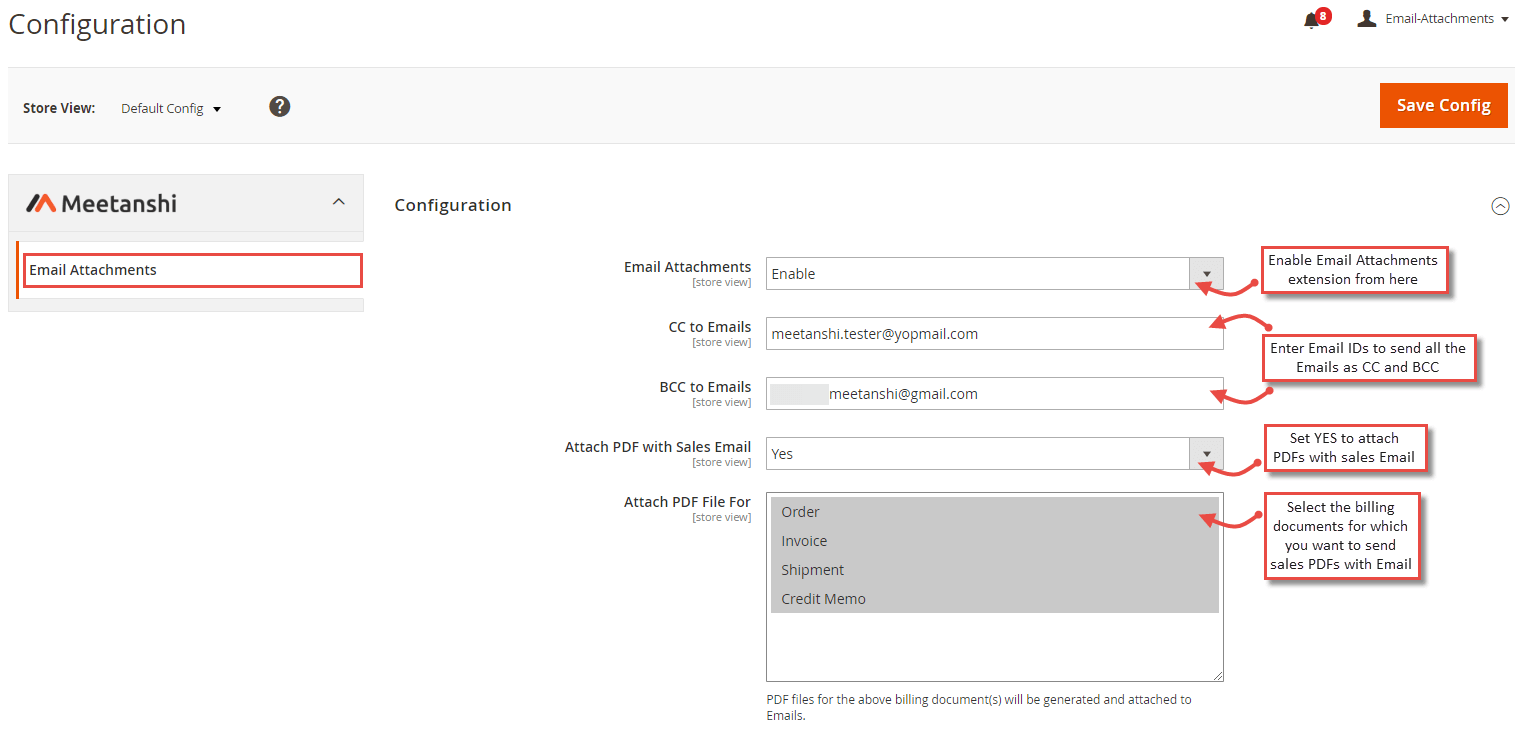
For configuring the Email Attachments for Magento 2 extension, login to Magento 2, move to Stores > Configuration > Email Attachments where you can find various settings to enable the extension.
- Email Attachments: Enable the extension from here.
- CC to Emails: Enter comma separated Email IDs to send the carbon copy of the Emails.
- BCC to Emails: Enter comma separated Email IDs to send the blank carbon copy of the Emails.
- Attach PDF with Sales Email: Select YES to send billing document PDFs as an attachment with various sales Emails.
- Attach PDF File for: Select billing documents for which you want to send PDFs as attachments in various sales Emails.
Note: The size of the attachments sent to the Email depends upon the file size limit of your Email server.
Customer Account Registration Email Attachments Settings
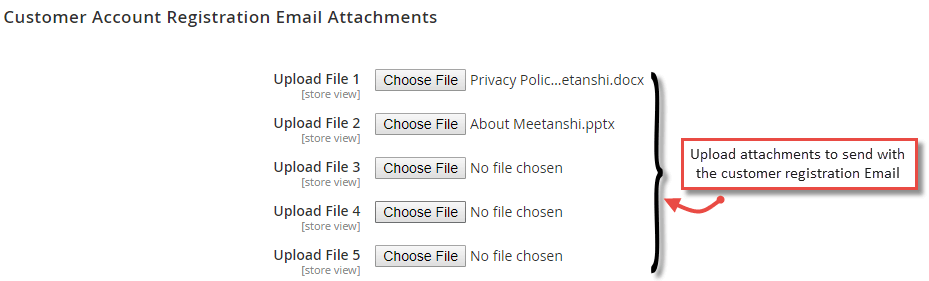
Upload any document, PDF, PPT, XLS, etc. files to send as attachments in customer account registration Email.
- Upload File 1 to 5: You can add up to 5 files to send as attachments.
Order Email Attachments Settings
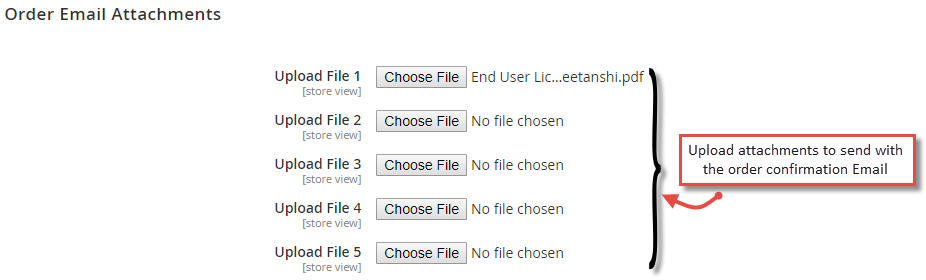
Upload any document, PDF, PPT, XLS, etc. files to send as attachments in order confirmation Email to customers.
- Upload File 1 to 5: You can add up to 5 files to send as attachments.
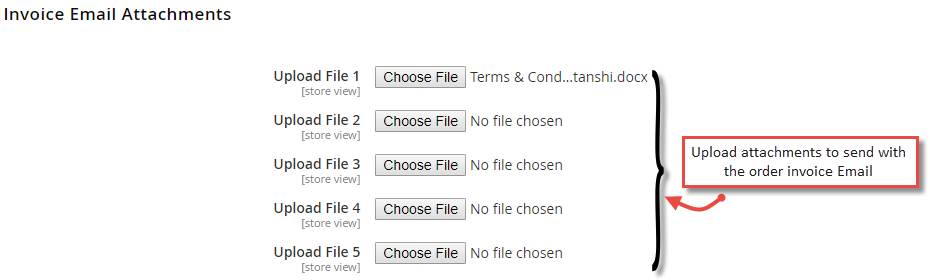
Invoice Email Attachments Settings
Upload any document, PDF, PPT, XLS, etc. files to send as attachments in invoice Email to customers.
- Upload File 1 to 5: You can add up to 5 files to send as attachments.
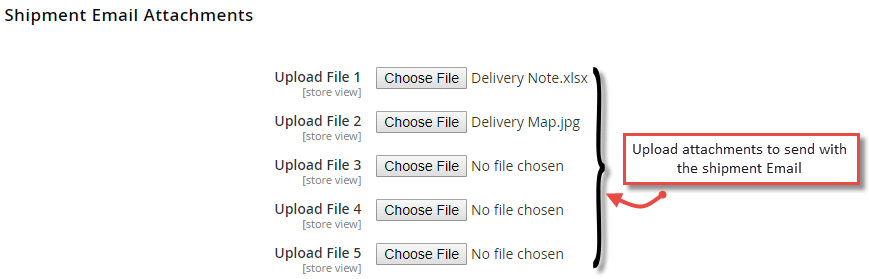
Shipment Email Attachments Settings
Upload any document, PDF, PPT, XLS, etc. files to send as attachments in shipment Email to customers.
- Upload File 1 to 5: You can add up to 5 files to send as attachments.
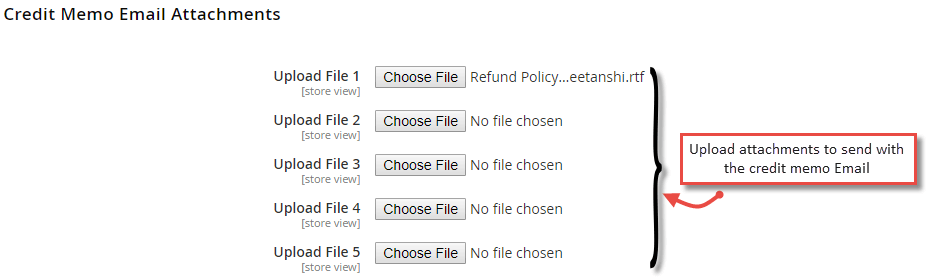
Credit Memo Email Attachments Settings
Upload any document, PDF, PPT, XLS, etc. files to send as attachments in credit memo Email to customers.
- Upload File 1 to 5: You can add up to 5 files to send as attachments.
Email Attachments in Frontend
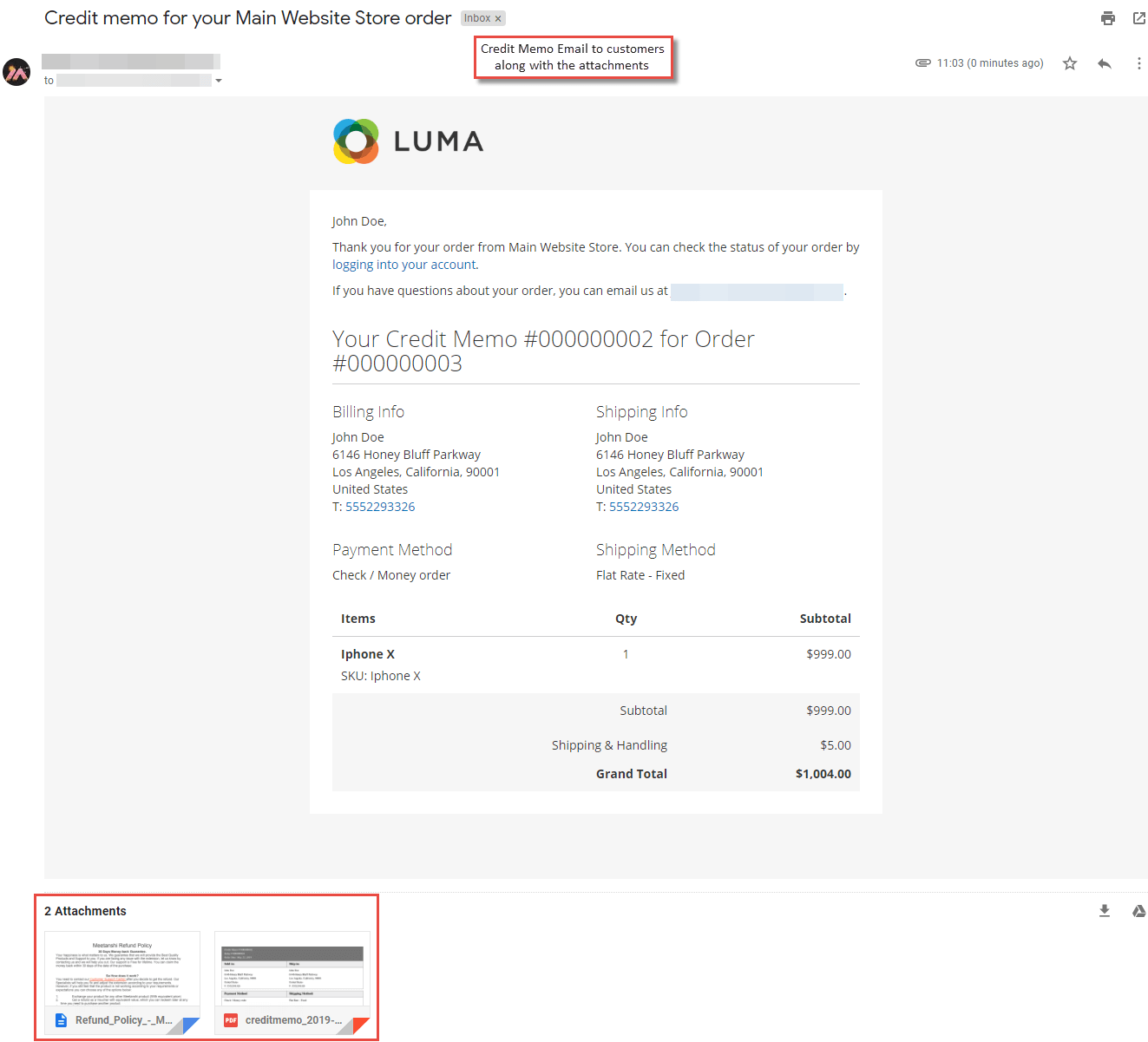
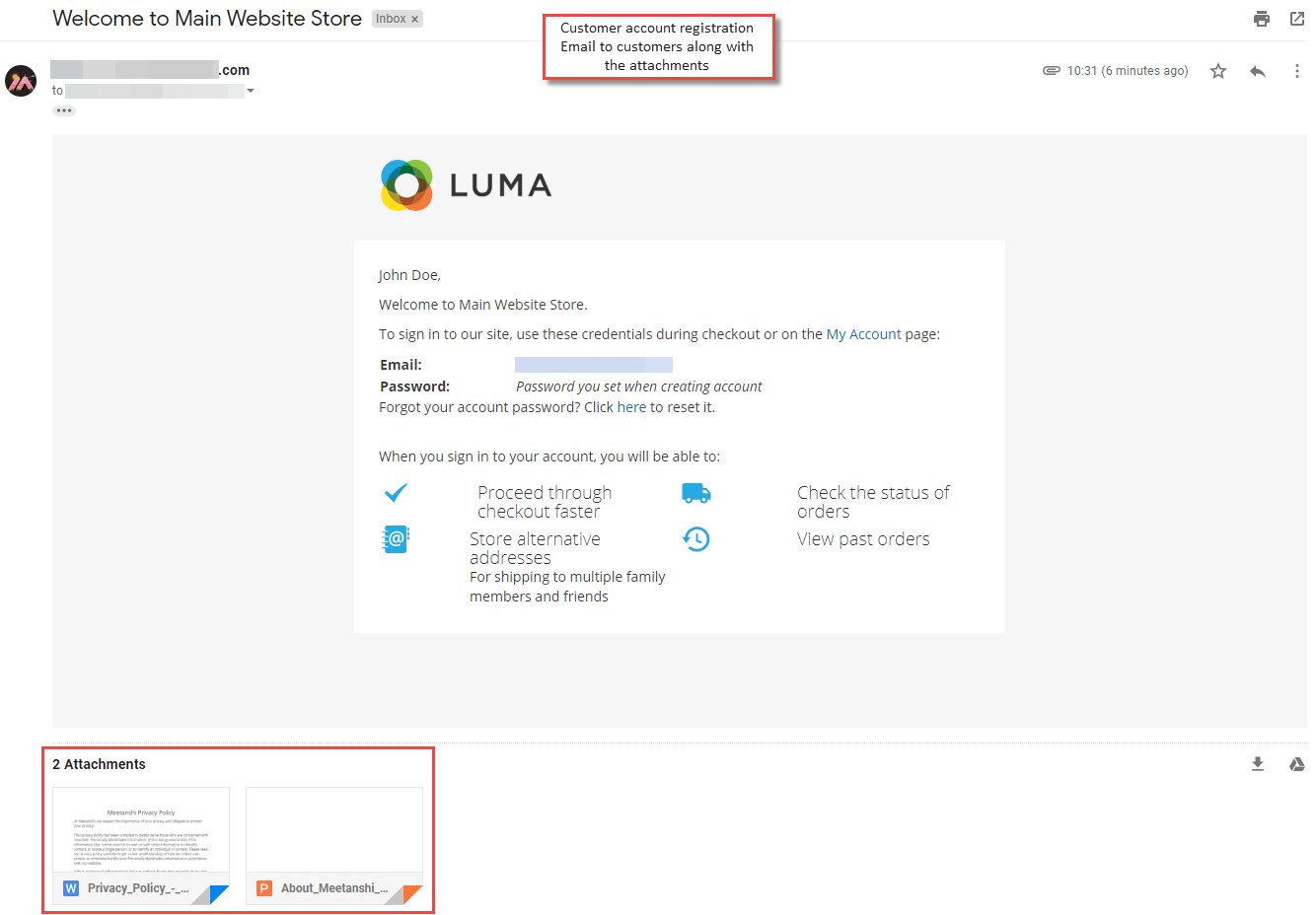
Once the extension is configured, whenever a particular action is performed such as customer account registration, order placement, invoice, shipment, etc., an Email with the sales PDF and uploaded attachments will be sent to the customers.
- Customer Account Registration Email with Attachments
- Order Confirmation Email with Attachments
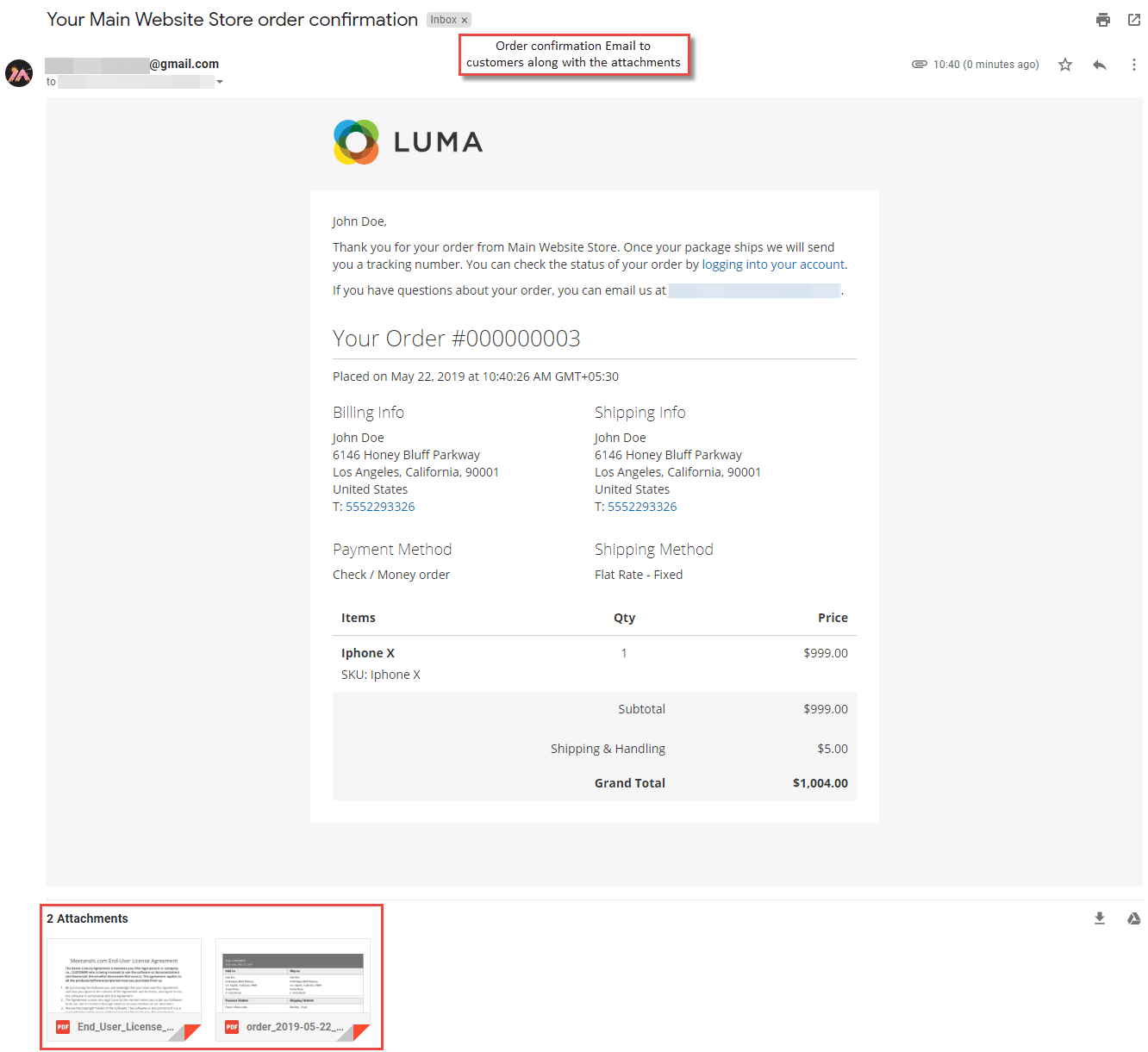
- Order Invoice Email with Attachments
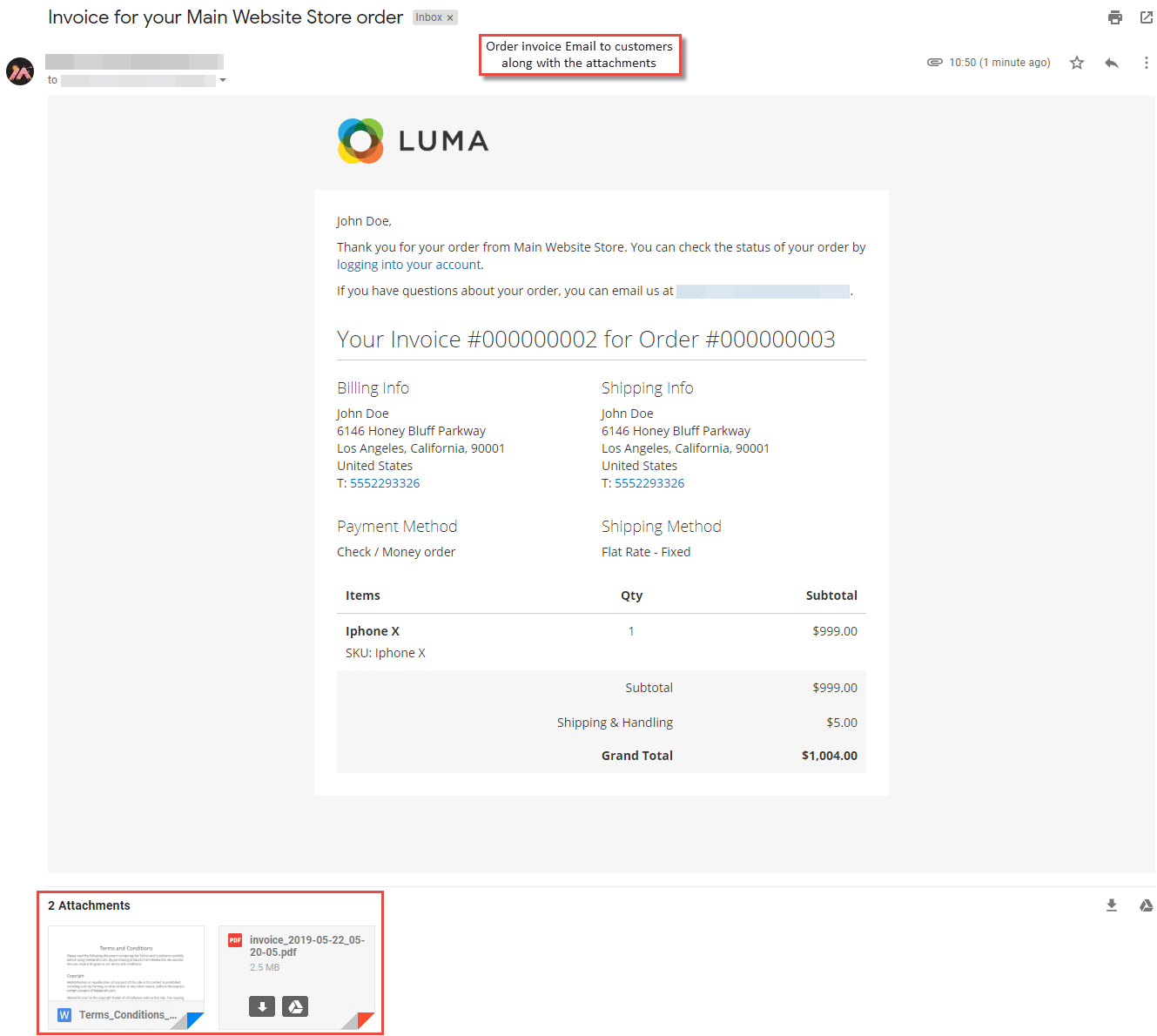
- Shipment Email with Attachments
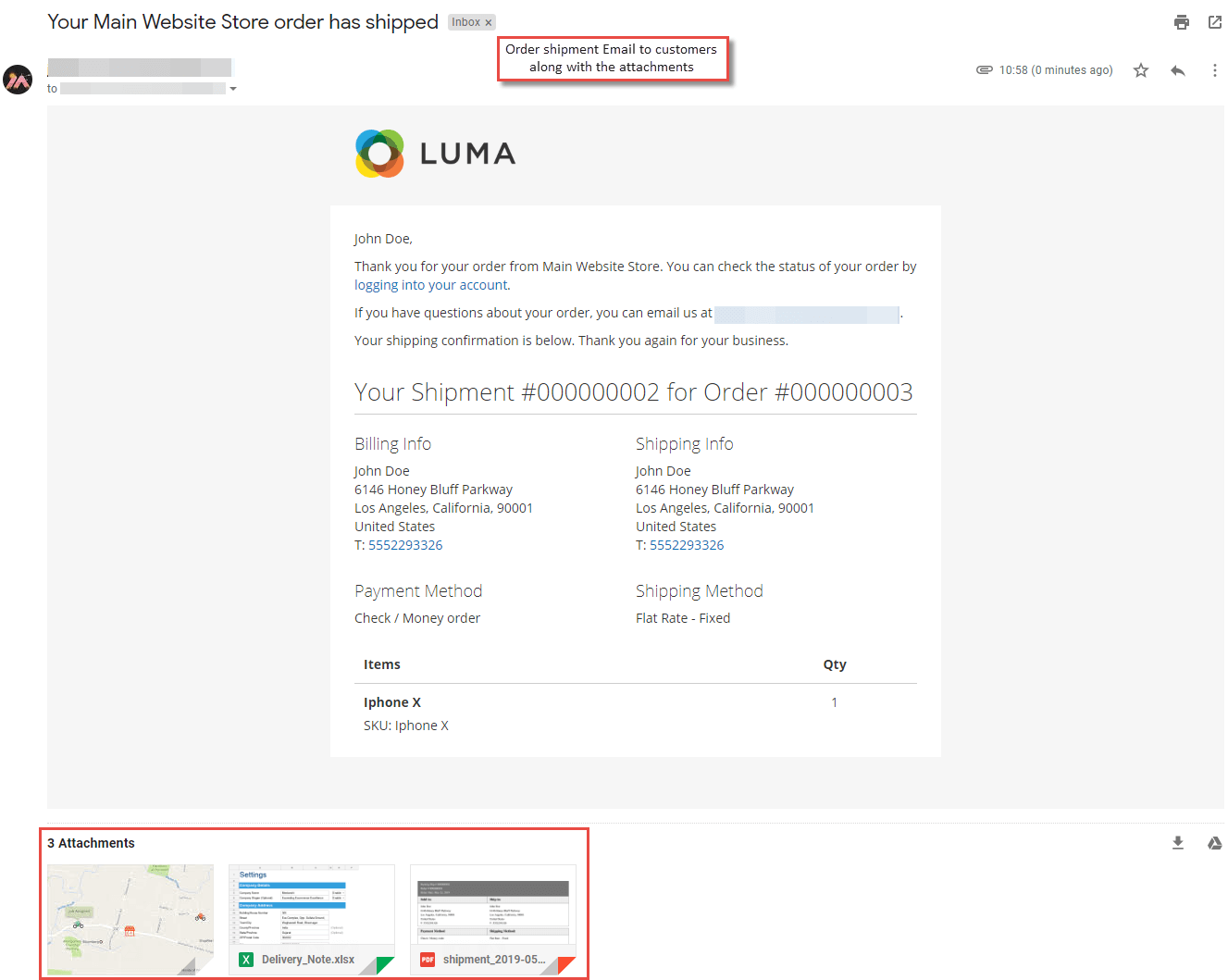
- Credit Memo Email with Attachments