Review Reminder Pro for Magento 2 - User Guide
Extension Installation
- Extract the zip folder and upload our extension to the root of your Magento 2 directory via FTP.
- Login to your SSH and run below commands step by step:
php bin/magento setup:upgrade
- For Magento version 2.0.x to 2.1.x - php bin/magento setup:static-content:deploy
- For Magento version 2.2.x & above- php bin/magento setup:static-content:deploy -f
php bin/magento cache:flush
- That's it.
Configuration
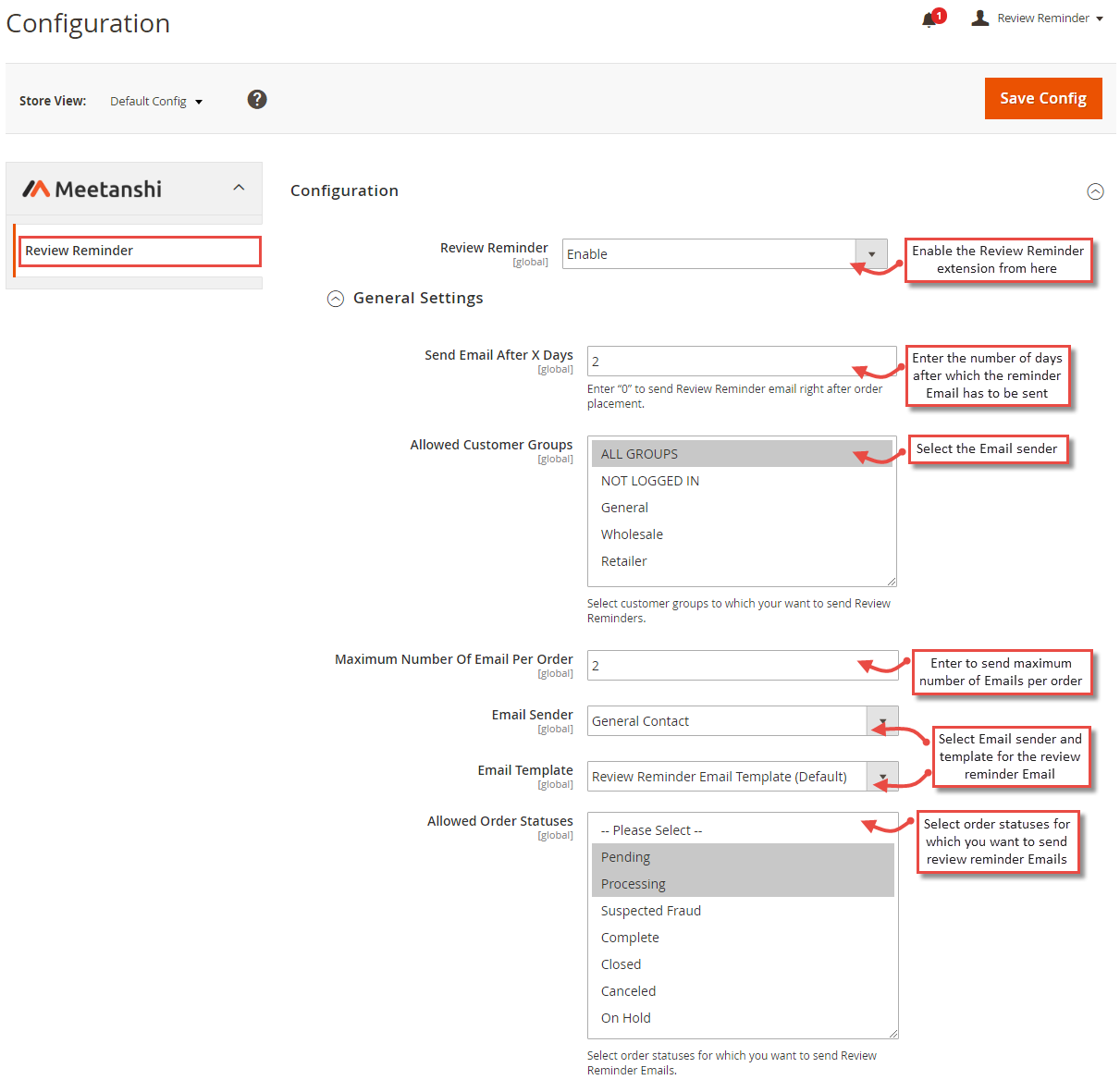
For configuring the Review Reminder Pro for Magento 2 extension, log in to Magento 2, move to Stores > Configuration > Review Reminder where you can find various settings to enable the extension.
- Review Reminder: Enable Review Reminder extension.
- Send Email After X Days: Enter number of days after which you want to send a reminder Email to customers, requesting to submit a review.
- Allowed Customer Groups: Select customer groups to send review reminders after their purchase.
- Maximum Number of Emails per Order: Enter maximum number to send review reminder Emails per order.
- Email Sender: Select the Email sender for reminder Email.
- Email Template: Select template for the reminder Email.
- Allowed Order Statuses: Select order statuses to which you want to send review reminder Emails.
Coupon Code Email Settings
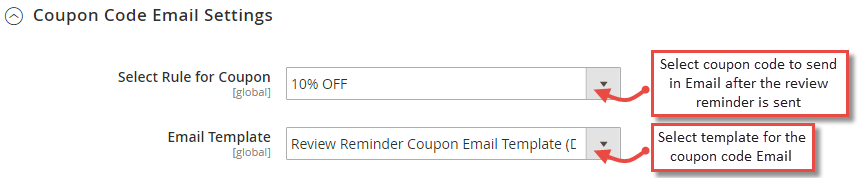
The pro version of the extension allows you to reward the customers who review the products after the review reminder is sent. You can make settings for the coupon code Emails from here.
UTM Tracking Settings
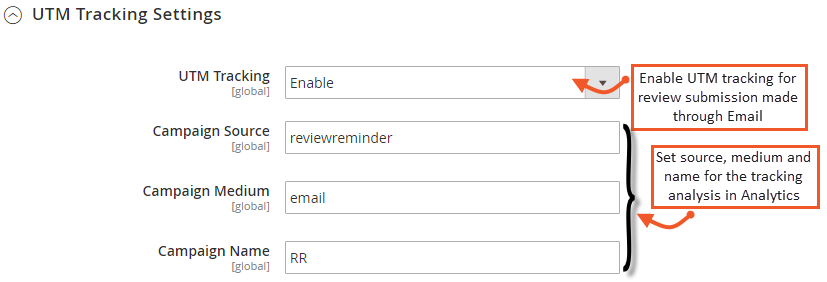
Review Reminder Pro offers you to track the reviews added using the link in Email. UTM tracking helps analysis the visits and conversions in Google Analytics as it concate tracking code to the Review URL. Here you can configure the UTM Tracking Settings as shown below:
- UTM Tracing: Enable UTM Tracking for WhatsApp Share from here.
- Campaign Source: Set the source for tracking analysis in Analytics.
- Campaign Medium: Set the medium for tracking analysis in Analytics.
- Campaign Name: Set the name for tracking analysis in Analytics.
Review Reminder Email to Customers
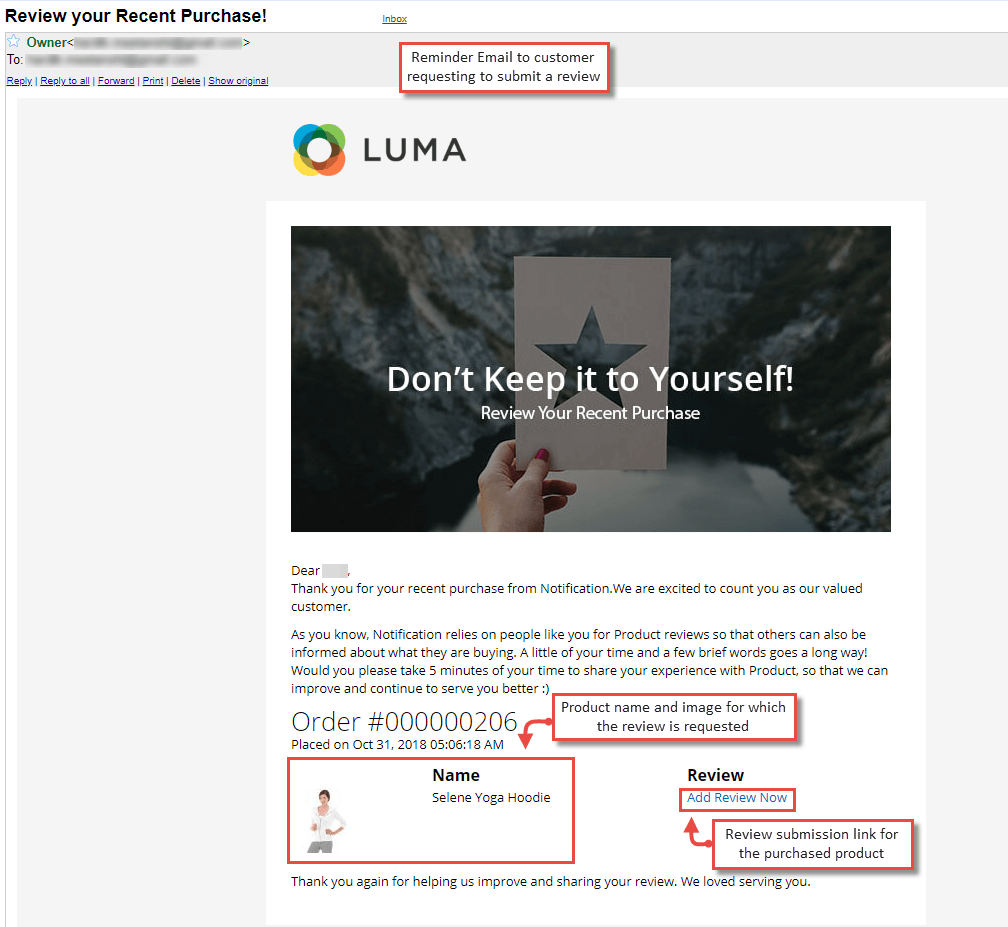
The extension offers functionality to send a review reminder Email to the customer after the configured number of days of purchase. The Email has the product details such as name and image to let the customer know for what product the review is requested. Also, a review submission link is added in the Email for customers to easily submit their review, following that link.
Review Reminder Logs in Backend
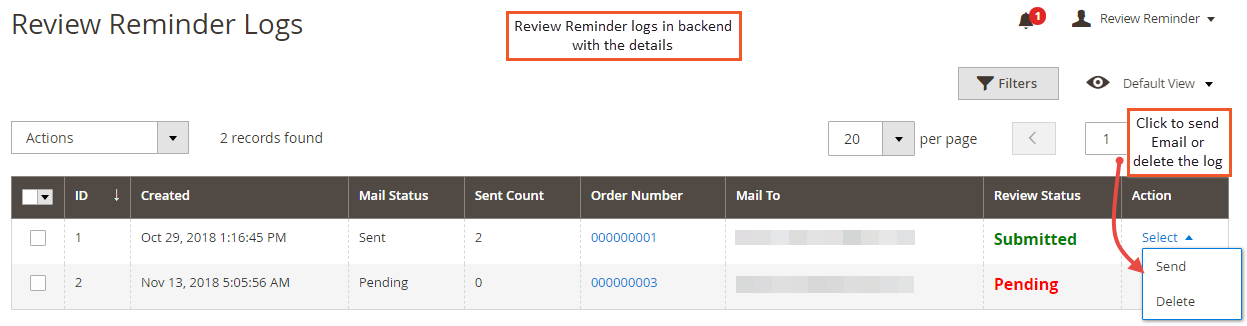
Once a review reminder is sent to the customers, review reminder logs are saved in the backend in the pro version of the extension. Admin can see the action along with the customer details and send Email or delete the log from there.
Coupon Code Email to Customers
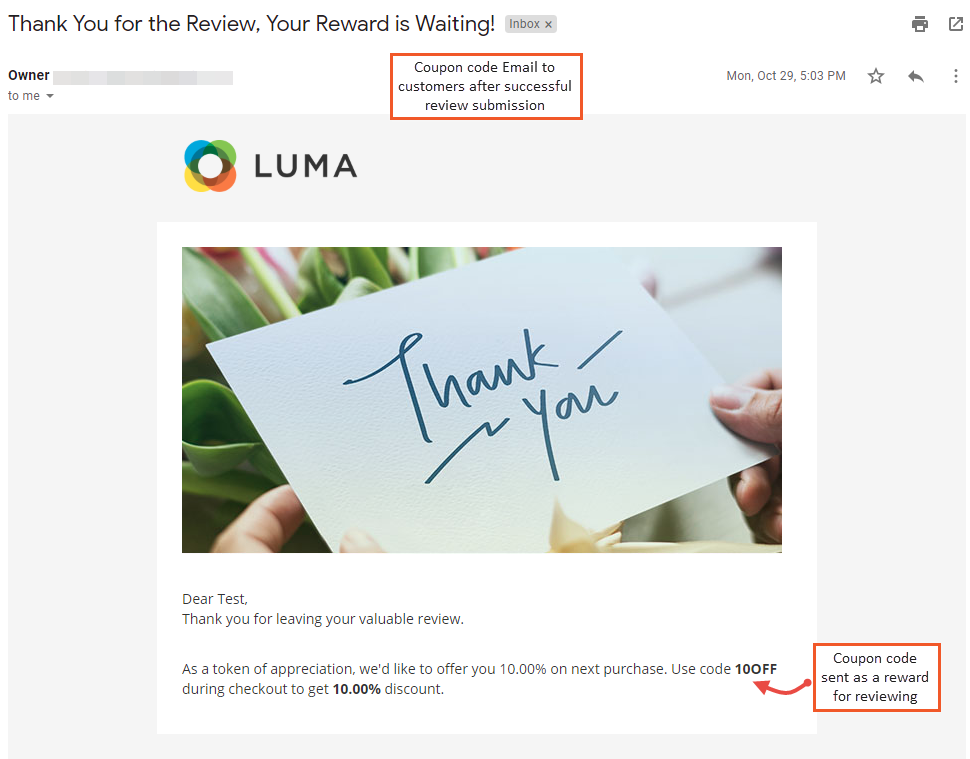
The pro version of the extension allows you to enable coupon code Email to send to the customers as the reward for their review. After the successful review submission, coupon code Email is sent to the customers.