Review Reminder for Magento 2 - User Guide
Extension Installation
- Extract the zip folder and upload our extension to the root of your Magento 2 directory via FTP.
- Login to your SSH and run below commands step by step:
php bin/magento setup:upgrade
- For Magento version 2.0.x to 2.1.x - php bin/magento setup:static-content:deploy
- For Magento version 2.2.x & above- php bin/magento setup:static-content:deploy -f
php bin/magento cache:flush
- That's it.
Configuration
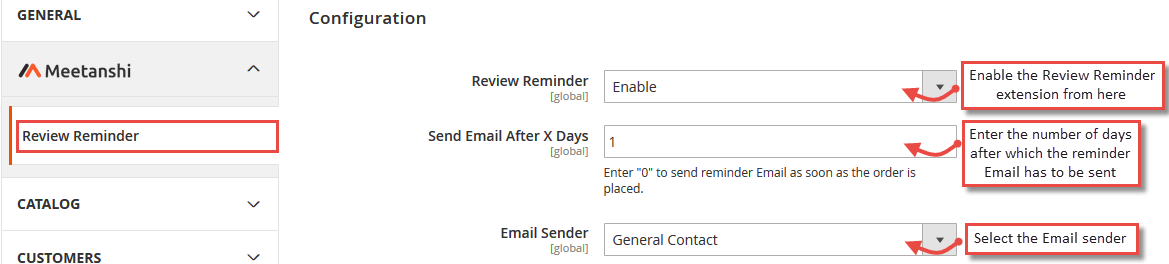
For configuring the Review Reminder for Magento 2 extension, log in to Magento 2, move to Stores > Configuration > Review Reminder where you can find various settings to enable the extension.
- Review Reminder: Enable Review Reminder extension.
- Send Email After X Days: Enter number of days after which you want to send a reminder Email to customers, requesting to submit a review.
- Email Sender: Select the Email sender for reminder Email.
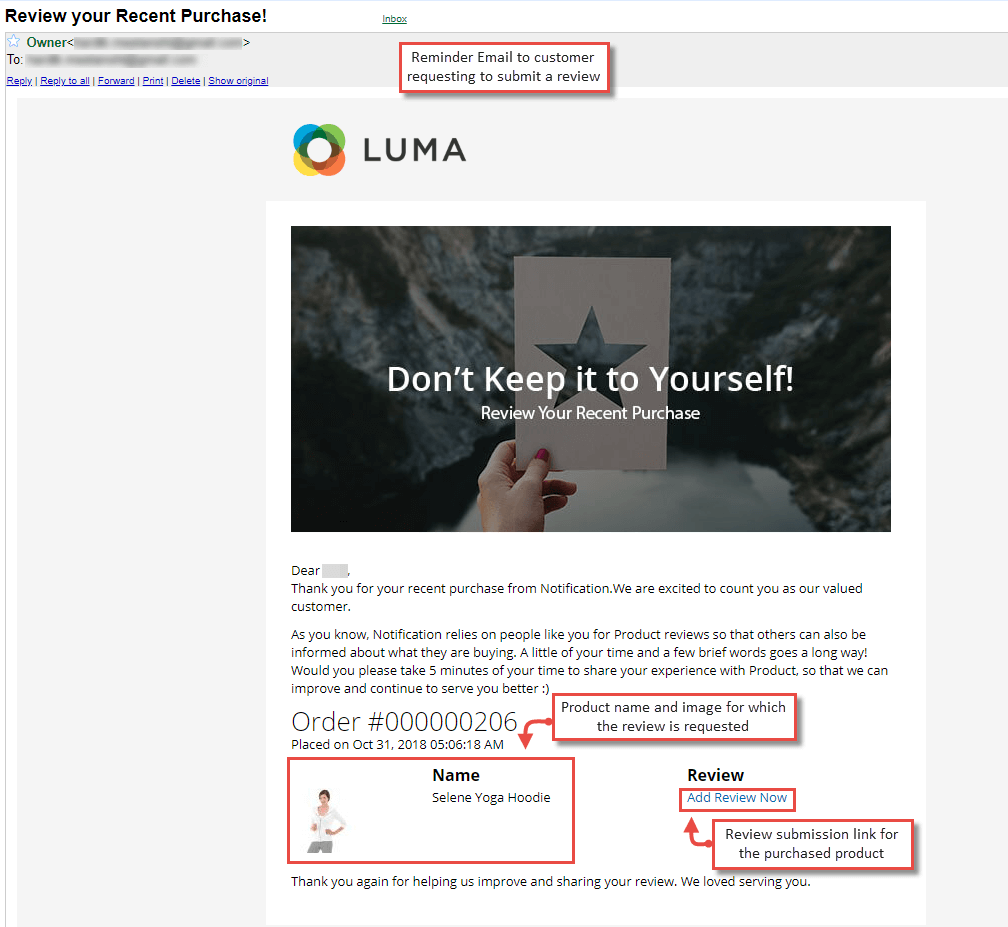
Review ReminderEmail to Customer
The extension offers functionality to send a review reminder Email to the customer after the configured number of days of purchase. The Email has the product details such as name and image to let the customer know for what product the review is requested. Also, a review submission link is added in the Email for customers to easily submit their review, following that link.