Custom Contact Form for Magento 2 - User Guide
Extension Installation
- Extract the zip folder and upload our extension to the root of your Magento 2 directory via FTP.
- Login to your SSH and run below commands step by step:
php bin/magento setup:upgrade
- For Magento version 2.0.x to 2.1.x -
php bin/magento setup:static-content:deploy
- For Magento version 2.2.x & above -
php bin/magento setup:static-content:deploy --f
php bin/magento cache:flush
- That's it.
Configuration
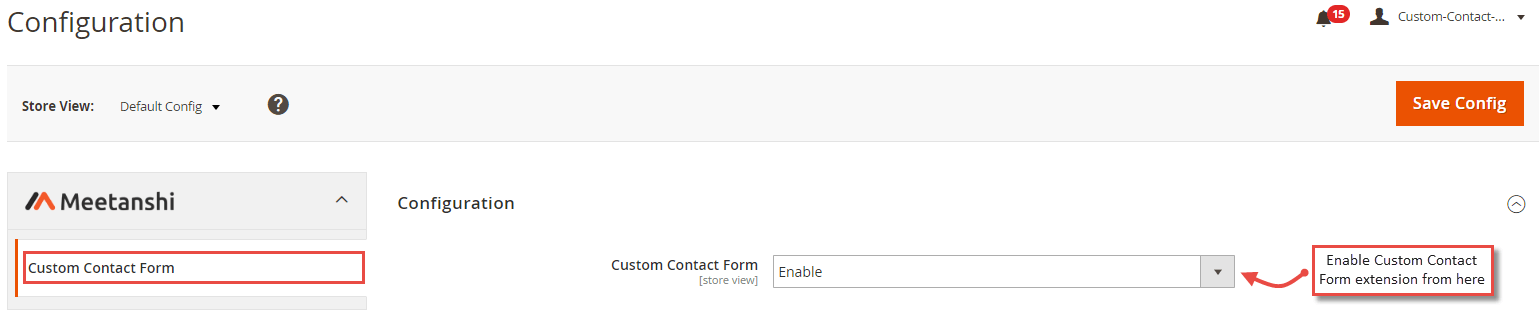
To configure the Custom Contact Form for Magento 2 extension, login to Magento 2, move to Stores > Configuration > Custom Contact Form from where you can enable the extension.
- Custom Contact Form: Enable the Custom Contact Form extension from here.
Manage Contact Departments
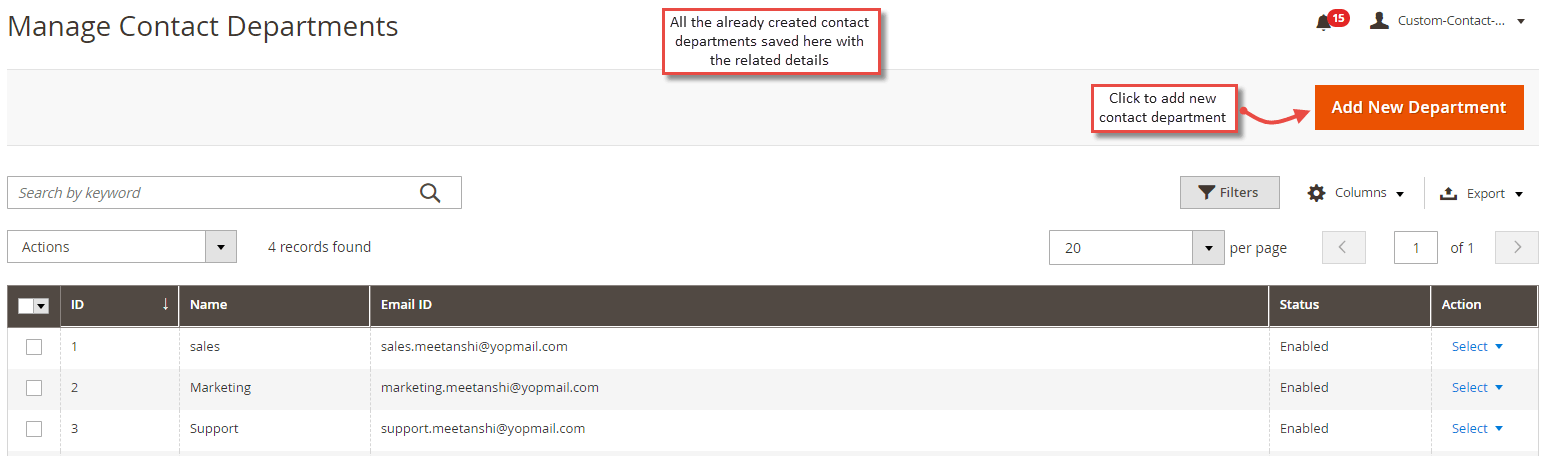
The extension allows adding as many departments as you have in your company. All the already added and saved departments get enlisted in a separate grid under Content > Custom Contact Form > Manage Contact Departments .
- Add New Department
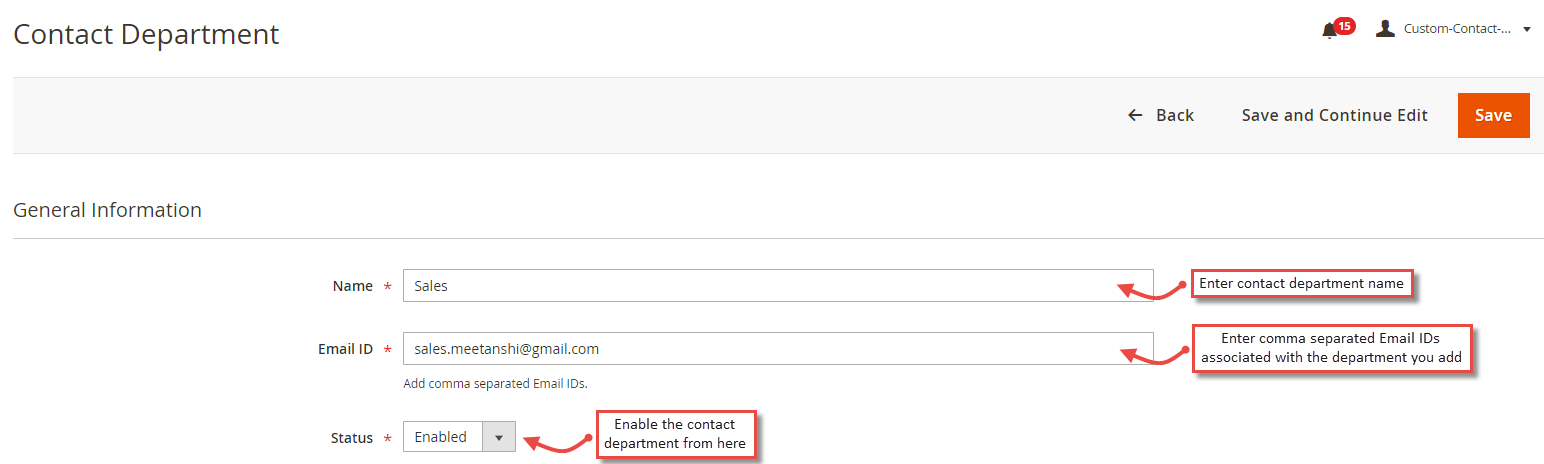
On click of the "Add New Department" button, the admin can add a new department along with the associated Email IDs.
- Name: Enter the name of the contact department.
- Email ID: Enter comma-separated Email IDs associated with the department.
- Status: Enable the department from here.
Custom Contact Form in Frontend
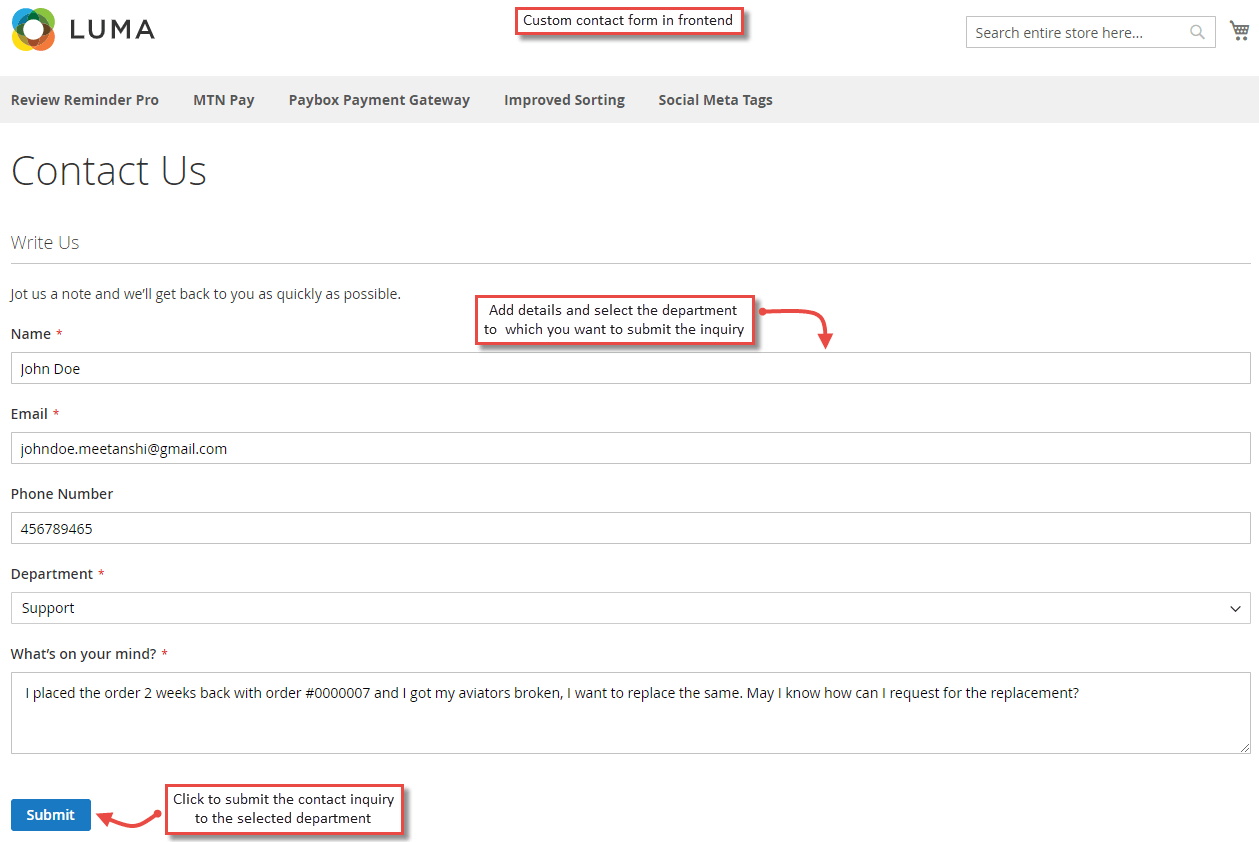
Once the required configurations are done, customers can see the contact form with the added departments from the backend. They can fill up the details, select the department to which they want to contact and submit the form.
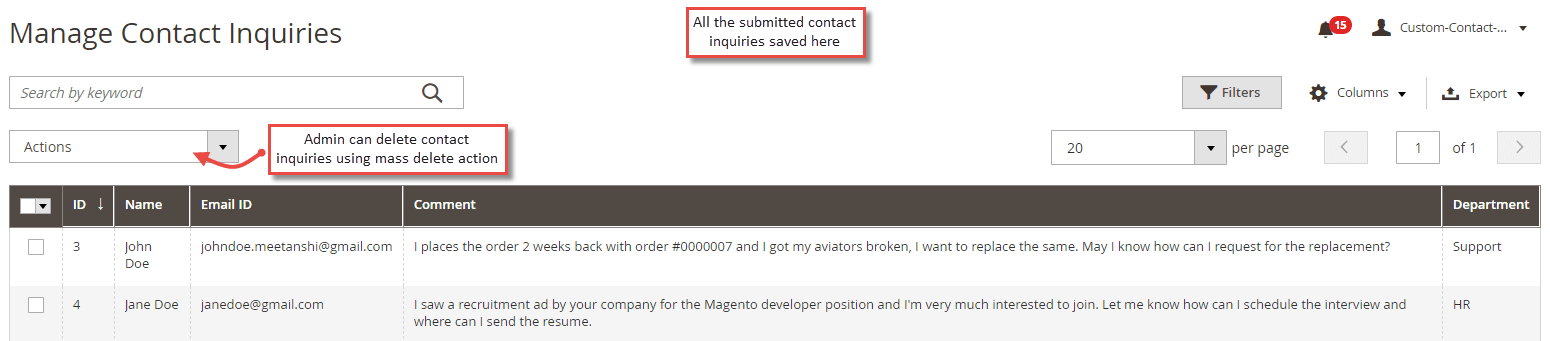
Manage Contact Inquiries from Backend
Immediately after a customer submits the contact form, the inquiry details get saved in the backend in a separate grid under Content > Custom Contact Form > Manage Contact Inquiries . The admin can see contact name, Email ID, inquiry message and department to which the contact inquiry is sent.
New Contact Inquiry Email to Admin
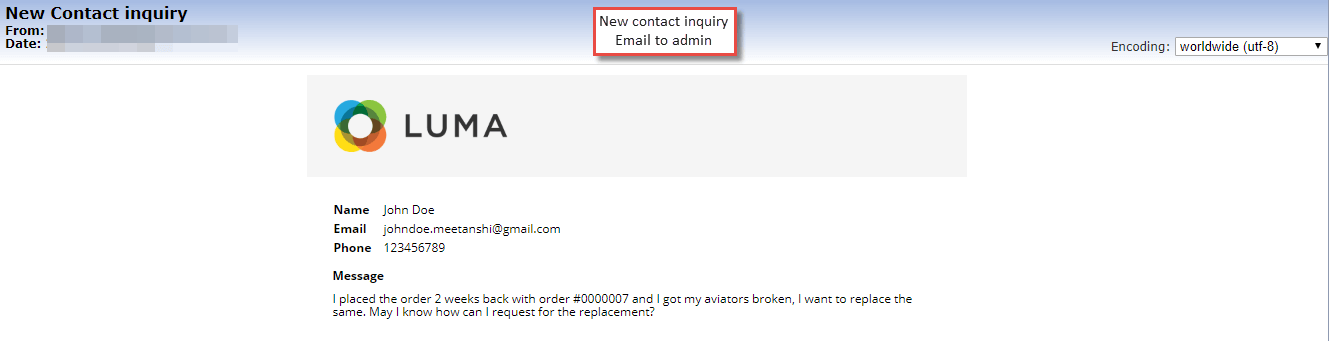
Immediately after a customer submits the contact form, apart from saving it in the Magento 2 backend, the admin gets a new contact inquiry Email having contact form submission details.