Custom Promo Conditions for Magento 2 - User Guide
Extension Installation
For Magento Marketplace Customers
- Find the Composer name and version of the extension in the extension's composer.json file.
- Login to your SSH and run:
composer require meetanshi/magento-2-custom-promo-conditions
- Enter your authentication keys . Your public key is your username; your private key is your password.
- Wait for Composer to finish updating your project dependencies and make sure there aren't any errors.
- To verify that the extension installed properly, run the command:
php bin/magento module:status Meetanshi_CustomPromoConditions
- By default, the extension is probably disabled.
- Enable the extension and clear static view files:
php bin/magento module:enable
Meetanshi_CustomPromoConditions --clear-static-content
php bin/magento setup:upgrade
For Magento version 2.0.x to 2.1.x -
php bin/magento setup:static-content:deploy
For Magento version 2.2.x & above -
php bin/magento setup:static-content:deploy --f
php bin/magento cache:flush
For Meetanshi Customers
- Extract the zip folder and upload our extension to the root of your Magento 2 directory via FTP.
- Login to your SSH and run below commands step by step:
php bin/magento setup:upgrade
For Magento version 2.0.x to 2.1.x -
php bin/magento setup:static-content:deploy
For Magento version 2.2.x & above -
php bin/magento setup:static-content:deploy --f
php bin/magento cache:flush
Configuration
To configure the Custom Promo Condition for Magento 2 extension, login to Magento 2 backend, move to Stores > Configuration > Meetanshi > Custom Promo Conditions where you can find various settings to configure the extension.
- Custom Promo Conditions: Enable the Custom Promo Conditions extension from here.

Set Custom Promo Conditions
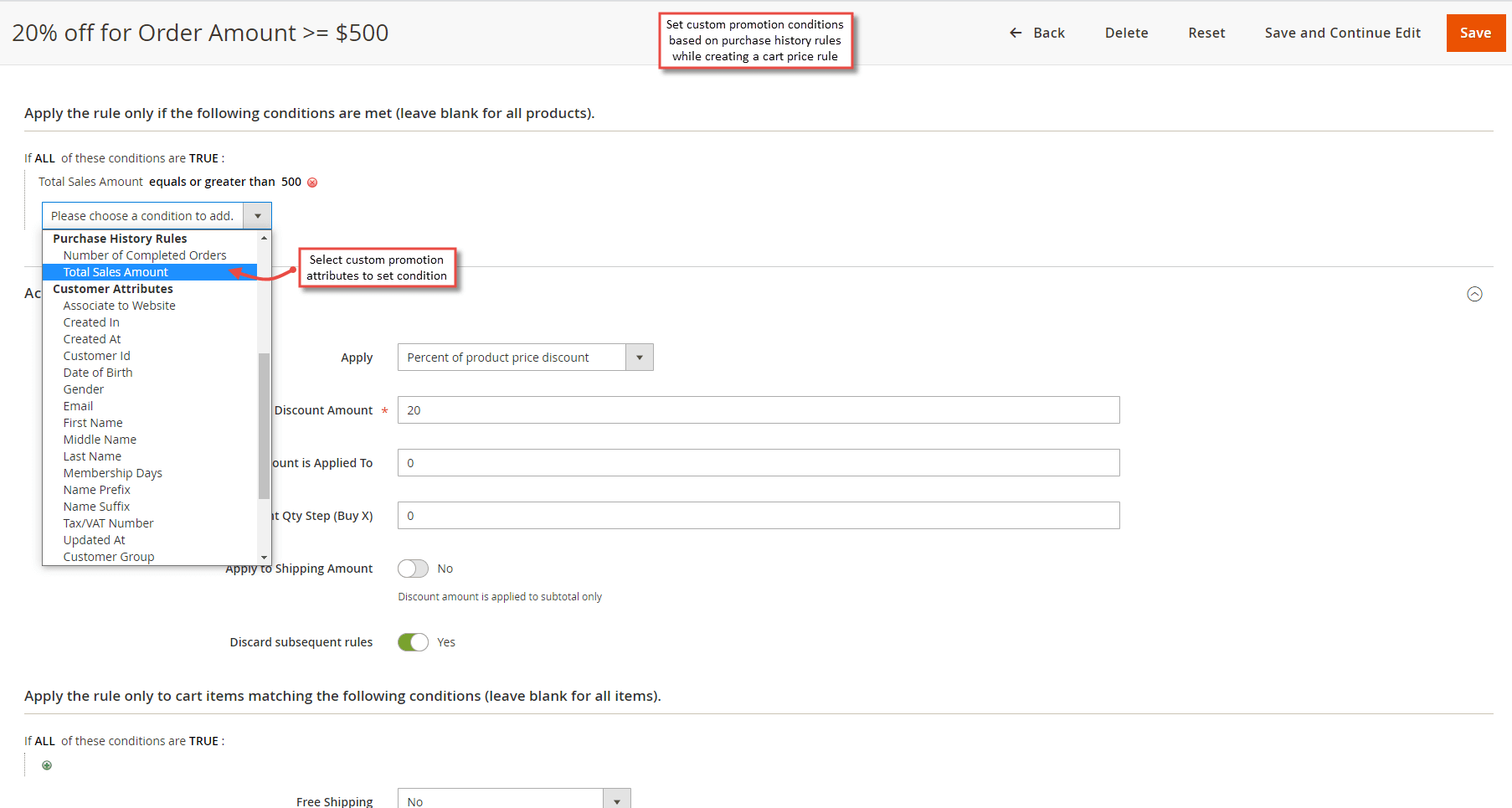
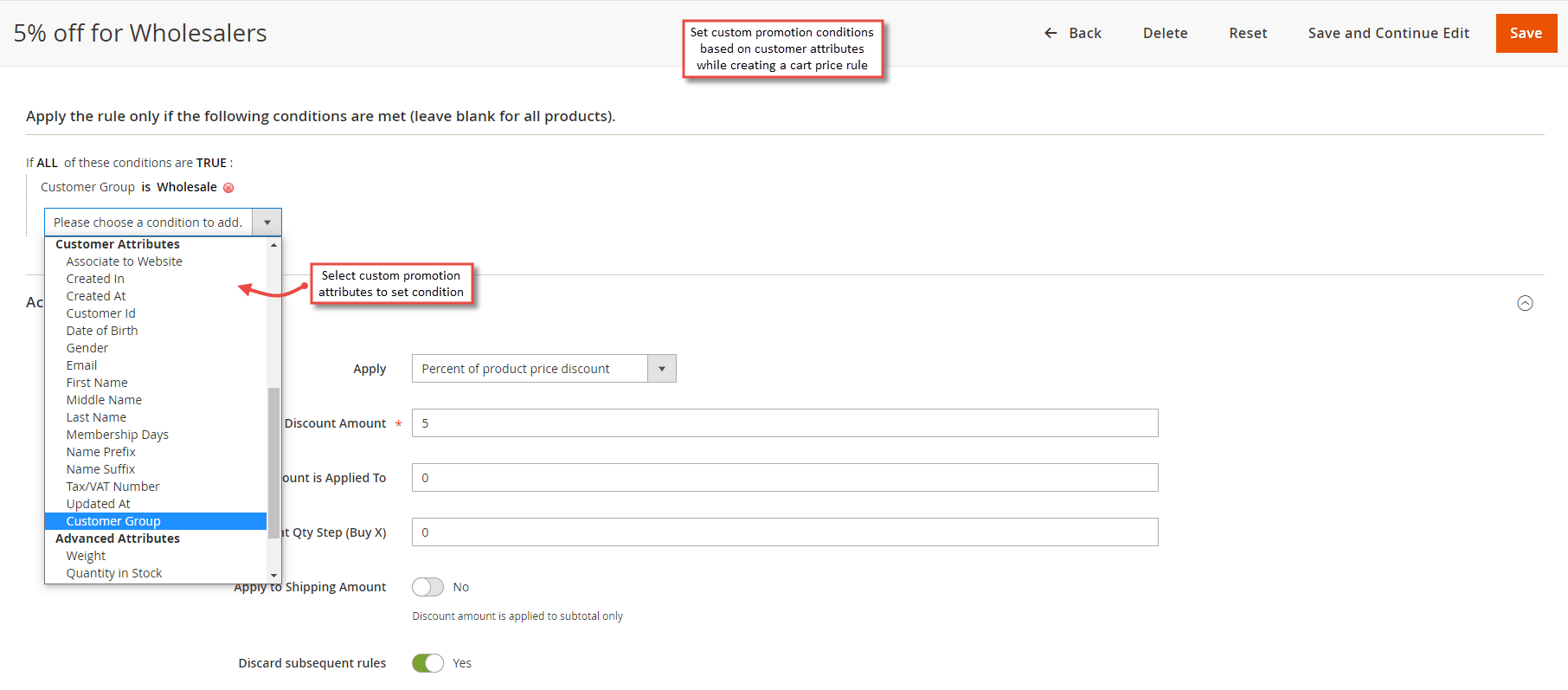
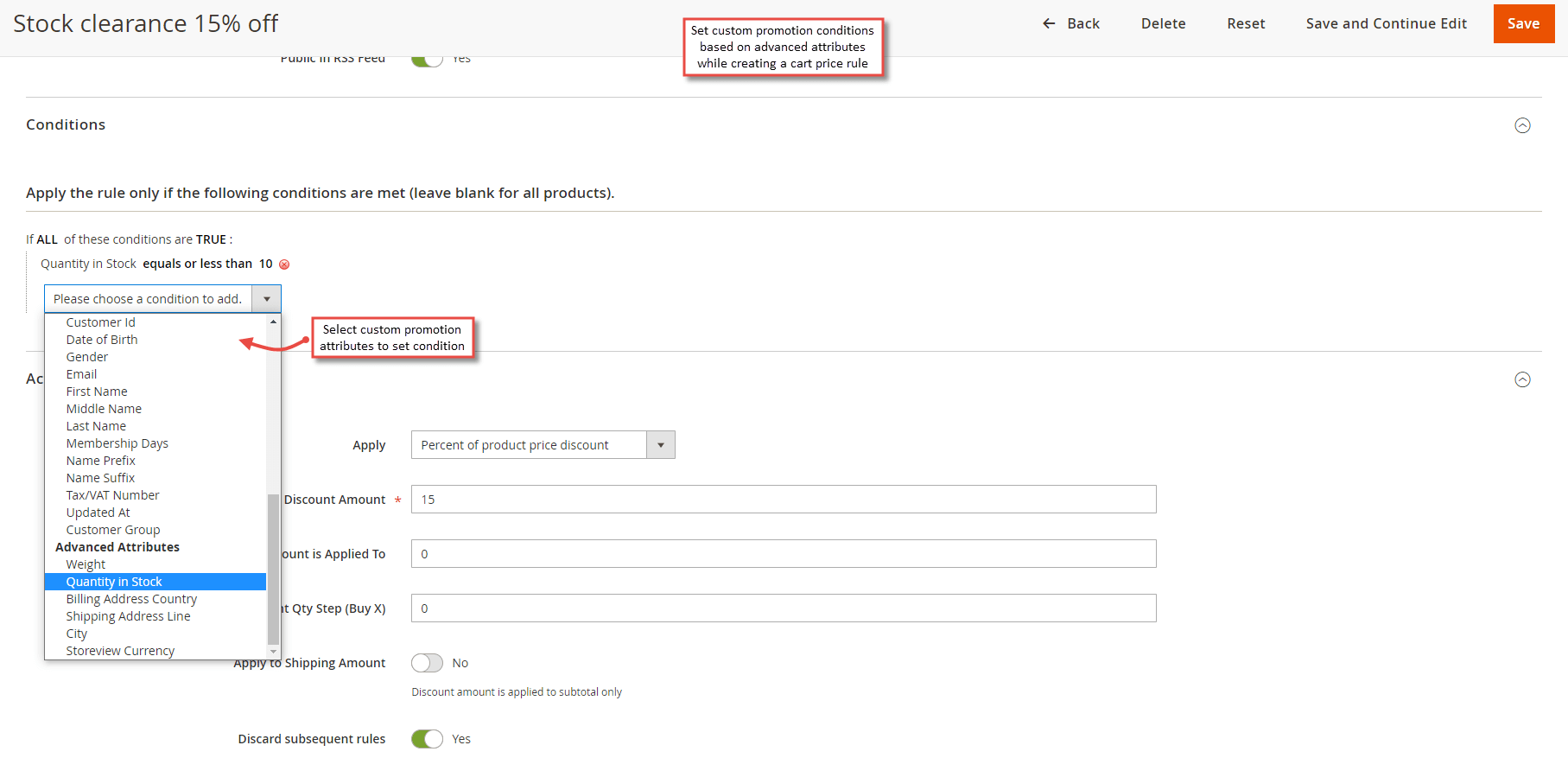
After saving the configuration, you have to set custom promo conditions based on purchase history, customer attributes and advanced attributes. Move to Marketing > Cart Price Rules , click to add new rule. Under the conditions tab, you can set conditions to offer promotion based on purchase history, customer attributes and advanced attributes.
- Custom Promo Conditions based on Purchase History
The extension facilitates to offer discount and set custom promotion conditions based on purchase history attributes like number of completed order and total sales amount. Select one of the attributes to offer discount and configure other cart price rule settings.
- Custom Promo Conditions based on Customer Attributes
The extension facilitates to offer discount and set custom promotion conditions based on customer attributes like gender, first name, membership days, customer group and many others. Select one of the attributes to offer discount and configure other cart price rule settings.
Note: For " Date of Birth " customer attribute, use dd/mm/yyyy format.
- Custom Promo Conditions based on Advanced Attributes
The extension facilitates to offer discount and set custom promotion conditions based on advanced attributes like weight, quantity in stock, billing address country, shipping address line, city and store view currency. Select one of the attributes to offer discount and configure other cart price rule settings.
Note: For " Shipping Address Line " advanced attribute, use street1, street2, street3 format.
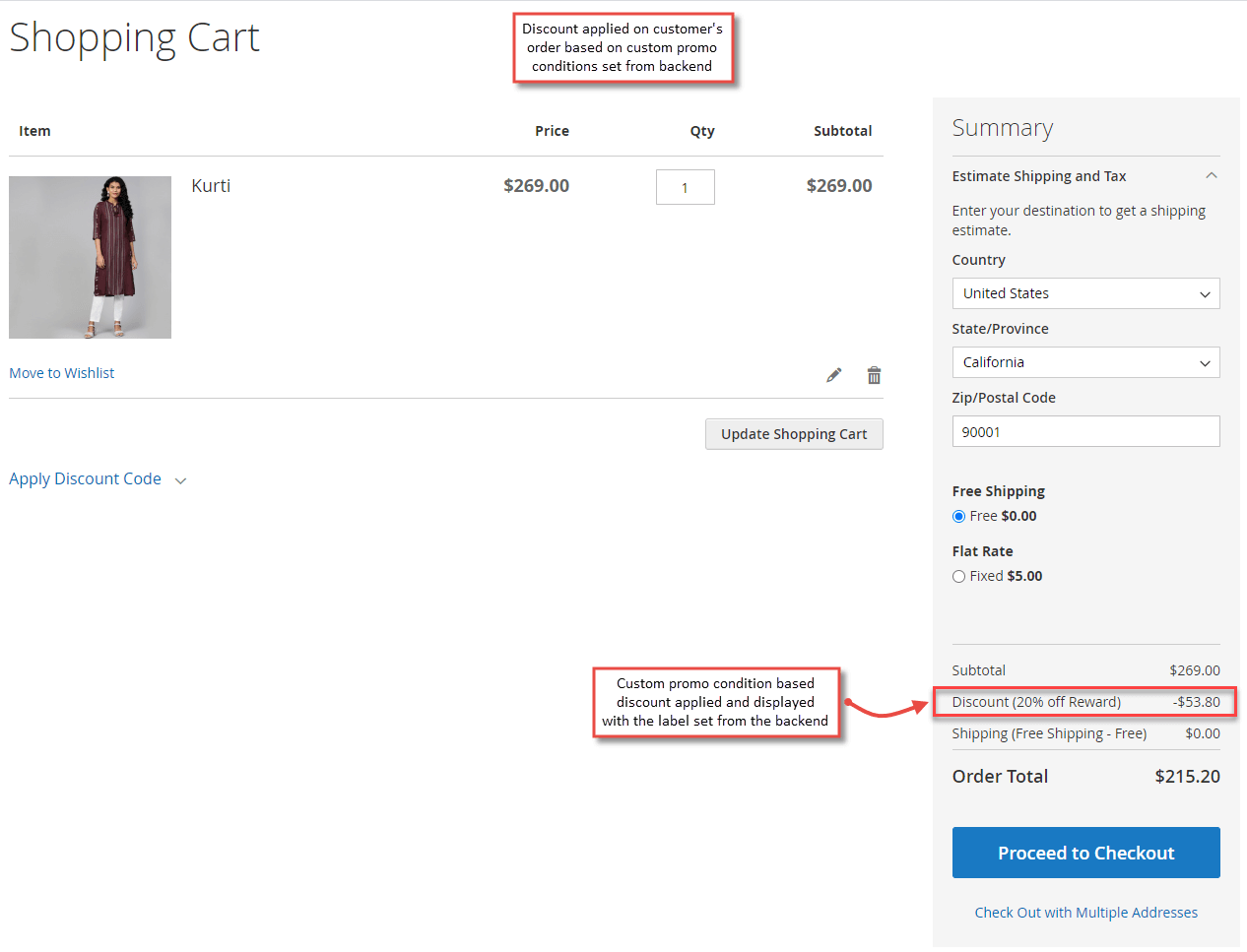
Custom Promo Conditions in frontend
After the successful configuration of Custom Promo Conditions, whenever a user adds a product to cart, he can see the discount applied based on the custom promo condition his order satisfies.