Google Review Widget for Magento 2 - User Guide
Extension Installation
- Extract the zip folder and upload our extension to the root of your Magento 2 directory via FTP.
- Login to your SSH and run below commands step by step:
php bin/magento setup:upgrade
- For Magento version 2.0.x to 2.1.x -
php bin/magento setup:static-content:deploy
- For Magento version 2.2.x & above -
php bin/magento setup:static-content:deploy --f
php bin/magento cache:flush
- That's it.
This extension that allows you to display trusted customer feedback directly from your Google Business profile onto your Magento 2 store. This guide will help you configure the Meetanshi Google reviews widget extension.
Configuration
Once the Google Review Widget for Magento 2 extension is installed, go to Stores > Configuration > Meetanshi > Google Customer Reviews to configure it.
- Main Functionality: Select Enable to activate the widget
- Place ID: Enter your Google Place ID
- API key: Enter your Google Maps API Key
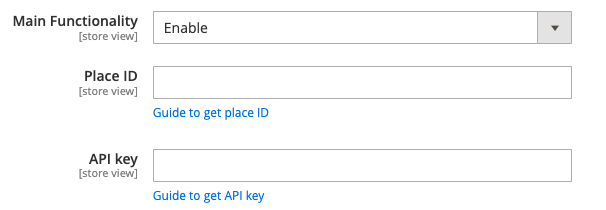
Then, click the Save button.
Once the configuration is saved, you can modify the widget settings:
- Widget Title: Enter the title to display above the widget (e.g., "Google Customer Reviews")
- Display Summary: Set to Yes to show a summary (average rating, total reviews)
- Write a Review Link: Set to Yes to allow users to click and leave a review
- Redirect "Read more" to Google: Set to Yes to redirect users to your Google Business page to read full reviews
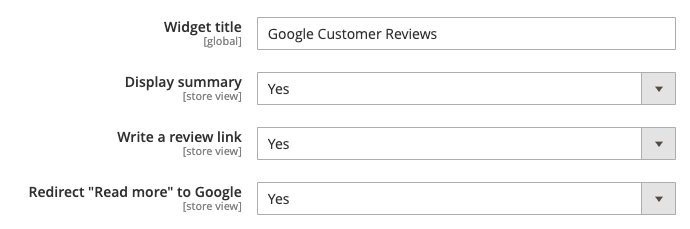
- Display Full Review: Set to No if you want to display only short snippets
- Button Text Color: Set the hex code for button text color
- Button Background Color: Choose the background color for the review button
- Review Background Color: Set the background color of the review box
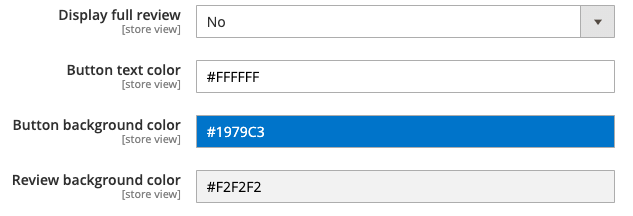
- Review Count (Desktop): Enter the number of reviews to show on desktop
- Review Count (Tablet): Enter the number of reviews to show on tablets
- Review Count (Mobile): Enter the number of reviews to show on mobile
- Widget Layout: Select a layout (e.g., Layout 1) that fits your page style
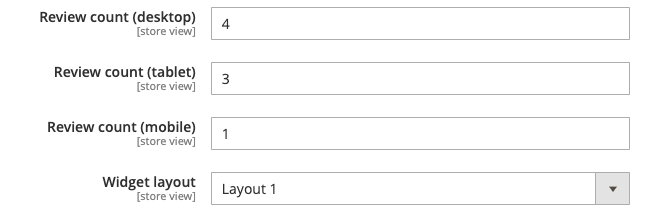
How to Embed: To display the Google Reviews widget in CMS pages, static blocks, or templates, insert the following code:
{{block class="Meetanshi\\GoogleCustomerReviews\\Block\\Reviews" template="Meetanshi_GoogleCustomerReviews::review.phtml"}}
Paste it in any of the following:
- CMS Page (via Admin > Content > Pages > Home Page > Edit)
- Static Block
- Template .phtml files
Like this: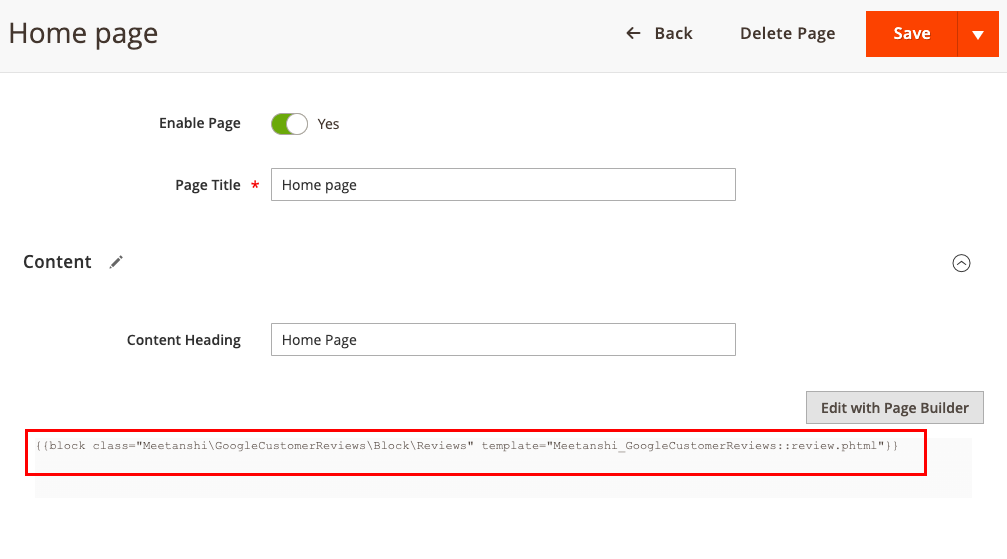 Advanced Option
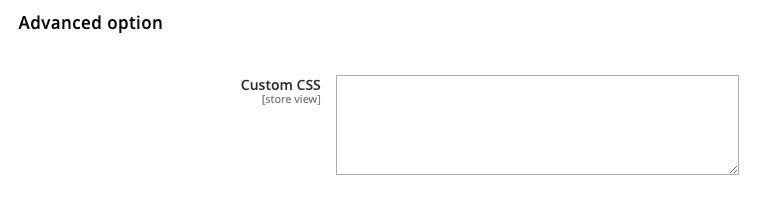
Custom CSS
Enter your custom CSS code to fully control the widget's design and responsiveness. This field supports any valid CSS syntax.
Here’s how it’ll be displayed (Layout 1):
Here’s how it’ll be displayed (Layout 2):