UDI: Uber Direct Integration — User Guide
The UDI: Uber Direct Integration app allows you to seamlessly offer local, on-demand deliveries across your connected Shopify stores. Automatically calculate live delivery rates at checkout, control markups, track courier fulfilment status in real time, and handle your order workflows effortlessly.
Dashboard
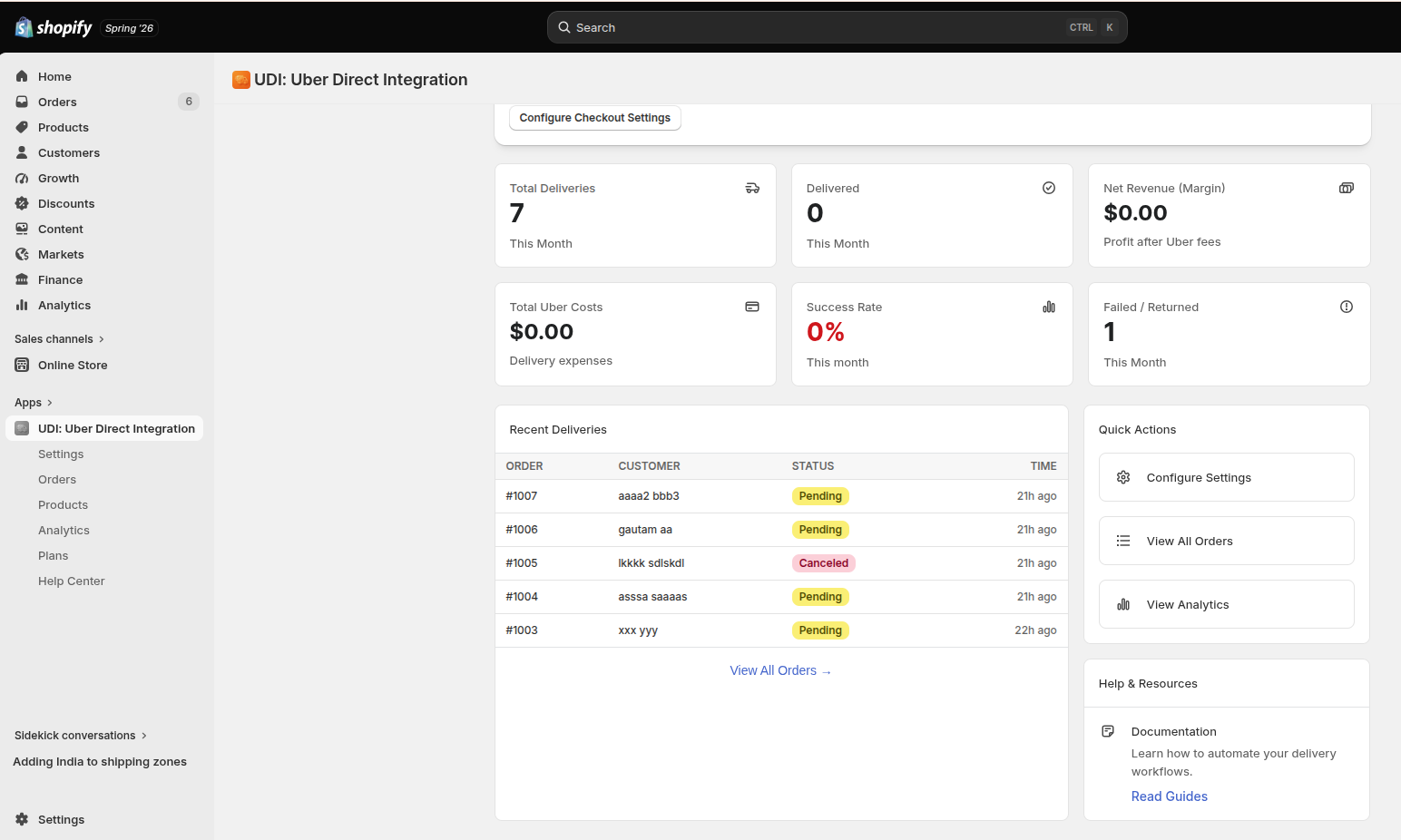
The Dashboard provides an instant high-level overview of your local delivery performance, metrics, and key operations for the current month.
Key Metrics
- Total Deliveries: Monitor the overall count of local order deliveries initiated this month.
- Delivered: Total successful drop-offs completed by Uber couriers.
- Net Revenue (Margin): Track the net profit margin generated after accounting for calculated Uber fees.
- Total Uber Costs: Review total accumulated delivery expenses billed by Uber.
- Success Rate: The percentage of deliveries successfully fulfilled without issue.
- Failed / Returned: Tracks failed hand-offs or items returned to your store location.
Quick Actions & Resources
- Recent Deliveries: Quickly browse a mini-feed of recent orders, customer names, status codes, and submission time elapsed.
- Quick Links navigation: One-click shortcuts to Configure Settings, View All Orders, and View Analytics.
- Help & Resources: Quick access to the documentation panel to help you automate delivery workflows.
Configuration
To configure credentials, environment configurations, pricing markups, restrictions, and delivery behavior rules under Settings.
Uber Direct Settings
Configure your configuration details across the main tabs to customize how your deliveries operate:
🔹 Configuration & Credentials
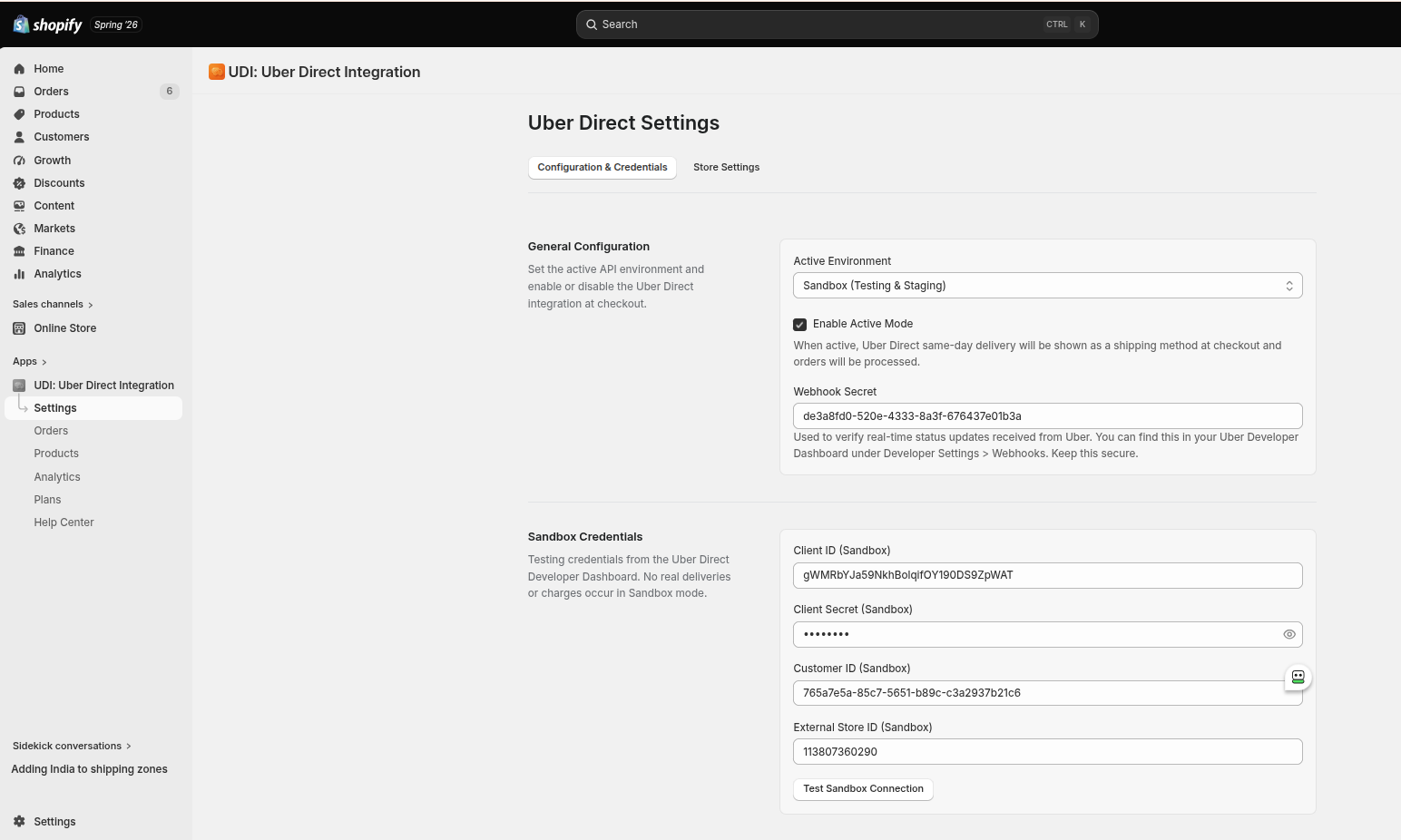
Set up the active API environment to connect your storefront securely with the Uber network.
- Active Environment: Select between
Sandbox (Testing & Staging)for running test orders andProductionfor real couriers. - Enable Active Mode: Toggle this checkbox to allow the "Uber Direct" same-day local delivery method to show up at checkout.
- Webhook Secret: A unique code used to verify real-time status updates from Uber. Copy this directly into your Uber Developer Dashboard > Developer Settings > Webhooks.
- Sandbox/Production Credentials:
- Client ID: Enter the client identifier generated via your Uber Developer portal.
- Client Secret: Enter the corresponding secret security key.
- Customer ID: Input the specific Customer UUID assigned to your business account.
- External Store ID: Provide the distinctive store reference location ID.
- Test Connection: Use the Test Sandbox Connection button to confirm a successful API link before saving.
🔹 Store Settings (Store Pickup Location)
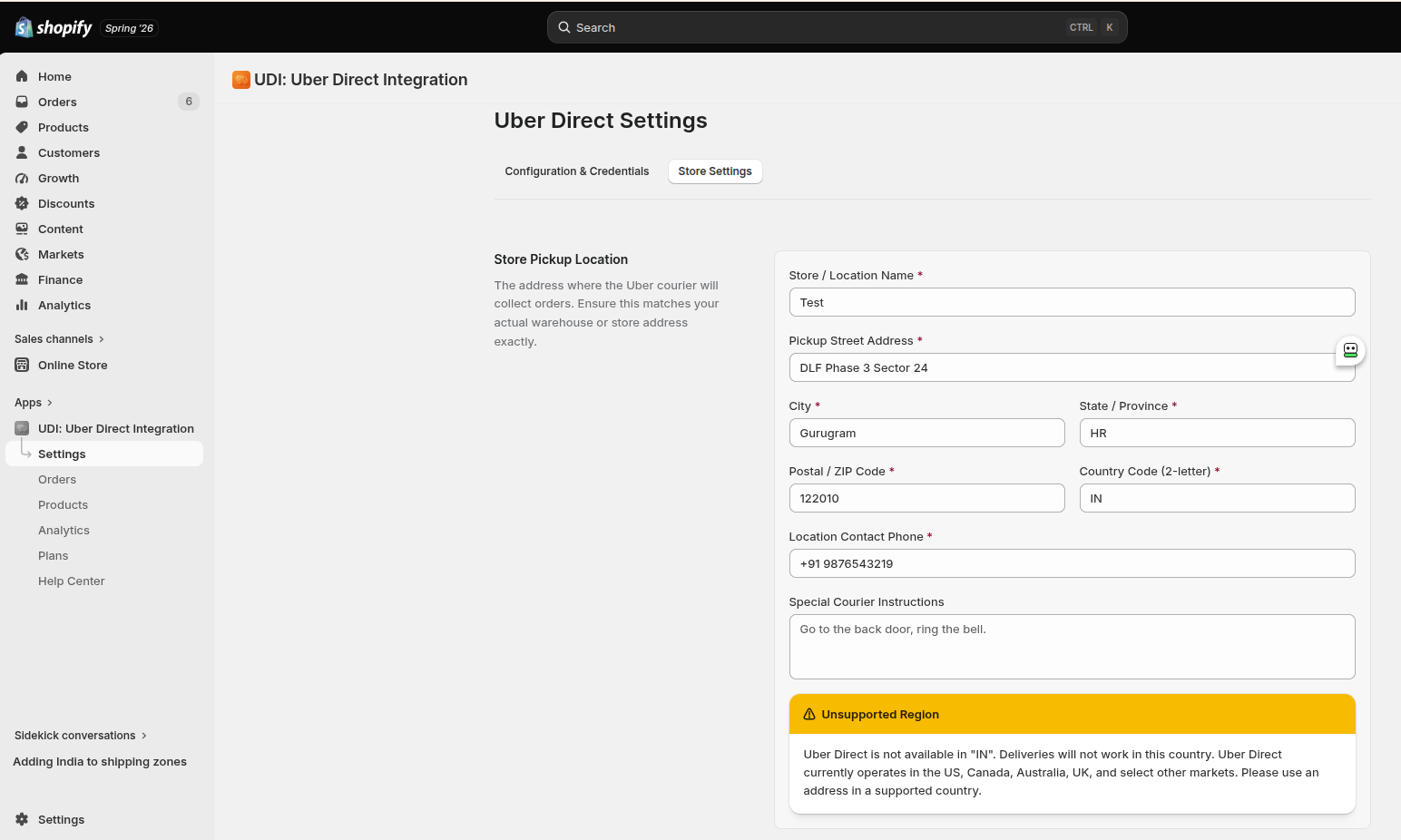
Specify the designated location where the Uber courier will arrive to grab packages.
- Address Fields: Accurately provide the Store / Location Name, Pickup Street Address, City, State / Province, Postal / ZIP Code, and Country Code (2-letter).
- Location Contact Phone: The standard phone number couriers use if they run into pickup issues.
- Special Courier Instructions: Provide clear directions for drivers (e.g., "Go to the back door, ring the bell.").
Unsupported Region Warning: Uber Direct requires local network availability to function properly. The app will warn you if a selected operational country (e.g., India /
IN) is currently out-of-scope for delivery service. Uber Direct currently operates extensively in the US, Canada, Australia, UK, and select other markets.
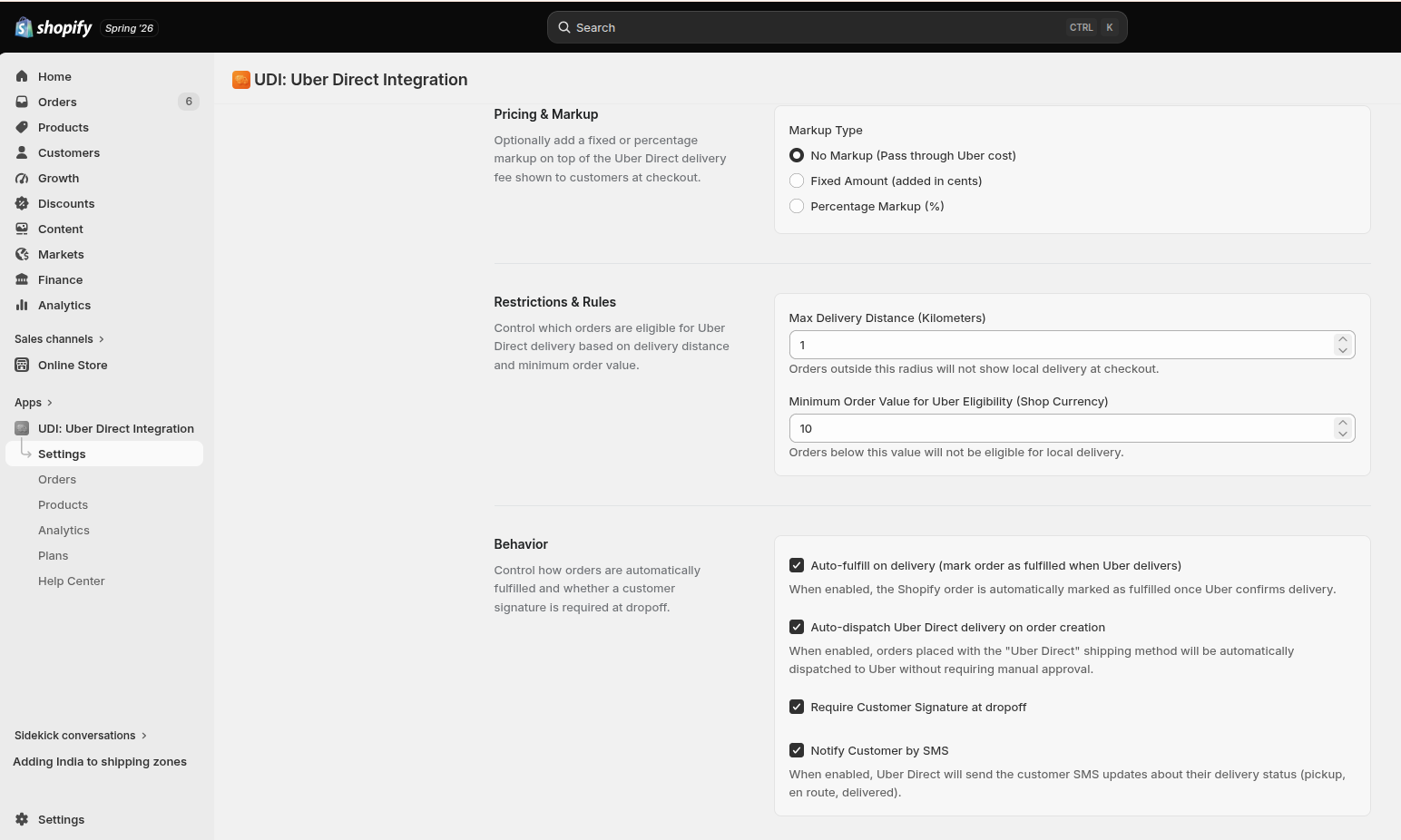
🔹 Pricing & Markup
Customize how delivery costs are displayed to customers at checkout:
- No Markup: Passes the exact calculated live Uber courier cost directly to the client.
- Fixed Amount: Adds a steady, fixed surcharge amount (entered in cents) to the base delivery quote.
- Percentage Markup (%): Scales up the live Uber fee by a specified profit percentage.
🔹 Restrictions & Rules
Set parameters to control checkout availability criteria:
- Max Delivery Distance (Kilometres): Restrict order eligibility to a maximum distance radius. Orders outside this radius will not show local delivery at checkout.
- Minimum Order Value for Uber Eligibility: Restrict delivery options by cart monetary value based on your shop currency. Orders falling below this value will hide the delivery option.
🔹 Behavior Options
Automate fulfilment steps and driver drop-off criteria:
- Auto-fulfil on delivery: Automatically marks the Shopify order status as fulfilled once Uber confirms successful delivery.
- Auto-dispatch Uber Direct delivery on order creation: Instantly schedules an Uber courier when a customer places an order with the "Uber Direct" shipping method—no manual review required.
- Require Customer Signature at dropoff: Enforces strict courier handling parameters requiring hand-off signatures from the buyer.
- Notify Customer by SMS: Sends real-time delivery lifecycle text notifications (pickup, en route, delivered) straight to the customer's phone number.
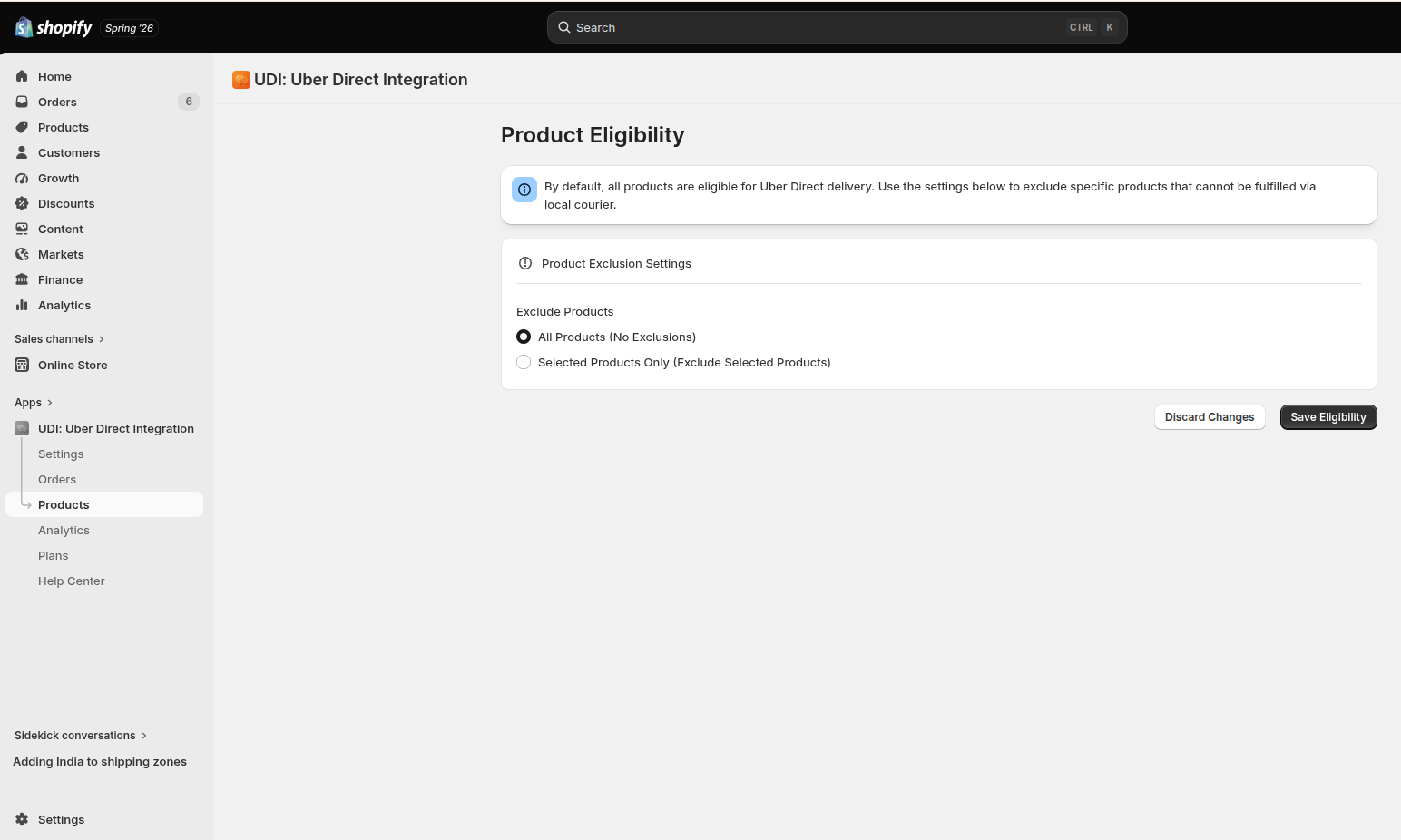
Product Eligibility
Manage which catalog inventory lines qualify for rapid courier fulfilment.
- All Products (No Exclusions): Default rule setting where every store product is deemed eligible for local courier shipping.
- Selected Products Only (Exclude Selected Products): Switch to this mode to isolate specific oversized, heavy, fragile, or restricted items that cannot be fulfilled by a standard local bike or car courier.
Uber Direct Orders
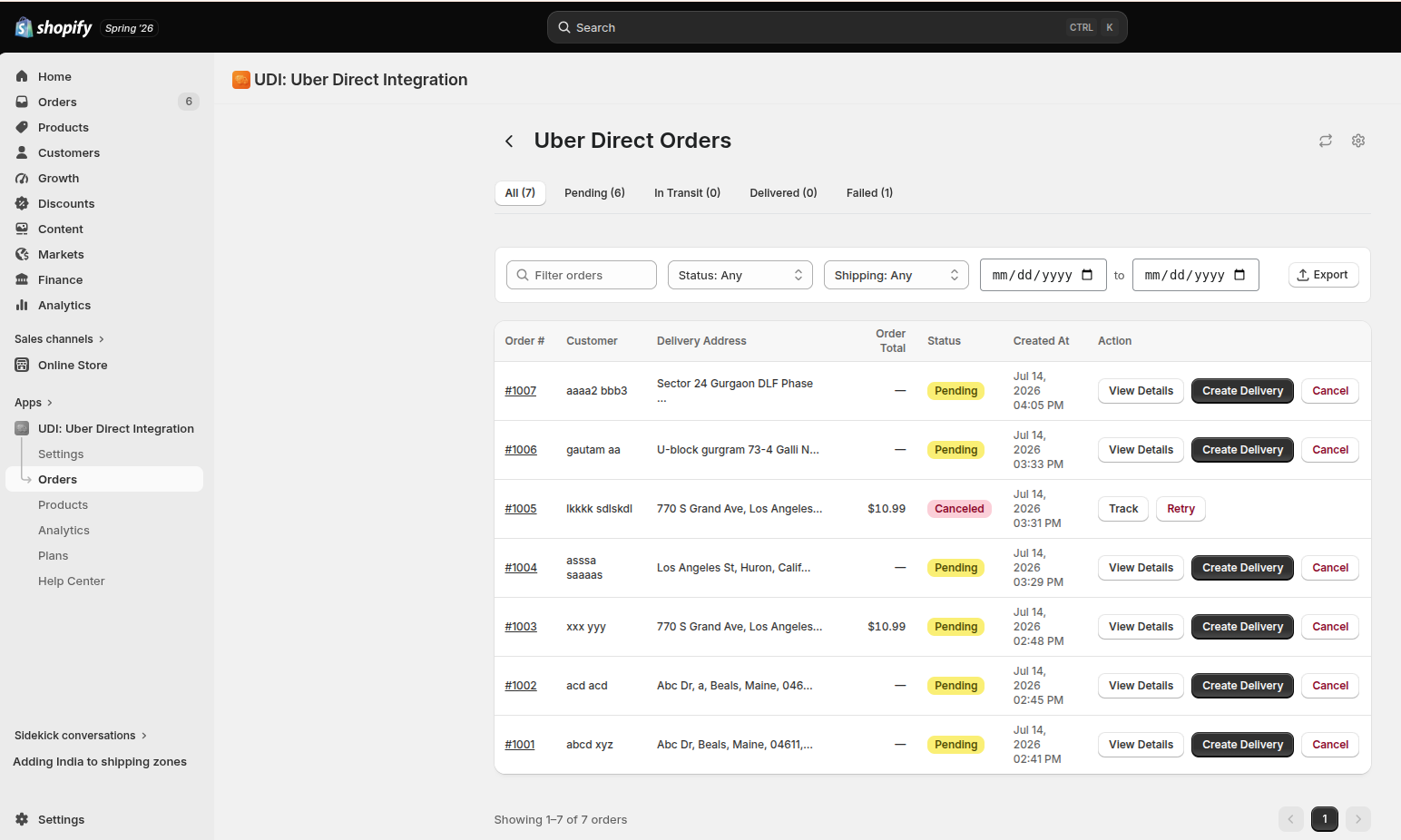
Track ongoing delivery tasks, dispatch couriers manually, or monitor active shipments.
- Fulfillment Tabs: Quickly filter out orders by their operational lifecycle: All, Pending, In Transit, Delivered, and Failed.
- Search and Filter Matrix: Locate single shipments using the order text box or refine rows by Status, Shipping Method, or custom Date Range.
- Action Controls:
- View Details: Deep-dive into granular order details.
- Create Delivery: Manually call an Uber courier to dispatch a package if auto-dispatch is turned off.
- Cancel / Retry / Track: Instantly cancel pending courier requests, retry failed attempts, or access active map paths using the live Track button.
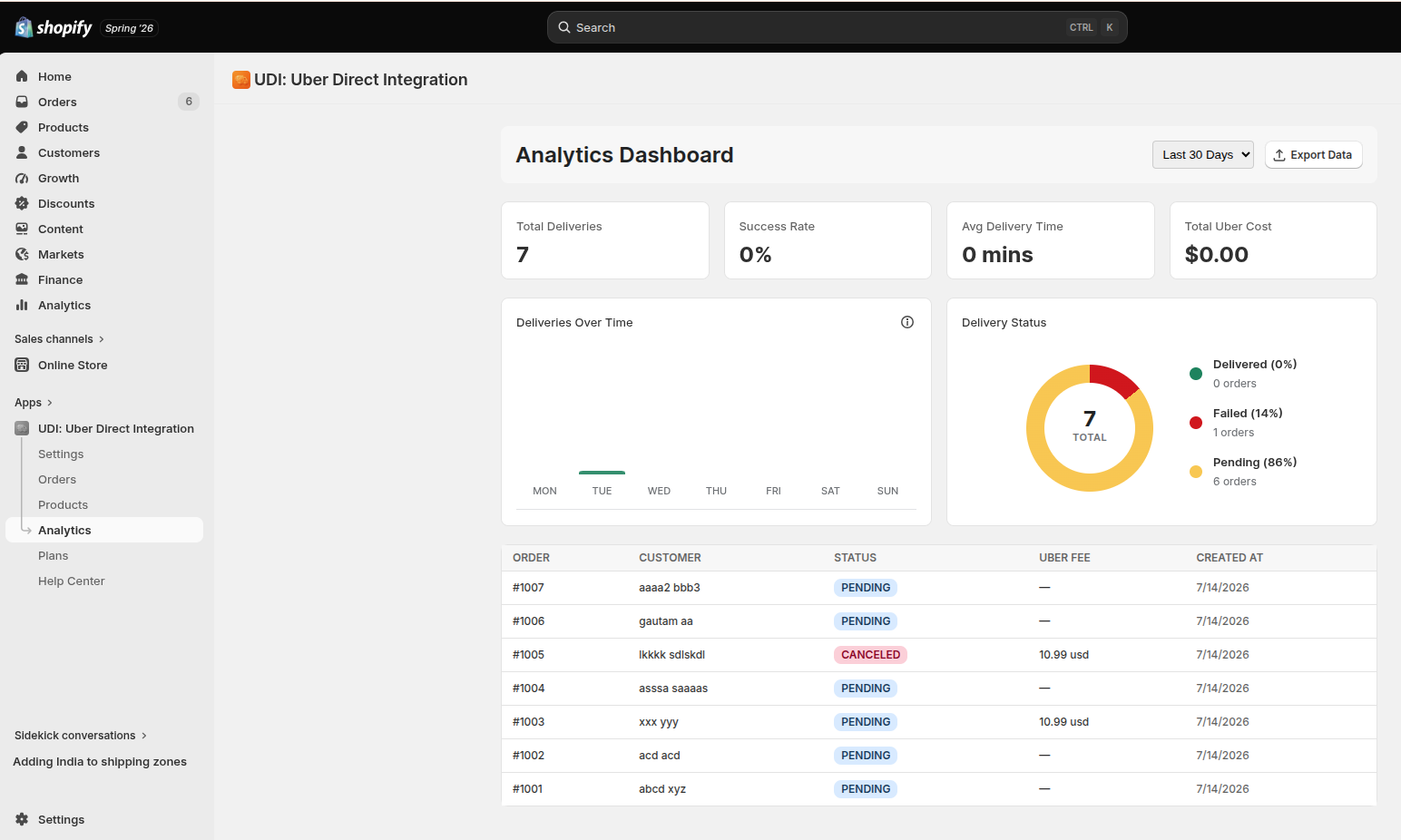
Analytics Dashboard
Review long-term trends and key performance graphs over custom timeframes (e.g., Last 30 Days).
- Performance Counters: At-a-glance metrics for Total Deliveries, Success Rate (%), Avg Delivery Time (mins), and Total Uber Cost.
- Deliveries Over Time Chart: An operational bar graph illustrating daily shipment volumes throughout the week.
- Delivery Status Breakdown: A visual donut chart reporting absolute volume and percentages of Delivered, Failed, and Pending shipments.
- Detailed Analytics Table: Review historical entries sorting orders by customer name, current delivery status, exact Uber fee charges, and generation timestamps.
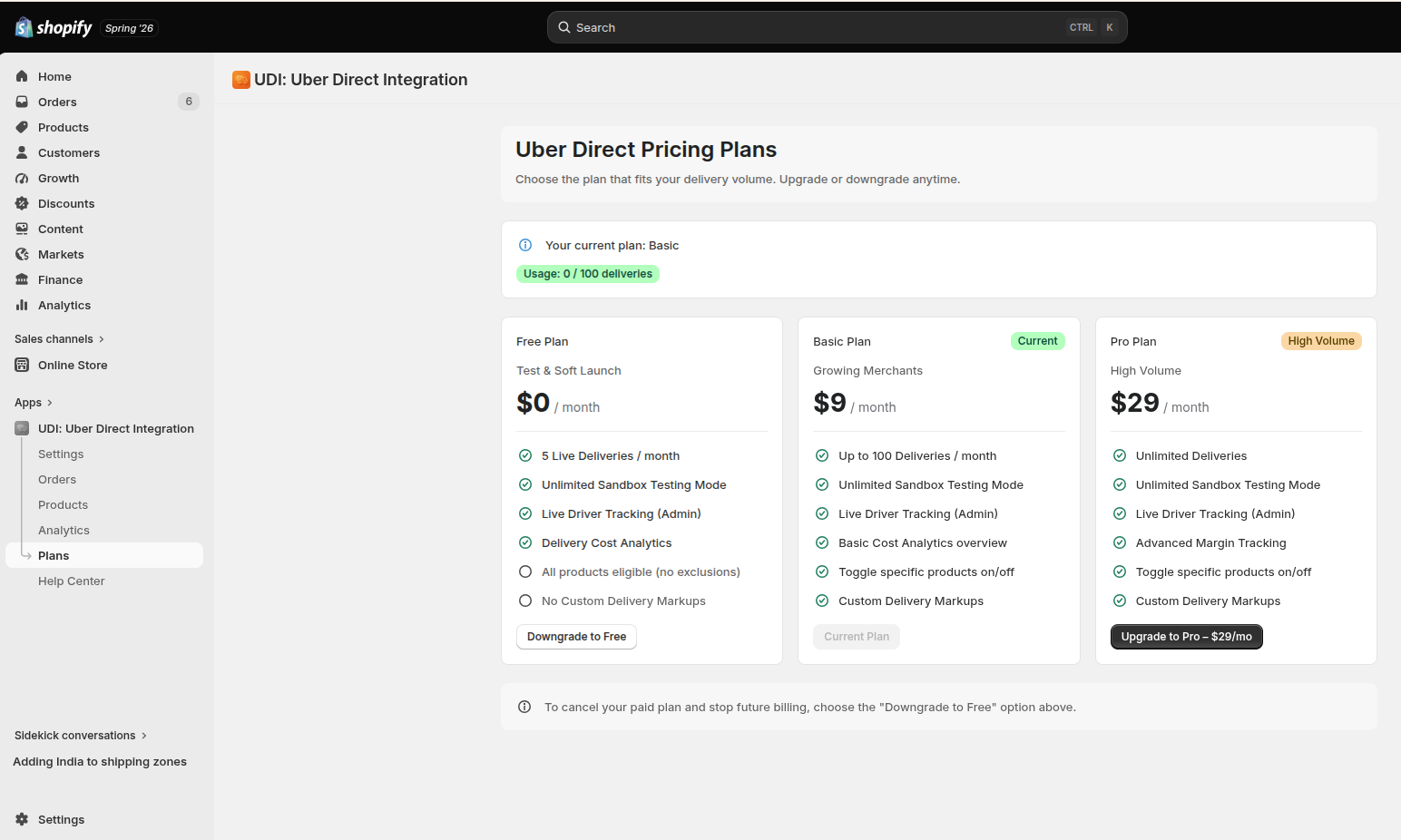
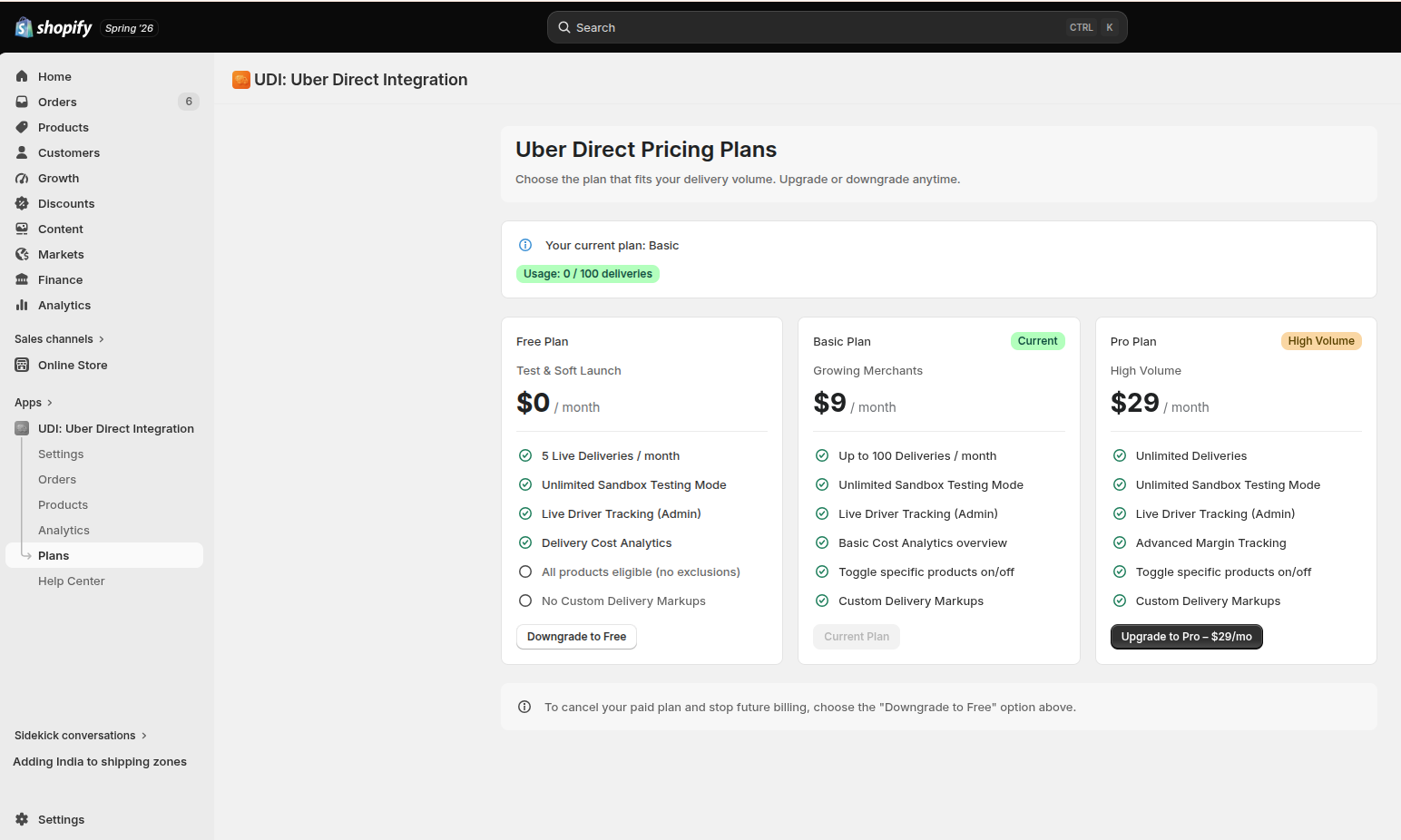
Uber Direct Pricing Plans
Choose a flat subscription plan scaled to accommodate your direct local delivery request velocity. Downgrade or upgrade your plan anytime.
| Plan | Price | Included Volume | Key Features |
|---|---|---|---|
| Free Plan | $0/month | Up to 5 Live Deliveries/month | Test & Soft Launch, Unlimited Sandbox Testing Mode, Live Driver Tracking (Admin), Delivery Cost Analytics, No Custom Markups. All products eligible (no exclusions). |
| Basic Plan | $9/month | Up to 100 Live Deliveries/month | For Growing Merchants. Unlimited Sandbox Testing Mode, Live Driver Tracking (Admin), Basic Cost Analytics Overview, Toggle specific products on/off, Custom Delivery Markups. |
| Pro Plan | $29/month | Unlimited Deliveries | High Volume Stores. Unlimited Sandbox Testing Mode, Live Driver Tracking (Admin), Advanced Margin Tracking, Toggle specific products on/off, Custom Delivery Markups. |
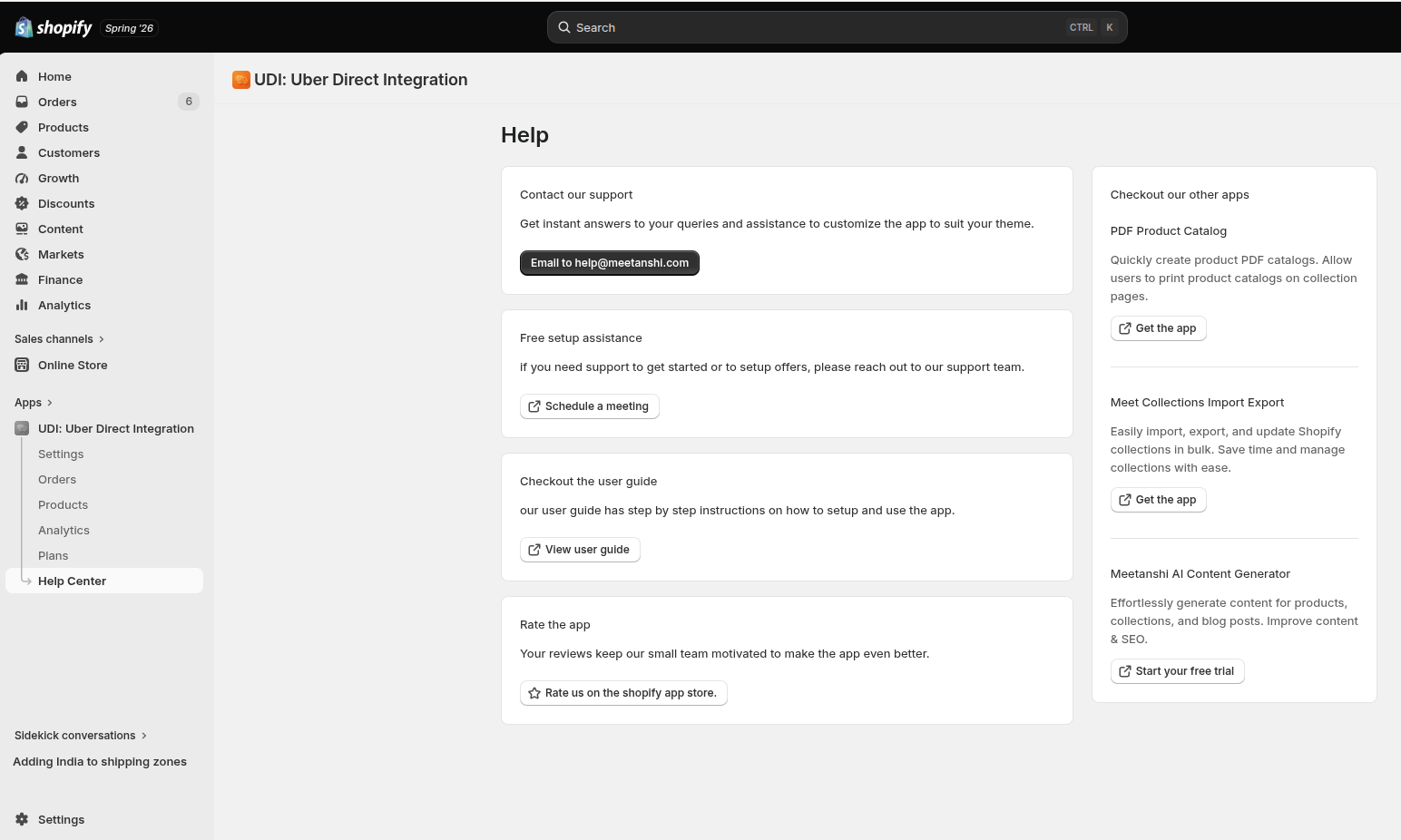
Help Center
Get instant assistance, manage setups, or explore other options from the Meetanshi engineering team.
- Contact Our Support: Got configuration questions? Hit the Email to [email protected] button to submit custom layout adjustments or ticketing requests.
- Free Setup Assistance: Click Schedule a meeting to connect directly with our customer support desk for white-glove onboarding and promotional optimization.
- Check out the user guide: Click View user guide for step-by-step instructions on how to set up and use the app.
- Rate the App: Help our development team stay motivated by clicking Rate us on the Shopify App Store.
- Explore More Tools: Grow your store ecosystem with neighboring solutions like the PDF Product Catalog, Meet Collections Import Export, or the Meetanshi AI Content Generator.