MIT Broken Links Fixer for Shopify - User Guide
The MIT Broken Links Fixer app helps you identify and fix the broken links in your store. It tracks 404 page visits in real-time and helps you redirect them.
Important Step: Enable the App
To start tracking 404 visits, you first need to enable the app in your theme. If you follow the onboarding process, you’ll get a direct link to do it.
In case you missed it, here’s how you can do it:
- In your Shopify store, go to Online Store > Themes > Customize
- In the left menu bar, click the last icon (which is for app embeds)
- In the list of app embeds, find and enable the MIT Broken Links Fixer app
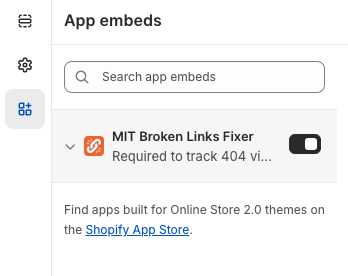
Once done, save the settings, and the app will start tracking 404 visits in the store.
Dashboard - Broken Links Overview
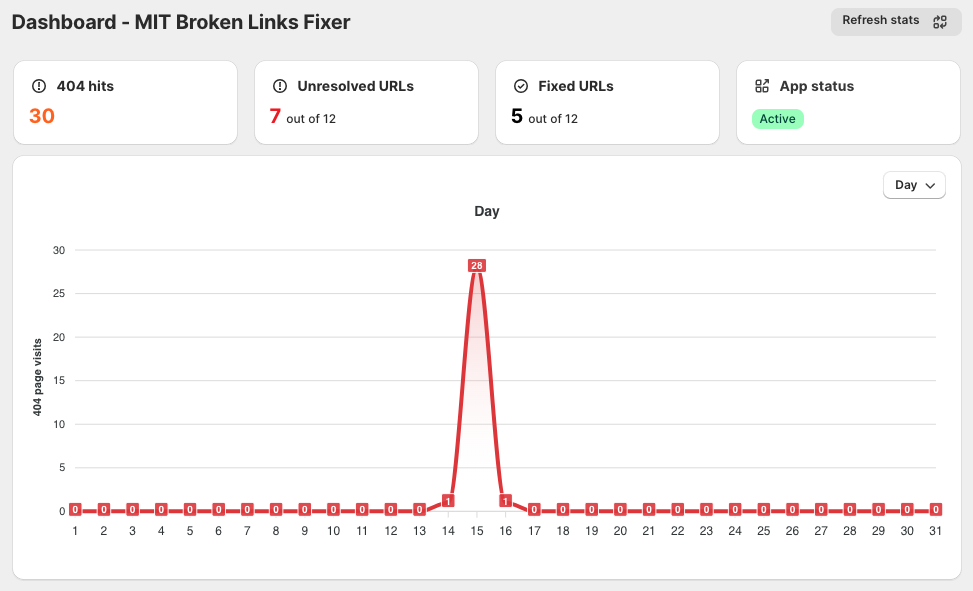
In the app dashboard, you can get a quick summary of your broken link visits in your store, along with their status.
404 hits - The total number of broken link visits
Unresolved URLs - The number of broken links that are not fixed
Fixed URLs - The number of broken links that have been fixed
App Status - If this says inactive, you may need to enable the app in theme settings to start tracking data
You also get a graph showing trends of broken link visits in the store. For e.g., you can see if there is a spike in visits on broken pages. This interactive chart can be filtered to show data for day, week, month, year, or a specific date range.
Broken links
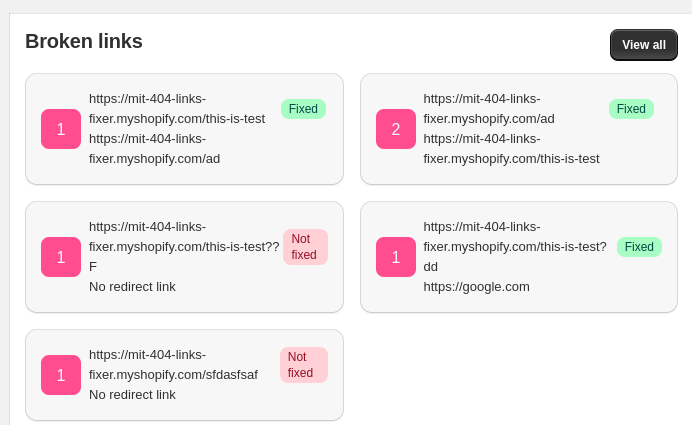
In the dashboard, this section lists the broken links found by the app, with hit count and the status of each.
Fixed - It means a broken link is redirected to a working link
Not fixed - It means the broken link is not yet redirected
For fixed links, you also get where they're redirecting to.
You can view the list of all 404 visits in the Broken Links section on the left side.
The table contains the following details:
URL - The link of the 404 visit tracked by the app
Number of hits - Number of visits on the same URL
Redirect URL - You can set the URL where you want to redirect the broken URL
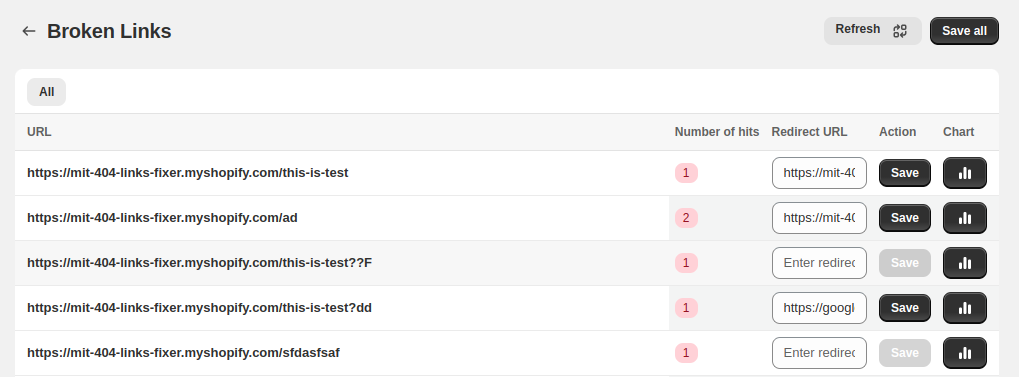
Now, click the Chart Icon next to each URL to view its 404 Error Activity Chart.
Detailed 404 Link Statistics
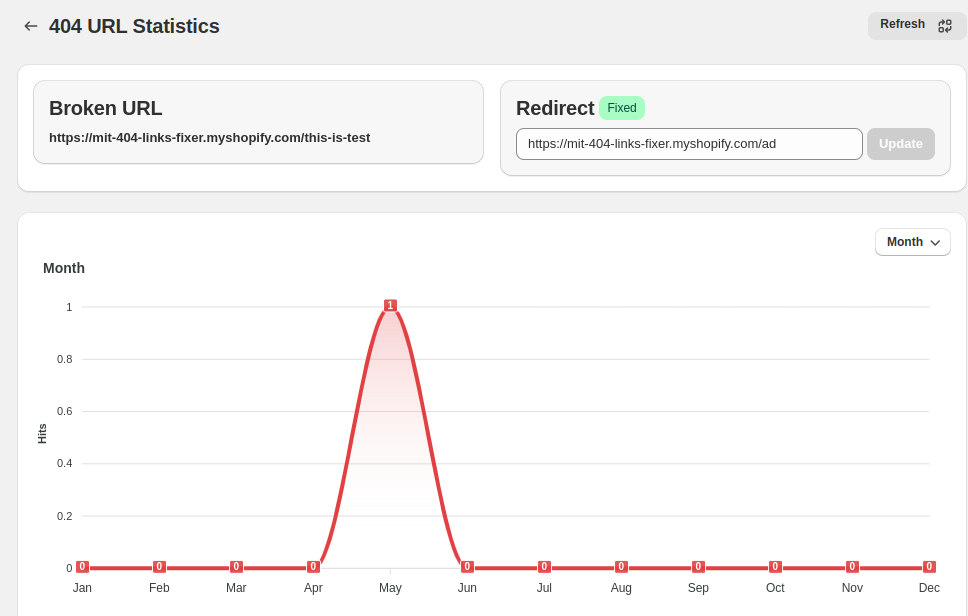
The 404 URL Statistics within the Links Table provides a quick visual of error activity for a specific URL. Here, you can see the daily, weekly, monthly, yearly, or date-wise graph of 404 errors for that particular URL.
You can also set or update the redirect URL for it.
This user guide should help you navigate and use the MIT Broken Links Fixer app effectively. If you need further assistance, keep an eye on the upcoming Help Docs!