Starting a merch store doesn’t have to be expensive or complicated. Under the budget of $100, you can launch a professional brand without ever holding inventory.
Learn here how to start a merch store under $100 to bring your brand vision online and start selling.
Things to Know Before Starting Your Online Merch Store
Before you even spend a dollar, it’s important to understand a few basics that can save you time, money, and frustration later.
Firstly, merch stores work best when they target a clear niche, not everyone. Designs drawn to a specific interest, community, or lifestyle usually sell better than generic graphics. Knowing who you’re selling to helps you create products people actually want.
Secondly, follow the zero-inventory (print-on-demand or POD) model, you don’t stock products. You create the designs. When a customer orders, a supplier prints, packages, and ships the item directly. Since you only pay the supplier after the customer pays you, your startup costs and financial risks are very low.
Other aspects to look out for:
- Use part of your $100 budget to order samples so you can check quality and create real photos or videos for social media.
- Avoid copyright issues like celebrity images or trademarked phrases, and keep clear records of all sales and expenses, especially if you’re starting as a sole proprietor.
- Merch stores take time. Test designs, optimize listings, and find customers consistently for sustainable growth.
Guess now you’re ready for a 100-dollar budget analysis.
$100 Budget Breakdown
When starting a merch store with under $100, Shopify should be your main investment because it gives you a secure checkout, easy POD integrations, and a professional storefront from day one, making it one of the best answers to how much money to start a clothing brand on a tight budget.
This is a practical Shopify-focused budget that looks like this:
| Factors | Approx. Cost | Strategic Purpose |
| Shopify Subscription | $1 | Take advantage of the $1/month for 3 months promo. It gives you 90 days to find product-market fit for almost zero cost. |
| Custom .com Domain | $14 | A custom domain (e.g., yourbrand.com) is non-negotiable for trust. Avoid .net or .store to maintain a premium feel. |
| Gemini AI + Canva Free(1 Month) | $0 to $12.99 | Use Gemini to generate high-fidelity product mockups and lifestyle images for free. Import these into the free version of Canva for final layout adjustments. |
| Printful Samples | $50 | Order samples to verify quality. Printful offers 20% off samples with free shipping to select regions, making it a competitive alternative to Printify for high-end finishes. |
| Ads (Optional) | $20 | Save this to boost your best-performing organic TikTok or Instagram Reel to a targeted audience. |
Alternatively, you can use other e-commerce platforms like Magento, Wix, WooCommerce, and more. But Shopify stands out in terms of flexibility and is loved as a comprehensive e-commerce solution.
Start a Merch Store in 2026 Under $100 Online: Steps
Here, we will discuss the detailed steps that can match the above-discussed $100 budget.
Step 1: Pick a Niche and Validate
Validate your product idea before launching. Look for unmet needs on social media (Reddit, TikTok). Confirm growing interest using Google Trends. Test the idea with a pre-sale to a niche group; aim for at least 10 initial buyers to prove demand.
Based on this, prepare your brand materials like logo, tagline, and more. You can use Canva to build your materials for free.
Step 2: Set Up the Store
Start with a Shopify free trial and continue using the platform for $1 per month for 3 months.
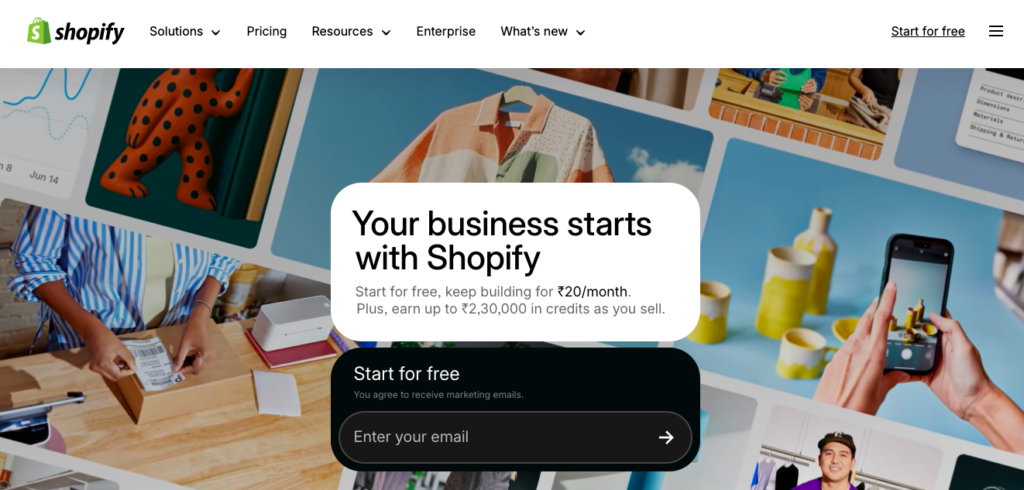
Set up the Shopify store carefully and fill in the key details about your business. Here, the only cost you will have to bear is that of the custom domain (.com). If you don’t want to make an instant purchase, you can use the free domain name Shopify offers (your-store-name.myshopify.com). The choice is yours.
Step 3: Choose a POD Model
Use a Print on Demand (POD) or a Shopify dropshipping model to avoid any inventory storage cost, where you only pay for products after a customer places an order.
The most popular model for merch stores is Print on Demand.
Easily install the Printful or Printify Shopify app, upload your designs, sync the products, and the supplier prints and ships every order automatically.
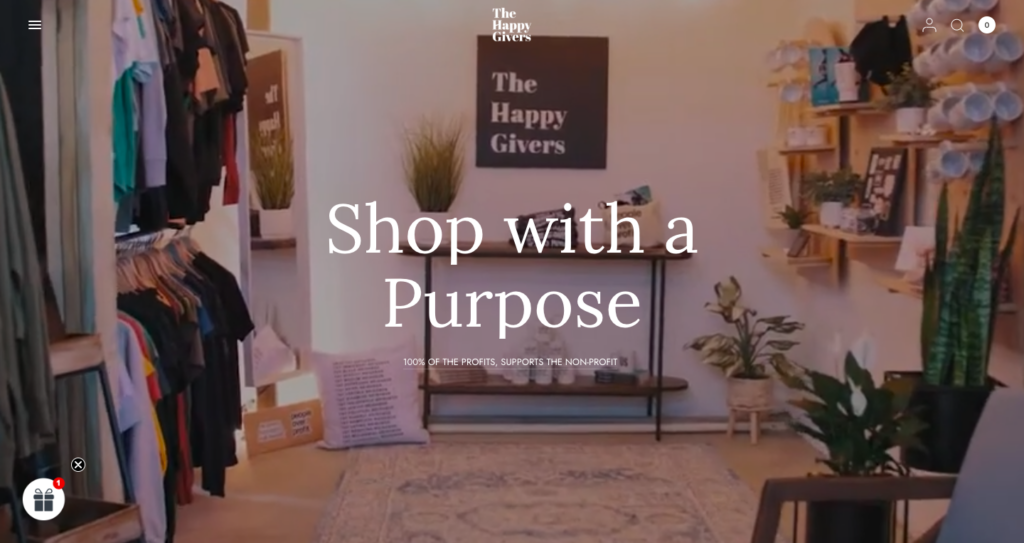
Here is an example of a brand using Prinitify in their Shopify store. This Happy Givers company is a non-profit store that supports vulnerable communities, especially in Puerto Rico. They sell apparel, stickers, mugs, and tote bags featuring bold, message-driven designs.
If you want to serve eco-friendly customers, pick sustainable POD products like organic cotton or recycled materials. They ship directly to buyers, keeping your Shopify store clean, low-cost, and efficient.
Step 4: Maximize on Shopify Tech Stack
Spend your remaining budget on marketing and key Shopify apps that will do the heavy lifting while you focus on building your business.
- Run a 3-day paid ad campaign on Instagram or TikTok for a sponsored post, spending $5 per day
- Use the Klaviyo Shopify app to automate abandoned cart recovery.
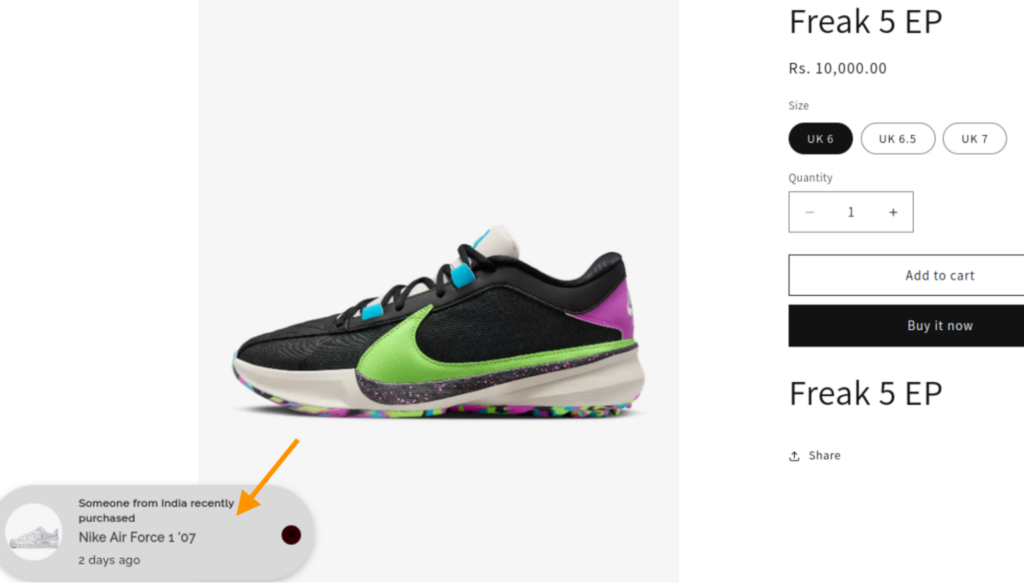
- Use the MIT Recent Sales Popup Shopify app to build social proof (one of the easiest ways to build urgency among shoppers).
Step 5: Leverage on Ecommerce SEO Traffic & Growth
Optimize your store by using relevant keywords in your product titles and descriptions.
This helps your site show up when customers search for products like yours. Understanding ecommerce SEO builds a foundation for long-term discovery without a monthly ad budget.
Once your store is live, you can manage everything, from tracking sales to viewing customer details, directly in your Shopify Admin under the Orders tab. This centralized dashboard lets you monitor fulfillment status in real-time, ensuring your business runs smoothly from your laptop or phone.
Growth Hack For Your Clothing Brand Online with No Money
Growing a clothing brand without a budget is what most of the merchants look for, but the catch is that there is still some investment needed. Like, we have broken down here. If you are building a Shopify store with no money, you need some investment to keep your business running.
Here are some of the growth hacks that absolutely need no investment but just a few good marketing skills.
Use Short-Form Video as Your Main Growth Engine
Short videos remain the easiest way to reach thousands of people for free. Record simple clips using your product samples, show the fit, the texture, the print quality, or even quick “day-in-the-life” shots of your brand.
Ideas that work well:
- Unboxing the newest tee
- POV: You’re shopping from a small creator-owned brand
- How our design looks in real life vs. the mockup
- Trend-based transitions using your merch
These formats perform well on TikTok, Instagram Reels, YouTube Shorts, and Pinterest Idea Pins, giving you 4 platforms of free exposure from one piece of content.
Build Content Around Your Niche, Not Just Your Products
People follow brands that reflect their lifestyle or interests. Instead of posting only product photos, share niche-specific content like memes, tips, quotes, or relatable scenarios.
For examples:
- If your niche is gym apparel → share fitness memes and micro-tips
- If your niche is travel tees → share travel hacks and destination aesthetics
- If your niche is gaming merch → post gaming clips, jokes, and updates
Also, using AI design for merch lets you quickly make unique designs that fit community vibes, without needing a graphic designer. This makes your brand feel like a real part of the community, not just a store.
Leverage Micro-Influencers (1k–10k Followers)
Micro-influencers often deliver better results than large creators, especially for clothing brands. Many will collaborate for free if your product fits their aesthetic.
What you can offer:
- A free product
- A discount code
- A feature on your page
Nowadays, UGC-style videos from micro-creators convert extremely well and help build trust instantly.
Create Waitlist Hype
Make your merchandise limited and use a Drop model. Lock your site and collect emails with a Coming Soon sign-up.
Announce on social media that the release is limited and only email subscribers get the password. This builds an email list for free and creates a rush of immediate sales when you launch.
Common Challenges While Building Your Store (With Solutions)
Building a store is never perfectly smooth, but most roadblocks have a simple fix. Here are the most common challenges you will face and how to solve them.
| Challenge | The Root Cause | The Solution |
| Amateur Designs | Relying only on basic mockups that look low-effort. | Order 1–2 samples. Take your own real photos and use Canva or Kittl to refine the art. |
| No Sales | High shipping costs or a confusing checkout process. | Offer free shipping by adding the cost to the price. Use a 1-page checkout. |
| Slow Website/ SEO issue | The store is not well optimized for SEO. Missing title, descriptions, and more | Compress images, remove duplicate content, improve page speed. |
| Low Reach | Posting content that feels like a boring ad. | Use the 80/20 rule: 80% fun/useful content, 20% sales pitches. |
Next Action: Start Your Online Store
Stop waiting for the perfect moment and start building today.
Knowing how to start a merch store in 2026 under $100 is only valuable if you take action; with the $1 Shopify promo and free design tools, your financial risk is almost zero. Pick a niche, launch your site, and use your small budget to test designs through social media or ads.
Good luck with the new store! 🙌
Take a free trial of Shopify and continue using the platform for only $1 for 3 months.
Grab Now