

In this post, learn how to duplicate a Shopify collection to reuse your current collection layout anytime.
Since there is no built-in feature to duplicate a collection, I will show you an easy way to do so that requires less effort.
Is it Possible to Duplicate a Collection in Shopify?
There is no direct option to duplicate and create multiple Shopify collections. However, you can use MIT Collection Duplicator to complete this task.
Using the app, you can create a duplicate collection from any existing manual/smart collection in your store in a few seconds and edit it as per your needs.
There is no need to create a new collection and load your data or use any CSV file format to create a duplication.
Just a simple button to get the work done.
Additionally, you can:
- Convert smart to manual collections.
- Delete the original collection while creating the duplicate.
- Get the status of each created collection.
Steps to Duplicate a Collection in Shopify [Using App]
Here are the steps to duplicate a collection using the MIT Collections Duplicator app.
Step 1: Select the Collection to Duplicate
Install the MIT Collections Duplicator from the Shopify App Store.
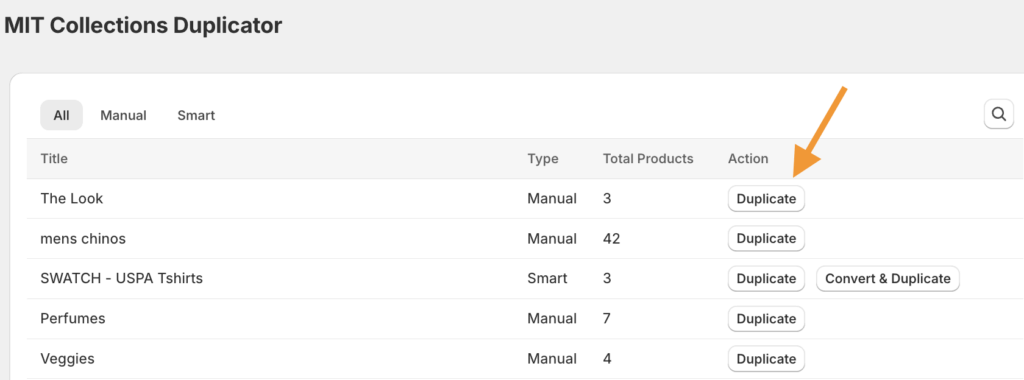
Click on Duplicate Collection from the top and you get a list of all the collections in your store. Click on Duplicate to get a copy of the collection.
Step 2: Edit the Collection Details
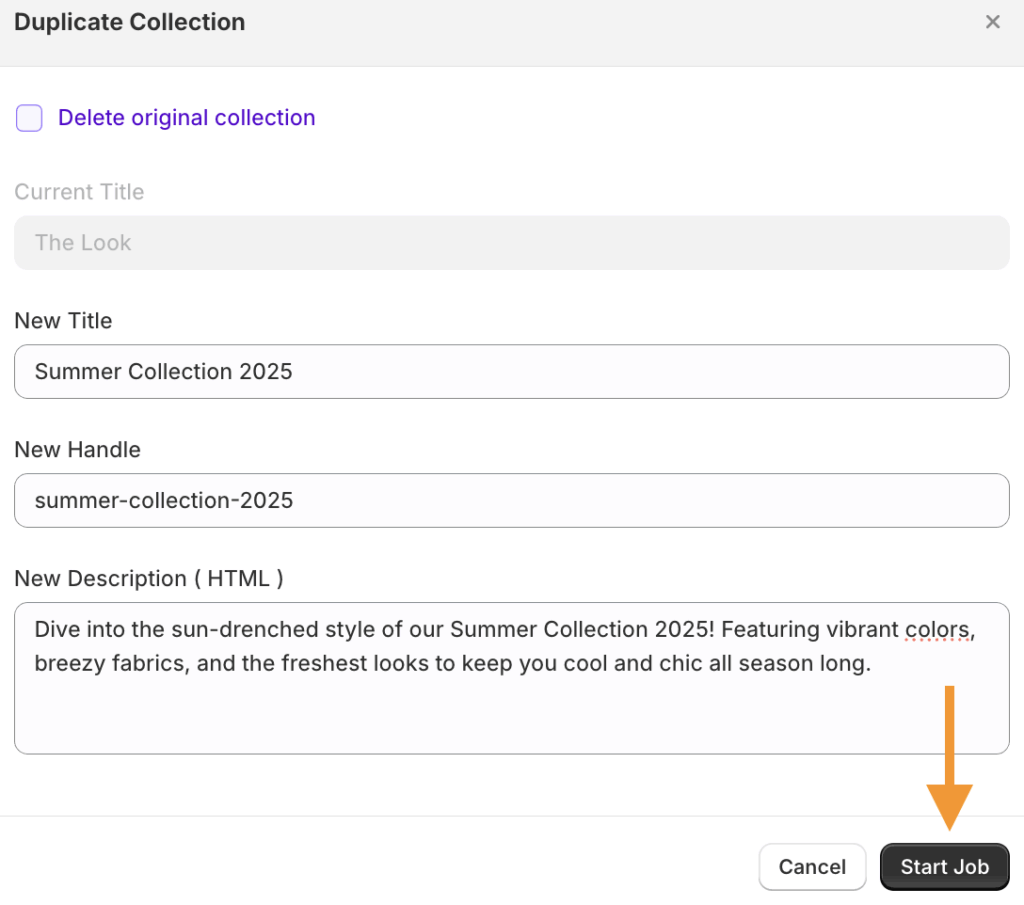
By default, you will see the collection title of the copied collection. Then, start editing the details for this new copied collection.
- Add the new title and URL handle.
- Add a new description.
- Check the box if you want to delete the original collection.
After adding the needed details, click on Start Job. This starts the app to create your collection in just a few seconds.
Step 3: Check the Status of the Duplicate Collection
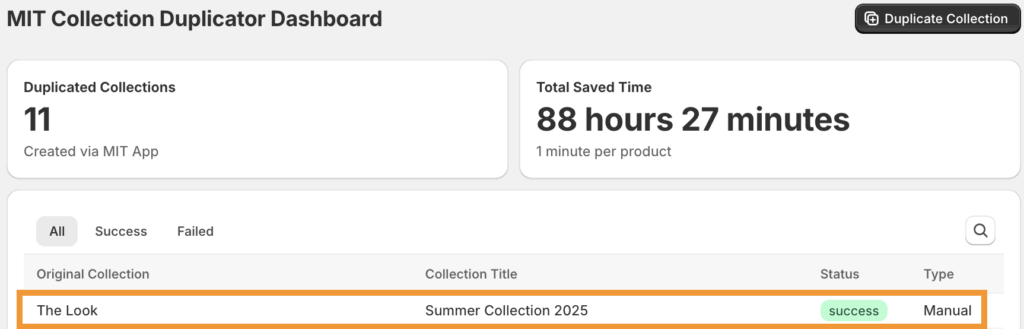
Then, head to the main dashboard to view the status of the duplicate collection you created.
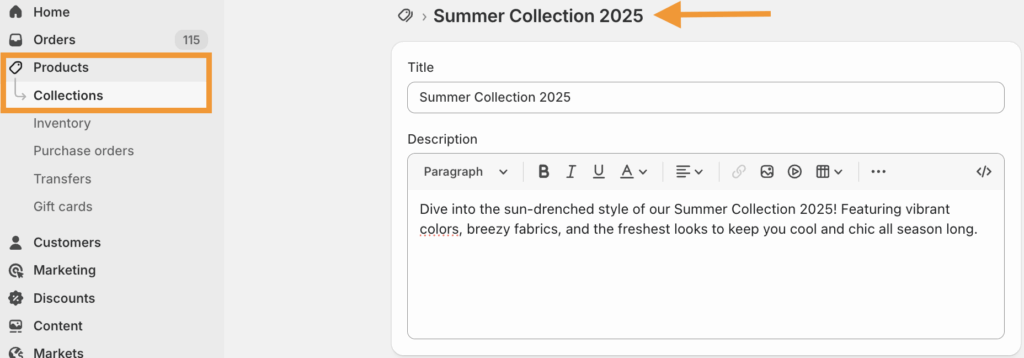
Now, if you navigate to Products > Collections, you will be able to view your created collection and make the edits as needed.
Duplicate, edit, and manage collections faster using our Shopify app.
Create Now
Why Copy a Collection?
Duplicating a collection in Shopify saves time.
When you want to create similar collections from your other Shopify store, manually creating each from scratch takes away your productive hours. If you run a promotion campaign or launch a new product collection, manually creating collections will take a toll.
Simply duplicate your original collection and directly start making edits without worrying about its format and structure.
Other Helpful Resources
Duplicating a collection in Shopify using the abovementioned method is time-saving an.
Here are some other resources to help you out with bulk editing and leave you with more productive hours:
