

Magento 2 XML sitemap comes into play to make your Magento 2 store visible on search engines.
But what is it, and how can it be configured without getting lost in the woods?
This blog will guide you in understanding each part of the Magento 2 XML Sitemap and answer all your questions.
What is Magento 2 XML Sitemap?
A Magento XML sitemap is a file that lists all the important links on the website including product pages, categories, and CMS pages.
Once the file is submitted to Google Search Console, Google’s search bots will easily find and index pages that help improve the ranking in search results.
Think of Magento sitemap.XML is like a detailed map that suggests the search engines about each page of your website and highlights the most important pages.
How to Create Sitemap in Magento 2?
A sitemap in Magento 2 is one of the important tasks that helps to elevate the website’s SEO performance.
A nicely configured sitemap ensures that search engines can crawl and index your website, however, it makes more sense if this process is automated so it can be managed swiftly.
Here are the steps to create a sitemap manually in Magento 2.
1. Frequency and Priority Values Configuration
Login to Admin Panel
For logging into admin panel and follow the below steps given:
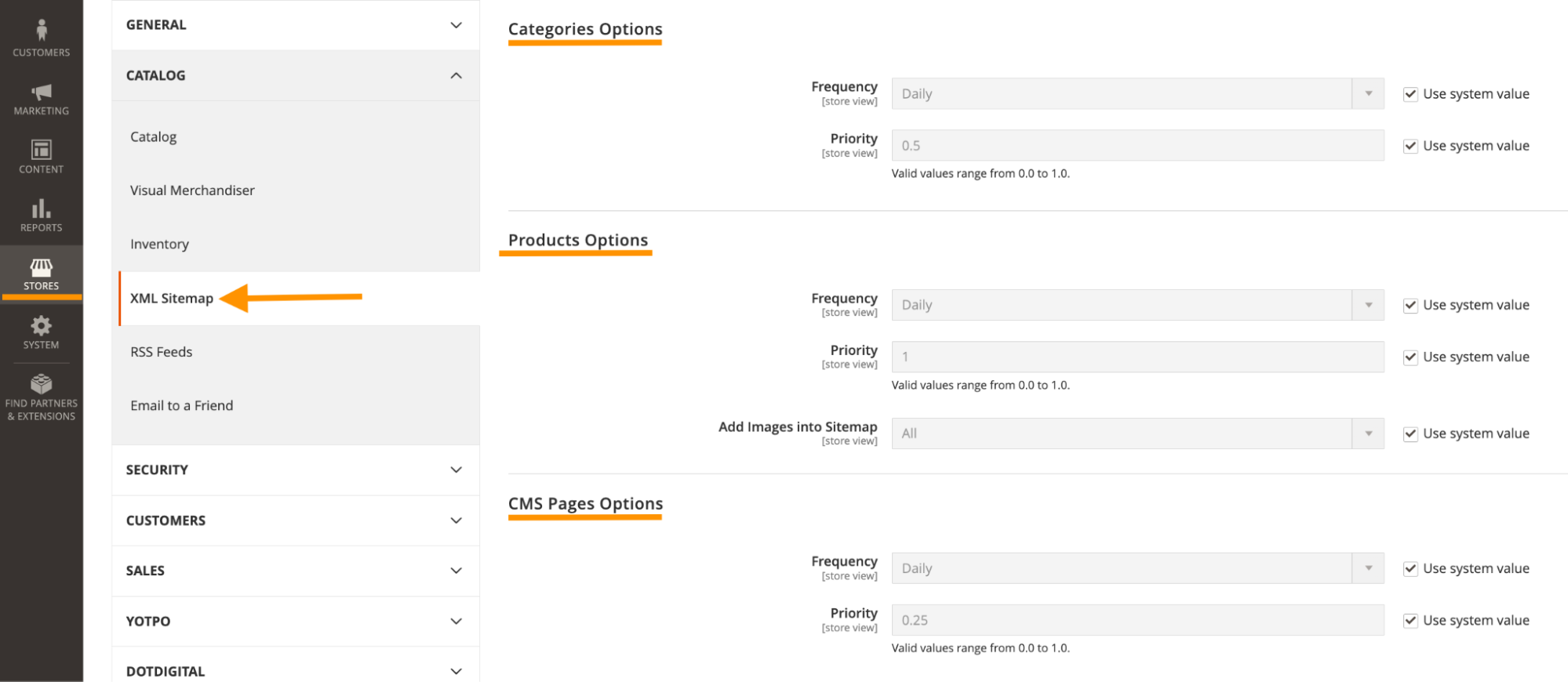
- Click on stores > choose the configuration
- Select “XML Sitemap” under the catalog option
- Choose the “Categories” option and select “frequency” from the drop-down menu and set priority from 0.0 to 1.0
From product options
- Configure the frequency and priority values as above.
- Choose “all” from the “Add Images to Sitemap” option to attach an image from the drop-down menu
From CMS Pages Option
- Configure the frequency and set priority values from the CMS Pages option.
- Click on the “save configuration” option
2. Configure the Generation Setting
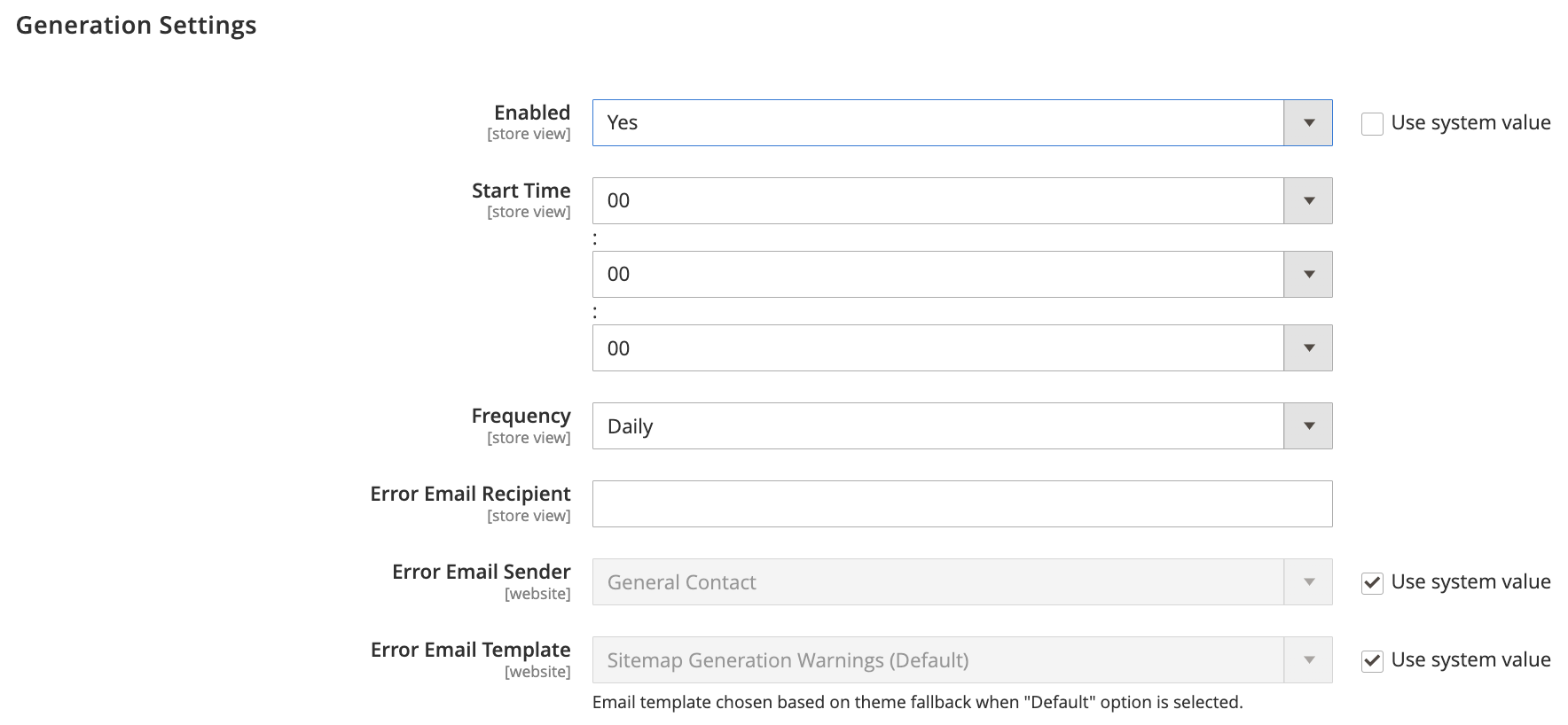
Configure the generation settings under the “generation settings” section. Go as per the mentioned steps
- Enabled: YES
- Frequency: You can set “daily”, “weekly”, or “monthly” from the drop-down menu
- Error Email Recipient: Add the email address that is supposed to receive support inquiries or help. For example [email protected]
- Error Email Template: The drop-down menu gives the option to select the template, and add the template for error email.
3. Configure the Sitemap File Limits
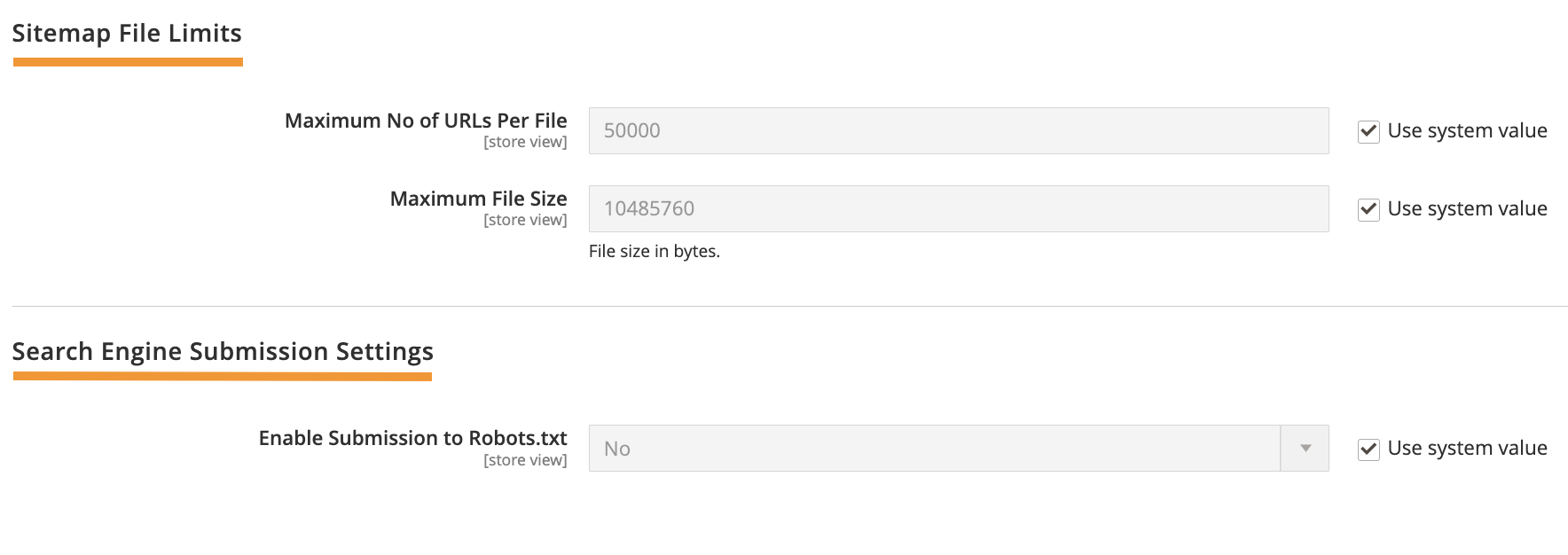
You can configure the below fields under the “Sitemap File Limits”.
- Maximum Number of URLs Per File: Enter the limit of the number of URLs per file
- Maximum File Size: You can enter the limit of the files in bytes
4. Complete the Search Engine Submission Settings
- Enable Submission To Robots.txt: Set “YES” to provide instructions to search engines that crawl your site by using a robot.txt file. If your site is missing a robot.txt file, create one now and configure this setting.
After this, click save, and your Magento 2 XML Sitemap is created, you can easily retrieve it. Verify it using the search engine using Google Search Console.
List out the important pages for the search engine to discover, index, and crawl more efficiently.
Start Listing
Automatically Generate Sitemap in Magento 2
A Magento 2 Sitemap extension is the easiest way to generate a sitemap in Magento 2 to optimize for search engines.
One way to use Sitemap is the Magento 2 XML Sitemap extension; it helps to boost your website visibility, with minimum effort needed from your end.
The Meetanshi Magento 2 Google Sitemap extension is one such go-to extension for your store.

The extension automates sitemap creation effortlessly, helps generate XML sitemaps for your store, and comes with advanced filtering options.
Having a thorough sitemap is the key to maintaining a successful website. So, work with the above steps to improve your SEO and let Google crawl your pages faster
So start creating one for your store now.
