

A custom B2B registration form helps you get detailed information about wholesale or B2B customers to decide if it is worth partnering up with them.
While the default Magento 2 registration form lacks customization, learn here how to create a B2B registration form in Magento 2 that is personalized, flexible, and more streamlined.
What is a B2B Registration Form?
A Magento 2 B2B registration form allows business owners to register with your store. This form differs from a regular registration form as it has more information fields and requires more input. Also it is one of the best Magento 2 Hyvä theme extensions.
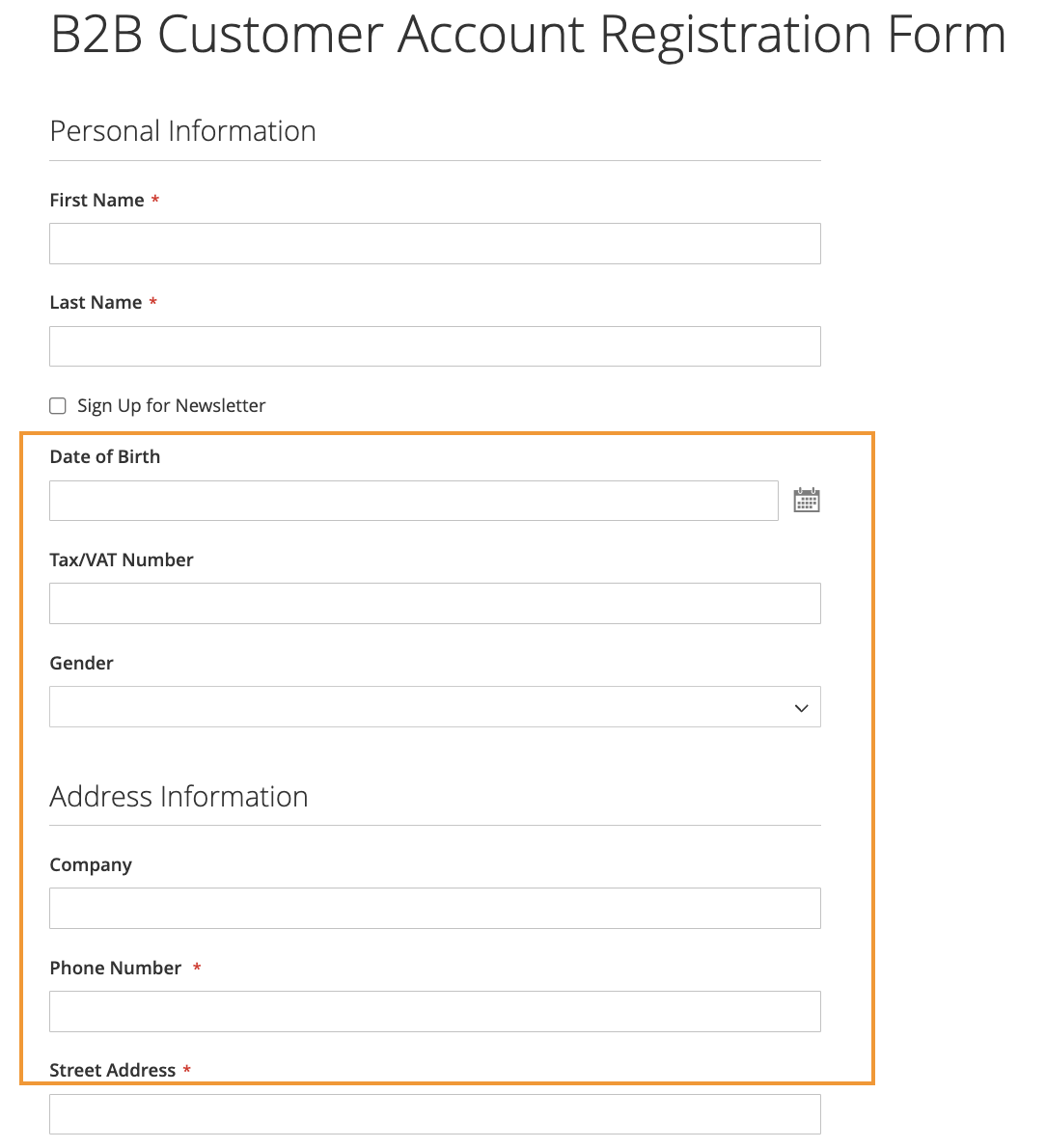
As you can see in the screenshot above, this Magento B2B registration form includes fields like:
- Date of Birth
- Tax/VAT number
- Gender
- Address
Such information cannot be captured using the default registration methods as it only includes fields like name, password and email. And by default, all the registration are auto-approved, making it an easy entry to spammers in your store.
How to Create a Custom Form Using an Extension?
Now that we know the default registration is limited in nature, the alternative way here is to use an extension.
Here, you can use the Meetanshi Magento 2 B2B Registration Form, which allows you to create a custom registration form for your B2B merchants and collect specific details as you like.
The extension helps you have better control over your registration process as you can:
- Approve or disapprove B2B registration using mass action
- Set Google reCAPTCHA v3 to avoid spam registration
- Easily segment between B2B and B2C registration
Let’s look at the step-by-step on how to create a B2B registration form in Magento 2.
Step 1: Install and Configure the Extension
Firstly, extract the zip folder and upload the extension to the root of your Magento 2 directory via FTP. Then, login to your SSH and run the below commands step by step:
- php bin/magento setup:upgrade
- For Magento version 2.0.x to 2.1.x – php bin/magento setup:static-content:deploy
- For Magento version 2.2.x & above – php bin/magento setup:static-content:deploy –f
- php bin/magento cache:flush
Now, head to Stores > Configuration > B2B Registration Form to enable the extension.
Go to the field B2B Registration and enable the B2B Registration Form extension.

Step 2: Add Essential Fields to Your B2B Form
From there, scroll down, and you will see various. Let’s add four essential settings in this step: Registration Settings, Approval Settings, Admin Email Notification Settings, and Customer Email Notification Settings.
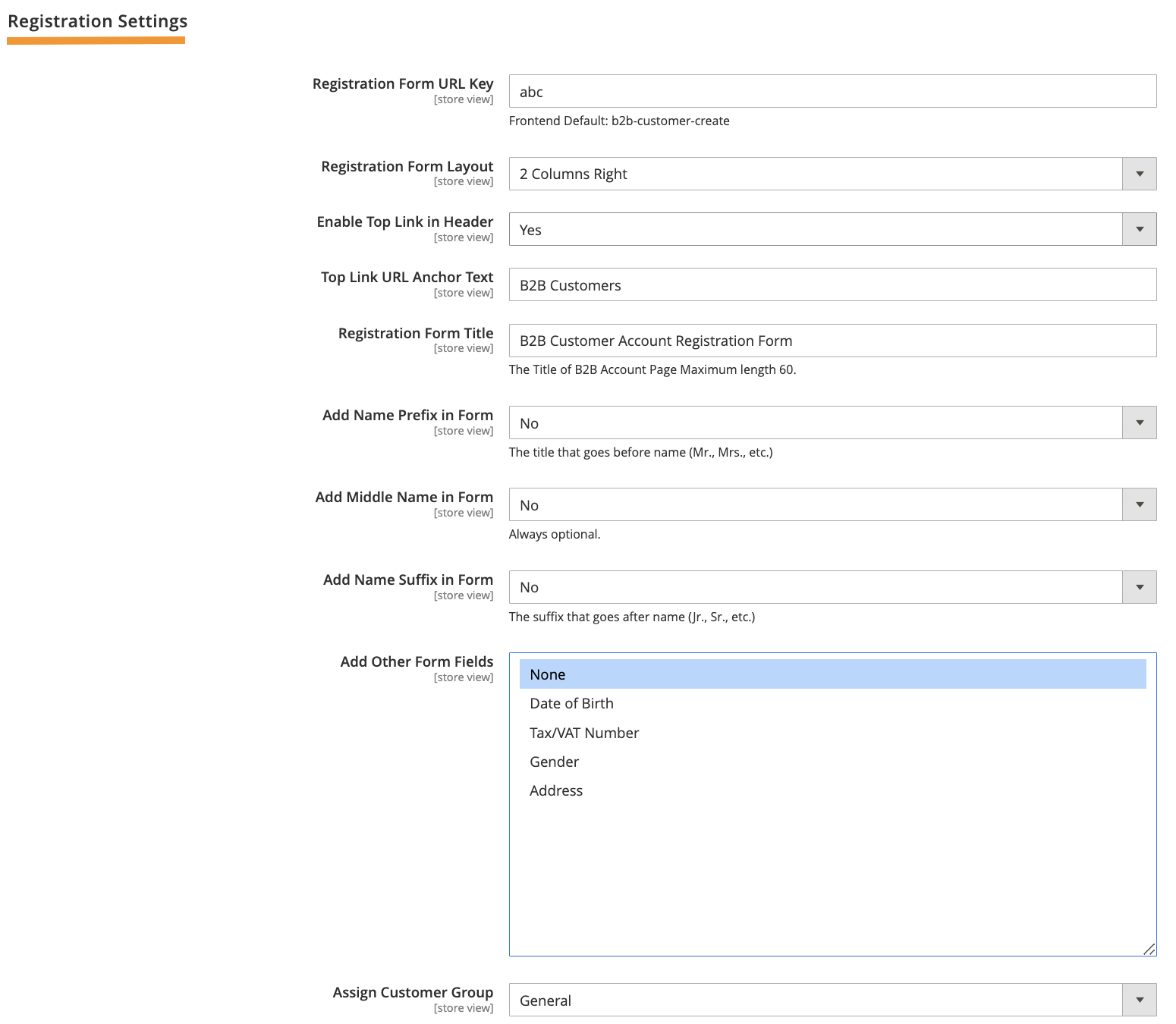
Registration Settings
- Registration Form URL Key: Add the registration form URL key for your B2B registration form page.
- Enable Top Link in Header: Select yes for the link to appear in the header.
- Top Link URL Anchor Text: Add a suitable anchor text for the registration form URL.
- Registration Form Title: Add the title for the B2B registration form.
- Add Name Prefix in Form: Select yes to add the name prefix field in the form.
- Name Prefix Dropdown Options: Add semicolon-separated name prefixes to show in the form.
- Add Middle Name in Form: Select yes if you want to add the middle name field.
- Add Name Suffix in Form: Select yes if you want to add the name suffix field.
- Name Suffix Dropdown Options: Add semicolon-separated name suffixes to show in the form.
- Add Other Form Fields: Select other form fields you want to show in your B2B registration form.
- Assign Customer Group: Select a customer group to assign after the registration is approved.
- Disable Default Registration: Select yes to disable Magento 2 default registration.
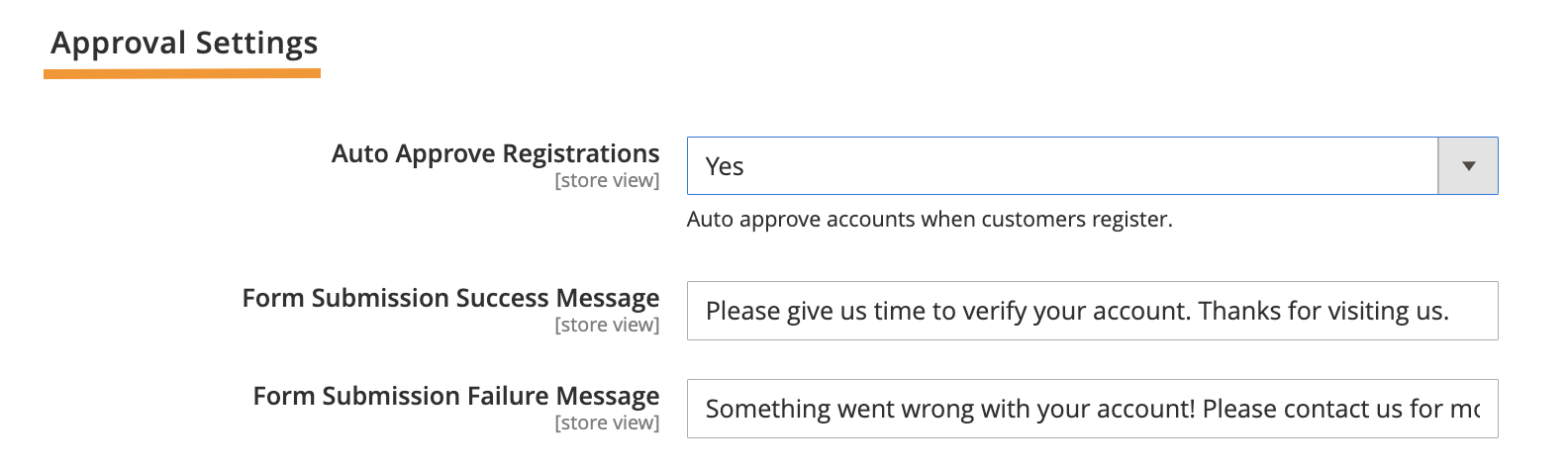
Approval Settings
If you want to auto-approve all B2B registrations, select yes, and if you don’t want to auto-approve, select no. You can later approve them manually from the backend.
You will need to add these settings in case you want to auto-approve:
- Form Submission Success Message: Add a success message to show after the form submission on the front end.
- Form Submission Failure Message: Add a failure message to show after the form submission on the front end
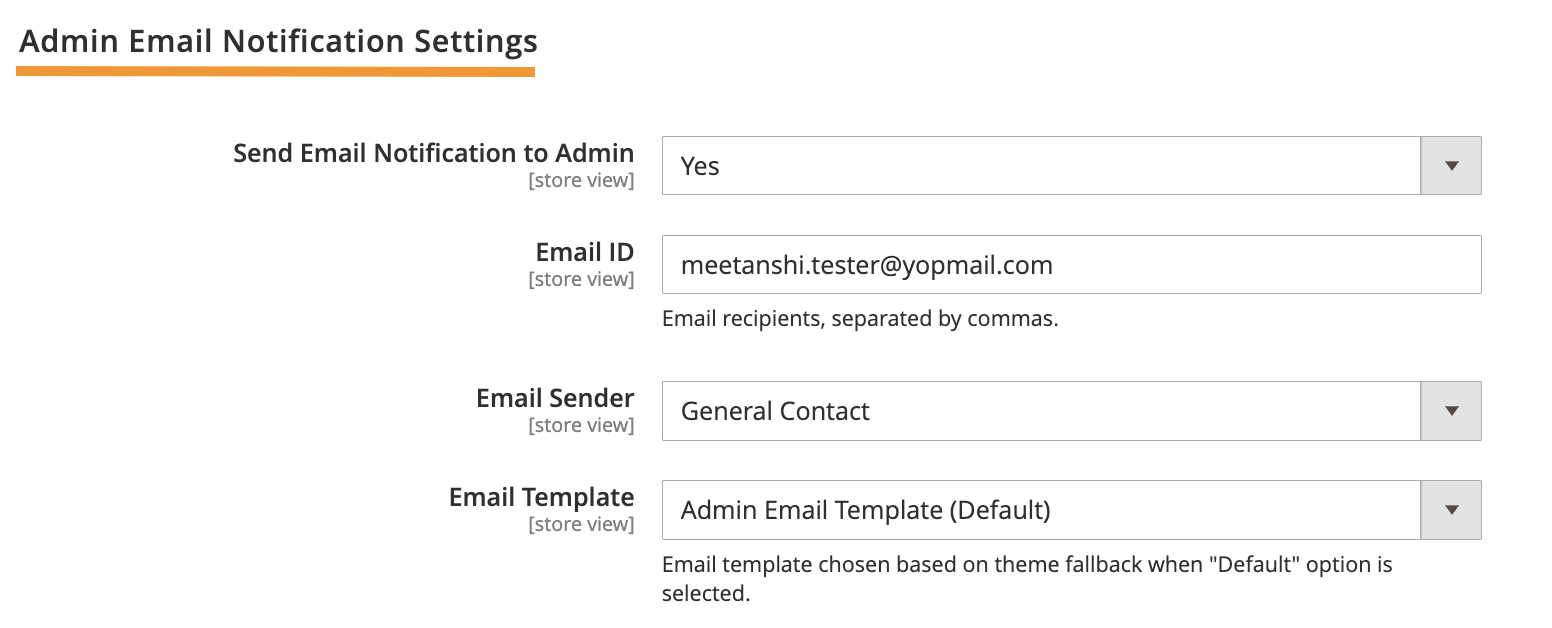
Admin Email Notification Settings
If you wish to get notified when a B2B registration is done, configure the following settings:
- Send Email Notification to Admin: Select yes to enable this setting
- Email ID: Enter the email ID on each you wish to get the notification
- Email Sender: Add the sender
- Email Template: Select an email template from the dropdown
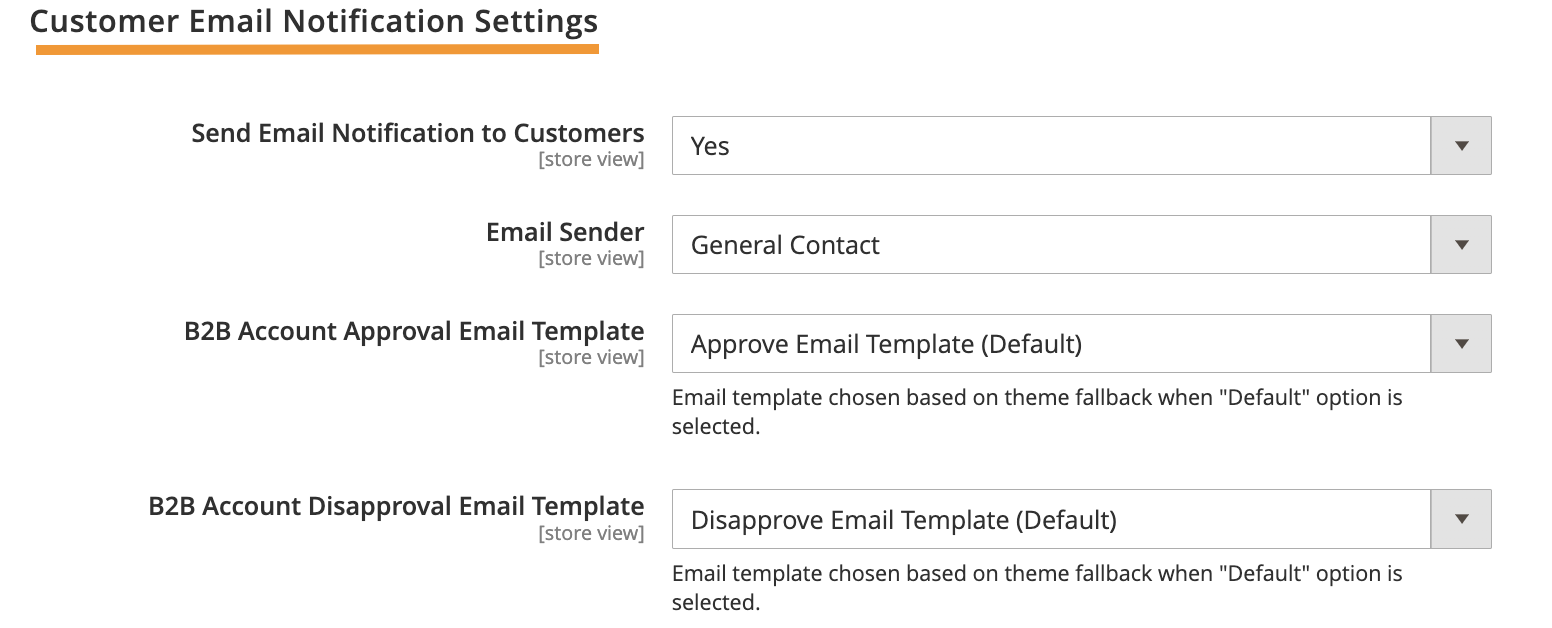
Customer Email Notification Settings
Here, you will need to configure the settings if you wish to inform the customers about their B2B account approval or disapproval status.
- Send Email Notification to Customers: Set yes if you want to notify the customer
- Email Sender: Add the sender
- B2B Account Approval Email Template: Select a template from the dropdown
- B2B Account Disapproval Email Template: Select a template from the dropdown
Step 3: Enable Google reCAPTCHA to Avoid Spammers
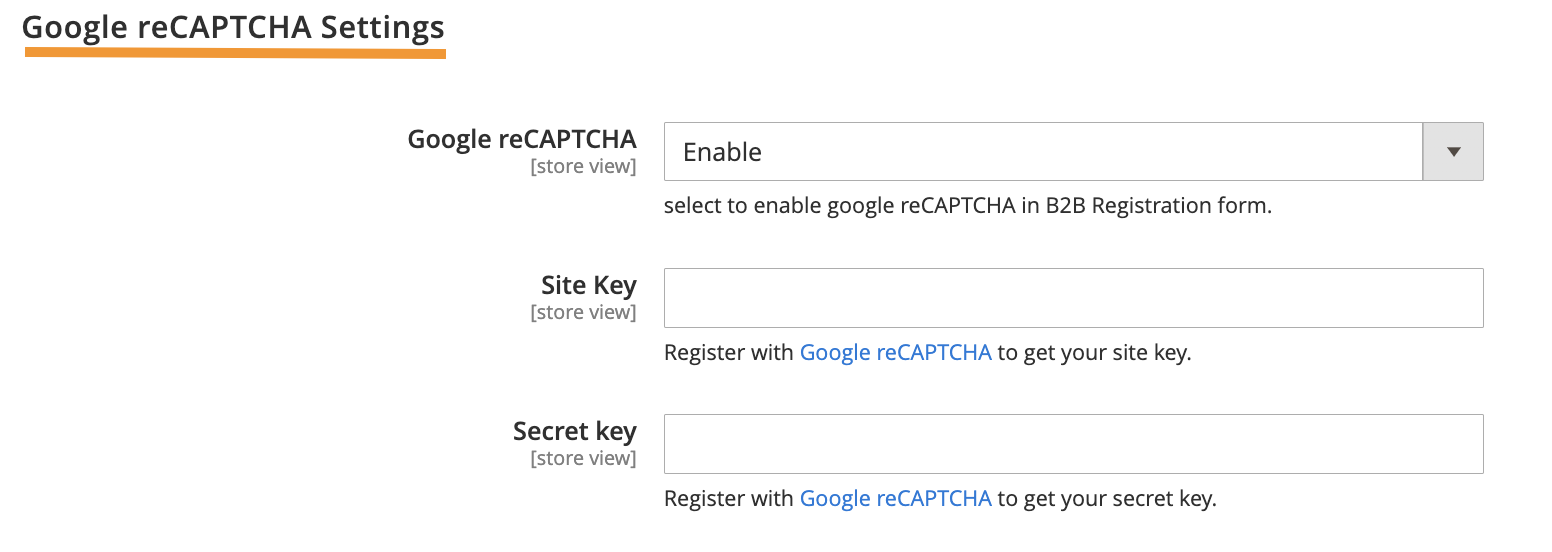
After adding essential fields to your form, it is time to enable Google reCAPTCHA to avoid spam registration requests.
- Google reCAPTCHA: Enable the Google reCAPTCHA v3.
- Site Key: Enter the site key you would have got while registering with Google reCAPTCHA.
- Secret Key: Enter the secret key you would have got while registering with Google reCAPTCHA.
Save the entire configuration, and you have successfully created a custom B2B registration form. 🎉
After your B2B form is available for registration, your customers can fill out the needed details, and you will be instantly notified about the activity.
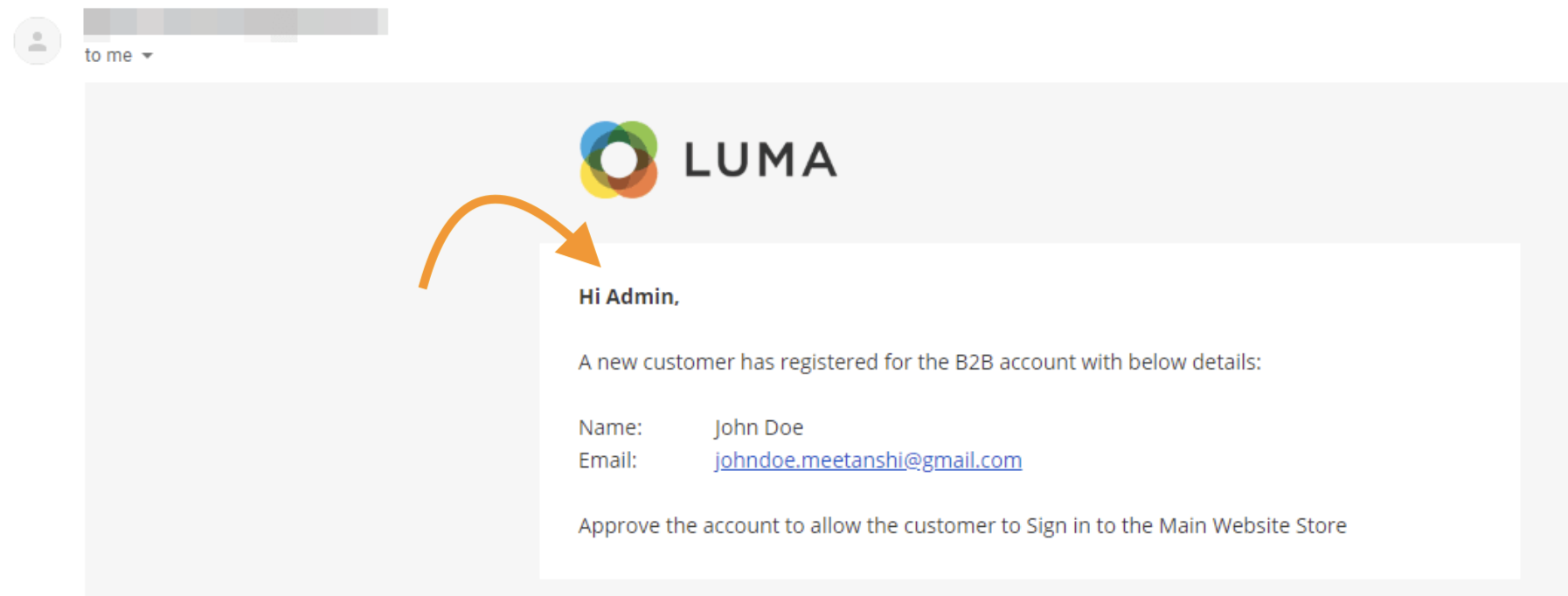
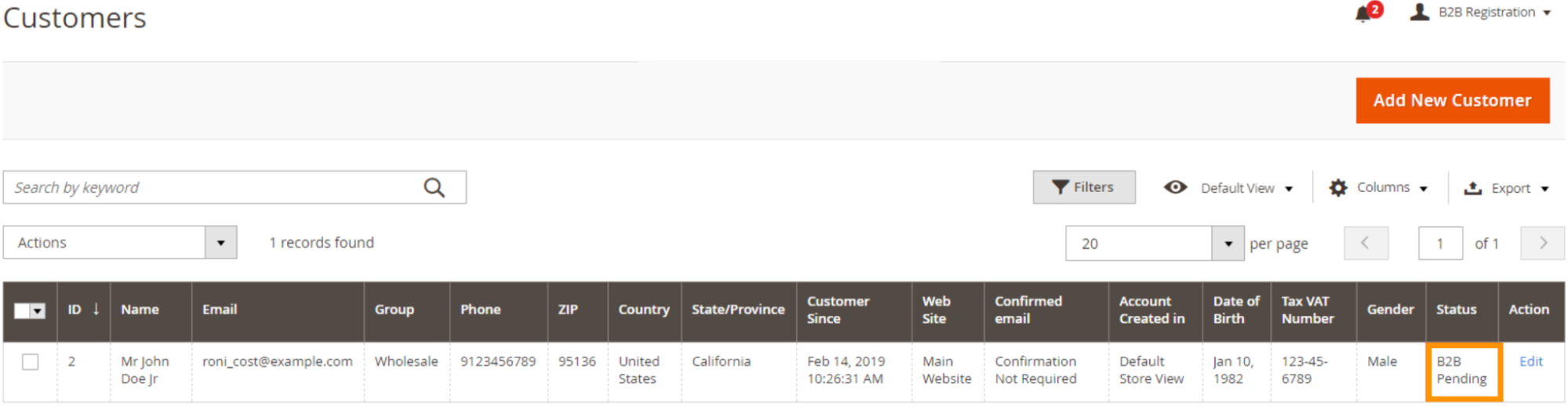
And from the Customers section in the backend, you can approve and disapprove all your registrations and notify the customers if you want.
Go beyond the default registration form and create a customized one.
Create One Now
Take Your B2B Registration a Step Ahead
Sticking to the default registration misses capturing specific information essential to making business partnership decisions.
For more understanding the key differences between Magento 2 B2B vs B2C will help you customize your registration forms to meet the unique needs of business customers, ensuring a seamless experience for your B2B store.
This customized way is a friendlier approach that streamlines your registration without any complex workflows. So, take charge and level up your B2B registration process using the Meetanshi Magento 2 B2B Registration Form extension.
