Managing your finances without the right integration increases manual efforts with a risk of costly accounting errors. A good integration removes all the needed efforts and lets you focus on growing your business.
In this blog, find the five best Magento QuickBooks online integration solutions to automate financial operations.
But first, let’s start with the fundamentals.
What Is Magento QuickBooks Integration? (+ How to Integrate)
Magento QuickBooks integration syncs important business data like orders, customers, products, inventory, invoices, and payments between your Magento store with QuickBooks accounting software. Its main goal is to reduce manual data entry, human errors, and provide you with real-time financial visibility and accurate inventory control.
QuickBooks has two versions: QuickBooks Online & QuickBooks Desktop, each requiring a different integration approach and offering distinct features.
- QuickBooks Online (QBO) is a cloud-based, subscription service that provides access anytime, anywhere to your financial data via a web browser or mobile app.
- QuickBooks Desktop (QBD) is a locally installed software with data stored on your computer/local server; it offers more robust and customized features (like advanced inventory/job costing) and industry-specific editions.
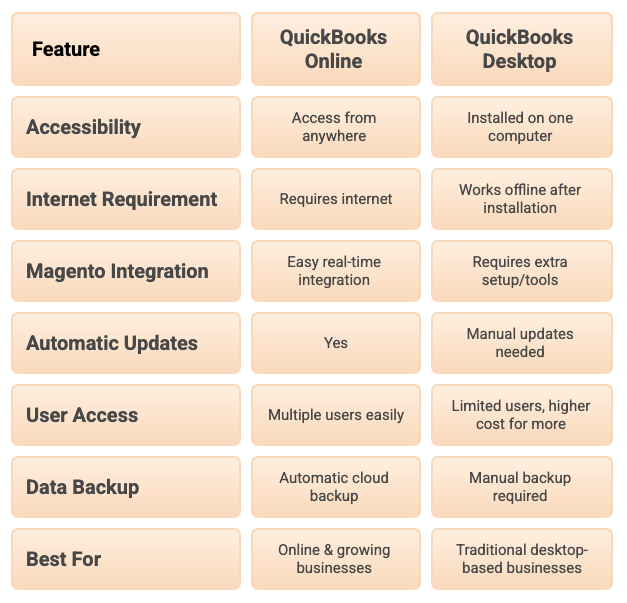
Since there’s no built-in way for a QuickBooks connection, you need a reliable third-party extension to sync your store data automatically.
For small to medium-sized businesses seeking an accessible, cloud-based solution, QuickBooks Online is the ideal choice. However, QuickBooks Desktop is better suited for larger enterprises with significant inventory or manufacturing requirements, as it provides more robust features and reporting capabilities.
5 Best Magento 2 QuickBooks Integration Extensions
Here is a comparison of the top five Magento 2 & QuickBooks integration extensions with their key features, best version, pricing, and rating.
| Extension | Provider | Best Version | Pricing | Rating |
| Magento 2 QuickBooks Online Integration | Meetanshi | QuickBooks Online | Starts $249 | 4.9 |
| QuickBooks Online Integration for Magento 2 | Mageplaza | QuickBooks Online | Starts $249 | 5.0 |
| QuickBooks Desktop Integration | Magenest | QuickBooks Desktop | Starts $419 | 4.9 |
| QuickBooks Integration for Magento 2 | FireBear Studio | QuickBooks Online | Pricing not available | 3.7 |
| QuickBooks Online Integration | Webgility | QuickBooks Online & Desktop | Pricing not available | 4.5 |
1. Magento 2 QuickBooks Online Integration by Meetanshi
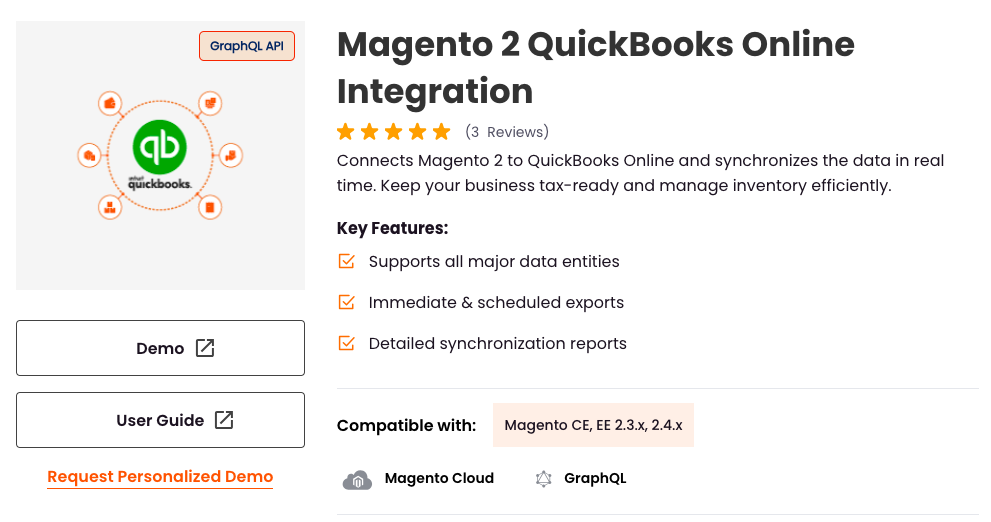
The Magento 2 QuickBooks Online Integration by Meetanshi connects your store with QuickBooks Online (QBO). It automatically syncs data like customers, products, orders, invoices, and credit memos in real-time or on a schedule. The goal is to manage accounting, keep inventory and bookkeeping in sync, and reduce manual data entry. They offer a straightforward setup, under 10 minutes, making it usable even without heavy developer involvement.
Key Features:
- Perform immediate exports or schedule automated exports (daily/weekly/monthly) via cron jobs
- Map Magento payment methods and tax classes to QuickBooks, which helps with accurate accounting and tax compliance
- Provides dedicated grids in the Magento backend to access detailed reports of historical and upcoming data syncs
Pricing:
- Open source: $249
- Commerce using on-premise(EE): $399
- Commerce on Cloud(ECE): $399
2. QuickBooks Online Integration for Magento 2 by Mageplaza
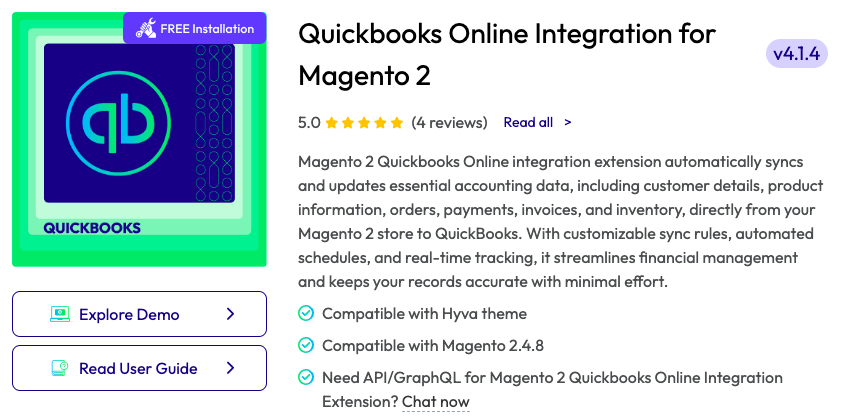
The QuickBooks Online Integration extension for Magento 2 by Mageplaza is designed to auto-sync accounting info between your Magento 2 store and your QuickBooks Online account.
It organizes financial management by transferring essential data, such as customer details, product information, orders, payments, invoices, and inventory, with minimal manual effort. The extension includes features for customizing sync rules, setting automated schedules, and providing real-time tracking for data accuracy.
Key Features:
- Enables mapping and customization of Magento fields to corresponding QuickBooks fields
- Provides a dashboard to track sync statuses (pending, successful, failed) in real-time
- Allows you to set conditions for adding objects to the QuickBooks queue
Pricing:
- Community edition: $249
- Enterprise/Magento Cloud: $449
3. QuickBooks Desktop Integration by Magenest
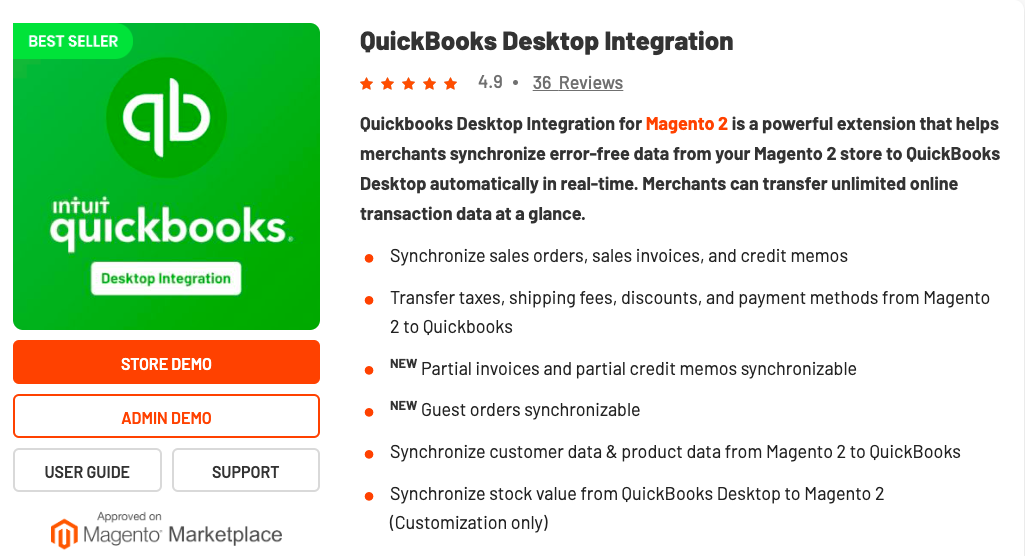
The Magenest QuickBooks Desktop Integration for Magento 2 extension offers a robust solution for merchants, enabling seamless, real-time, and automatic synchronization of accurate transaction and product data from their Magento 2 store directly to QuickBooks Desktop.
It allows for the transfer of unlimited online transaction data, streamlining accounting processes and ensuring data consistency between the e-commerce platform and the accounting software.
Key Features:
- Supports a broad range of data types: sales orders, sales invoices, credit memos, taxes, shipping fees, discounts, payment methods, customers, products
- Supports guest orders & partial invoices (recently added features), useful for more complex order flows
- Sync is automated (cron-jobs or via queue), so once set up, no need for constant manual intervention
Pricing:
- Open-source (community): $419
- Commerce(Enterprise/Cloud): $949
4. QuickBooks Integration for Magento 2 by FireBear Studio
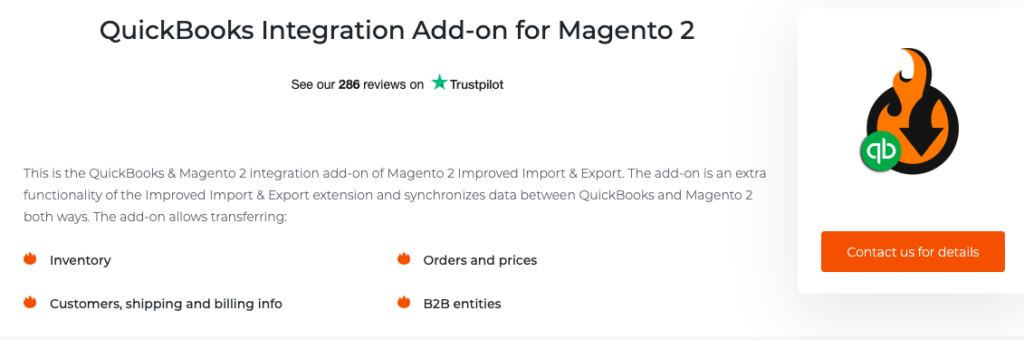
The QuickBooks Integration for Magento 2 by FireBear Studio is an add-on for their base module, Improved Import & Export for Magento 2. It enables two-way synchronization between your Magento store and QuickBooks (accounting software). Through this add-on, you can sync inventory, products, customers, orders, prices, B2B entities, and more, effectively filling the gap between e-commerce data with accounting/ERP data.
Key Features:
- Automated workflow for payments, bill tracking, and data backups via cron scheduler
- Two-way data transfer: allows both import and export between Magento 2 and QuickBooks, so changes on either side can be synced
- The extension is 100% open code
Pricing:
- Not available
5. QuickBooks Online Integration by Webgility

The Webgility QuickBooks integration for M1 and M2 is an accounting automation and inventory sync solution. It acts as a connector, automating the process of downloading and posting orders from your web store directly into your QuickBooks system. It supports both QBO and QBD, helping businesses streamline daily bookkeeping, manage inventory across channels, and gain access to real-time financial reporting.
Key Features:
- Automatically syncs Magento orders (as sales receipts, invoices, sales orders, or journal entries) to QuickBooks, ending manual data entry
- Maintains real-time product quantity and pricing synchronization between Magento and QuickBooks, preventing over- or under-stocking
- Simplifies sales tax by verifying third-party calculations and sending collected tax to the correct accounts
Pricing:
- Not available
So this is it for the list of Magento QuickBooks integration extensions, pick the one that goes well with your business requirements and is budget-friendly.
How to Pick the Best Magento QuickBooks Online Integration Solutions?
Picking the best QuickBooks Online integration for Magento means checking the solution’s features against what your business needs. Here are a few pointers to consider.
- Ensure the solution supports automatic, real-time sync for orders, customers, products, taxes, and refunds. Two-way sync is preferable if you want inventory or price updates to flow back into Magento
- Allows easy mapping of Magento data to QuickBooks. The more entities supported (orders, invoices, customers, etc.), the better the workflow
- Make sure it explicitly supports QuickBooks Online (not Desktop). Some tools only work with one version
- Consider whether the extension has guided setup, prebuilt templates, error logs, and automated cron jobs, so you don’t need constant manual work
- Choose a tool that can handle large catalogs, high order volumes, and multi-store configurations without slowing down your Magento store
- Review the cost, check if support is responsive, and ensure the developer provides regular updates to keep the integration stable with the latest Magento versions
How to Connect Magento 2 with QuickBooks Connector?
Integrating your Magento 2 store using the Meetanshi QuickBooks Online extension is a code-free process, involving three main phases: extension installation, API configuration, and rules synchronization.
These are the steps for it:
- Step 1: Install the extension and get the necessary Client ID and Client Secret from QuickBooks.
- Step 2: Paste the credentials and configure the extension from the backend.
- Step 3: Set the Sync Mode and frequency for all key entities (Customers, Products, Orders, Invoices, Credit Memos)
- Step 4: Use the dedicated mapping grids to synchronize your Magento Payment Methods and Tax Codes to the corresponding QuickBooks entities
- Step 5: If needed, use the Sync Queue feature to push all existing historical customers, products, and orders to QuickBooks
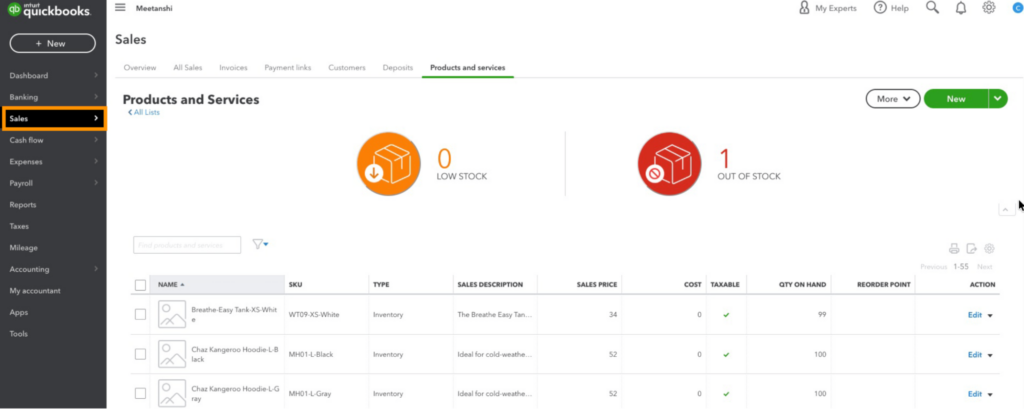
Here is the QuickBooks dashboard, where you can see all the Magento 2 products listed.
Benefits of Connecting a Magento 2 Store With QuickBooks Software
Integration of Magento 2 with QuickBooks via a dedicated extension offers financial and many other advantages for time-consuming tasks.
The system automatically transfers Magento data (orders, invoices, credit memos, customers, payments) to QuickBooks. This eliminates data entry, saving time and helping you focus on business growth.
Auto-synchronization eliminates manual data entry errors, keeping financial records, sales data, and tax reports accurate and consistent across both your e-commerce and accounting systems, which is vital for compliance and audits.
Two-way sync instantly updates stock. A sale in Magento reduces QuickBooks inventory, and vice versa. This prevents overselling or overstocking, improving capital and customer satisfaction.
The integration correctly maps tax rates from Magento to QuickBooks. This makes tax reporting easier, speeding up month-end and year-end closing.
Instant data alignment combines all financial information, providing business owners and accountants with immediate, accurate insights into sales, profitability, and cash flow for faster, informed decision-making.
Over to You
Stop wasting time on manual data entry and be sure of your financial data. Integrating Magento 2 and QuickBooks Online is a clever way to scale your business without a hitch.
Automate bookkeeping, get accurate inventory, and real-time financial reporting with the best Magento QuickBooks online integration solution.
Automatically sync orders, customers, products, taxes, etc., between QuickBooks and your store.
Sync Now