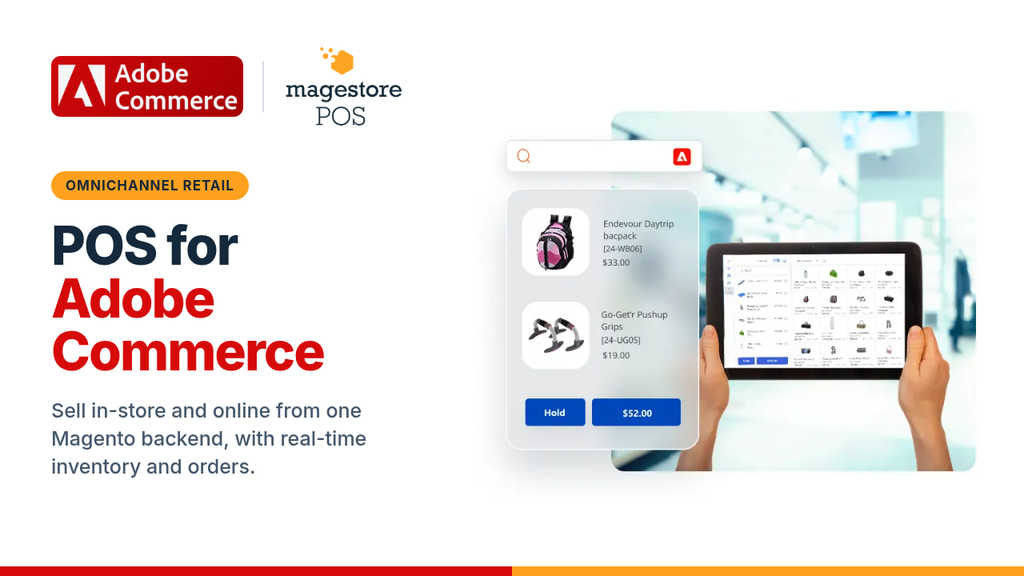
Hundreds of thousands of retailers use Adobe Commerce (Magento) for their online stores. Many of them run brick-and-mortar locations at the same time. To process in-store transactions and unify online and offline data, merchants need to integrate POS and Adobe Commerce to sync order, inventory, product, and customer data.
This post explains how Adobe Commerce POS integration benefits retailers and suggests a functional and reasonably priced POS for Magento merchants.
Does Adobe Commerce have a POS?
No, Adobe does not provide a built-in POS. However, Adobe Commerce can integrate with POS systems developed by Adobe’s partners or third-party providers. The Adobe Commerce POS solutions vary in cost, functionality, and support, so merchants can choose the most suitable one to bridge online and physical stores.
What is Adobe Commerce POS Integration?

Adobe Commerce POS integration is the process of connecting an in-store POS system to a Magento-powered online store so the two can share data through APIs, connectors, or custom modules. Depending on the setup, data such as orders, customers, products, and inventory can flow one way or both ways, and update in real time, near real time, or on a schedule. The tighter the integration, the more accurate and up-to-date your data is across channels.
How POS and Adobe Commerce integrate depends on the POS type. Currently, there are two major types of POS for Adobe Commerce available on the market: native POS or non-native POS (standalone POS).
- Magento-native POS (POS built in Adobe Commerce): Built specifically for Adobe Commerce, a native POS runs on the same database as your online store, so there’s no separate system or third-party connector to keep in sync. In-store orders reach Magento almost instantly, while product, stock, and customer updates reach the POS in real time or at intervals that depend on your setup, keeping data across channels consistent with minimal errors.
- Non-native POS: Often built to work with several eCommerce platforms, a standalone POS keeps its own database, separate from Magento. Therefore, a 3rd-party connector or middleware must be used to connect the two systems, causing the risk of interrupted or delayed data syncs.
Benefits of Adobe Commerce POS Integration
Adobe Commerce POS integration enables data syncs between physical and online stores for effective management and optimized operations. In particular, the integration gives business owners the following benefits.
Multi-channel Inventory Management
Connecting Magento and POS lets retailers track and manage inventory for multiple offline and online sales channels. When an order occurs in physical or online stores, stock levels will be automatically updated across channels. Inventory counts stay accurate, and the risk of overselling and stockouts goes down.
Besides, the integration syncs product changes like prices, colors, and sizes between POS and Adobe Commerce, keeping product data consistent across stores. With a live view of stock at every store, channel, and warehouse, retailers can move inventory between locations and restock before items run out.
Omnichannel Order Management
Magento Adobe Commerce POS integration transfers order data between online and brick-and-mortar stores, speeding up order fulfillment and return handling. As all orders are consolidated in one place, staff can track order status and process orders faster. Retailers can also offer omnichannel fulfillment, including buy online and pick up in store, or buy online and ship to home.
Additionally, the integration allows retailers to process returns, refunds, and exchanges wherever the purchase is made. For example, customers can return the orders they made online at physical locations or vice versa.
Cross-channel Customer Loyalty Programs
The Adobe Commerce point-of-sale connection keeps customer data, including purchase history and reward points, in one central record. That record updates whenever a customer buys online or in store. Staff can see each customer’s full profile, including their tier, past purchases, and available points. Shoppers, in turn, can earn and redeem loyalty points, store credit, or rewards on any channel.
Merchants can also organize shoppers based on their purchasing requirements using customer groups in Magento 2 and offer relevant benefits across sales channels.
Valuable Insights for Decision-making
Adobe Commerce POS integration combines business data from multiple stores and channels to analyze and generate insightful reports. You no longer need manual data entry, so there are fewer errors and fewer mismatches between channels.
With data from every store and channel in one place, retailers can run reports that show the full picture. For example, retailers can identify best-selling products, evaluate store performance, or analyze buyer behaviors. With these insights, retailers can stay on top of the current business situation to make timely and relevant decisions on sales, marketing, product pricing, or stock allocation.
Improved Customer Experience
Integrating POS and Adobe Commerce unifies physical locations and eCommerce stores, thereby streamlining retail operations and enhancing customer experience.
Customers can get accurate product information and stock levels whether they are shopping online or in-store. With data from every store and channel in one place, retailers can run reports that show the full picture. As a result, customers can enjoy a faster, easier, and more flexible shopping experience across channels.
Magestore: A recommended Adobe Commerce POS for Businesses of All Sizes
There is a wide range of POS solutions available on the market now. To choose the most suitable one, merchants need to consider different factors, including business requirements, functionality, pricing, and support.
- Business requirements: Retailers should look into what their business truly needs, both at present and in the future, before choosing a POS system. This might include analyzing daily and peak-time transaction volumes, the number of SKUs, stores, and sales channels, and the payment methods customers want. Merchants should also take into account future growth plans to make sure the chosen POS can scale as the business expands.
- POS functionality: Researching POS features beforehand is crucial, as it helps retailers decide whether the POS functionality matches business requirements. The research ensures the POS can fit the actual business workflows for optimized operational performance, rather than creating additional workarounds.
Business owners also need to evaluate the integration capability of the POS with Adobe Commerce and the current tech stack, such as accounting software or ERP. This helps reduce integration conflicts or costly replacements if the POS fails to work properly with other technologies.
- POS pricing: POS systems usually charge a one-time license fee or a subscription. Some POS systems require low upfront costs but lead to high expenses in the long term. Therefore, business owners should examine the POS cost structures carefully before making decisions. The costs for acquiring and maintaining the POS system should not add extra financial burdens and eat into business profits.
- POS support: POS providers might offer support for initial setups and when the system encounters failures or errors. As POS malfunctions can cause lost sales and disappointed customers, retailers should ensure they can get timely support for fixing these errors. Also bear in mind that some POS providers might charge extra fees for support, so merchants should also check support policies to avoid hidden costs.
Magestore – POS for Adobe Commerce
Magestore is one of the most reliable Adobe Commerce POS systems with 15,000+ customers in 50+ countries worldwide. The POS is native to Adobe Commerce, enabling a direct and stable connection for instant data transfers. Plus, Magestore POS offers a rich feature set and flexible pricing plans to accommodate different business needs.
Functionality
Magestore’s Adobe Commerce POS features are as follows.
- Fast order processing: Create and complete purchases in seconds, thus accelerating order processing, especially during peak hours.
- Offline mode: Process orders during connection loss and auto-sync data when the Internet resumes.
- Multiple payment methods: Support various payment methods: cash, credit/debit cards, online payments, contactless payments, store credits, loyalty points, split payments. Merchants can also use Magento 2 Payment Restrictions to configure rules for controlling payment method availability based on customer groups, products, and other conditions.
- Multi-channel inventory management: Allow stock tracking in real time across channels and locations, inventory transfer, inventory forecasting, and purchase order management.
- Omnichannel order fulfillment: Support buy online, pick up in store, buy online, ship to home, and buy online, pay at store.
- Cross-channel loyalty programs: Support store credits, loyalty points, and rewards points across online and physical stores.
- Reports and analytics: Provide many types of reports on sales, products, and inventory, such as sales by product, sales by brand, stock movement, and stock on hand.
- Third-party system integrations: Integrate with a wide range of ERP, CRM, accounting, shipping, and payment systems to fit your existing tech stack.
Magestore POS pricing and support
Magestore offers three pricing plans to suit different business needs, with subscription options for a lower upfront cost and one-time payment options for lifetime POS access and full source code ownership.
| POS Lite | POS Simple | POS Commerce | |
| Pricing | |||
| Subscription | $69/ monthA 7-day free trial | $89/ month+$25 per additional store; a 20-day free trial | Not available |
| One-time payment | Not available | Custom quote | Custom quote |
| Support | |||
| Support channel | Helpdesk Portal | Google Meet, Slack, Email, WhatsApp | Google Meet, Slack, Email, WhatsApp |
| Support time | One-time payment plan: 1-year free support after purchase + Free implementation | 1-year free support after purchase + Free implementation | |
| Installation | $50 (*Applicable if you require installation support from the Magestore team.) | One-time payment plan: Free one-time setup on one staging site and one live site Subscription plan: $100 (*Applicable if you require installation support from the Magestore team.) | Free one-time setup on one staging site and one live site |
Choosing the Right POS for Adobe Commerce
Adobe Commerce POS integration facilitates data movement between physical and online stores to streamline business operations and improve customer experience. Retailers can choose a native or standalone POS system to process orders and sync sales, customers, products, and inventory to Magento eCommerce stores.
Before deciding which POS to use, merchants should consider their business requirements, POS features, prices, and support policies. Magestore Magento-native POS, trusted by thousands of global retailers of different sizes, is a well-functioning, feature-rich, and flexible solution that can cater to many business scenarios.