Adding an image hotspot in Shopify lets you make product visuals interactive by highlighting key features, details, or links directly on an image.
For example, like this one
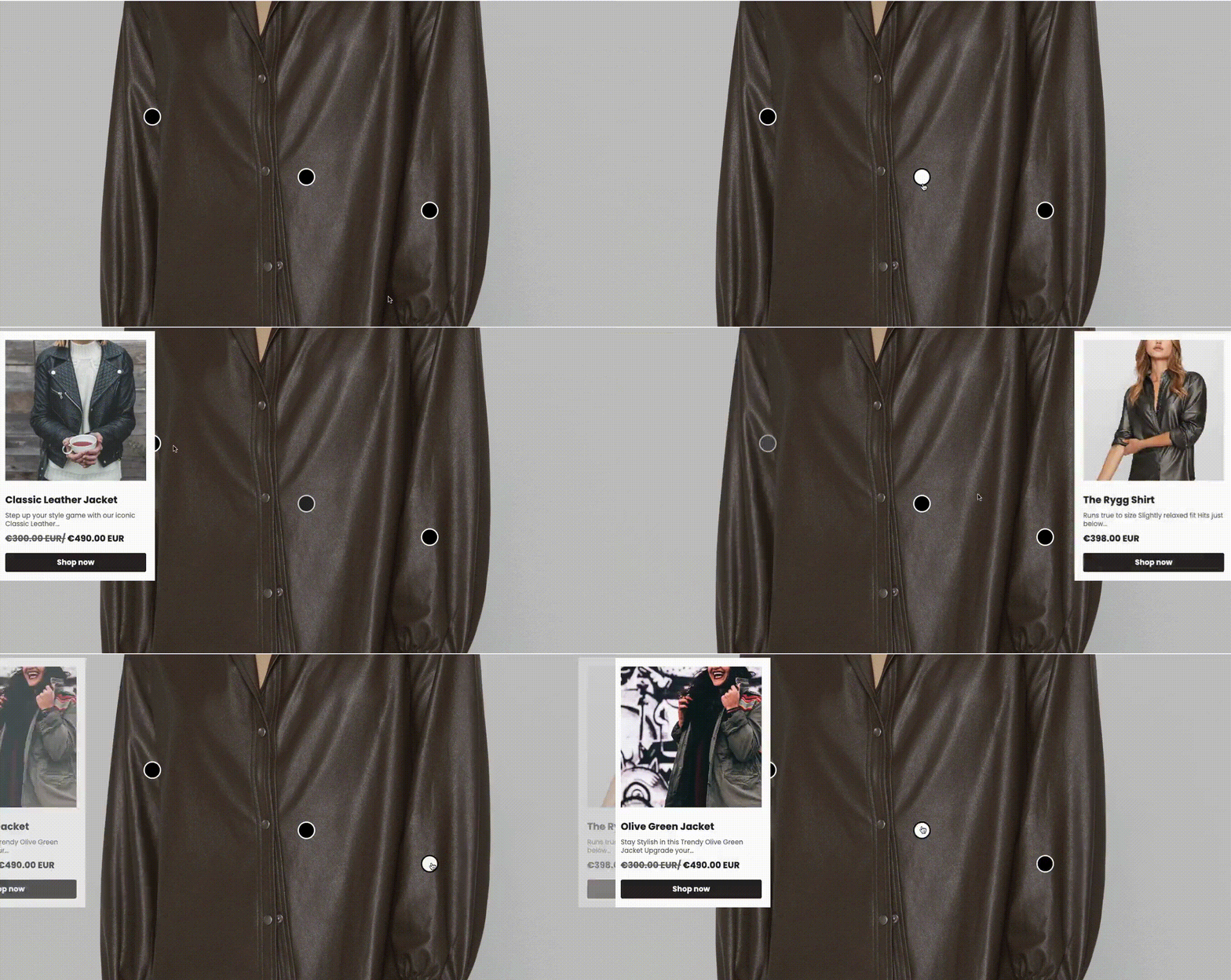
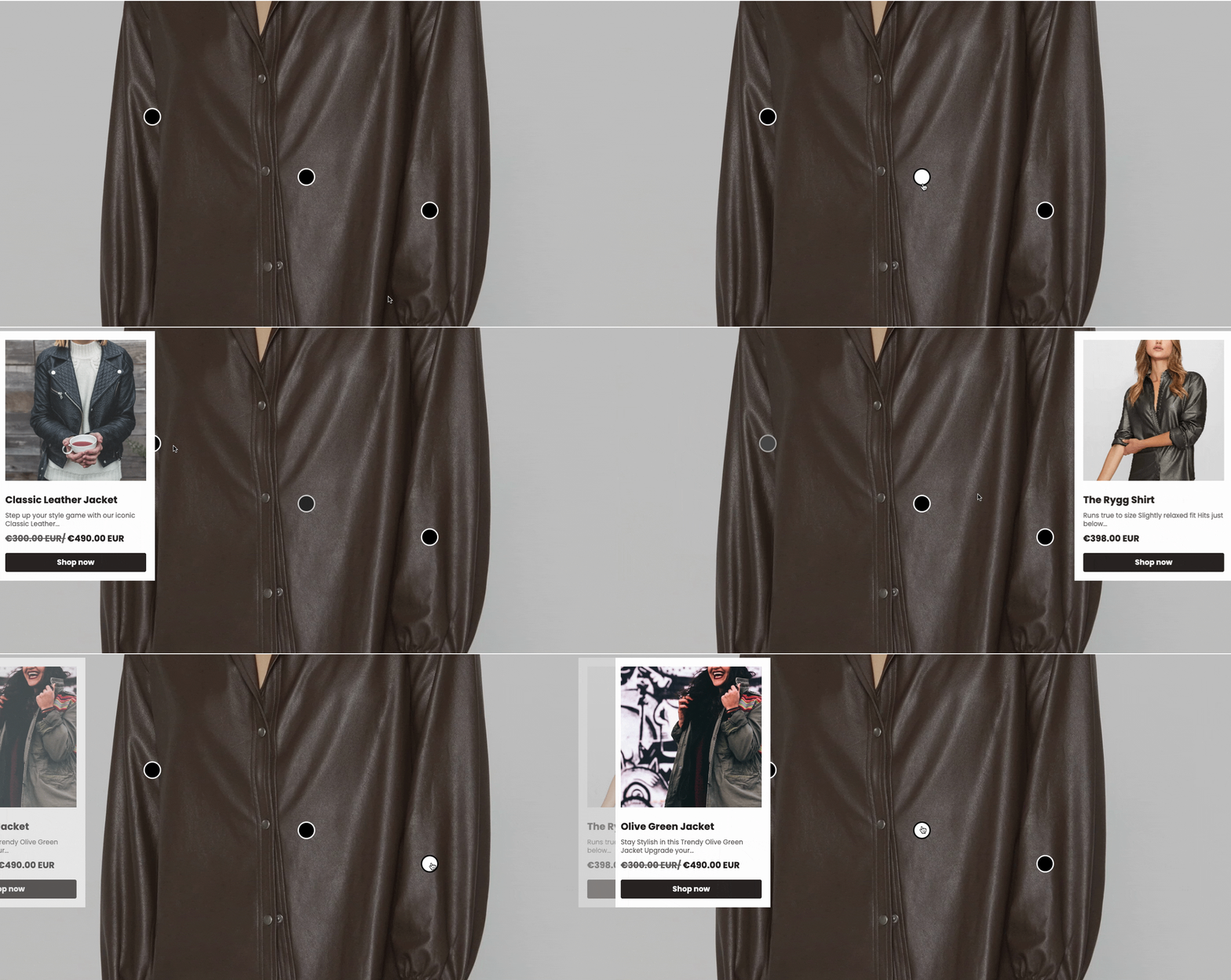
When the shopper clicks on the check marks, they see a navigation link to directly go to the Shopify product page. In this guide, we’ll show you how to easily add image hotspots to your Shopify store.
Different Ways to Add a Shopify Hotspot Image
There are probably three ways to add a Shopify image hotspot, which are as follows:
- Use the built-in Theme Section – Some Shopify themes feature ready-made sections. It has built-in tools for customizing icons and tooltips. This solution is available only on select premium themes, so not every store will have this option available.
- Use the Shopify theme editor – Advanced users with coding skills can implement interactive image hotspots and also add different image zoom by modifying Liquid files. Full customization is possible, but it’s only recommended for users who are comfortable with editing Shopify’s code.
- Use a Shopify app – The best way is to use MIT Sections Pro, as they require no coding and provide superior control over design and functionality. Plus, it comes with free sections and free trials, making it highly compatible.
Steps to Add an Image Hotspot in Shopify without Coding
These are the steps to add an image hotspot section using the MIT Sections Pro app. We will see the free trial version.
Step 1: Install & Find Your Desired Section
To add an image hotspot, install the MIT Sections Pro app from the Shopify App Store. Once installed, navigate to the app dashboard, click the Browse section, and search for the image gallery section.
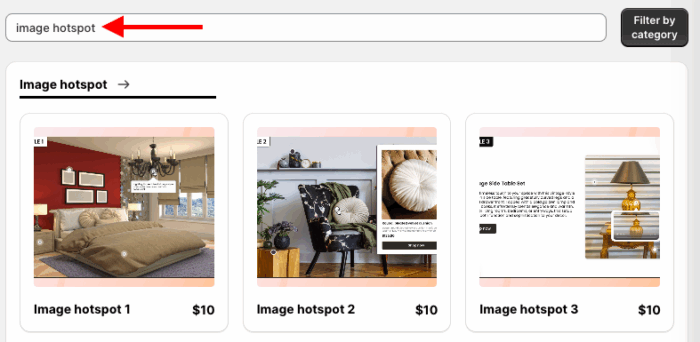
Here we will continue with Image Hotspot 3. You can choose the one you like; each has a different styling and appearance.
Step 2: Click on the “Try for Free” Button
As we are opting for a free trial, click Try for Free to check if it fits with your store before making a purchase.
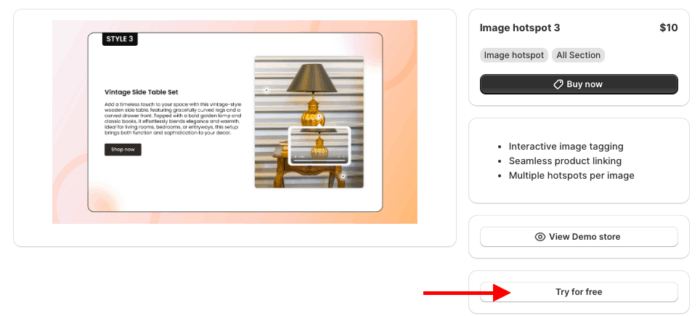
While you are on your free trial, we will direct you to the MIT demo store.
After you purchase the section, you can add it to your store’s theme. For that, head to My section and click on the Apply to theme button on the purchased section.
Then click on Customize theme and select your store theme. This will redirect you to the theme editor; the rest of the steps are the same as mentioned below.
Step 3: Directly Add Section to Your Theme
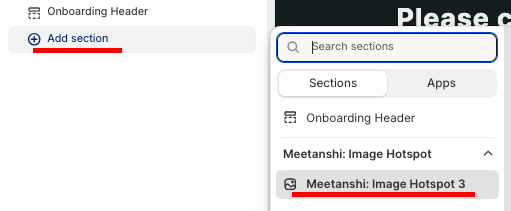
Now add the section to the theme. For that, click the Add section and select Meetanshi Image Hotspot 3.
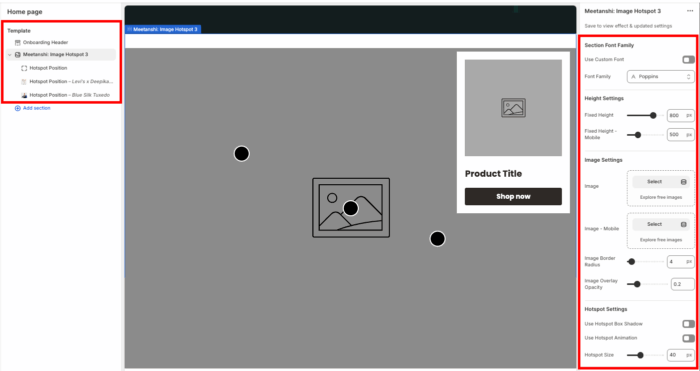
From here, you can make changes as per your needs; it has 50+ customization options, way more superior than any other apps, themes, or code.
To ensure your hotspot images look sharp without slowing down your store, follow our Shopify Image Optimization guide.
Once you’re done making the changes, save it. And this is how it’ll look.
Benefits of Using the MIT Pro Section Shopify App
MIT Pro Sections Shopify App offers an effortless way to upgrade your store’s design and flexibility.
- It’s free to install and provides access to over 130 professionally designed sections from galleries to sliders, even on the free plan
- Add any section to any page at any time, allowing dynamic updates as your store grows, no coding skills needed
- All sections are fully customizable, so you can match your brand perfectly and make edits whenever needed
- Works seamlessly with virtually all Shopify themes, maintaining high page speed and smooth user experiences
- Both free and premium sections are available, with a free trial offered for paid features, so businesses of all sizes can try before they buy
- Assembling and customizing sections is quick and intuitive, helping merchants save time and avoid developer costs
Our app offers hundreds of expertly coded sections, like Shopify responsive image combining ease of use and affordability, unlike other options. It lets you start free and pay only for what you need. With its no-coding nature, it is highly user-friendly and saves time and effort comparatively.
In short, MIT Pro Sections is a clever solution for Shopify store owners who want to shine in the Shopify marketplace.
Your all-in-one solution to create a professional Shopify store
Install App Now