Migrating from Magento 1 to Magento 2 is not a simple upgrade.
It also involves costs that vary depending on your store’s size, complexity, and customization needs.
In this blog, we’ll have a detailed evaluation of cost and all the factors that influence the Magento 1 to Magento 2 migration cost, helping you plan your budget-friendly migration.
Magento 1 to Magento 2 Migration Cost Breakdown
This is an estimated migration cost when you are working with a migration development agency.
The total cost usually ranges from around $5,000 to $35,000, depending on store size, custom features, developer rates, and project complexity.
| Migration Stage | Cost | Description |
| Preliminary analysis and planning | $800 – $1,600 | Assess store, plan migration strategy |
| Magento 2 installation & setup | $400 – $1,600 | Install and configure Magento 2 |
| Data migration | $1,600 – $4,800 | Migrate products, customers, orders, etc. |
| Compatible extensions migration | $400 – $2,400 | Move third-party extensions compatible with Magento 2 |
| Non-compatible extensions migration | $400 – $2,400 | Redevelop or replace incompatible extensions |
| Theme setup and customization | $2,250 – $10,000 | Adapt or build a new Magento 2 theme |
| Custom code development | $800 – $8,000 | Rebuild custom functions and code |
| Testing and bug fixing | $800 – $4,000 | Quality assurance and issue resolution |
Preliminary Analysis and Planning
This is the first and most important step that decides the project’s scope, budget, and timeline. It includes checking your current Magento 1 store, products, customer data, extensions, and custom features, to see what should be moved or removed.
Choose the Magento 2 version, set up hosting, and clean up data. A neat plan helps avoid risks and extra costs later.
Magento 2 Installation & Setup
This stage focuses on setting up a completely new development environment for Magento 2 by installing it separately from the Magento 1 store, usually on a staging server or local setup, since both platforms have entirely different structures.
During this setup, developers configure the base parameters, database connections, and ensure the new environment meets all Magento 2 system requirements for performance and stability.
Data Migration
This task involves transferring store information, products, customers, and orders from the existing Magento 1 database.
Many agencies opt for the official Magento 2 Data Migration Tool for this, which automates the transfer of settings and large datasets. It also ensures the new store remains updated, minimizing data loss and facilitating a seamless database transition.
Compatible and Non-Compatible Extensions Migration
After migrating the data, it’s important to review all Magento 1 extensions to determine which ones are compatible with Magento 2 to purchase and install to restore functionality.
For extensions without M2 compatibility or those with heavy customization, alternative solutions are implemented, such as using similar third-party modules or developing custom extensions, to ensure no features are lost during the transition.
Theme Setup and Customization
Since Magento 1 themes are not compatible with Magento 2’s vastly different frontend architecture, this stage is about creating the new store’s look and feel.
This involves selecting a supported theme such as the default Luma theme, a purchased third-party theme, or a custom-designed theme and then customizing its design, layout, and UX to match the brand and functional requirements of the business.
Custom Code Development
Any unique business logic, integrations, or complex functionality that existed as custom code in Magento 1 must be completely rewritten to connect to the Magento 2 framework and standard.
This involves developing new modules and upgrading any custom integrations with third-party systems.
Testing and Bug Fixing
In this phase, the entire M2 store is fully tested across all aspects, like functionality (checkout, login, search), data integrity (products, prices, customer accounts), performance (page load speed, stress testing), and user experience.
Any bugs, errors, or performance issues identified during testing and quality checks are addressed and fixed until the new Magento 2 store is considered stable and ready for launch.
Additional Unseen Cost
Despite perfect planning, complex re-platforming projects often encounter unexpected issues, such as basic Magento 1 data corruption, performance challenges on Magento 2, or last-minute third-party integration problems.
This stage acts as a backup to deal with unexpected technical problems or changes in plans without delaying the launch or going over budget.
Top Factors That Affect the Magento 2 Migration Cost
Magento 1 to Magento 2 migration is not elementary, as both versions are very different; it’s more like creating the website from scratch and then transferring all the existing data to the new website.
Here, I have noted some of the major factors that can affect the cost of Magento 2 migration.
1. Store Complexity and Data Volume
- Catalog size – The number of products, SKUs, complex attribute sets, categories, and inventory items. High volume requires more time for the Data Migration Tool setup, execution, and verification.
- Old data – Deciding whether to migrate all old orders, customer records, and sales data or only the essential, recent history, because migrating a huge amount of data at once adds complexity to the data mapping.
- Multi-store & multi-language – Stores with multiple websites, store views, or language setups demand significantly more effort and development time.
2. Customizations and Business Logic
- Custom modules – The number and complexity of custom features developed specifically for your Magento 1 store, such as custom checkout steps, unique product configurators, and loyalty programs. Each custom feature needs to be redeveloped from scratch.
- Core code modification – If your Magento 1 store heavily modified the core Magento code, the effort to replicate that functionality in Magento 2 will be useful.
3. Theme and Frontend Re-Design
- Custom design rebuild – The most expensive option is to create a brand-new custom Magento 2 theme to redo. This requires significant UX/UI design and frontend development hours.
- Third-party theme customization – Using a pre-built Magento 2 theme is cheaper, but the cost will still rise based on the level of customization needed to match your branding and unique layouts.
4. Development Team and Post-Migration
- Developer expertise and location – The hourly rates of the development team you hire are a major cost factor, though expertise is key to avoiding issues.
- Testing and QA – Comprehensive testing is necessary to ensure all functions work correctly, data is accurate, and there are no bugs.
- Hidden costs – Budgeting for post-migration performance optimization, SEO preservation, staff training, and ongoing support is essential to avoid unexpected expenses.
5. Magento Edition and Licensing
- Magento open source (Free) – The software itself is free, but you pay for development, hosting, and maintenance.
- Adobe Commerce (Paid) – The Commerce edition requires a considerable annual licensing fee, which is based on your gross annual revenue.
Tips to Reduce the Magento 1 to 2 Migration Cost
While migrating the store, there are many options where we can cut down the cost effectively. Here are some handy, easy-to-follow tips.
1. Scope Reduction and Cleanup
To cut migration costs, first, audit and clean your Magento 1 store. Remove old logs, outdated customer records, abandoned carts, and out-of-stock products. Delete unused extensions, and check if the needed functionality is now native to Magento 2.
Migrating only essential data and features reduces database complexity and development time.
2. Streamline Extensions and Minimize Custom Development
Prioritize essential Magento 2 features and custom code. Utilize existing Magento 2 extension versions rather than costly custom development. Opt for a pre-built Magento 2 theme, customizing only basic branding to minimize design expenses.
Because Magento 1 code can’t be reused in Magento 2, rewriting custom features becomes the most expensive part of migration, so follow an MVP approach, launch with only the features critical or replace it with affordable Magento 2 extensions.
3. Select the Correct Theme Strategy
Magento 1 themes are incompatible with Magento 2. The most cost-effective option is to purchase a pre-built, responsive Magento 2 theme from the Magento Marketplace (typically $50-$500).
Custom theme development is the most expensive option. Use the migration as an opportunity to modernize your design with a standard theme, rather than spending a lot of effort to reconstruct an outdated Magento 1 design.
4. Smart Project Management and Planning
A clear, well-managed project prevents costly surprises. Select the best Magento 2 migration agency with a proven track record in Magento 1 to Magento 2 transitions, as their expertise reduces errors and speeds up deployment. Get a fixed contract with clear deliverables to avoid extra costs.
A good agency will also plan the entire migration flow with SEO in mind, including creating all necessary 301 redirects, which prevent traffic loss and avoid major SEO issues after launch.
5. Post-Migration Cost Reduction
Migrate core data using Magento’s official tool. Allocate 10-20% for post-launch support. Reduce costs by simplifying your store: remove unnecessary data, outdated extensions, and redundant customizations.
Automate tasks, gradually add features, and train your team. Continuous monitoring ensures low long-term operational costs.
Following these tips will surely help cut down the cost of your Magento store migration process without losing any data while preventing all the possible mishaps.
When to Hire a Magento Migration Professional
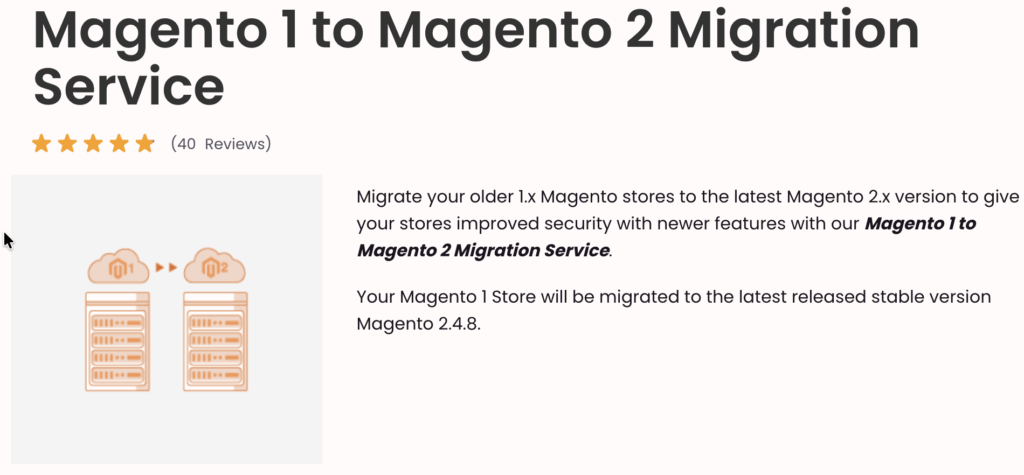
Opting for Magento 1 to Magento 2 Migration service is recommended in most cases to ensure a smooth transition, as the process is complex and carries significant risks if not executed correctly.
You should hire a professional if:
Your Store has Particular Complexity
If your Magento 1 store has heavy customizations, numerous extensions, or large amounts of data, professional help becomes essential. Custom features must be completely rewritten for Magento 2’s new architecture, and third-party integrations need careful handling to avoid conflicts.
You have Limited In-house Expertise
If your team lacks Magento 2 expertise, attempting the migration in-house can lead to errors and delays since Magento 1 and Magento 2 have completely different structures.
Professionals offer an organized process, reliable timelines, especially helpful when you’re working with tight deadlines, and provide ongoing support after launch for performance tuning and maintenance, ensuring the store continues to run smoothly.
Business Risk and Impact
If downtime directly affects your revenue, professional help is essential to an error-free transfer with little to no disruption. Since Magento 1 no longer receives security updates, experts also help set up a secure, compliant Magento 2 store.
Additionally, they protect your SEO by handling 301 redirects, metadata, and other critical elements to prevent ranking and traffic loss during the transition.
Benefits of Migrating from Magento 1 to Magento 2
There are a handful of benefits for migrating from Magento 1 to Magento 2; a few of them are listed below:
- Magento 2 is significantly faster, with page loading speeds averaging 50% faster compared to Magento 1
- The checkout process is optimized into a simple 2-step process (down from 6 in M1), reducing cart abandonment rates and improving conversion rates
- Handles a higher volume of traffic and processes more orders per hour, making it suitable for growing businesses.
- Uses a newer, more robust technology stack, which offers better performance and flexibility for developers.
- Active support by Adobe receives regular security patches and updates to protect against vulnerabilities.
- Strong hashing algorithms and offers built-in Two-Factor Authentication for enhanced admin security.
- M2 simplifies maintaining PCI compliance, which is mandatory for handling credit card data securely.
- M2 themes are designed with a mobile-first approach and are fully responsive by default.
- Enhanced search functionality using Elasticsearch in the Commerce edition helps customers find products more quickly.
- The admin panel is cleaner, more user-friendly, and highly responsive, making store management, order processing, and product creation easier.
- Magento 2’s plugin-based architecture allows extensions to overlap rather than overwrite core code, significantly reducing conflicts
- The modular architecture and use of modern development tools make customization and integration with third-party services simpler and faster
Putting it briefly, migrating to Magento 2 is a strategic investment that future-proofs your e-commerce business, providing the tools and performance needed to stay competitive and drive revenue growth in the modern digital marketplace.
Leave the migration worries to us — let our Magento experts handle everything.
Migrate Now