Redirects are part and parcel of any Ecommerce journey, but how you manage them can affect your SEO and, essentially, your user’s experience.
Today, I will show you how to make a 301 redirect in Shopify.
Once you master this, you will be able to redirect multiple URLs correctly on autopilot mode — it’s that easy.
How to Make a 301 Redirect in Shopify?
To create a URL redirect in Shopify, login to your Shopify admin panel and head to Navigation. Here, you will see View URL redirects click there.
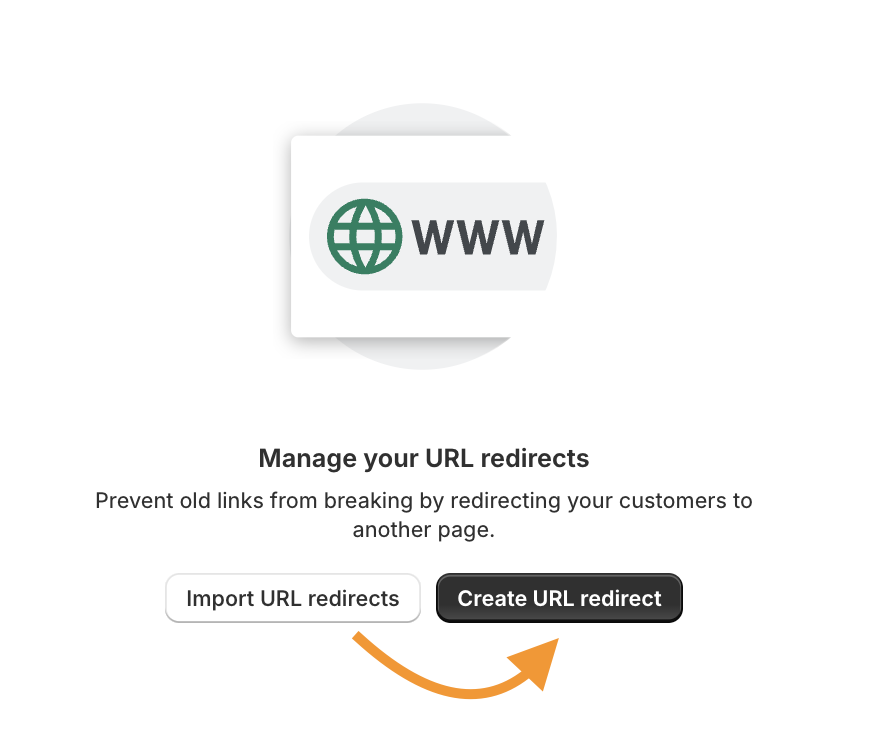
You will see two options to manage your URLs: Import URL redirects and Create URL redirects.
For now, go ahead and select Create URL redirects. We will discuss the former one later.
Now, paste the path of your original URL in the redirect from the section and a new path in the redirect to the section.
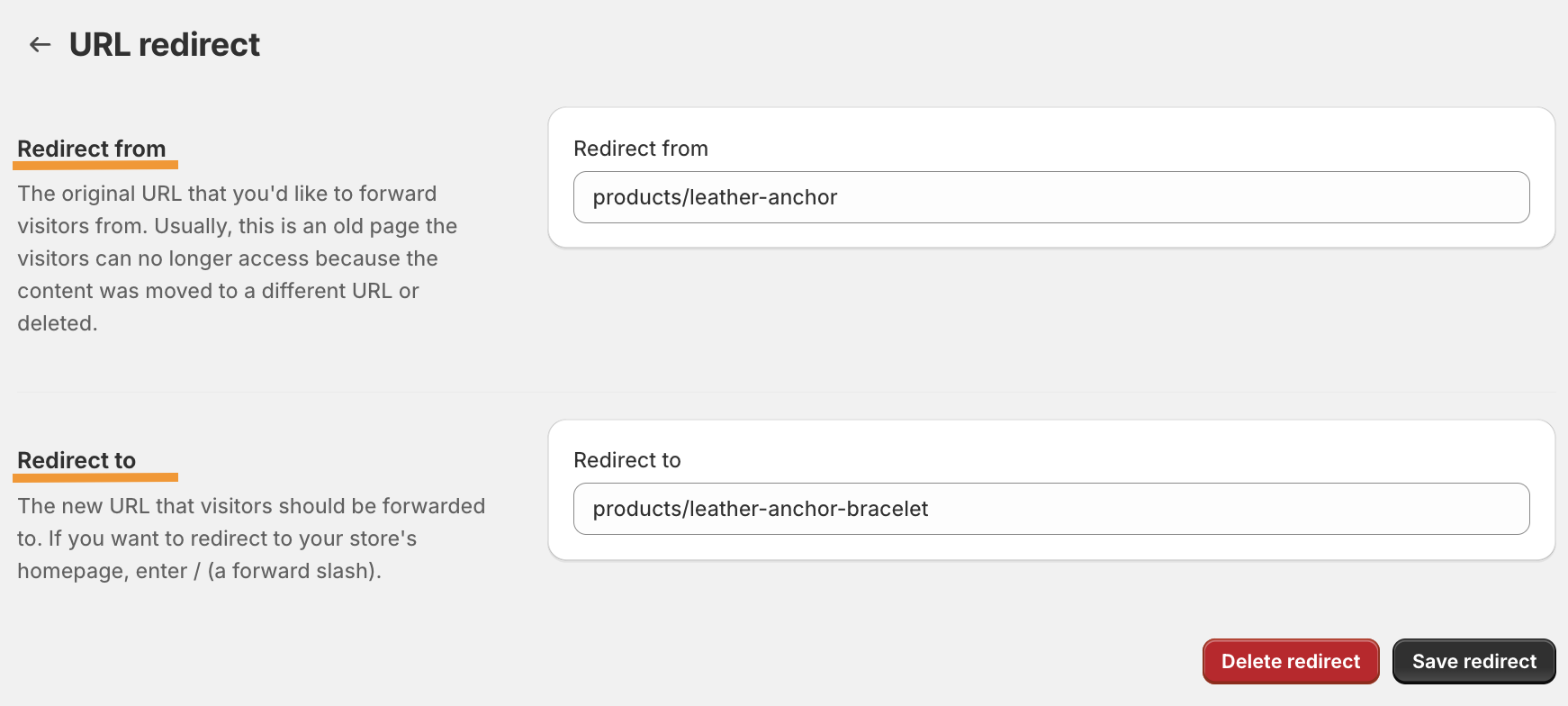
Note: You only need to paste the URL’s path, not the entire URL. For example,
✅ product/leather-anchor
❌ www.yourshopifystorename.com/product/leather-anchor
You can enter the full URL if your Shopify redirects to an external URL. After your URL redirect looks good to you, move ahead and click on Save redirect.
Repeat this process for other URLs you wish to redirect, but if you have multiple URLs to redirect, the next method works best for you.
How to Bulk Redirect URLs in Shopify?
Here, head back to the redirect menu (Online store > Navigation > View URL redirects), where we saw the two options: Import URL redirects and Create URL redirects.
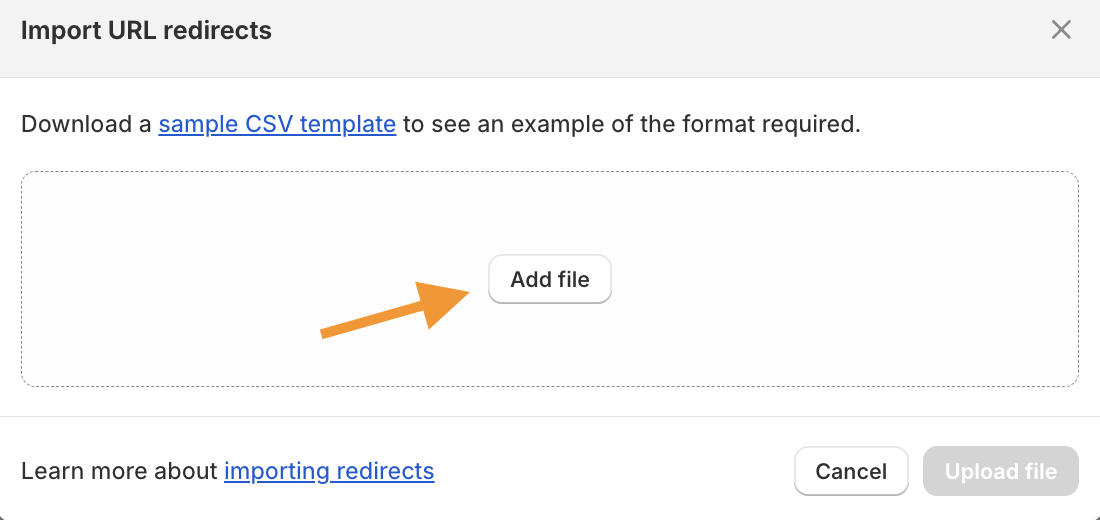
Now, click on Import URL redirects and upload a CSV file of all your redirects. You will find the sample CSV template in the window itself.
After uploading your file, you will get a preview of the redirects. If they look good to you, click on Import redirects and close it.
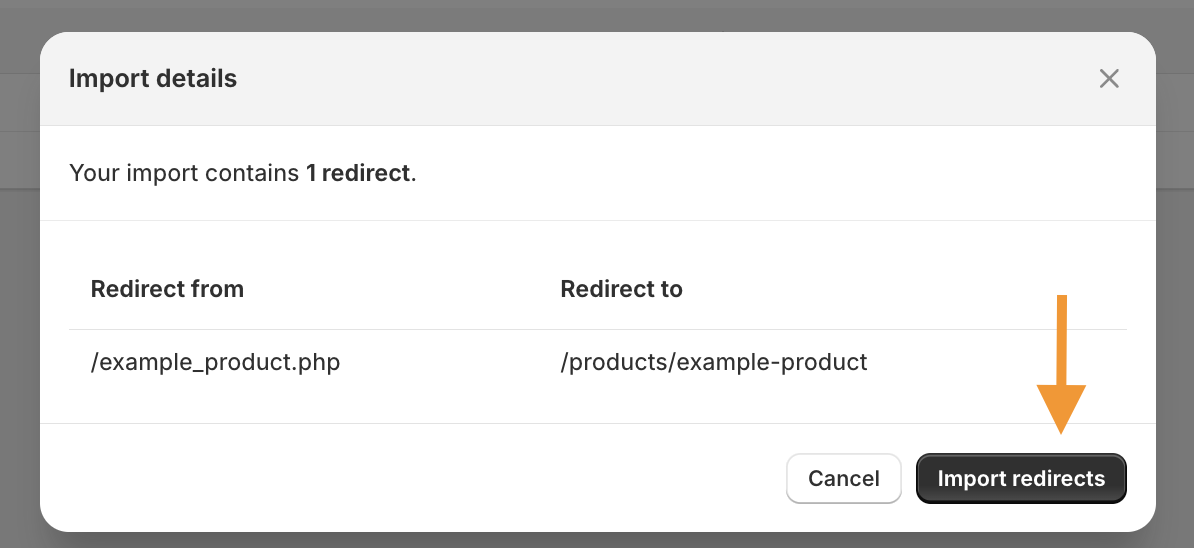
The URL will be automatically added to your list, which you can edit or make any changes if needed.
This way, your redirect URL in Shopify is done. With a proper 301 redirect, you will create a good positive SEO impact and redirect the traffic to the correct page in your Shopify store.
Shopify URL Redirect Not Working: Solution
If, after following any of the two mentioned steps, your redirect URLs are not working, here are the reasons why:
- Check if there are any typos in the redirect from and redirect to path
- Make sure the redirect from the URL is not active
- Check if the redirects are not the URLs that Shopify restricts
- You can’t redirect to prefixes starting from /apps, /application, /cart, /carts, /orders, or /services
- You can’t redirect to URLs that use fixed Shopify paths like /products, /collections, /collections/all.
Lastly, clear your browsing cache and check from another device if your URL redirects are working as expected.
Manage 301 Redirects in Shopify
Shopify URL redirects are recurring tasks.
Shopify automatically redirects URLs, but only if you are changing the product page or collection page URL. Otherwise, Shopify won’t create automatic redirects if you have deleted a page, leading to your user landing on a 404 page.
The good news here is that you can make timely edit URLs, delete them, and filter them out to effectively manage redirects.
Edit Shopify redirects
Head to the redirect menu to edit your Shopify URL, select the URL you want to edit, make the desired changes, and Save.
If it is a bulk edit, you will have to re-upload the CSV file.
Filter Shopify redirects
You can easily filter Shopify URLs by date. If it is a bulk edit, you will have to re-upload the CSV file.
Delete Shopify redirects
Here to Navigations > URL redirects, select the URLs redirect you want to remove and click “Delete selected redirects.”

Frequently Asked Questions
Are Shopify Redirects 301 and 302 the Same?
No, they are not the same. Shopify 301 redirect is a permanent move to a new location, while in 302 redirect, the URL is temporarily moved to a new location.
What is the Redirect Limit on Shopify?
The redirect limit on Shopify is 100,000 URL redirects per store. If you have a Shopify Plus plan, you can redirect up to 20,000,000 URL redirects.
What Happens if You Don’t Set up a 301 Redirect?
If you don’t set a 301 URL, your customers land in your old URL. In case it is deleted, it shows a 404 error, leading to a negative user experience. So redirect customers after login and logout.
Keep Your Technical SEO On-point
301 redirect impacts your SEO, and with these steps, you can do it yourself without using a Shopify redirect app.
While 301 redirect is one element of technical SEO, there are more elements that might need your attention. With a proper Shopify SEO audit, figure out what is hindering your store’s performance and take the needed action immediately.
Find out what’s holding your Shopify store back to performance at its best
Find Out Now