

Have you ever wanted to see your Magento 2 store from your customer’s perspective? Whether it’s for fixing issues or providing tailored assistance, viewing your store as a customer can be incredibly helpful for increasing UX. However,
Magento 2 does not have a built-in feature to log in as a customer, but with the right extension like Magento 2 Login as Customer, you can easily do so.
In this guide, we will learn step-by-step how to login as customer in Magento 2.
Let’s get started.
Is it Possible to Log in as a Customer in Magento 2?
No, default Magento 2 does not allow you to log in as a customer in the store.
However, you can do this by using a third-party extension for Login as a customer.
In this post, we explore how you can use an extension to do the same.
How to Login as Customer in Magento 2 Using Extension?
You can use Meetanshi’s Login as Customer extension for Magento 2.
Here are the steps to use it:
Step 1: Download and Install the Extension
First, download the Magento 2 Login as Customer extension.
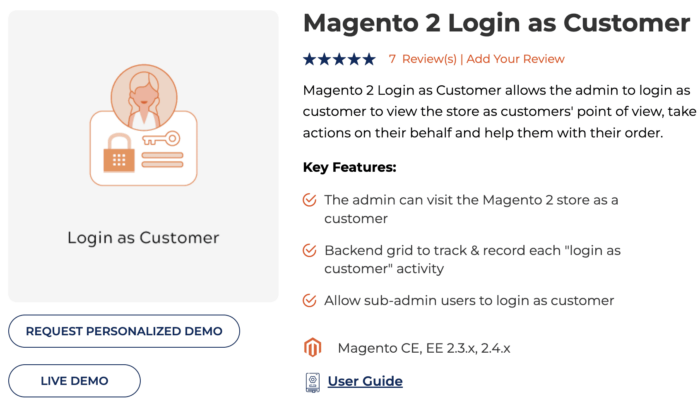
You’ll get a zip file. Extract it to the root directory of your Magento installation via FTP.
Now, log into your SSH and run these commands:
php bin/magento setup:upgradephp bin/magento setup:static-content:deploy –fphp bin/magento cache:flush
Once done, the log in as customer extension will be successfully installed in the store.
Step 2: Configure the Extension
Sign into the admin panel and go to Stores > Configuration > Meetanshi > Login as Customer and enable the extension.
You can choose to open the customer account in new tab, disable page cache, and store view settings.
The extension also allows you to notify the customers every time admin logs into their account, to respect their privacy.
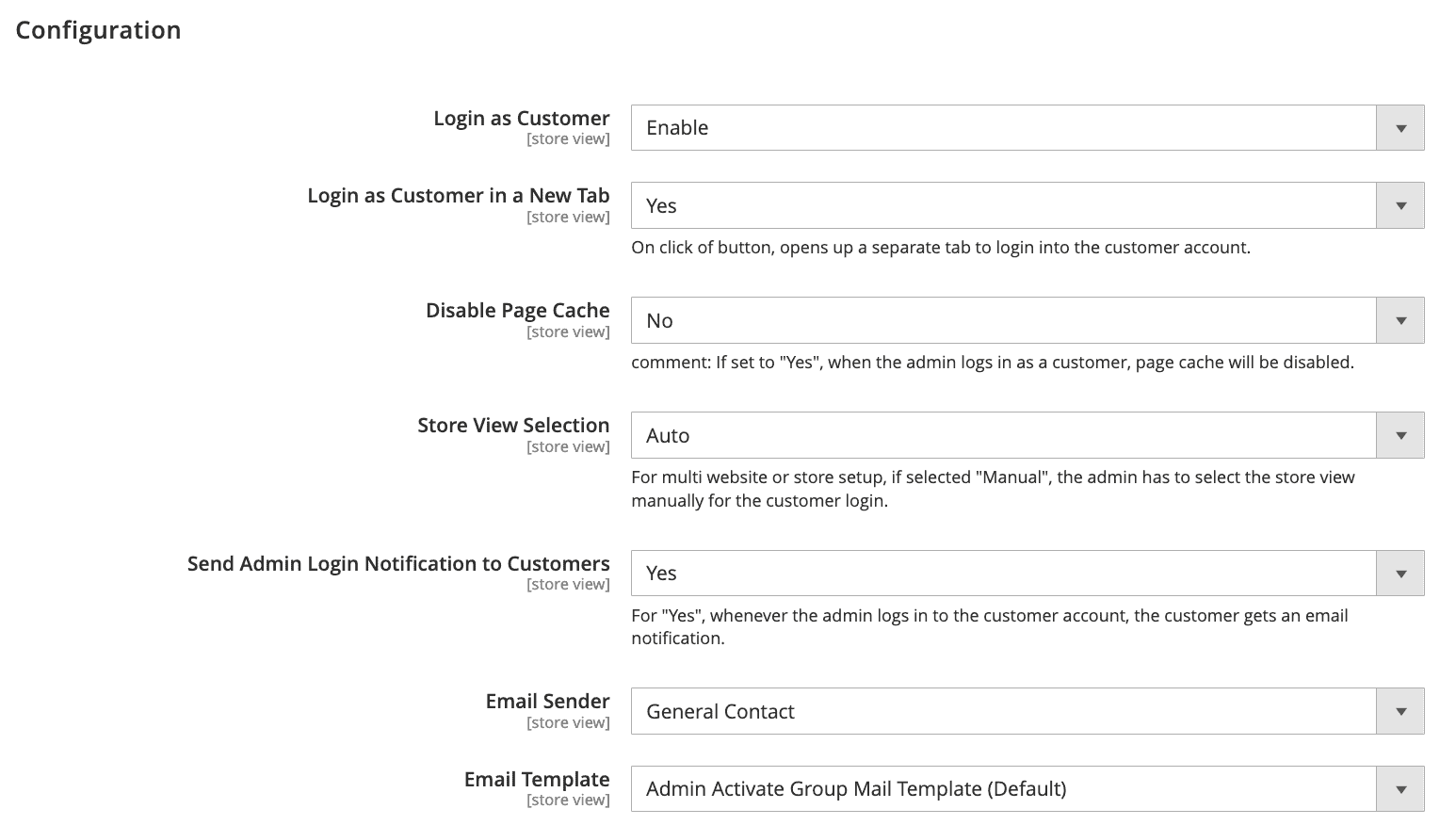
Once you’re done with the configuration, save the settings.
Step 3: Log in as Customer from Various Pages
Now, you can log in to any customer account from the backend customer information section.
You can find the Login as Customer button on the top menu bar of customer information.
For example:
Similarly, you can log into the customer accounts directly from the customer grid, order information, invoice, and credit memo pages.
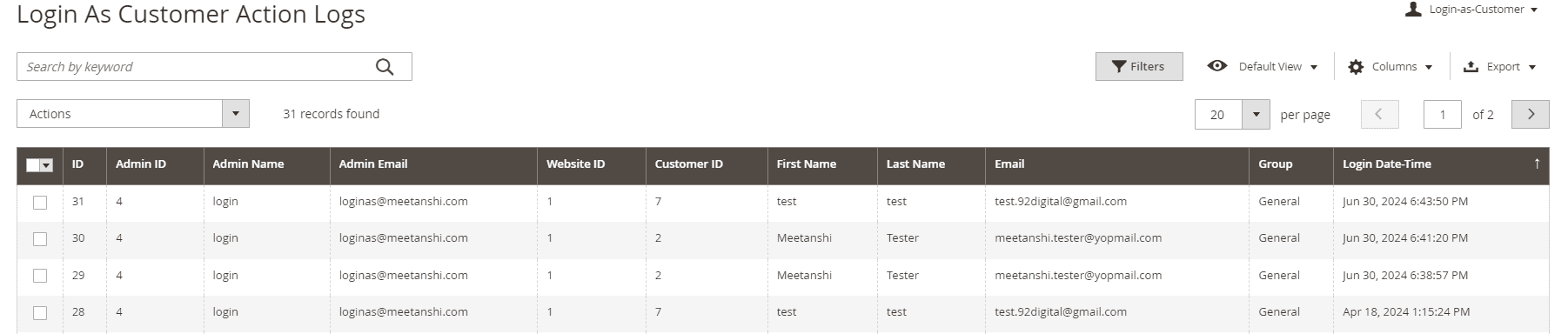
You can also log the login as customer activities of the admin from a separate grid in the backend with details like admin ID, name, email, customer info, and login times, are kept in a log.
Access your store as a customer and make the needed changes on their behalf.
Login Now
Optimize Your Store Customer’s Journey
Understanding customers is important for success. Meetanshi’s Magento 2 Login as Customer extension helps store owners better understand their customers by allowing easy support and gaining insights into their behavior. This extension improves customer satisfaction and makes operations smoother.
Choose Meetanshi’s Extension for:
- Quick support: Help customers without needing their passwords.
- Better understanding: Learn what they like and need.
- Increased efficiency: Solve problems before they become big.
- Stand Out: Be unique by offering great service and enhancing the shopping experience.
- Swift improvement: Upgrade your customer support and your online strategy easily.
Invest in Meetanshi’s Login as customer Magento 2 to boost your customer satisfaction rate & increase your e-commerce store sales as well.
