

Updating thousands of product attributes in Magento 2 is daunting. But, I will make this task easy for you.
Here, I will show you two Magento 2 bulk product update methods without getting too technical.
Why Bulk Edit Product Attributes?
While running your store, you might want to edit the default product attributes to address specific needs.
If your store has a large inventory, manually editing each is frustrating and time-consuming at the same time.
Instead, you can bulk edit product attributes of multiple products simultaneously and reduce chances of manual errors.
You can easily edit:
- Price of multiple products
- Product labels
- Product descriptions
- & more
2 Methods to Bulk Edit Magento Products
Here, you have two options for Magento 2 bulk products edit:
- Method 1: From Admin Panel
- Method 2: Import via Google Sheets
Each method is different in terms of the specificity it offers. For example, if you want to edit product-specific attributes, method 2 works the best.
Here is how they differ.
| Methods | Elements |
| From Admin Panel | Basic bulk product editingMerchant-friendlyQuickiest method |
| Import via Google Sheets | Product-specific bulk product editingMerchant-friendlyNeed some efforts |
If you wish to update the product attribute value programmatically, you can do so, but it needs technical knowledge from your end.
I will show each method in detail and let you decide the best way.
Bulk Update Product Attributes from Magento 2
This method is suitable for applying the same changes to the bulk products. For example, changing the status of thousands of products or pricing.
Step 1: Head to Update Attributes
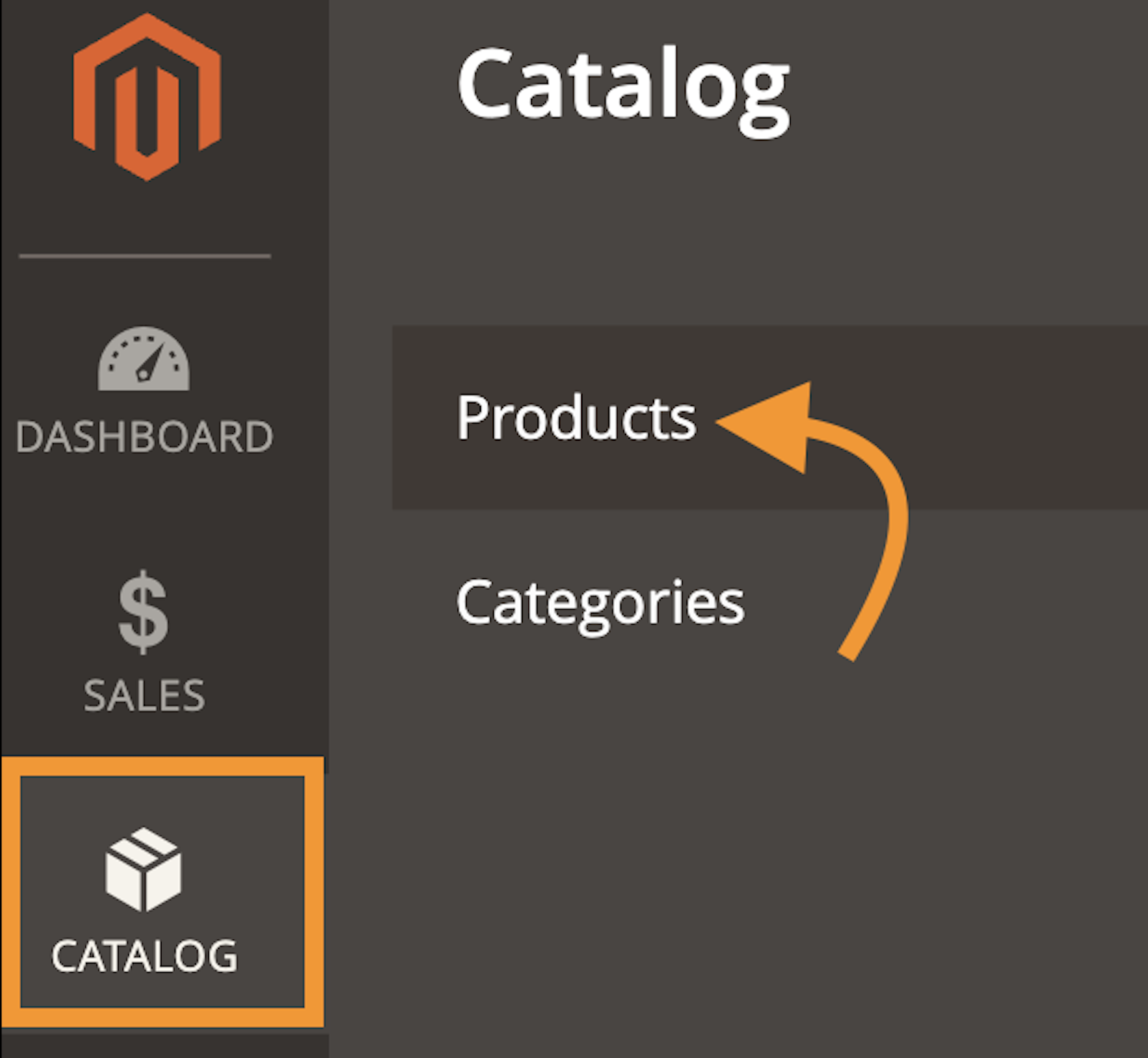
From your Magento 2 admin panel, head to Catalog > Products.
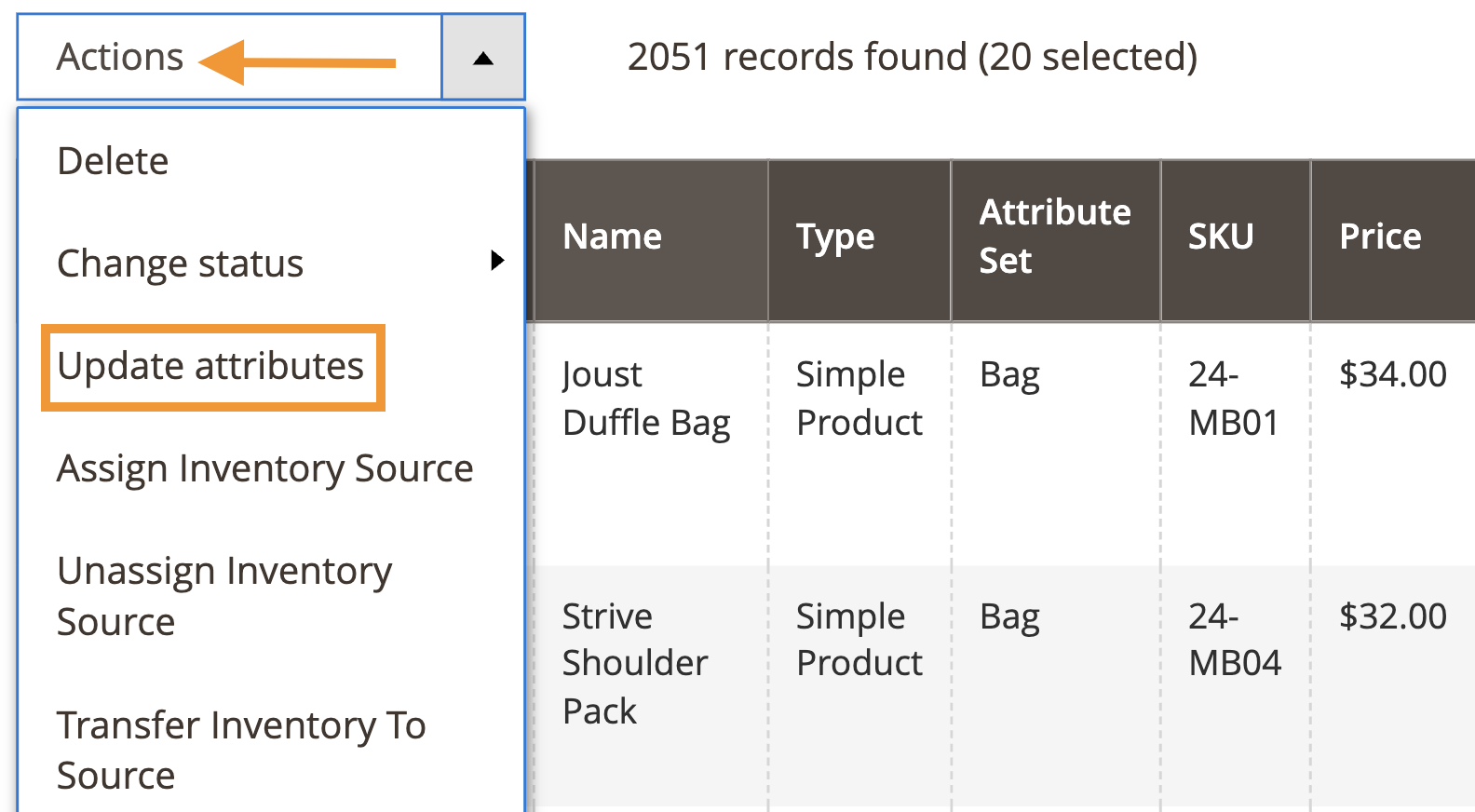
Now select the products you want to edit. Then, click on Actions > Update Attributes.
Step 2: Edit Your Attributes
Then, check the attributes you want to change, mention the change, and click Save.
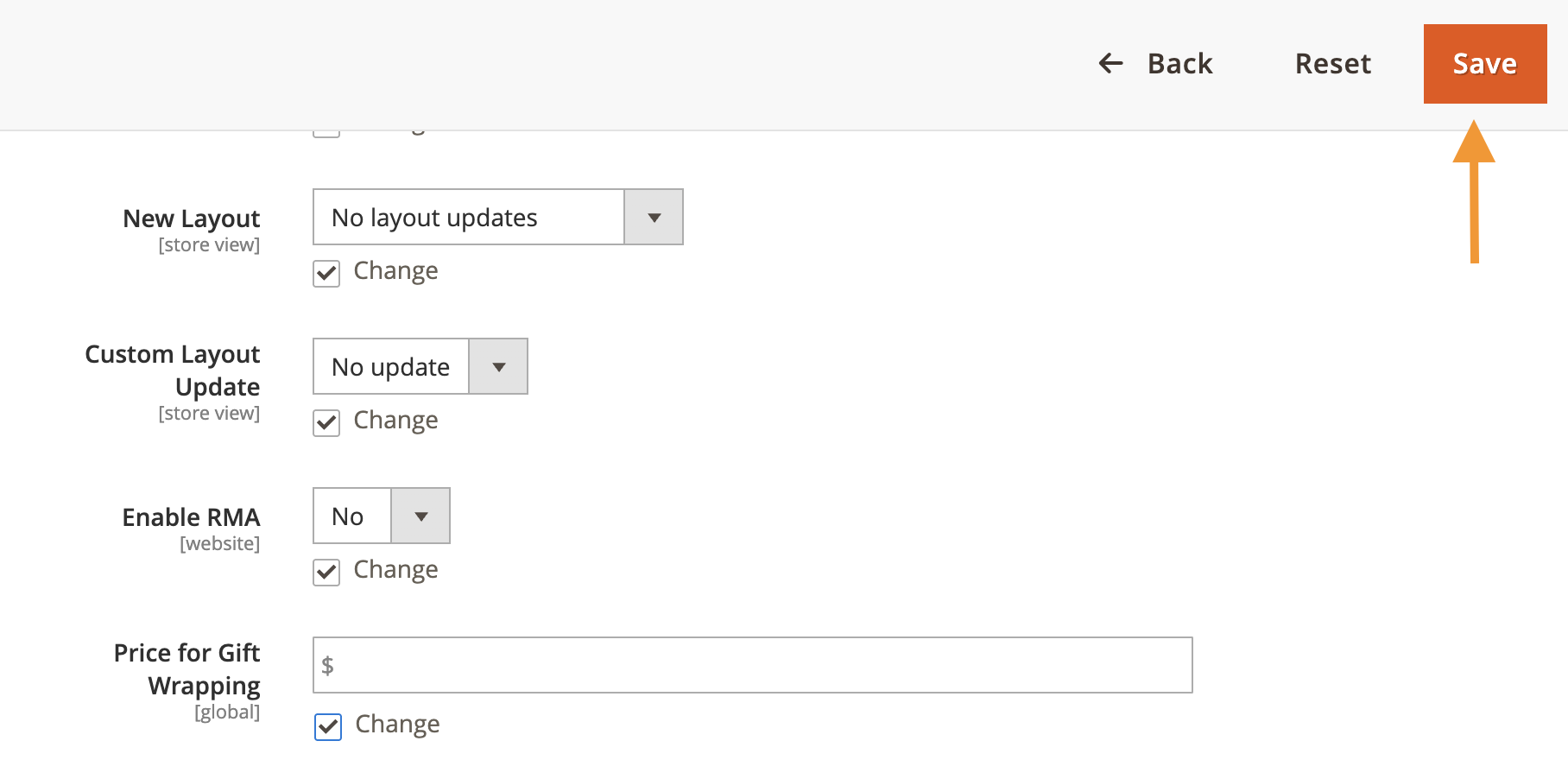
The changes you make here will be applied to all the selected products. This is one of the quickest ways for Magento 2 bulk product edit with minimum effort.
How to Edit Multiple Products in Magento 2 via Google Sheets?
In this method, you will use Google Sheets to edit your product attributes, and you can be as specific as possible.
Step 1: Export Products from Magento to CSV
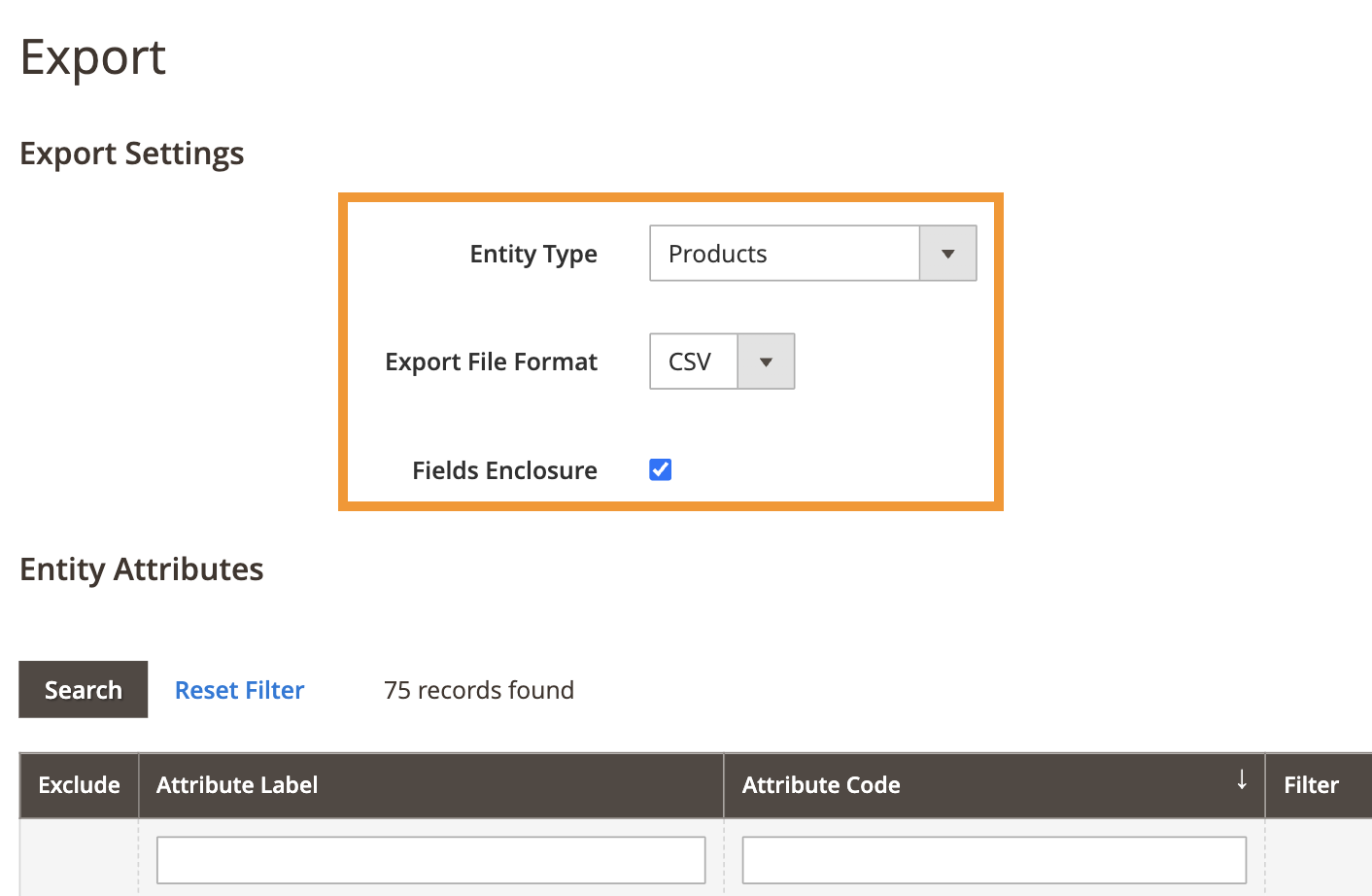
Head to your Magento 2 admin panel and export a CSV product file.
Step 2: Edit the Product Attributes
Now, edit the attributes as you like. Remember, at the end, keep the product SKU and the change attribute columns in the file.
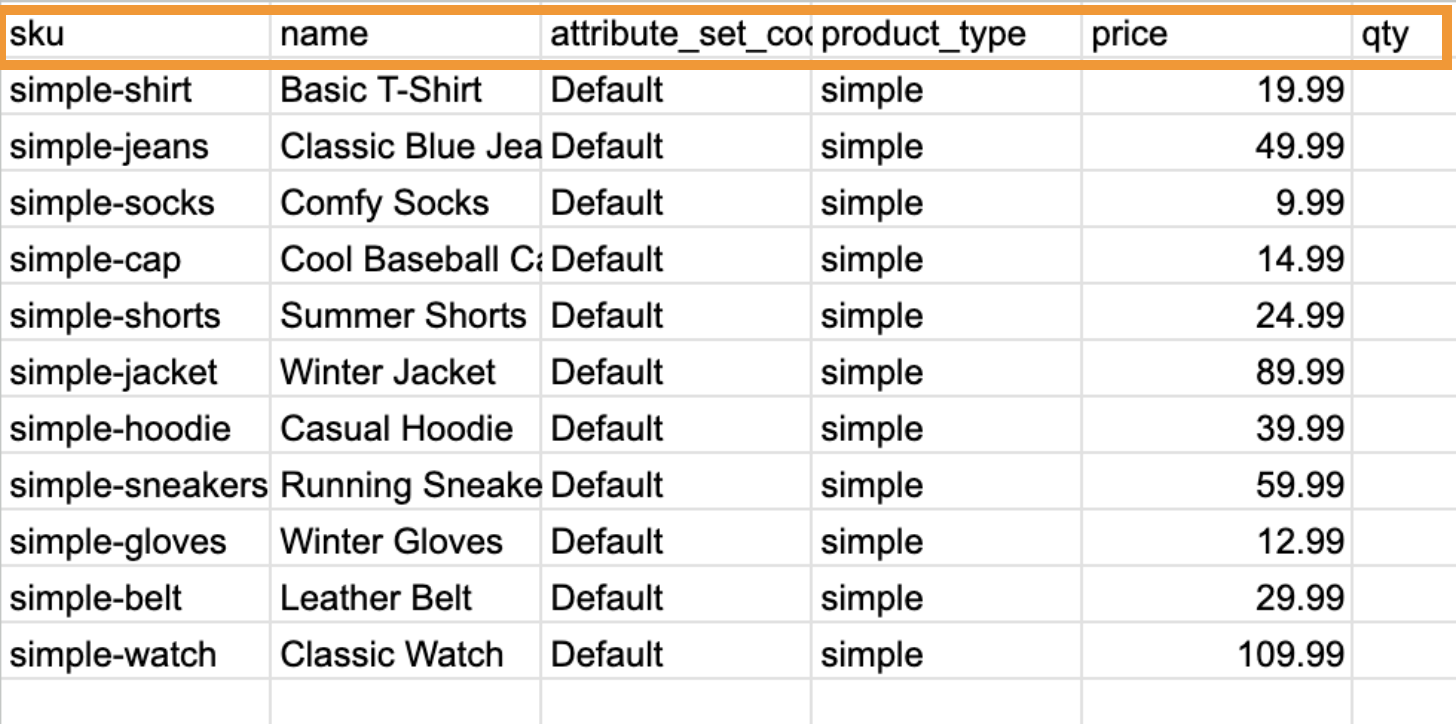
Step 3: Import Product CSV back in Magento 2
Then, head back to your Magento 2 admin panel and import the product CSV file with the new attribute changes.
This is a preferred option for Magento 2 mass product updates when you have specific requirements.
If the product attribute does not update within 10 minutes, you need to run the below command in SSH.
php bin/magento queue:consumers:start product_action_attribute.update --max-messages=20
Bonus: How to Bulk Optimize SEO Details Using AI in Magento 2?
If you want to edit product attributes like titles, meta descriptions, or product descriptions, then use the Meetanshi AI content generator to create thousands of attributes with a single prompt.
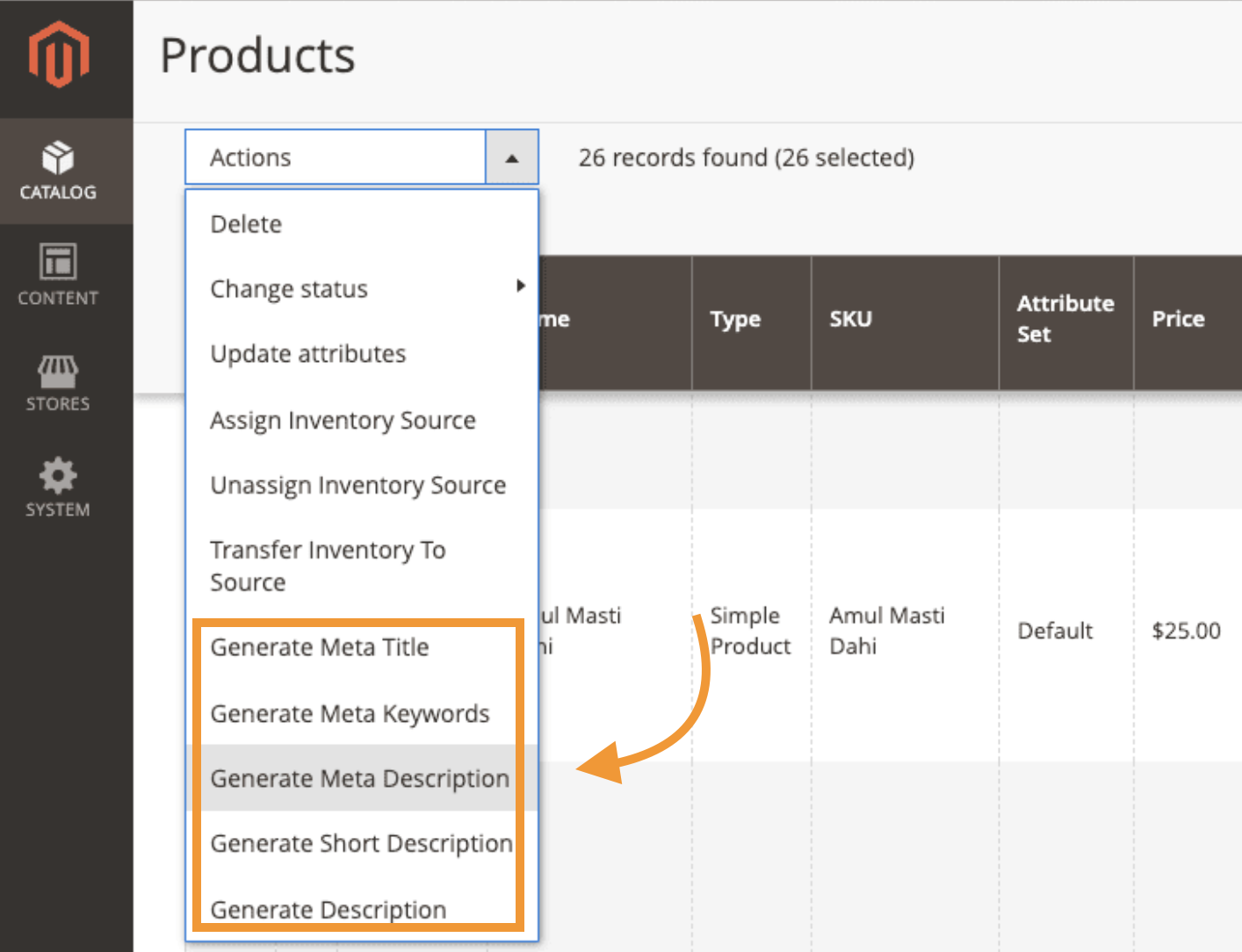
Using the latest GPT-4o, the AI generator creates bulk copies that are engaging and SEO-friendly. You can clearly specify your needs in your prompt, and the extension will instantly create content for all your products. You only need to add the prompt once, and you are good to go.
Instantly create unique, keyword-rich meta titles and descriptions for every product.
Get Now
Other Helpful Resources
Bulk editing is the easiest way to manage your store, and we covered one aspect of bulk editing — product attributes.
Here are some more resources to cut down your time on some tasks:
