

If you are a Shopify store owner, you may have recently panicked after seeing a massive spike in traffic from Council Bluffs, Iowa.
The pattern is always the same:
- A sudden surge in visitor sessions.
- Zero sales from that location.
- An abysmal conversion rate that makes your marketing look like it’s failing.
Before you block IPs or change your passwords, take a deep breath. You are not being hacked.
Here is exactly what is happening and the fixes you need to clean up your data.
Why Are You Getting Traffic from Council Bluffs?
Council Bluffs, Iowa, is home to one of Google’s largest data centers. When you see traffic from this location, it is almost never a human being. It is a server-side activity.
This traffic usually comes from two harmless sources:
- Shopify’s Speed Tools: Shopify periodically runs automated performance tests on your store (using Google Lighthouse) to measure your site speed. These tests run from Google Cloud servers in Council Bluffs.
- Google Bots: Google crawlers indexing your new product pages or blog posts often route through this data center.
Is it safe? Yes. Is it annoying? Absolutely.
It inflates your visitor count and dilutes your conversion rate, making it hard to see how your real customers are behaving.
How to Stop Shopify Traffic from Iowa Council Bluffs (Without Ruining Your SEO)
You cannot “block” this traffic. If you try to block the IP addresses from Council Bluffs, you risk blocking Google’s crawlers, which will delete your store from search results.
Instead, the “fix” is to filter your reporting.
Method 1: The “Clean View” in Shopify (Recommended)
You can create a custom segment in your Shopify Analytics to ignore these bots.
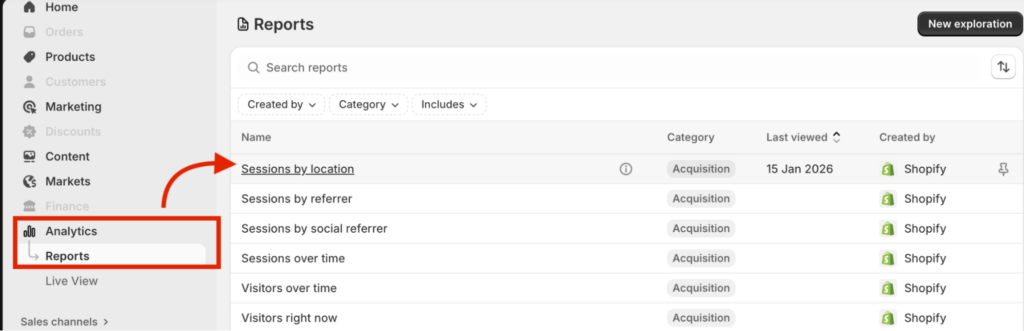
- Go to Analytics in your Shopify Admin.
- Open your Sessions by Location
- Click the Filter icon.
- In Session City select is not > Council Bluffs.
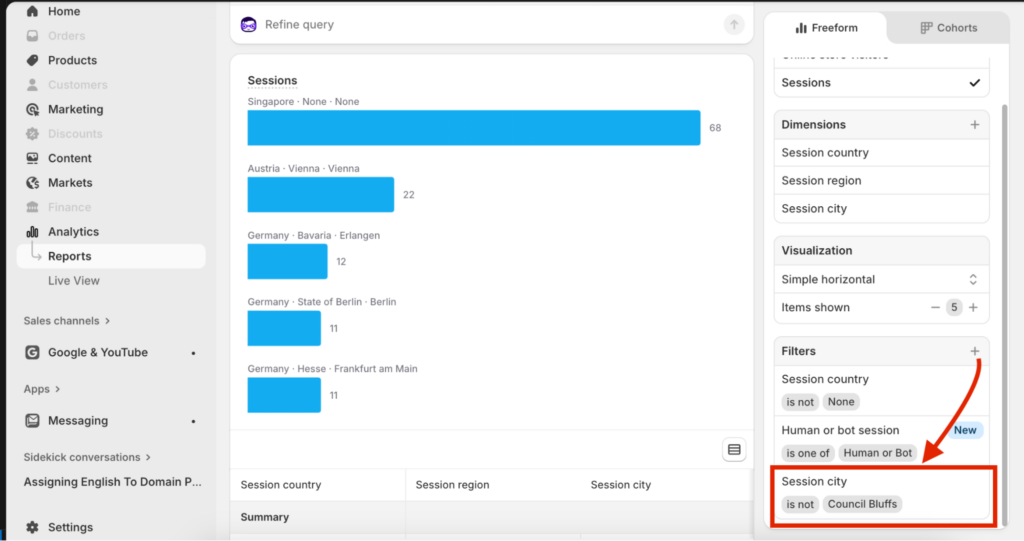
- Save this report as “Clean Traffic Report” or any desired name.
Use this saved report for your daily check-ins instead of the default dashboard.
Method 2: The “Human Only” Filter (New Feature)
Shopify has recently rolled out better bot detection. Check if your store has access to the “Human or bot” dimension.
- Go to Analytics > Sessions by Location or any report that you want to analyze
- Click the Filter icon
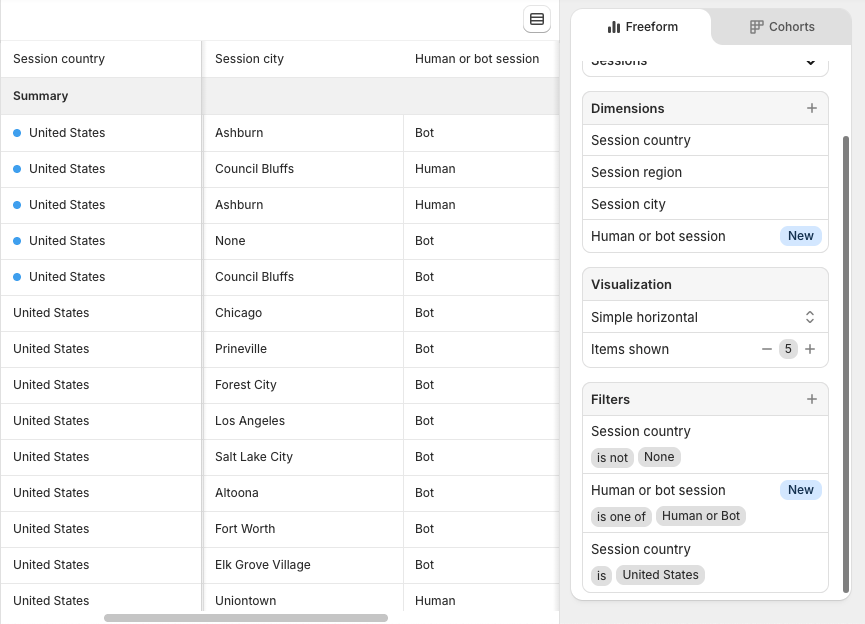
- Add a new dimension and search for the “Human or bot session”, then select & apply.
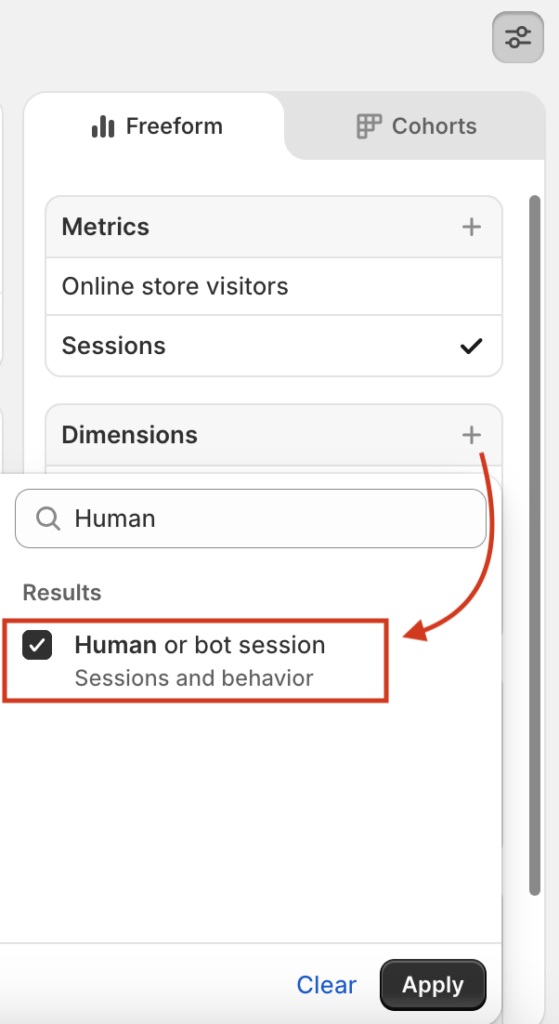
This will automatically strip out known crawler activity from Council Bluffs and other data centers (like Ashburn, Virginia).
Method 3: Trust Google Analytics (GA4) Instead
If you use Google Analytics 4, you might notice that it doesn’t show this traffic spike.
- Why? GA4 is much better at automatically identifying and excluding known bot traffic than Shopify’s native analytics.
- The Fix: If Shopify says you had 1,000 visitors but GA4 says 600, trust GA4. It has likely already filtered out the Council Bluffs bots.
Summary
- Don’t Panic: It’s not a bot attack or a click farm.
- Don’t Block: Blocking Iowa IPs can kill your SEO.
- Do Filter: Use “City is NOT Council Bluffs” to get the truth about your store’s performance.
