

Footer is one of the elements that often gets the least amount of attention by store owners.
The default Magento 2 has five footer links.
Once you install Magento 2, you’ll see these five links in the footer section:
1. Search Terms
2. Privacy and Cookie Policy
3. Advanced Search
4. Orders and Returns
5. Contact Us
The default behavior of Magento 2 in the footer link looks like below:

However, based on business requirements, Magento 2 store may not want to display these footer links.
The reasons may be that those links need to be placed on the top and the visitor needs to see them at once they land on your page. Or, those links need not be on the page at all!
Now, if you want to remove default footer links in Magento 2, use the method below:
Method to Remove Default Footer Links in Magento 2
Use the below code in default.xml at <Vendor><theme>Magento_Themelayout.
<referenceBlock name="footer_links" remove="true"/>
You can remove footer links separately using the block name of the link as shown below.
Search Terms: search-term-popular-link
Privacy and Cookie Policy: privacy-policy-link
Advanced Search: catalog-search-advanced-link
Orders and Returns: sales-guest-form-link
Contact Us: contact-us-link
Use the above link names to particularly remove the footer link.
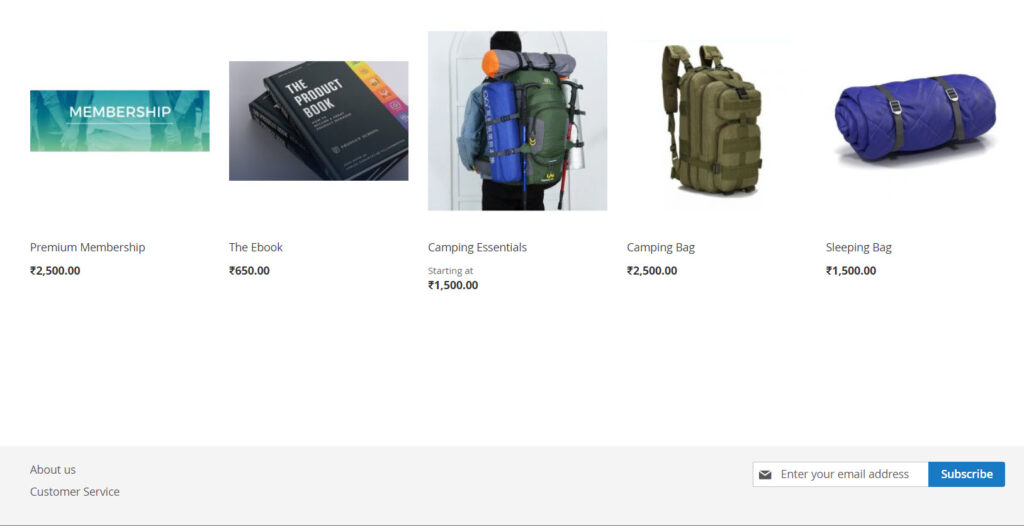
The output of the above code displays as shown below image:
That’s it
You can also add and edit footer links in Magento 2 if required.
Feel free to share the solution with Magento Community via social media.
Thank You.
