If you’ve worked with Magento long enough, you’ve probably heard both terms used interchangeably: Magento plugin and Magento extension. That’s where the confusion starts.
Here’s the immediate clarification: Magento officially uses extensions, not plugins (unlike WordPress).
Yet both terms exist in conversations and even documentations. By the end of this guide, you’ll know exactly the difference between Magento plugin vs Magento extension and when to use which.
TL;DR: Magento Extension vs. Plugin
- Magento Extension: A complete package (used to add new features (e.g., a payment gateway).
- Magento Plugin: A developer tool used to tweak existing logic (e.g., rounding prices or changing how a button behaves) without breaking core code.
- The Golden Rule: Use an Extension for “Macro” business needs and a Plugin for “Micro” technical customizations.
What Is a Magento Extension?
A Magento extension is a packaged feature set that adds new functionality or modifies existing behavior in a Magento store.
In practical terms, extensions are how Magento evolves without touching core files. Everything from payment gateways to SEO tools to B2B workflows is delivered through extensions.
For example, if you want to add an entirely new payment option (like Stripe or PayPal) at the checkout page, you will need to install an extension.

How Magento Extensions Work
At a technical level, Magento extensions are built using modules, which are the smallest functional units in Magento’s architecture. A module defines what the extension does and how it integrates with the core system.
Each extension may include one or more modules that:
- Add new features
- Modify existing store behavior
- Extend frontend or admin UI
Extensions are typically installed via the Adobe Commerce Marketplace or Composer. Marketplace installations provide a guided setup experience, while Composer-based installations are preferred for version control, staging environments, and enterprise workflows.
Once installed, Magento automatically registers the modules, evaluates their dependencies, and applies their logic across the system wherever relevant.
This registration process allows Magento to load only what is required, keeping performance and scalability intact.
What Is a Magento Plugin?
A Magento plugin is a developer-level mechanism, not a standalone feature like an extension.
This terminology mostly comes from WordPress influence, where plugins are the standard way to extend functionality. Developers or store owners migrating from WordPress naturally carry the term over to Magento.
So when someone says “Magento plugin,” they usually mean a Magento extension or a specific internal customization inside an extension.
Technically, a Magento plugin refers to an interceptor that modifies the behavior of existing Magento methods without overriding core files.
For example, if you want to automatically round all product prices to the nearest .99 cents, or add a custom validation rule that checks a customer’s ZIP code before they can proceed to checkout, a developer would implement a plugin to intercept and modify those specific actions.
How Does a Magento Plugin Work?
Magento plugins intercept method execution at runtime. Instead of rewriting classes, they allow developers to inject logic before, after, or around a method call.
Magento supports three types of plugins based on when the logic executes: before plugin, after plugin, and around plugin.
This is why plugins are preferred for:
- Upgrade-safe customizations
- Avoiding class rewrites
- Maintaining clean and modular code
Plugins are always declared inside a module and are never installed independently.
Magento Plugin vs Magento Extension (Key Differences)
| Aspect | Magento Extension | Magento Plugin |
| Official Magento Term | Yes | No |
| Purpose | Add or extend features | Modify existing behavior |
| Scope | Broad, feature-level | Specific method-level logic |
| Installation | Marketplace / Composer | Declared inside existing modules |
| Audience | Store owners & developers | Developers only |
| UI Changes | Possible (can add buttons/pages) | Not directly (handles logic behind the scenes) |
Target Audience
Magento extensions are built for store owners, merchants, and administrators.
Even when they are technically complex, their value is visible through frontend changes, admin UI options, or workflow improvements.
Magento plugins are strictly developer-facing tools. They operate behind the scenes and are never interacted with directly by merchants or customers.
Scope of Functionality
Extensions operate at a feature level. They can introduce new pages, admin sections, configuration settings, APIs, and integrations. Their scope is broad and often spans multiple areas of the store.
Plugins work at a method level. Their scope is intentionally narrow, focusing on intercepting a specific public method to run logic before, after, or around it.
Installation and Usage
Magento extensions are installed as packages, typically via Composer or the Adobe Commerce Marketplace. Once installed, they register modules and expose functionality immediately or through configuration.
Magento plugins are never installed independently. They live inside a module, which itself is part of an extension. You use a plugin only by declaring it in code.
Visibility and UI Impact
Extensions can directly impact the frontend or admin UI. They may add new checkout steps, buttons, forms, reports, or configuration panels.
Plugins do not create UI elements on their own. Any visible change caused by a plugin is indirect and depends on the method it intercepts.
Upgrade and Maintenance Strategy
Extensions must be designed to remain compatible across Magento versions. Well-built extensions rely on plugins internally to avoid core overrides and reduce upgrade risk.
Plugins are inherently upgrade-safe when used correctly. Because they do not modify core files, they are Magento’s preferred method for safe customization.
When to Use a Magento Plugin
Use a Magento plugin when you need to change how existing functionality behaves, not when you want to add a new feature.
Plugins are ideal for modifying Magento logic without overriding core files, intercepting a specific method or behavior, making lightweight logic changes, and keeping customizations upgrade-safe.
Common use cases include:
- Adjusting price calculation logic
- Modifying checkout validation rules
- Adding custom logic before order placement
- Altering return values from core methods.
When to Use a Magento Extension
Use a Magento extension when the requirement goes beyond logic tweaks and into full feature delivery.
Extensions are designed to add new capabilities to the store, integrate third-party services, change the frontend or admin UI, and extend core areas such as checkout, payment, shipping, or catalog functionality.
Typical use cases include:
- AI-driven features
- Request-a-quote functionality
- Payment gateway integrations
- SEO optimization
Most commercial Magento solutions including Meetanshi Magento 2 extensions fall into this category because they solve business-level problems, not just technical ones.
Where to Find Magento Extensions and Plugins Online
Magento extensions are officially distributed through trusted marketplaces and vendor websites.
Magento plugins, in contrast, are not listed or sold separately online.
Because plugins are internal development mechanisms, they are always bundled inside modules that are part of an extension or a custom development project.
When someone downloads a Magento extension, any plugins it uses are included within its codebase.
This distinction is important: you can buy or download extensions online, but plugins are something developers implement, not something store owners install independently.
Frequently Asked Questions
When should I use a Magento plugin instead of an extension?
Use a plugin when you only need to modify existing behavior, not introduce a full feature or UI change.
Is it wrong to say Magento plugin?
Not technically wrong in casual conversation, but Magento extension is the correct and professional term.
Can I build a Magento extension without plugins?
Yes. Plugins are optional and used only when method interception is required.
Get Your Magento Extension Here
Understanding the difference between a Magento plugin vs. a Magento extension helps to make better architectural decisions that scale with your store.
If you’re looking for reliable Magento extensions, Meetanshi offers a wide range of 200+ Magento extensions (including Magento 1 and 2) to solve a specific store challenge without compromising performance, security, or future upgrades.
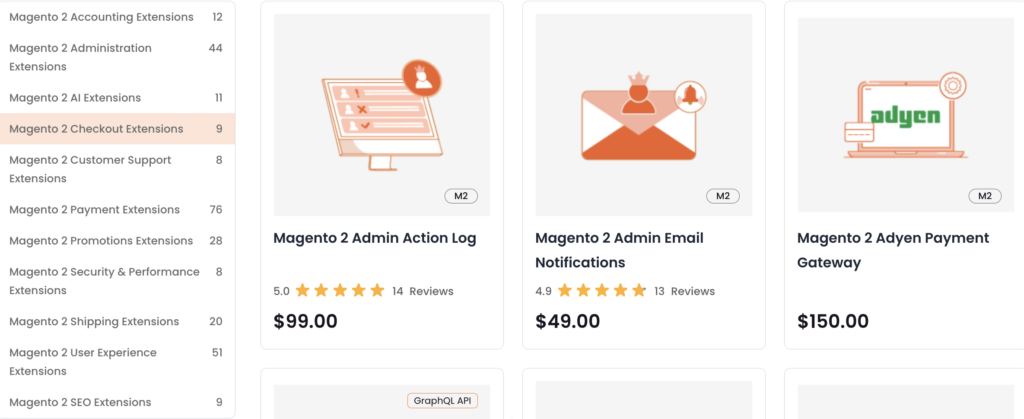
Here are some of the most loved Meetanshi extensions:
- Magento 2 Google Analytics
- Magento 2 AI Content Generator
- Magento 2 QuickBooks Integration
Explore the range of Magento extensions to make managing, scaling, and growing your store easier.
Explore a complete suite of intelligent AI extensions for your Magento 2 store.
Explore Now