If your current theme is slowing down your Magento 2 store, it’s usually because of heavy, outdated code. Hyvä fixes this by using a lightweight, modern setup, keeping your B2B store fast even with large catalogs and bulk orders.
In this blog, you’ll learn everything about Hyvä Theme for Magento B2B Stores to improve performance, streamline operations, and deliver a faster, more modern user experience.
What is the Hyvä Theme in Magento 2?
The Hyvä theme for Magento 2 is a modern frontend that focuses on speed, simplicity, and performance.
It is an ideal alternative to Magento’s default Luma theme, which is heavy and traditional.
Hyvä uses simple technologies and removes unnecessary code, making your store load faster and run more smoothly. This results in a better user experience, especially on mobile devices, and helps improve overall site performance.
Why Magento B2B Stores Need a Faster Frontend
While Magento 2 is the powerhouse of B2B e-commerce, performance remains the primary hurdle for merchants looking to optimize user behavior and search rankings.
The problem with traditional Magento 2 themes (Luma/Blank)
Magento pages often load hundreds of JS and CSS files, which makes them slow to open and interact with. It also uses heavy technologies like RequireJS and Knockout.js, which take longer browsing time.
On top of that, the HTML structure is quite complex, which slows down rendering, especially on mobile devices. Because of all this, Magento stores often struggle to meet Core Web Vitals standards, leading to slower performance issues.
Here is how Hyvä theme helps:
Hyvä is a modern approach to the Magento frontend that removes unnecessary complexity and uses lightweight tools to improve performance.
- Uses Tailwind CSS and Alpine.js for a faster setup
- Removes default Magento JS & CSS (no RequireJS, Knockout.js, or Less), reducing code by up to 90%
- Built with Tailwind CSS for efficient and customizable styling
- Provides clean and optimized templates for faster development
- Supports compatibility modules for seamless integration with Magento extensions
In B2B, speed directly impacts efficiency, as buyers often place bulk orders, browse large catalogs, and use mobile devices for quick purchasing. A faster frontend like Hyvä ensures smooth performance, better SEO rankings, and higher conversions by reducing delays and friction.
Key Benefits of Hyvä Theme for Magento B2B Stores
Switching from a traditional Magento 2 frontend to Hyvä gives B2B stores a clear advantage. It replaces outdated technology with modern tools, making high-volume operations faster and smoother.
This improvement brings several key benefits:
Improved Performance and Speed
Hyvä reduces the load on Magento themes by consolidating hundreds of JS and CSS files and using a lightweight framework.
This makes pages load much faster, improving performance, Core Web Vitals, and search rankings.
Optimized for Complex B2B Buying
Wholesale buyers often use heavy features like quick order forms, CSV uploads, and account dashboards.
Hyvä handles these smoothly, allowing users to add many products without lag, errors, or crashes.
Reduced Development Time and Costs
Traditional Magento frontend development is complex due to outdated tools like Knockout.js. Hyvä uses simpler, modern tools like Tailwind CSS and Alpine.js, making development faster and easier.
This helps businesses quickly build custom B2B features while reducing overall costs.
Advanced Mobile Experience
B2B buyers are increasingly ordering from mobile devices while on the go. Hyvä uses less code, so it runs faster on mobile networks and slower devices, ensuring a smooth experience anywhere.
Integration with B2B Modules
It integrates smoothly with Magento B2B features such as shared catalogs, quotes, and requisition lists, offering a clean and responsive interface.
It also supports many third-party extensions through compatibility modules, making integration easy.
Better Conversion and Retention
A fast and reliable frontend makes it easier for B2B customers to place repeat orders without delays.
This creates a smoother buying experience and helps establish your store as a dependable platform for ongoing business transactions.
Hyvä vs Luma Theme for Magento B2B Stores
Here’s a quick comparison to help you understand the differences between the two themes. It highlights how they differ in speed, technology, and ease of use.
| Feature | Luma Theme (Default) | Hyvä Theme |
| Frontend Technology | RequireJS + Knockout.js | Alpine.js + Tailwind CSS |
| Performance | Slower, heavy frontend | Very fast, lightweight |
| Page Load Time | ~3-6 seconds | Often under 1-2 seconds |
| JS & CSS Files | 200+ files | Minimal (under 20 requests) |
| Page Size | 2-5 MB | ~500-800 KB |
| Core Web Vitals | Often fails without heavy optimization | Passes easily (90+ scores) |
| Mobile Performance | Weak, needs optimization | Strong by default |
| Development Complexity | Complex and time-consuming | Simple and developer-friendly |
| Customization Speed | Slower | Faster |
| Extension Compatibility | Works with most extensions | Needs compatibility modules (growing support) |
| Hosting Requirements | Higher (more resources needed) | Lower (runs efficiently) |
| Best For | Small/basic stores | High-performance, modern B2B stores |
The main difference is in the technology.
Luma uses an older, heavy system with many files, which makes it slow and harder to customize, while Hyvä uses a modern, lightweight setup that loads much faster.
For B2B stores, this means a smoother and faster experience, especially for bulk orders and large catalogs. Hyvä stays quick and reliable, helping improve user experience and reduce long-term costs.
Magento B2B Features Supported by Hyvä
Hyvä works smoothly with Magento’s built-in B2B features. Unlike the default Luma theme, it handles them faster and better, as seen in this Hyvä theme demo, using modern compatibility modules.
Shared Catalog
Hyvä efficiently handles Shared Catalogs, allowing you to show custom product ranges and pricing to different customer groups. Because the frontend is lightweight, switching between various catalog views remains fast, ensuring that logged-in corporate clients see their specific negotiated products instantly.
B2B Quotes & Navigation
The theme supports the complete Request for Quote workflow. Buyers can easily submit quote requests from their cart, and the streamlined interface makes it simple to track status, view seller responses, and accept or reject offers. Hyvä ensures these multi-step interactions are fluid and responsive.
Quick Order by SKU
Speed is essential for Quick Order functionality, where buyers enter multiple SKUs or upload a CSV file. Hyvä’s theme architecture processes these bulk entries without the typical browser lag found in older themes. This helps users create large orders quickly instead of taking much longer.
Requisition Lists
For repeat customers, Requisition Lists are a vital tool for frequent restocking. Hyvä provides a clean, fast UI for creating and managing these lists. Buyers can quickly move items from a saved list to their cart, making the recurring purchase process almost instantaneous.
Company Account & Roles
Hyvä handles complex company accounts and permissions with ease. Whether someone is an admin or a buyer with a spending limit, the site stays fast while showing them exactly what they are allowed to see and do.
Enhanced Portable Dashboard
The B2B customer dashboard is often data-heavy, containing order history, company structures, and credit balances. Hyvä optimizes this area so that users can navigate their account information, manage addresses, and track shipments with zero friction.
Real Use Cases of Hyvä in B2B Stores
Hyvä is used by many B2B stores, and they have seen significant performance improvements. Here are some popular examples:
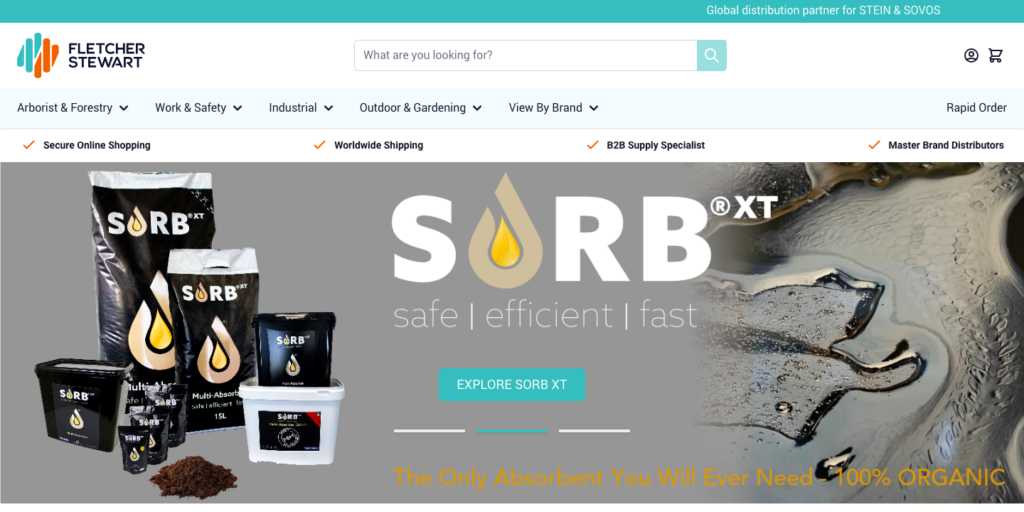
Fletcher Stewart
Fletcher Stewart had a slow mobile site with Luma. After switching to Hyvä, their mobile speed improved by 700%, leading to a 33% increase in online revenue as customers could order more easily from mobile devices.
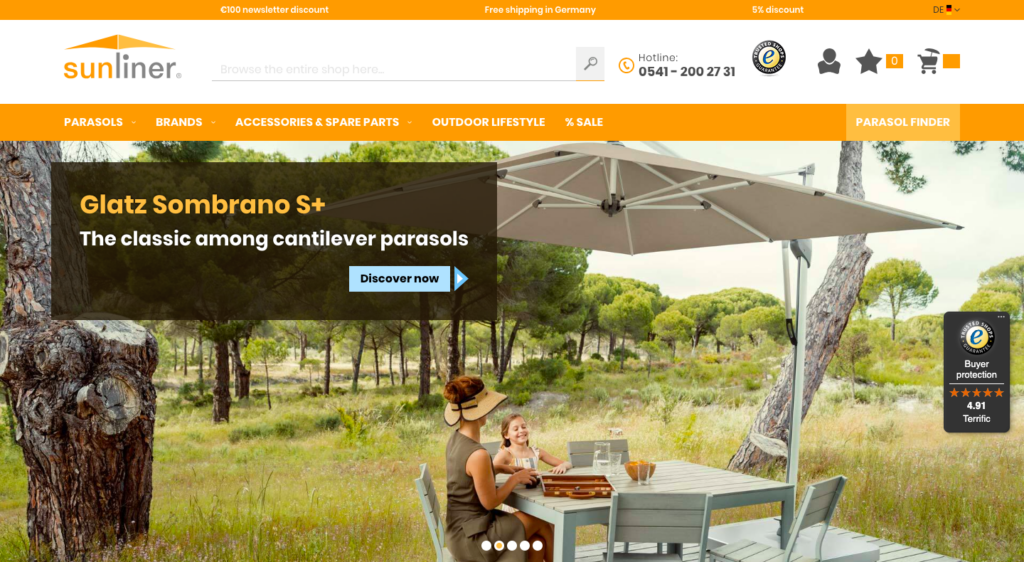
SunLiner
SunLiner manages over 6,000 products and uses Hyvä to achieve a perfect 100/100 PageSpeed score. This fast performance helps B2B customers easily browse, configure, and order products without any lag.
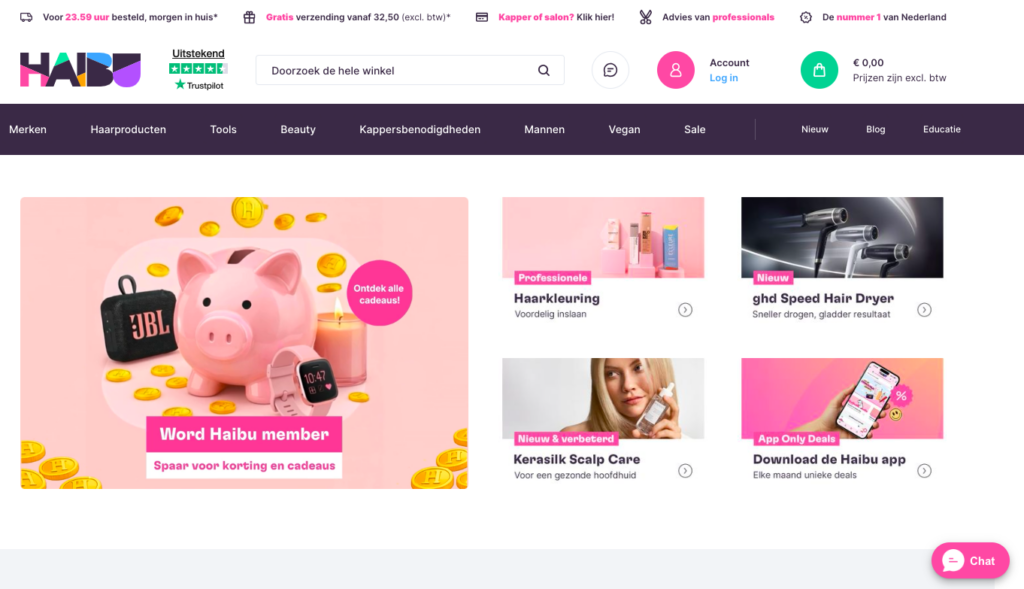
Haibu
Haibu, a leading hairdressing wholesaler, uses Hyvä to run a fast store with a PageSpeed score of 96. Integrating Hyvä alongside advanced search tools led to a 40% increase in search conversion rates.
How to Get Started with Hyvä Theme?
Getting started with the Hyvä Theme involves replacing the traditional, heavy Magento 2 Luma theme with a lightweight frontend.
The setup process may vary depending on whether you are starting a new store or migrating an existing one.
Building a New Store from Scratch
For new Magento stores, starting directly with Hyvä is the best option since you don’t have to deal with old code. These are general steps you can follow:
Step 1 – Prerequisites & Setup
Purchase a Hyvä license to get your private Packagist key.
Ensure Magento 2.4.x is installed with Node.js (required for Tailwind compilation)
Run composer require hyva-themes/magento2-default-theme to add the core files.
Step 2 – Creating a Custom Child Theme
Create app/design/frontend/[Vendor]/[ThemeName]
Add a theme.xml file declaring hyva/default as the parent.
Add registration.php to register the theme in Magento.
Navigate to Content > Design > Configuration in the Admin panel and apply your new theme.
Step 3 – Development Workflow
Customize tailwind.config.js in your theme’s web/tailwind/ folder for branding.
Use Alpine.js for all frontend logic (replaces jQuery/Knockout.js).
Use standard Magento Layout XML to manage blocks.
Copy .phtml files from the vendor folder to your child theme to modify HTML.
Step 4- Using Hyvä UI (Speed Up)
Run composer require hyva-themes/hyva-ui
Browse the Hyvä UI library and copy pre-built components (sliders, headers, etc.) directly into your theme to save time.
Step 5- Handling Compatibility
Identify extensions using Luma-based JS (jQuery). These will not work by default.
Use existing Compatibility Modules from the Hyvä community for popular third-party extensions.
For unique extensions, manually rewrite the .phtml templates using Alpine.js and Tailwind CSS.
Migrating an Existing Store
Moving to Hyvä is essentially a frontend replatforming. You keep your backend data (products, orders, customers) but replace the entire presentation layer. Here’s the process overview:
Step 1 – Audit & Preparation
Identify all frontend-heavy third-party modules (filters, sliders, checkout).
Cross-reference your list with the Hyvä Compatibility Module Tracker.
Document all jQuery/Knockout logic that needs a rewrite in Alpine.js.
Set up a dedicated staging site and create full backups.
Step 2 – Installation & Activation
Obtain credentials from the Hyvä site
Add the Hyvä repository and run composer require hyva-themes/magento2-default-theme.
Go to Content > Design > Configuration to assign the theme to your store view.
Run standard Magento commands: setup:upgrade, setup:di:compile, and setup:static-content:deploy
Step 3 – Content & Design Migration
Manually rebuild headers, footers, and page layouts using Hyvä patterns.
Use the Hyvä CMS Migration Tool to move HTML blocks and headings.
Use the CMS Tailwind JIT module to ensure styles added in the Magento Admin render correctly.
Replicate Luma widget functionality using Hyvä’s flexible options.
Step 4- Customization & Refactoring
Convert all interactive elements from jQuery/Knockout to Alpine.js.
Optionally switch to Hyvä Checkout to replace the high-latency default Magento checkout.
Use the Hyvä CSP Migration Tool to ensure your custom code meets Content Security Policy standards.
Step 5 – Testing & Launch
Test the entire funnel from search to checkout across all devices.
Verify Core Web Vitals (aim for 90+) via Google PageSpeed Insights.
Deploy during low-traffic hours and monitor performance for 14-30 days.
How Meetanshi Helps with Hyvä Theme Development
At Meetanshi, we know that switching to the Hyvä theme is more than just a design change; it’s a smart step to improve your Magento store’s future performance. We help businesses move from slow, heavy frontends to fast and modern Hyvä setups.
For new stores, we build a clean and optimized Hyvä setup from scratch, focusing on performance and mobile-first design. This helps you launch a modern, fast store quickly with a better user experience from day one.
For existing stores, we handle smooth migration from Luma to Hyvä by rebuilding the frontend without affecting current functionality. We also ensure extension compatibility and protect your SEO, so your store becomes faster without any disruptions.
Moreover, as Hyvä experts, we specialize in
- Hyvä checkout integration
- 130+ Hyvä compatible extension
- Custom module development
- Google Lighthouse scores
- High ranking and user-friendliness
Frequently Asked Questions
Is Hyvä Theme suitable for Magento B2B stores?
Yes, Hyvä’s lightweight architecture is perfect for B2B stores, handling large product catalogs and complex buying workflows with exceptional speed.
Does Hyvä support Magento B2B modules?
Yes, while most native B2B features require a compatibility module, Hyvä provides official support for Magento Open Source and Adobe Commerce B2B suites.
Does Hyvä improve Magento performance?
Yes, Hyvä significantly improves performance with a lightweight and modern frontend.
Can I migrate from Luma to Hyvä?
Yes, you can migrate by rebuilding your frontend using Hyvä’s Alpine.js and Tailwind CSS framework while keeping your existing Magento backend and data intact.
Wrapping Up
The Hyvä Theme for Magento B2B stores will make everything faster and easier for customers to use. It removes the clunky parts of the default system, making it simple to manage large catalogs and bulk orders.
If you are ready to upgrade your store for better performance, Meetanshi is here to help. Our Hyvä Theme Development Service takes care of everything from development to optimization to ensure your site is built for speed.