Hyvä is a lightweight theme structure which is very different from the other default Magento frontend. It uses Alpine.js and Tailwind CSS, delivering a much cleaner and faster frontend.
However, this major improvement also introduced a new challenge. Hyvä was released in 2021, while Magento 2 has been around since 2015. By then, most Magento stores were already using numerous third-party extensions built using the default frontend structure.
When migrating to Hyvä, one of the most crucial steps is to ensure that the third-party extensions remain compatible. That’s where Hyvä Compatibility Modules come into play.
What are the Hyvä Compatibility Modules?
If a third-party extension that previously worked with a non-Hyvä theme no longer functions with the Hyvä theme, it indicates a compatibility issue.
It’s recommended to confirm Hyvä compatibility directly with the extension providers or developers. If an extension is not Hyvä-compatible, you can request a compatible version.
If you use an incompatible version with the Hyvä theme, you might face the following circumstances:
- It directly alters HTML or CSS, particularly for frontend features, and includes CSS code within its structure.
- Heavy reliability on JavaScript libraries depends on RequireJS or Knockout.js.
- Override core Magento functionality like the checkout, category, or product pages.
In essence, any extension whose functionality is tied to frontend visuals or behavior will likely require a Hyvä-compatible module or a custom patch to operate correctly.
How a Hyvä Compatibility Module is Created?
When a Magento 2 extension is not natively compatible with Hyvä, developers follow a structured process to build a compatibility module.
Phase 1: Assessment
The first step is to analyze the extension’s existing code to identify incompatibilities. Most Luma-based modules rely heavily on JavaScript frameworks like jQuery or RequireJS, which are not supported by Hyvä.
Because of this, key frontend features of the extension may not work as intended.
Phase 2: Development
The developer then requests a repository from the Hyvä team to begin work on the compatibility module. A skeleton template is provided, serving as the foundation for development. The project status is marked as In Progress on Hyvä’s GitLab tracker.
The next task is to rewrite the unsupported frontend code, which includes Replacing jQuery/RequireJS with Alpine.js
Converting LESS styles into Tailwind CSS classes. This ensures the extension’s frontend logic and design align with Hyvä’s lightweight framework.
Phase 3: Testing & Deployment
Once the module is developed, it is passed to QA for testing across devices and browsers to confirm both functionality and visual consistency.
After successful validation, the developer updates the project status to Published. The compatibility module is then installed into the Magento 2 store using Composer, enabled, and finalized with a setup upgrade.
How to Use a Hyvä Compatibility Module?
To use a Hyvä compatibility module, you’ll need to locate the correct module and install it in your Magento 2 store.
These modules are essential for adapting extensions designed for the default Magento frontend (Luma) to work with Hyvä’s lightweight architecture.
1. Locate the Module
You can find Hyvä compatibility modules from two primary sources:
Hyvä GitLab Repository: The Hyvä team maintains a public GitLab repository called the Compatibility Module Tracker, which includes modules for many widely used extensions.
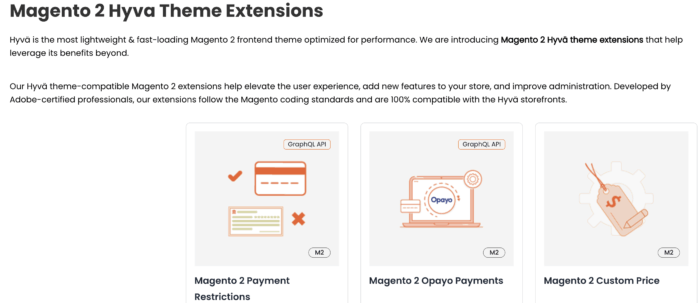
Extension Providers: Many third-party vendors now provide Hyvä-ready extensions or dedicated compatibility modules for their extensions. Or you can contact the extension provider to build a compatible extension for you.
2. Installation
Once you have the correct module, install it on your Magento 2 store using either a manual or Composer installation, depending on which method the provider supports.
By completing these steps, your Magento 2 extensions will function smoothly with the Hyvä theme, maintaining both performance and compatibility.
Ultimately, Hyvä compatibility modules are integration bridges that let you use existing Magento extensions without breaking Hyvä’s frontend.
They ensure that the features you rely on continue to work seamlessly on a modern, high-performance platform.
Optimize site performance with lightweight and fast loading Hyvä extensions.
Get Now