Upgrading your Hyvä theme is a must to maintain its stability.
In this blog, I will cover the simple steps to upgrade the Hyvä theme and related cases around it.
But first, let’s understand the basics.
Why Upgrade the Hyvä Theme?
Before jumping into the upgrade process, let’s understand why it’s necessary:
- Upgrading Hyvä ensures your theme includes the latest security fixes, protecting your store from vulnerabilities
- Each Hyvä release includes optimizations that improve website speed and efficiency, enhancing the overall user experience
- Newer versions resolve previously known issues, ensuring your store performs smoothly and reliably
- If you’re upgrading to the Magento 2.4.8 version, it’s critical to upgrade Hyvä as well. This helps to avoid version conflicts
- Many Hyvä-compatible third-party extensions require a minimum Hyvä version. It is mandatory to upgrade to use newer modules or features
Understanding Two Core Components of Hyvä
When upgrading, it’s important to know that Hyvä consists of two main components:
hyva-themes/magento2-default-theme
This is the frontend theme that controls layout, Tailwind CSS styling, and Alpine.js behavior. Upgrading it provides:
- Improved performance and UX
- Visual/UI enhancements
- New design features
- Compatibility with new Magento features
hyva-themes/magento2-theme-module
This is the Magento backend module that powers the Hyvä theme. Upgrading it ensures:
- Updated backend logic and helpers
- Security and performance enhancements
- Improved compatibility with Magento modules
Keeping both components updated is crucial to maintain a fast, secure, and modern eCommerce experience using Hyvä.
How To Check if Your Hyvä Theme Is Outdated?
You can check your current Hyvä version using the following SSH command:
composer show hyva-themes/magento2-theme-module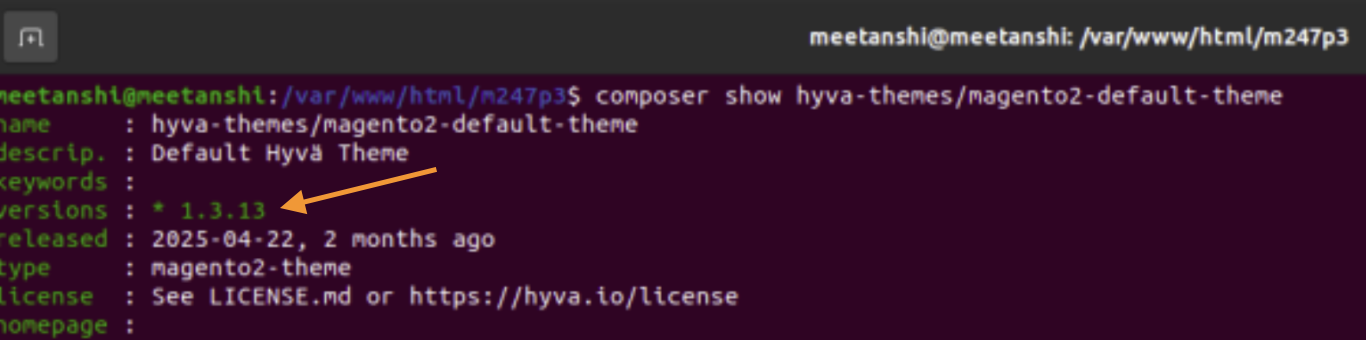
This will return a result like:
hyva-themes/magento2-default-theme v1.3.13
After that, you can compare your version with the latest release on the official Hyvä GitLab repository or their changelog to get an idea about which version you need to upgrade.
Prerequisites for Upgrading Hyvä
Before proceeding, ensure you have the following:
- Hyvä theme is already installed (any earlier version)
- Magento version is 2.4.3 CE or higher
- PHP version is 7.4, 8.1, or 8.2
- Backup: Always take a complete backup of your files and database before upgrading
How to Upgrade Hyva Theme?
Here, we will see upgrading both Hyva components.
The current versions of magento2-default-theme and magento2-theme-module are 1.3.13, which we will upgrade to version 1.3.14 by following the steps below.
First, update the theme-module using the command below:
composer update hyva-themes/magento2-theme-module
This will be the final output:
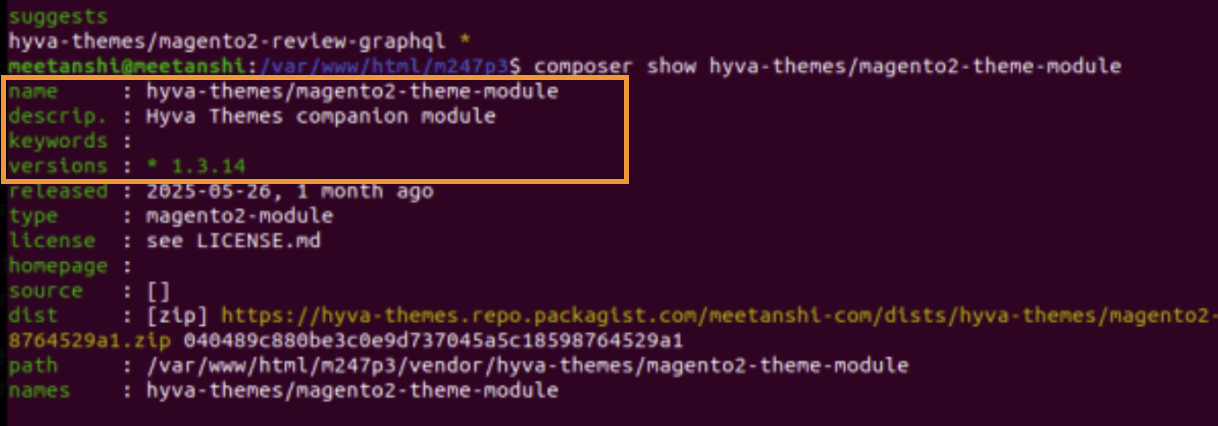
Then, update the default-theme using the below command:
composer update hyva-themes/magento2-default-theme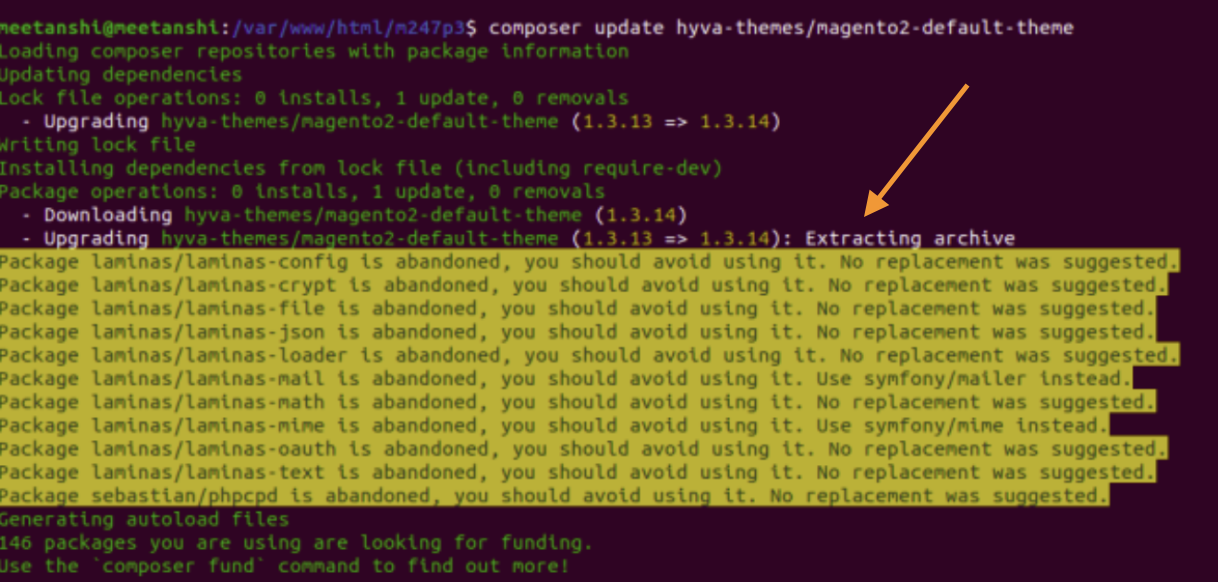
This will be the output:
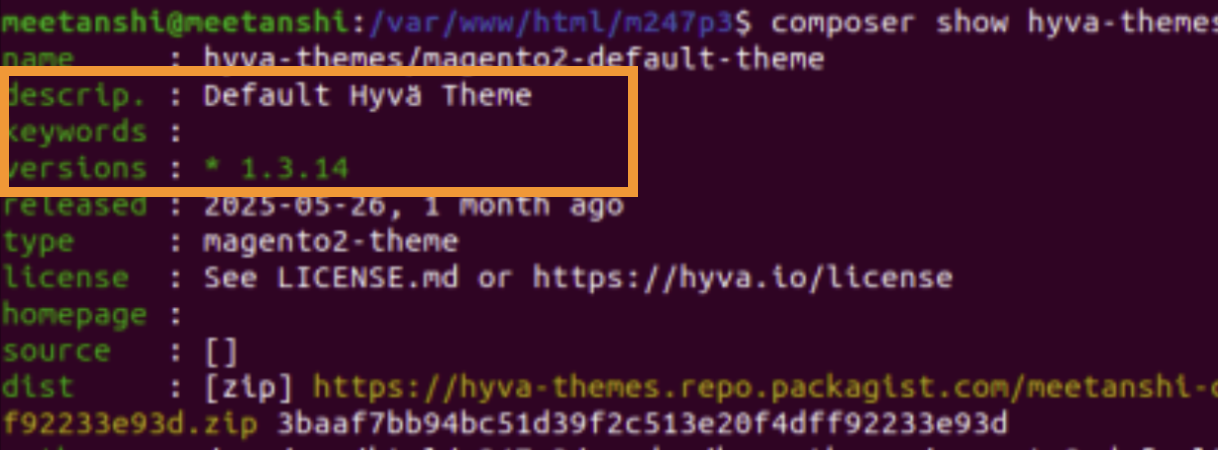
The versions are updated successfully!
Once the versions are successfully updated, proceed to run the standard Magento upgrade and deploy commands:
sudo php bin/magento se:up
sudo php bin/magento s:d:c
sudo php bin/magento s:s:d -f
sudo php bin/magento c:f
That’s it!
While it may seem complex at first, once you begin, the process is straightforward and manageable.
If you are looking for a new Hyvä theme development for your store or upgrade the current Hyvä theme, our experts can help you, contact us today!