If you want to keep customers informed with instant updates, SMS notifications are one of the most effective ways. Here’s how to set up SMS notifications on Shopify using an app.
Shopify’s Native SMS Notifications Limitations
Shopify offers limited options to send SMS notifications, like:
- Send only order confirmations and shipping updates.
- Can’t send SMS to customers who have opted for email notifications.
- Limited customization options are available only to specific countries.
The alternative is to use the MIT SMS Notifications Pro Shopify app.
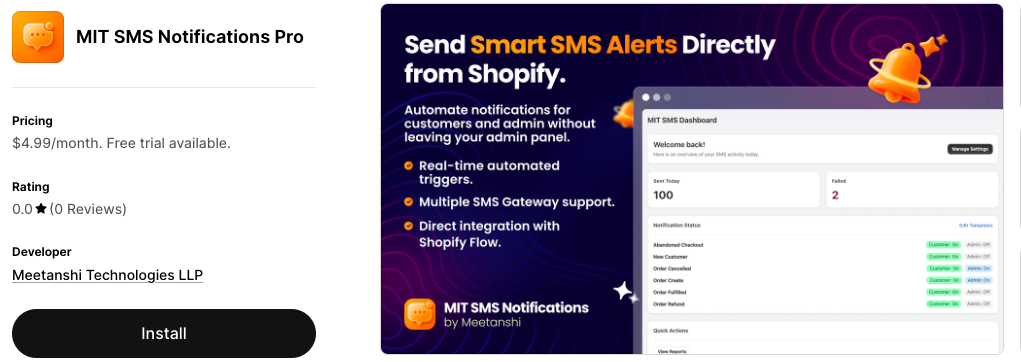
It allows you to send real-time alerts for order placement, shipping, cancellation, customer registration, abandoned carts, and more to both the customer and admin.
Here is a comparison table to understand the difference better.
| Elements | Default Method | MIT SMS Notifications Pro |
| Multiple SMS Alerts | ❌ | ✅ |
| Customization Options | Limited | Complete |
| Admin Notifications | ❌ | ✅ |
| Abandoned Cart Recovery | ❌ | ✅ |
How to Set Up SMS Notifications on Shopify Using an App
Here, we will show you the process to automate Shopify SMS notifications using the MIT SMS Notifications Pro app.
Install the app from the Shopify App Store and follow these steps.
Step 1: Connect Your SMS Gateway
Navigate to the Configuration from the app dashboard and Select Provider from supported gateways like Twilio, MSG91, or Vonage.
Enter your Account SID, Auth Token, and the Sender Phone Number provided by your gateway. Save the settings.
Also, enter the primary phone number where you want to receive system alerts. This enables the app to send you instant notifications for critical events like low stock levels or system updates.
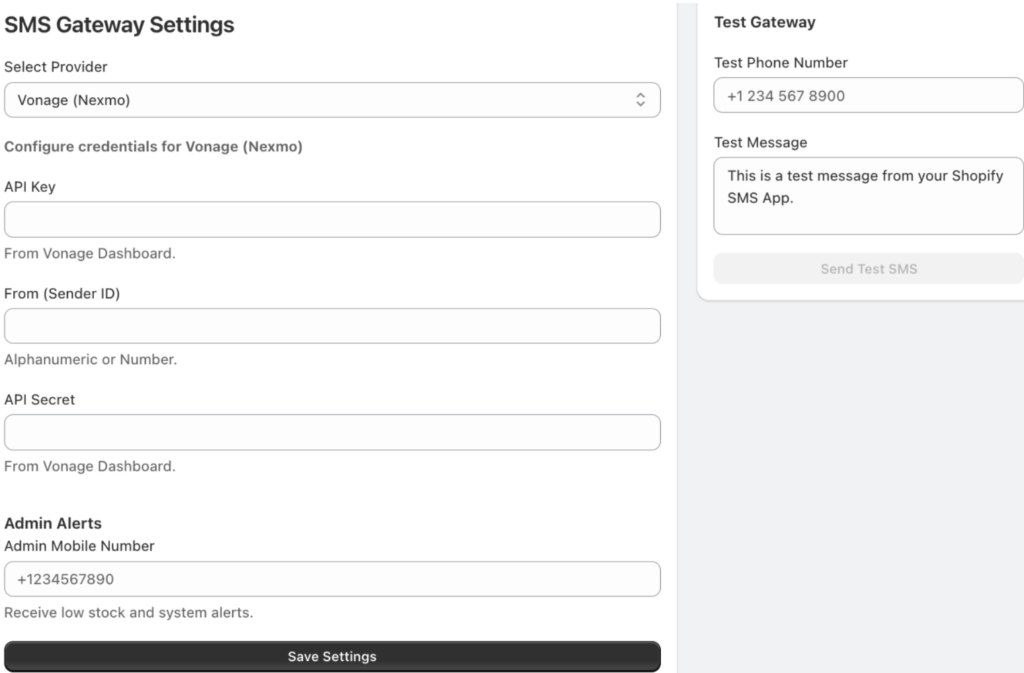
Use the Test Gateway panel on the right to send a sample message to your own phone to ensure the connection is active.
Step 2: Customize Notification Templates
Go to the Notification Templates section from the app dashboard to manage what your customers receive and toggle on the Send Customer SMS to activate the automation.
Customize the message template using dynamic variables such as {firstName}, {shop_name}, or {checkoutUrl} to personalize the SMS messages.
You can do the same for the admin side by switching to Admin Notifications.
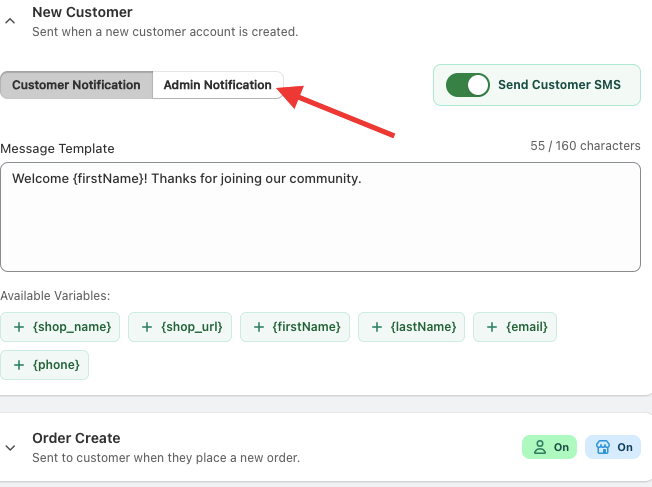
After that, you can activate notifications for other alerts, like:
- New customer registration
- Order creation/refund/cancellation/fulfilment
- Abandoned checkout reminders
You also get a mobile preview of each notification presented on the right side of the screen.
Step 3: Set Global Sending Rules
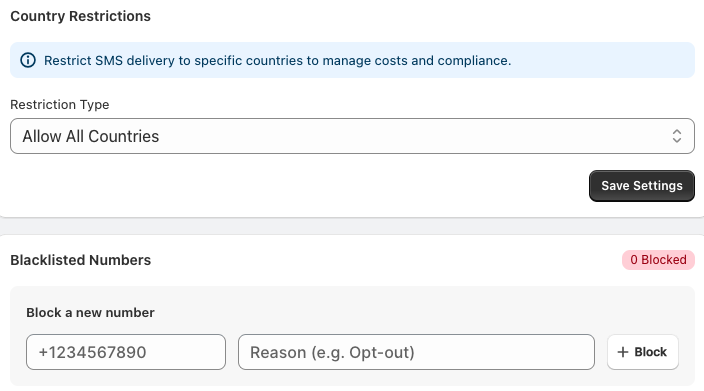
Apply country restrictions by choosing whether to Allow All Countries or restrict delivery to specific regions to manage international SMS costs.
Moreover, block specific numbers, add them to the Blacklisted Numbers list with a reason for the block. Then, save the settings.
Step 4: Monitor Performance
Once your notifications are live, based on the configuration your customers will receive the SMS alerts based on the trigger.
Here is an example of order created SMS notification in Shopify.
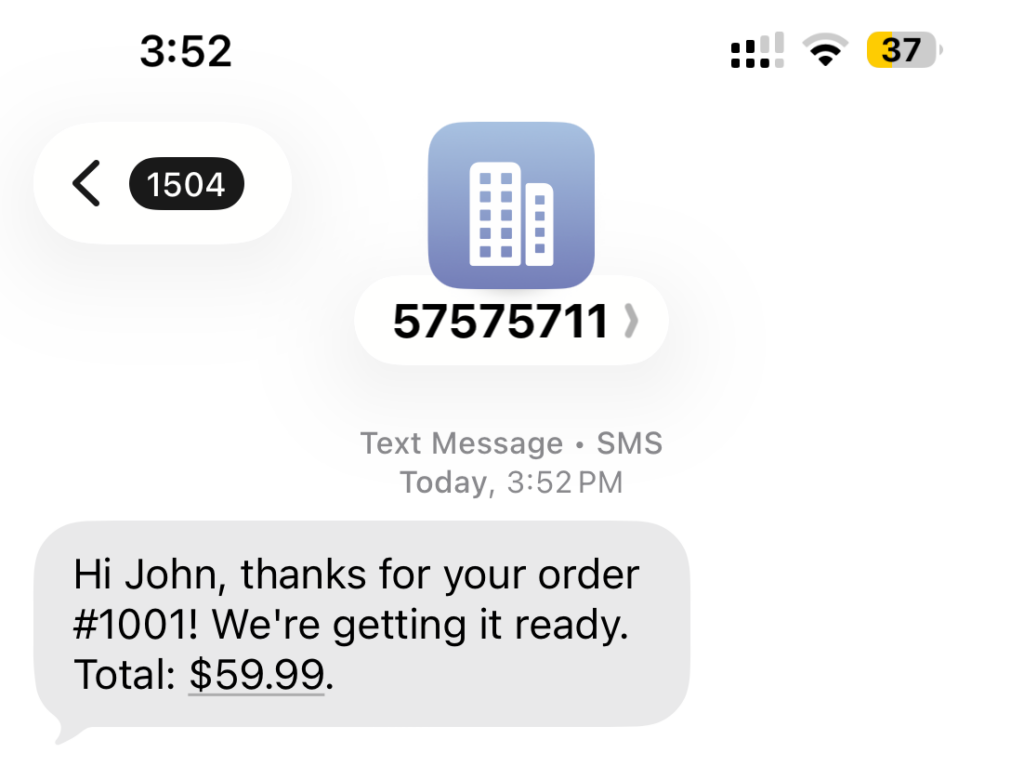
Then, you can visit the Reports dashboard where you can track:
- Total successful SMS sent
- Failed or blocked messages
- SMS Logs filtered
With this, the process of setting up SMS notifications in your Shopify store is complete and ready to automate alerts.
Example SMS Notifications You Can Send Using the App
With MIT SMS Notifications Pro, you can send more than just order confirmation messages. Here are a few examples of SMS alerts you can send.
- Delivery Confirmation – Confirm that the package has been successfully delivered to their doorstep.
- Abandoned Cart Reminders – Send a nudge to shoppers who left items in their cart without checking out.
- Welcome Messages – Automatically greet new customers when they create an account or sign up for your SMS list.
- Order Cancellations & Refunds – Keep the process transparent by notifying customers immediately if an order is changed or a refund is processed.
Start Notifying Your Shoppers Now
Don’t let basic system limitations hold back your store’s growth.
Now that you know how to set up SMS notifications on Shopify, you can start sending instant updates with MIT SMS Notifications Pro. At just $4.99/month, it’s an easy way to automate order alerts, reminders, and admin notifications while keeping customers engaged.
Send real-time SMS alerts based on different store activities to stay engaged with your customers.
Send Now