

Hiding price in your Shopify store helps you know your interested shoppers, giving you a chance to drive conversations that lead to sales.
With a few options to hide pricing, in this blog, I will share an overview of all the methods available.
Then, show you how to hide prices on Shopify using the easiest method. (No technical skills? — not worries, not needed here)
3 Ways to Hide Price on Shopify
These are the best three options you have to hide prices in your Shopify store
- Edit Shopify theme
- Using Custom CSS
- Shopify Hide Price App
The level of flexibility and coding requirement is different based on the method you opt for. Here is a comparison table for each method to better understand its functioning and pick the one that matches your level of ease.
| Element | Edit Shopify Theme | Using Custom CSS | Shopify Hide Price App |
| Coding requirement | ✅ Minimum (Basic theme edit) | ✅ HTML/CSS Knowledge required | ❌No coding needed |
| Add form to collect inquiry | Requires custom coding | Requires custom coding | Offers in-build feature |
| Hide prices for specific products or collections | Manual edits in the theme file | Manual edits with logical conditions | Simple setting without any theme edits |
| Risk-level | Medium — theme conflict possible | High — might break the layout | Low — app is updated regularly |
| Price | Free | Free | Paid |
| Beginner-friendly | Need technical skills | Need technical skills | No technical skills needed |
| Support | No official support | No official support | Support for app developers |
I recommend skipping over the custom CSS method if you are unfamiliar with coding, since the risk involved is higher, and any mistake can break the entire code.
Using a Shopify app or making edits via the theme file is safer. Here I will show you how to hide pricing on Shopify using these two methods.
Steps to Hide Prices in Shopify via Code
Here, you will have to add a code in the theme file of your Shopify store.
Additionally, you have to add a code to hide the add to cart button and create a form for interested shoppers to request pricing.
If you avoid doing this, it creates confusion among the shoppers as the price is hidden, but the add-to-cart button is still visible, which doesn’t make sense.
Here are the steps to not show price on Shopify.
Step 1: Head to Theme Editor
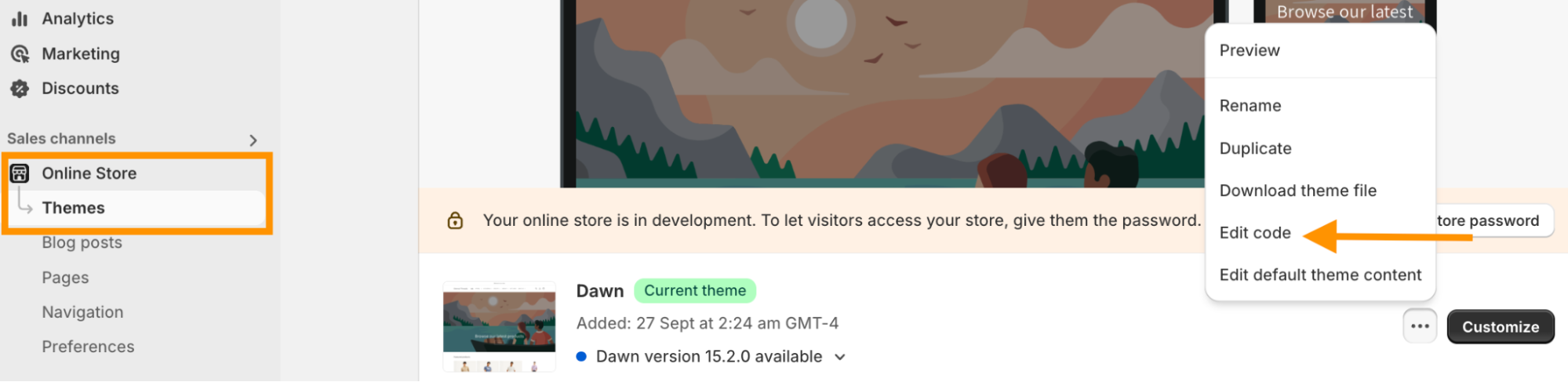
Log in to your Shopify admin panel and navigate to Online Store > Themes > Edit code.
Step 2: Add Hide Price Code
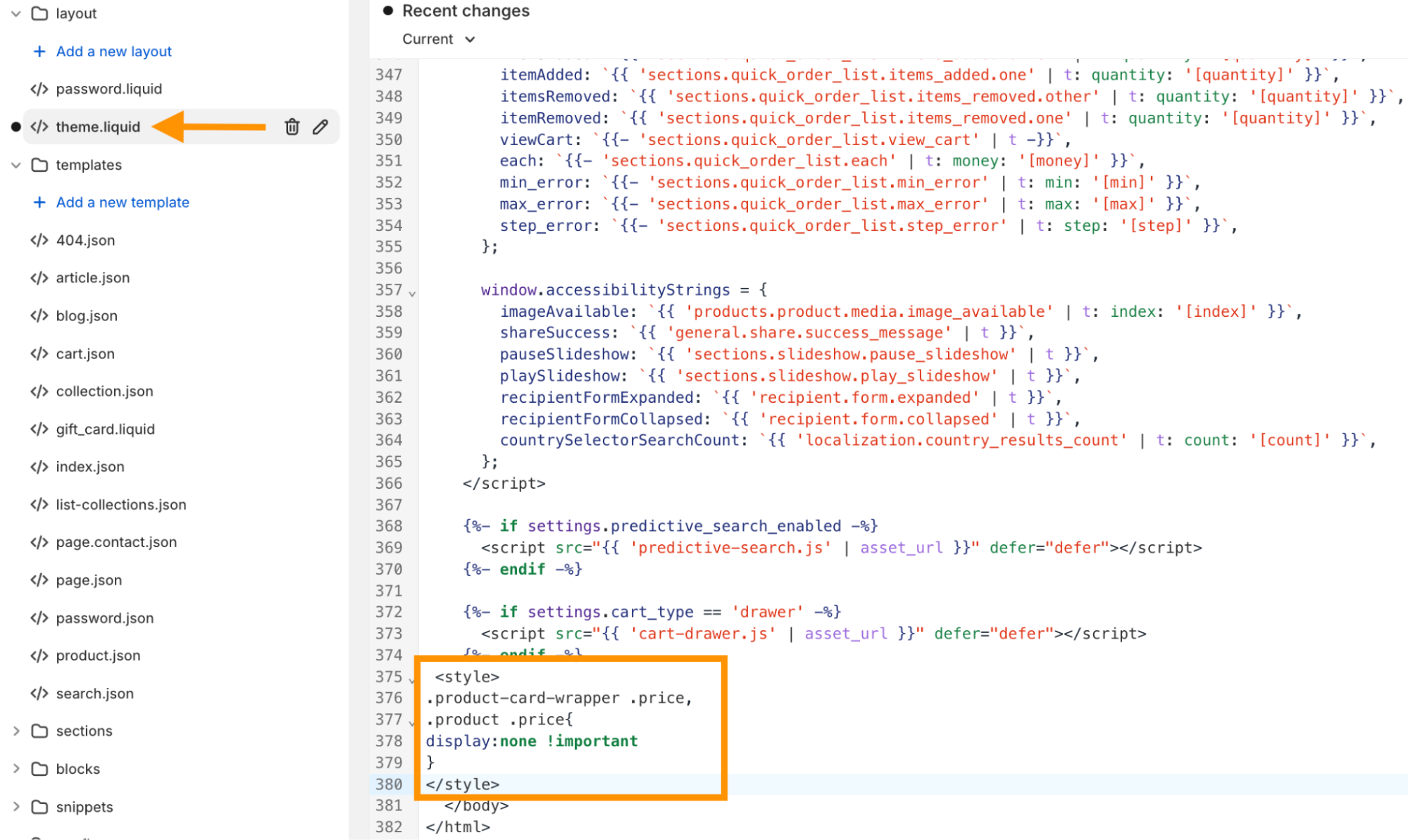
Then, search for theme.liquid file and scroll down to add the code below. This code hides the pricing for all the products in your Shopify store.
<style>
.product-card-wrapper .price,
.product .price{
display:none !important
}
</style>
Click Save and review to see if the changes are applied.
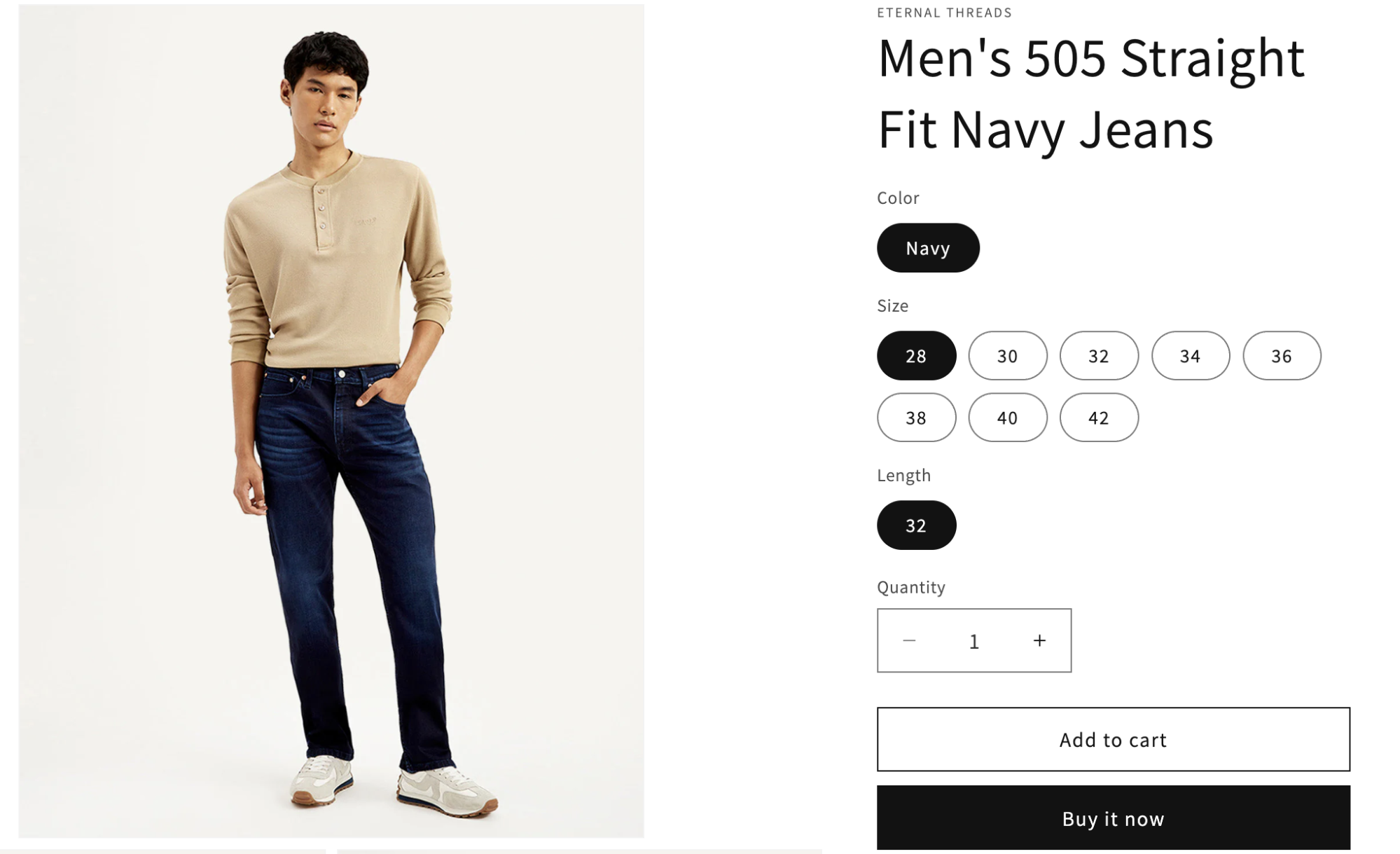
After this, you must create a custom form to collect the pricing inquiry and hide the add-to-cart button. You can further edit the code to hide the price for a specific product/collection in Shopify.
Steps to Hide Prices Using a Shopify App
The MIT Request Quote & Hide Price Shopify app is a codeless way to hide the price and show a “Request for quote” button with a pre-configured form.
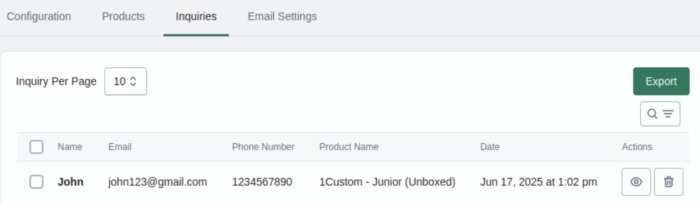
Your interested shoppers can directly send a pricing inquiry, and you can view them all in the app dashboard.
Here are the steps to remove price from Shopify product/collections.
Step 1: Hide Price for a Product or Collection
Install the Meetanshi Request Quote & Hide Price app from the Shopify App Store.

Then, enable the app from the backend with these settings:
- Call For Price: Enable the app
- Do You Want to Hide Price?: Select Yes to hide the price of your store
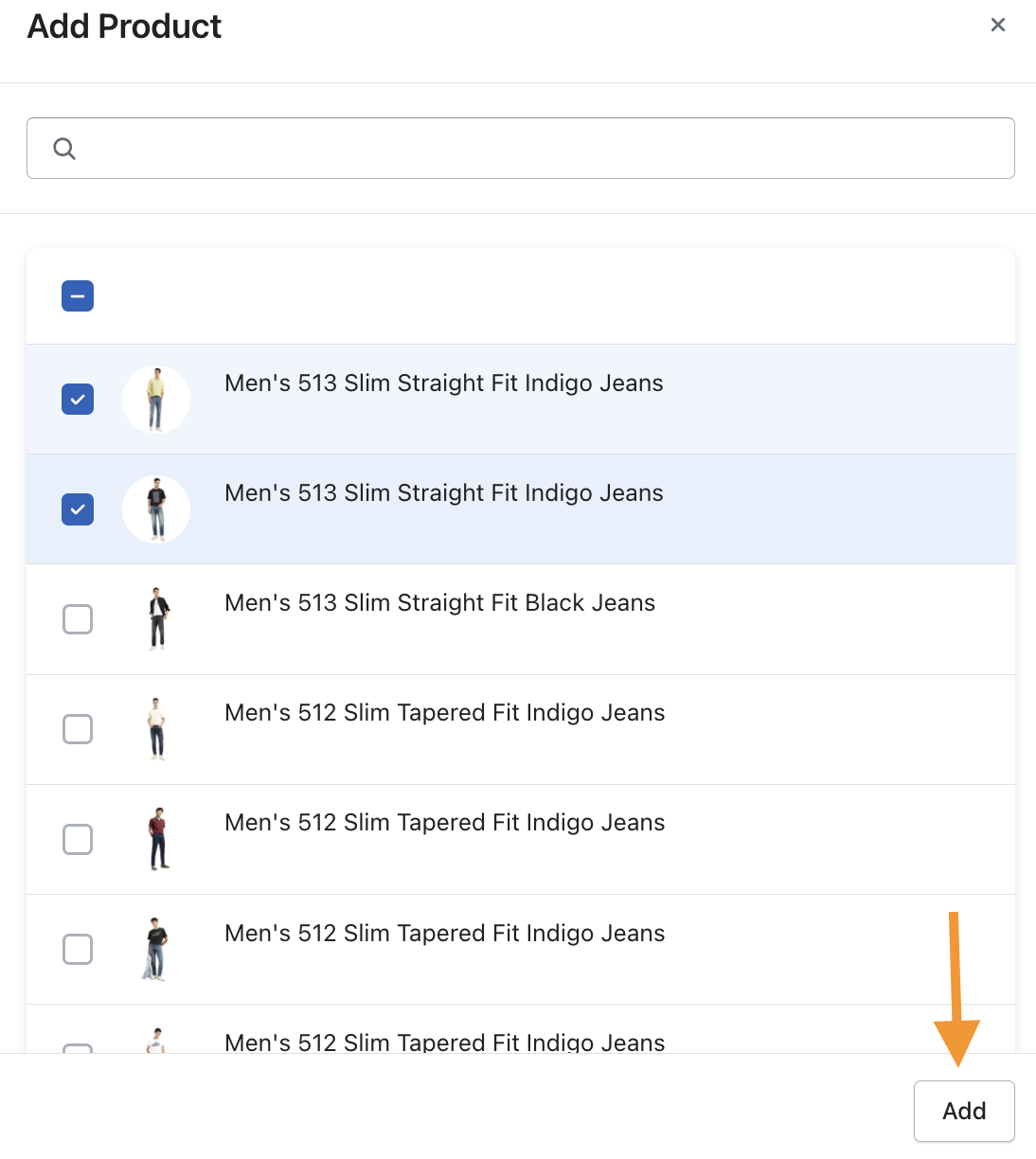
- Call For Price Scope: Select the option to hide the price for your entire store, specific product, or collection.
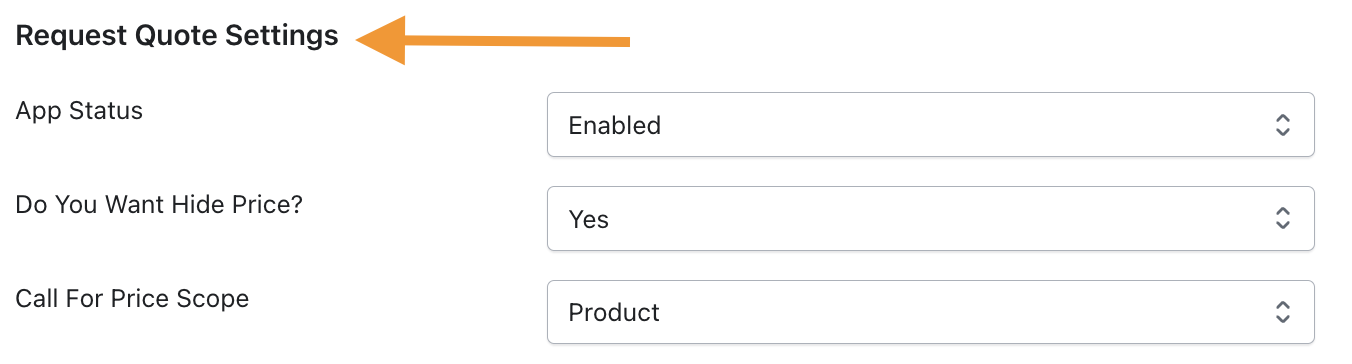
If you want to hide the pricing for a particular product, select and add the products for which you wish to hide the pricing.
Step 2: Add a Request a Quote Button or Label
Now, select a button or a label of your choice and customize the color and text.
- Button Text: Enter text for the label
- Button Background Color: Change the color as per your branding
- Call For Price Form Title: Add the title for the form
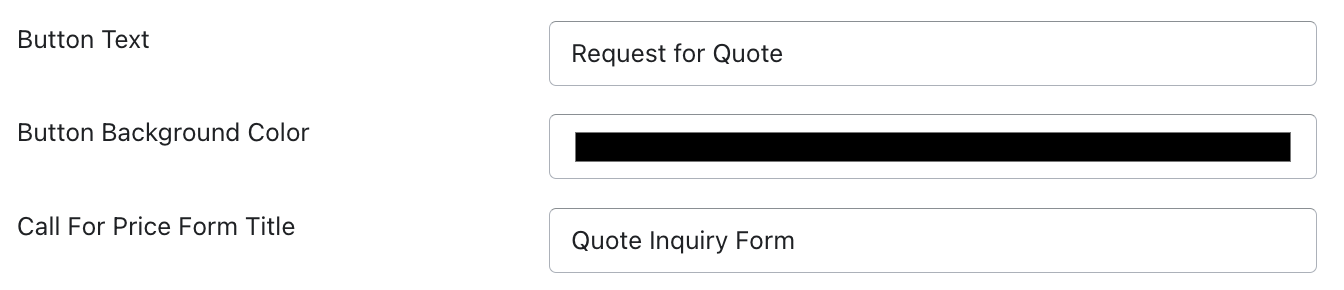
Finish this up and hit Save.
Step 3: Hide Price on The Frontend
Take a preview of your store, and you can see the Request for quote button instead of the product pricing.
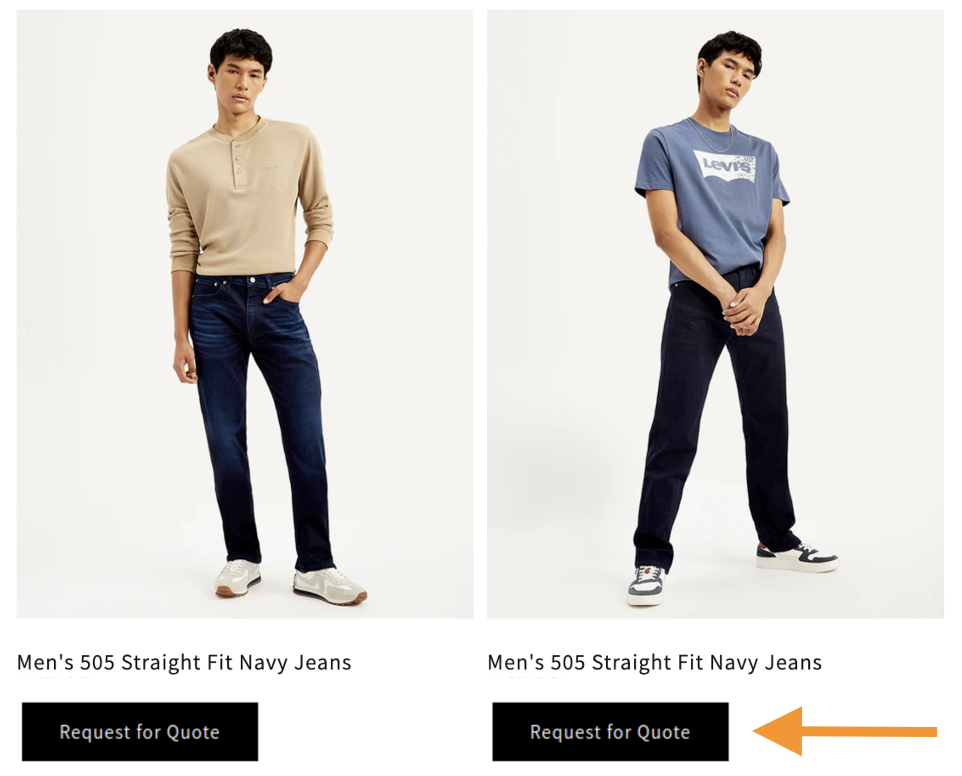
As the interested shopper clicks on the button, a form will appear to send you the pricing inquiry. Like this:
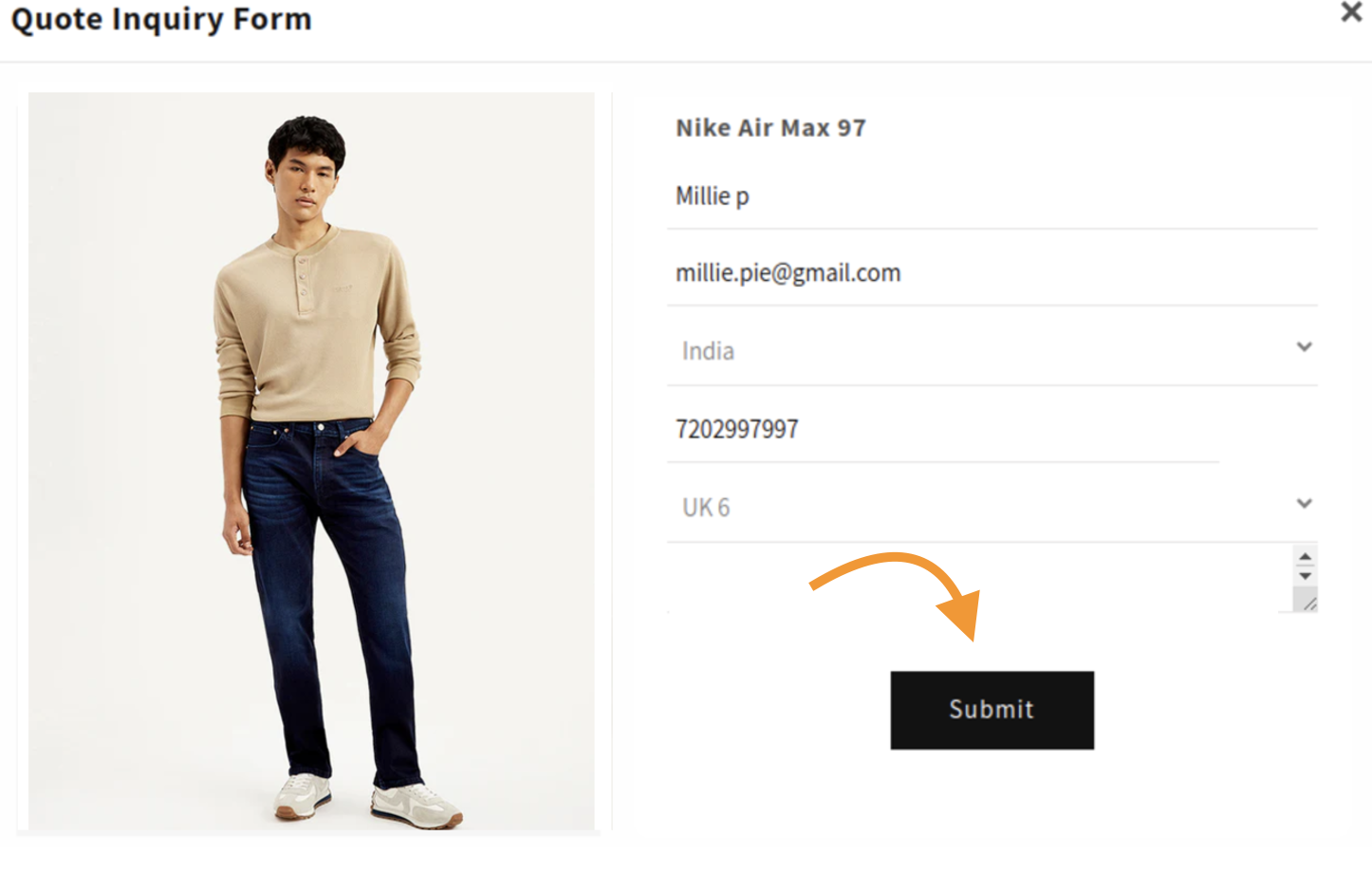
This way, you have successfully added the Shopify call for price feature to your store. 🎉
As the store owner, you will get all the pricing inquiries app dashboard and respond to the shoppers interest using their mentioned contact details.
You can also export inquiries in a CSV format whenever needed.
Using our MIT Request Quote & Hide Price app, you can simply
- Send email alerts to interested shoppers
- Hide the price of your product or collection
- Show a customized button/Label
- Display a simple form for collecting inquiries
- Get a list of pricing inquiries
Hide the price within a few configurations—zero coding Shopify app.
Install Now
Frequently Asked Questions
1. How to hide prices unless a customer is logged in Shopify?
Head to the theme editor > product template file. Search for the product price in the code and add the following code below it to allow customers to login into Shopify.
{% if customer %}
  {{ product.price | money }}
{% else %}
  <p>Please log in to see prices.</p>
{% endif %}
2. Are there apps available to hide prices in Shopify?
You can use the MIT Request Quote & Hide Price app that allows you to hide prices and show a request with a quote button to collect inquiries.
Start Collecting Pricing Inquiries
Hiding pricing is a half-done job, as it doesn’t direct the shoppers to take the next action.
Adding a request a quote button encourages them to take action and brings an opportunity for you to connect with them. Our Shopify app is a zero-free solution for this.
Try it out for free today.
