High-quality product images directly impact your Shopify store’s conversion rate. At Meetanshi, we consistently see that investing in better product visuals leads to higher customer engagement and sales. However, traditional product photography is often expensive and time-consuming.
Fortunately, AI tools now allow Shopify merchants to create professional product photos, remove backgrounds, upscale quality, and generate realistic lifestyle shots instantly no professional studio required.
In this guide, we’ll show you how to generate product images using AI in Shopify and explore the best AI tools for the job.
How to Use AI for Product Images in Shopify?
You can use AI-powered image generation tools to create professional product photos in minutes. Let’s explore the most useful ways to leverage AI for Shopify product images.
Using AI-powered image generation, merchants can transform basic snapshots into high-converting assets in minutes. Using the options below, you can use AI throughout your catalog.
Remove Backgrounds
For professional and marketplace-compliant product listings, achieving a clean white or transparent background is crucial. AI background removal tools seamlessly isolate items, eliminating cluttered backdrops with pixel-perfect precision.
For professional and marketplace-compliant product listings, achieving a clean white or transparent background is crucial. AI background removal tools seamlessly isolate items, eliminating cluttered backdrops with pixel-perfect precision.
Benefits include:
- Creating marketplace-ready product images instantly.
- Maintaining a clean, uniform look across your collection pages.
- Saving hours of manual clipping path work.
If you take a quick photo of a handmade ceramic mug on a cluttered kitchen counter, the AI instantly strips away the background, leaving a clean, transparent, or pure white backdrop ready for your storefront.
Model Photography
Hiring professional models, renting studios, and organising photo shoots for every clothing line can quickly drain a budget.
AI can generate realistic lifestyle images by digitally placing your products on virtual models across different poses, demographics, and environments.
With AI model photography, you can:
- Showcase apparel on diverse, AI-generated models.
- Generate multiple marketing variations from a single flat-lay photo.
- Produce region-specific visuals for international storefronts.
Example: A clothing brand can upload a flat-lay photo of a t-shirt, and the AI will project that exact t-shirt onto a virtual model walking down a city street or standing in a minimalist studio.
Improve Clarity
Many merchants start with older product images, supplier photos, or smartphone shots that suffer from poor lighting and low sharpness. While AI enhancement tools automatically fix these defects without requiring complex editing software, combining these tools with effective Shopify image optimization ensures your updated, high-resolution visuals load quickly and boost store performance.
AI improves these images by:
- Sharpening blurry edges.
- Correcting uneven lighting and shadows.
- Reducing graininess (image noise).
Example: A dropshipping merchant using compressed, dim supplier photos for a wristwatch can use AI to brighten the metal casing, sharpen the watch face text, and make the glass look crystal clear.
Upscale Images
Low-resolution images appear blurry or pixelated on modern high-resolution mobile screens and desktop monitors. AI upscaling increases the pixel count while intelligently filling in missing details.
Upscaling allows merchants to:
- Enable high-quality zoom functionality on product pages.
- Deliver a crisp mobile browsing experience.
- Turn small product photos into large, high-resolution homepage banners.
Example: Transforming a tiny 400×400 pixel thumbnail image into a crisp, high-resolution 2048×2048 pixel image that looks sharp even when a customer zooms in to see the texture of the product.
AI for Product Images
Several tools handle AI product photography. Here are the top platforms tailored for Shopify merchants.
1. Meetanshi Product Studio App
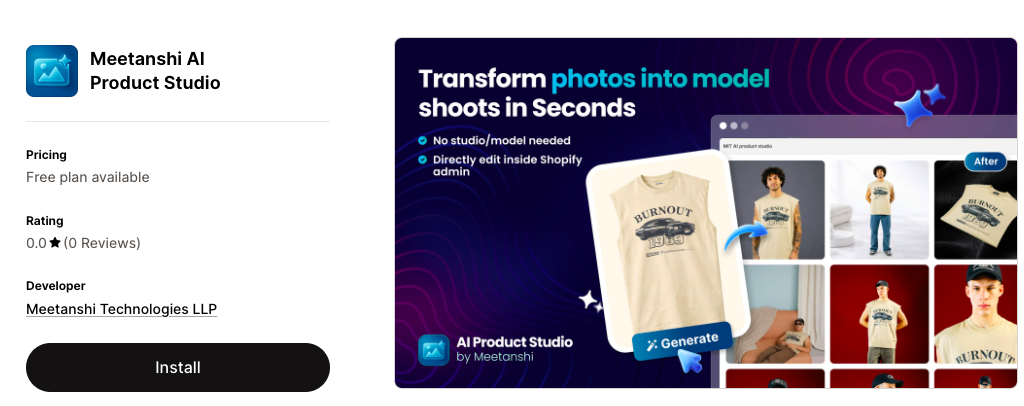
The Meetanshi AI Product Studio app is built directly for the Shopify ecosystem, allowing merchants to enhance and generate visuals without leaving their store admin.
Key features include:
- Instant background removal and replacement.
- AI model photography for apparel.
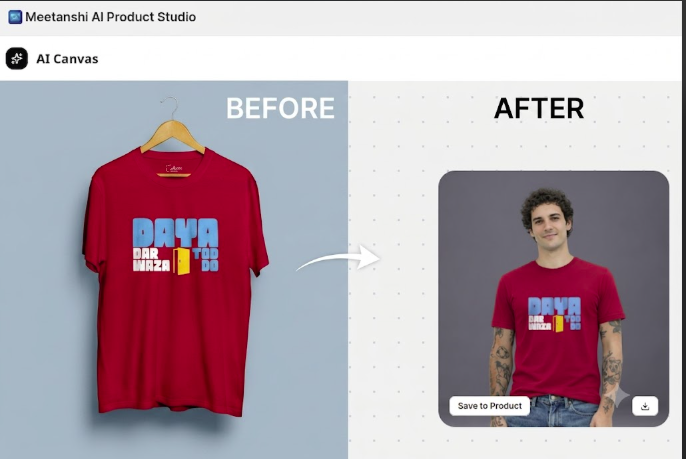
- One-click bulk image enhancement and upscaling.
- Direct synchronization with your Shopify product catalog.
- Pre-designed AI scene templates (e.g., marble surfaces, nature backdrops).
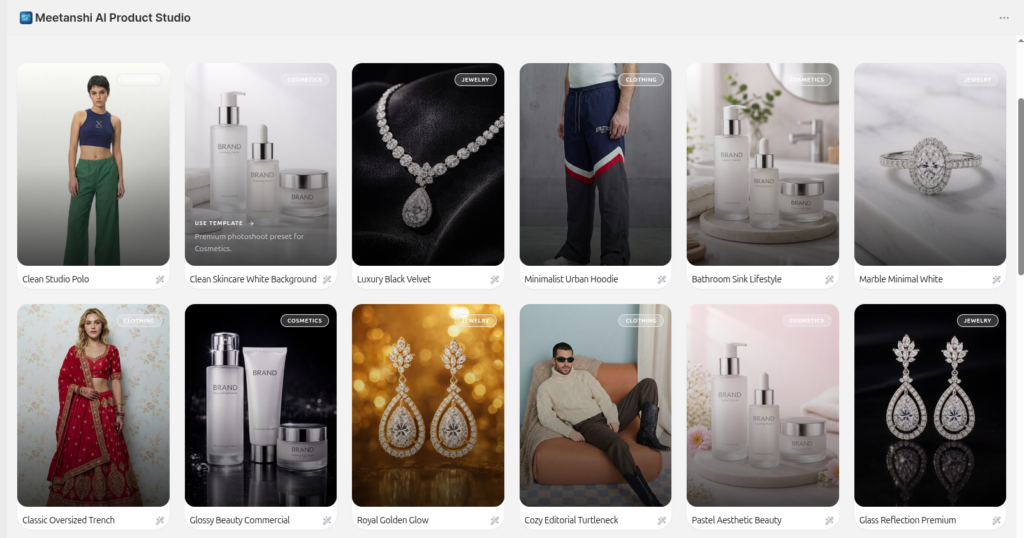
Example Use Case: A skincare brand can upload a basic bottle shot, select the “Natural Luxury” template, and the app will instantly generate an image of the bottle resting on a stone next to eucalyptus leaves, automatically syncing it to the product page as shown:
Best for: Shopify merchants wanting an all-in-one, in-dashboard AI photography workflow.
2. Shopify Sidekick
Shopify Sidekick is the platform’s native AI assistant designed to streamline store management. Beyond drafting descriptions and analyzing sales trends, Sidekick helps merchants brainstorm creative directions and utilizes Shopify’s built-in media editor to adjust image backgrounds directly from the product backend.
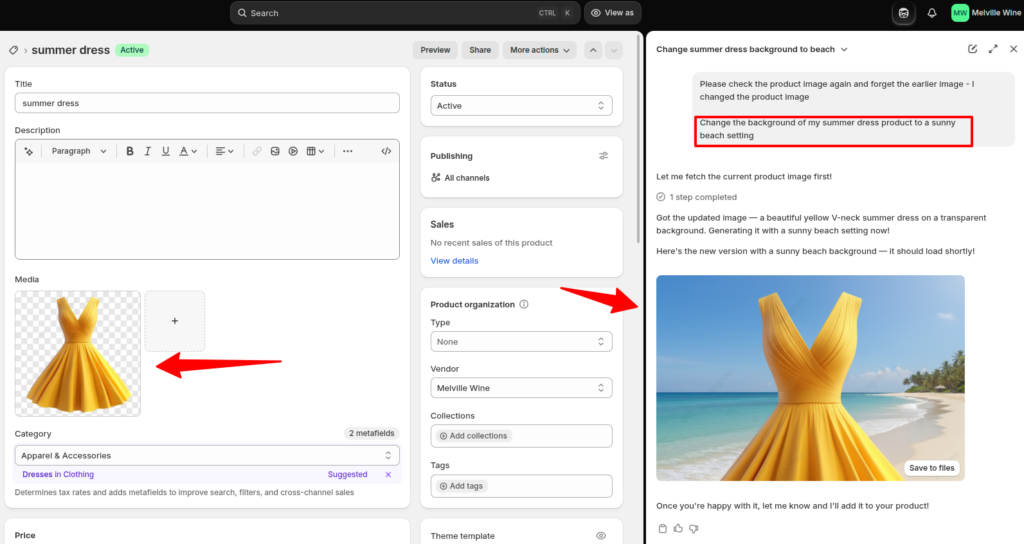
- You can ask Sidekick, “Change the background of my summer dress product to a sunny beach setting,” and it will leverage Shopify’s built-in AI media tools to alter the image.
You can see the result from the screenshot below:
Best for: Merchants who prefer utilizing Shopify’s built-in native ecosystem.
3. Gemini Pro (Outside Shopify)
Google’s Gemini Pro is a highly capable AI model that excels at generating creative concepts and highly descriptive prompts that you can feed into image generators.
Merchants can use Gemini Pro to:
- Formulate precise, highly effective image generation prompts.
- Brainstorm lifestyle context ideas based on target demographics.
- Create high-quality marketing concepts for social media.
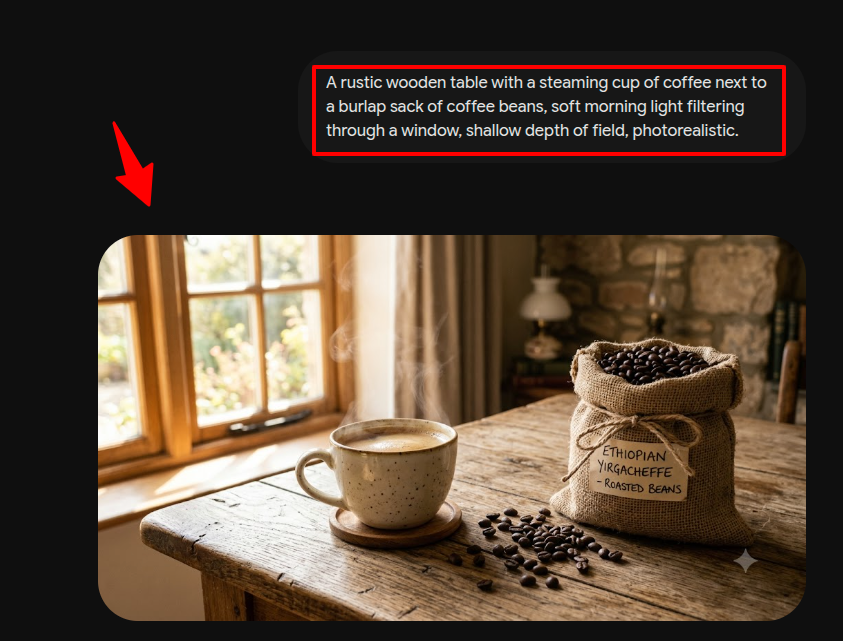
Example Use Case: If you sell premium coffee beans, you can ask Gemini Pro to draft a hyper-detailed text prompt for an image generator, such as: “A rustic wooden table with a steaming cup of coffee next to a burlap sack of coffee beans, soft morning light filtering through a window, shallow depth of field, photorealistic.” You can then run this prompt in an image generator and manually upload the result to Shopify.
You can refer to the result from the image below:
Best for: Store owners looking for advanced creative brainstorming outside the Shopify dashboard.
List of Our Favourite Product Images Prompts for AI
The quality of an AI-generated image depends on the details in your prompt. Use these proven prompts to achieve professional results:
- “Place this product on a clean white studio background with soft professional studio lighting and subtle natural shadows.”
- “Create a luxury lifestyle image with the product placed on a polished white marble surface with warm, natural sunlight filtering through a window.”
- “Generate an outdoor lifestyle scene featuring this product resting on a rustic wooden bench during golden hour, with a soft blurred nature background.”
- “Replace the background with a brightly lit, modern minimalist living room while maintaining realistic shadows beneath the product.”
- “Create a premium cosmetic advertisement with elegant overhead lighting, water ripples, and soft pastel reflections.”
- “Place the product on a festive, cozy holiday-themed background with soft bokeh fairy lights.”
FAQs
Does Google Allow AI-Generated Product Images?
Yes. Google Merchant Centre allows AI-generated product images as long as they provide an accurate depiction of the physical product and do not mislead shoppers. The product itself must remain true to life, though changing the background or setting via AI is perfectly acceptable.
How to Remove the Gemini Icon or Watermark from AI-Generated Images?
Google Gemini’s commercial image models use invisible digital watermarking (like SynthID) embedded in metadata to protect intellectual property without adding visible overlays.
If you see visible logos, confirm you are using the official tool for commercial outputs to ensure your exports remain clean. If you’re looking to manage, protect, or apply clean branding across your store visuals, using the best Shopify apps for image watermark gives you full control over how logos and overlays appear on your product catalog.
Which AI Model is Best for Product Photography?
Meetanshi AI Product Studio is the best choice for Shopify merchants looking to create professional product images with minimal effort. It integrates directly with Shopify, supports bulk image generation, and transforms simple product photos into high-quality modeled or lifestyle scenes, all from your Shopify admin.
Try Meetanshi AI Product Studio for Shopify
Creating beautiful imagery no longer requires a massive production budget. Meetanshi AI Product Studio streamlines your visual workflow by letting you remove backgrounds, generate lifestyle scenes, upscale resolution, and apply virtual model photography right inside your Shopify store.
Ready to transform your storefront catalog? Install Meetanshi AI Product Studio for Shopify today and upgrade your product photography in just a few clicks.