

Businesses use Shopify themes and customize themes to build their online stores. You can easily detect the theme name using the methods explained here.
Knowing a Shopify theme name from a website can be useful in many ways:
- you can find your competitor’s theme and build a similar store
- get theme inspiration to design your store
- find themes used by popular Shopify stores
Let’s see how you can do this.
Ways to Identify a Shopify Theme
To identify a store theme, you can use any of these free methods:
- Chrome Extension – The Shopify Theme Detector by Meetanshi helps you find out the theme a store is using in a single click. It provides the theme name along with a URL to find it on the theme store. You can download the extension for free from the Chrome web store. This method is useful when you frequently want to find Shopify themes.
- Online Tool – You can use online tools to look up the Shopify theme name by site URL. There are many online tools for this.
- Find Shopify Theme Manually – One way is to look up for details like theme id and schema name in the source code of the site. Then, you can use these details to find out the Shopify theme the site is using. This involves several manual steps and could be time consuming.
Let’s go through each of the ways one-by-one.
Shopify Theme Detector Chrome Extension
The Shopify Theme Detector by Meetanshi helps you find the Shopify theme name along with a store link to download it. This extension offers a clean interface and is completely free to use.
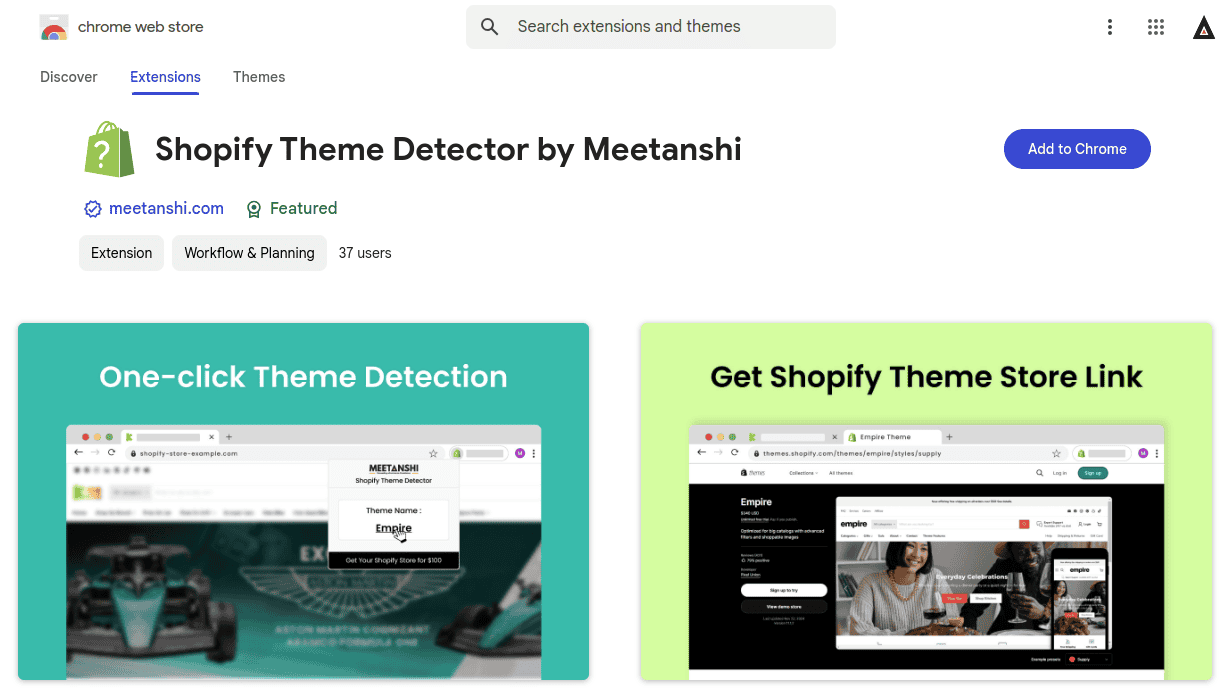
Here’s how to use it to detect Shopify theme:
- Go to Shopify Theme Detector by Meetanshi on the Chrome web store and install the extension
- Pin the extension to your browser so that you can easily access it.
- Open any Shopify store URL in the browser and click the extension icon.
You’ll get the theme name in the popup.
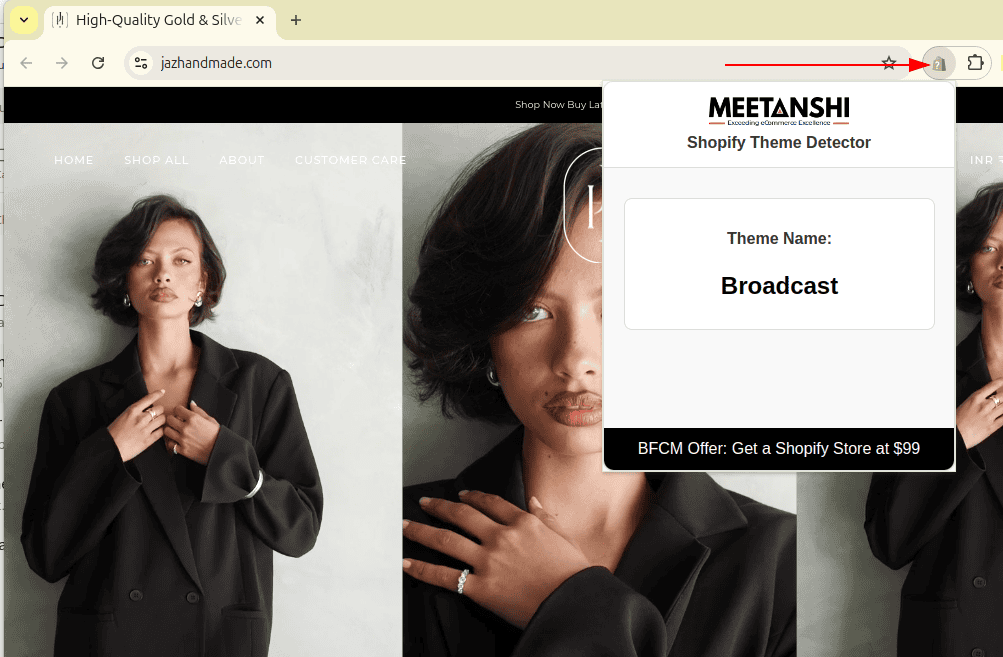
You can also click the theme name to open it in the Shopify Theme Store.
The extension also supports detecting custom themes that are installed from third-party platforms. Further, it will also display a message if the store is not using Shopify.
Detect any Shopify theme in seconds, 100% free, fast, and accurate. Just paste the store URL.
Detect Now
Online Theme Detector Tool
There are many free online tools that help you identify the Shopify theme by website address. You can use these tools to find the theme name of any store.
For example, this free Shopify Theme Detector tool is an easy to use option to identify theme name as well as its URL.
- Open the Shopify Theme Detector tool by Meetanshi
- Enter the store URL and click the Detect Theme button
- The tool will display the Shopify Theme Name, and also its theme store link
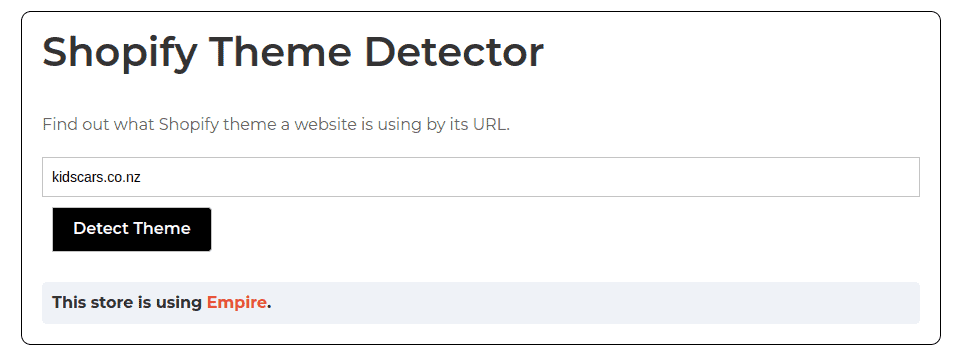
Find the Shopify theme name using the Shopify store URL in just 5 seconds
Start Now
How to Find Shopify Theme Name by Theme ID Manually?
Every Shopify store contains store details in their HTML source code. You can manually inspect the source code to get the theme store ID, which can be used to find the Shopify theme name.
Here are the steps:
- Open the Shopify store in your browser
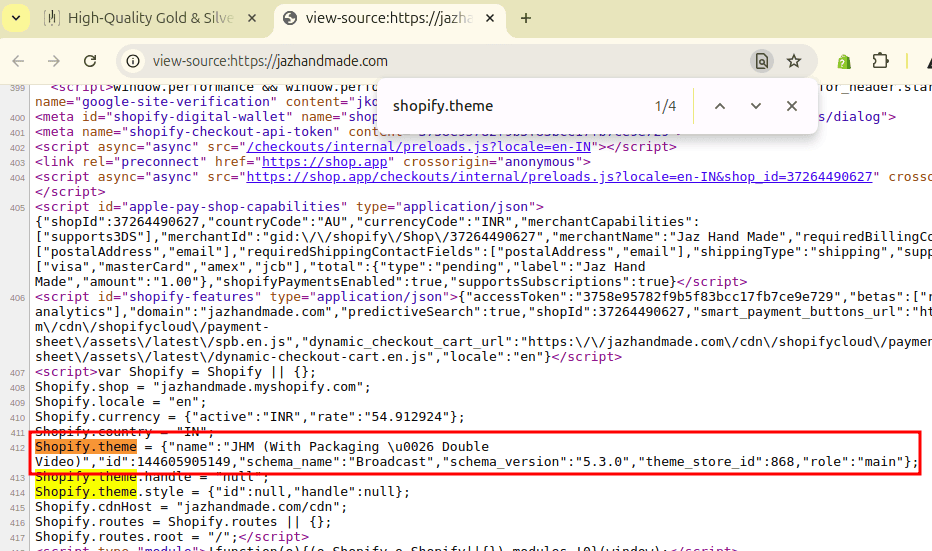
- Right click and select View page source (or press CTRL+U) to open the HTML code of the page
- Now, search for “Shopify.theme” in the code.
- If the site is using Shopify, you’ll find these details:
- schema_name – This is the theme name used by the store (which may or may not match the official theme name)
- theme_store_id – This can be used to find the theme in the official Shopify Theme store
To help you find Shopify Theme name by theme store ID, here are some popular ones:
| Theme Store ID | Shopify Theme Name |
| 838 | Empire |
| 887 | Dawn |
| 730 | Brooklyn |
| 796 | Debut |
| 1891 | Spotlight |
| 304 | Responsive |
| 847 | Motion |
| 2053 | Vision |
| 380 | Minimal |
| 578 | Simple |
| 714 | Focal |
| 1615 | Yuva |
| 777 | Palo Alto |
| 739 | Pipeline |
| 1657 | Enterprise |
| 857 | Impulse |
| 688 | Parallax |
| 1567 | Refresh |
| 902 | Expanse |
| 871 | Warehouse |
| 568 | Symmetry |
| 790 | Ira |
| 855 | Prestige |
What Shopify Theme is That? – Popular Examples
Example 1: Jigsaw Online
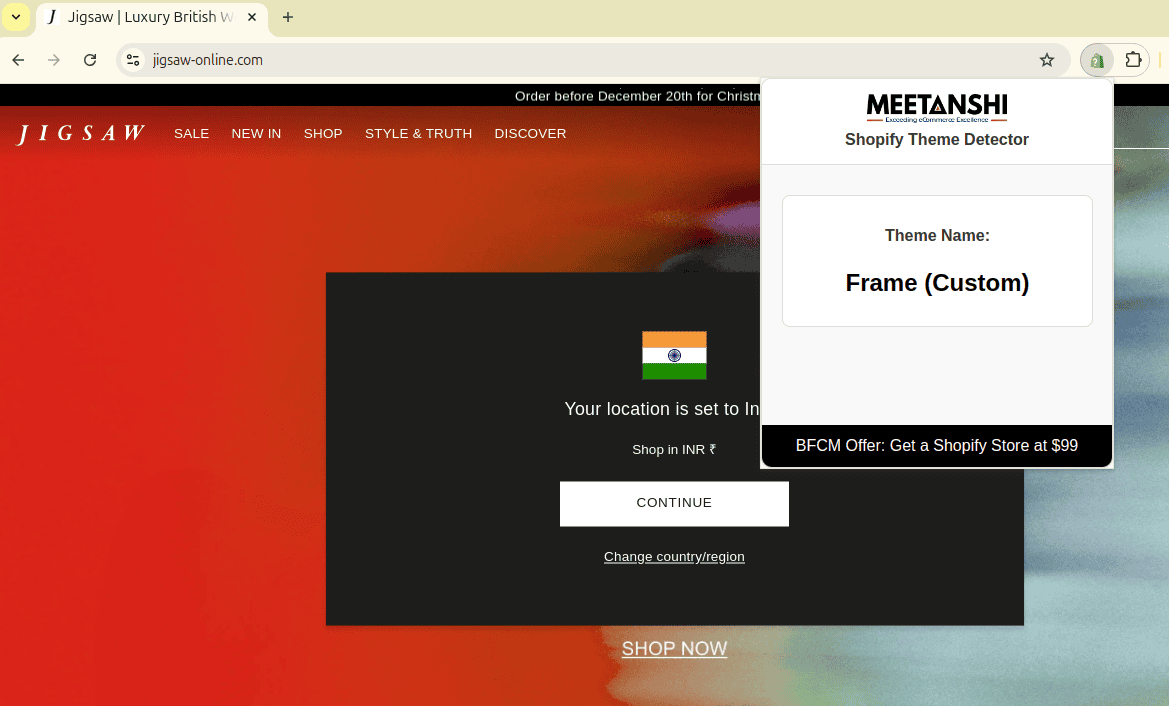
- Store URL: www.jigsaw-online.com
- Store category: Luxury apparel
- Theme name: Customized version of Frame
Example 2: Silk & Willow
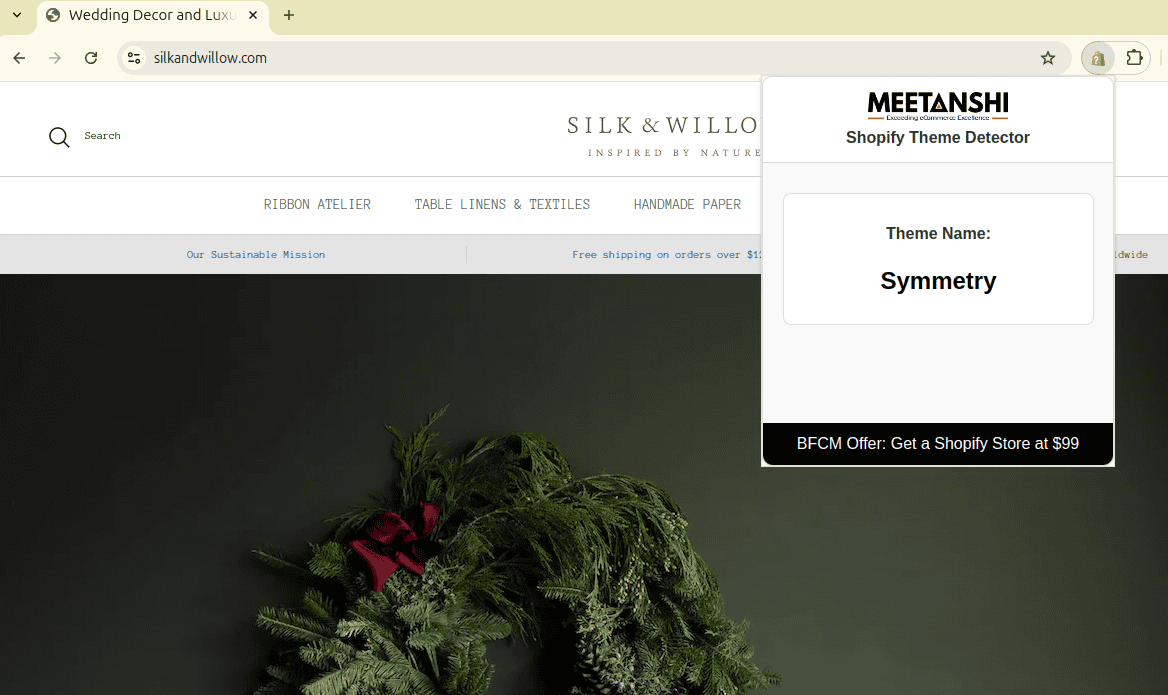
- Store URL: silkandwillow.com
- Store category: Wedding decoration
- Theme name: Symmetry
Example 3: Beefcake Swimwear
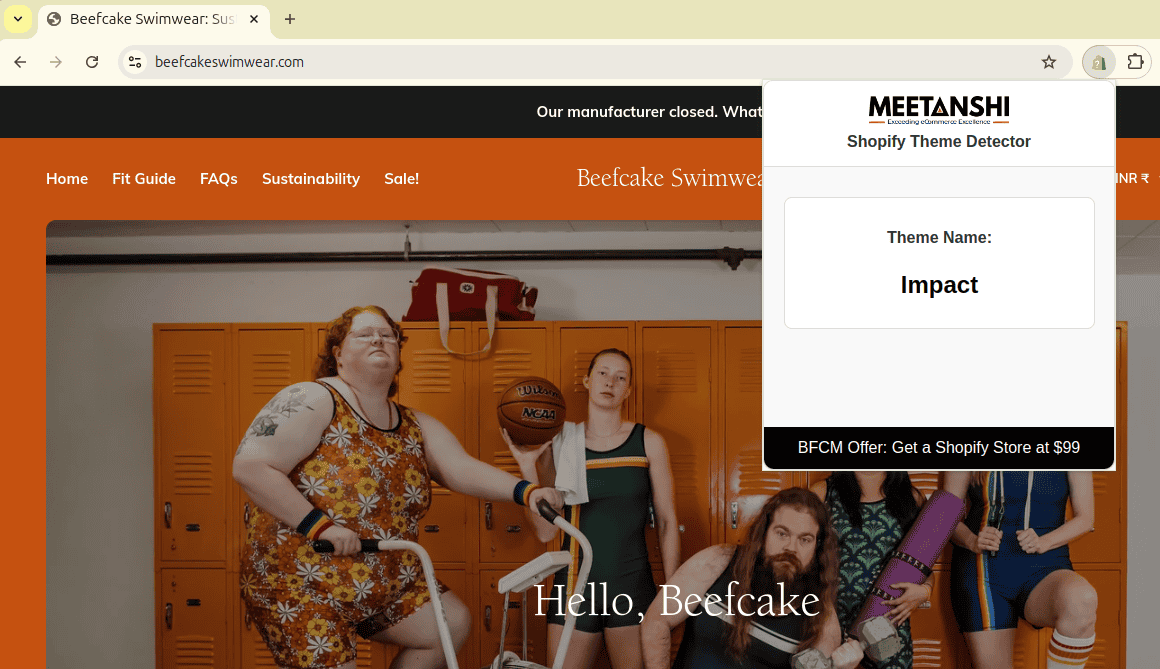
- Store URL: beefcakeswimwear.com
- Store category: Sports clothing & accessories
- Theme name: Impact
FAQs
How to Copy Someone’s Shopify Theme?
Technically, you can not exactly copy any store’s Shopify theme unless you have admin access. But, you can find out what Shopify theme the site is using and customize it to make it lookalike. However, you can not legally copy elements like logo and brand name since it can lead to copyright infringement.
What is the Theme Store ID NULL?
Empty or NULL theme store ID in a Shopify store means that the store is built on a custom theme, which is not from the official theme store.
Links to Helpful Resources
You see there are many ways to find Shopify themes a store is using. The manual method is useful if you’re a developer and want to know how Shopify theme detector tools work.
Normal users can go with below noted tool:
Both tools are free to use and help you identify the theme name along with the theme store ID. If you’re researching a new theme, you can take a look at our best Shopify themes for SEO. Our Shopify experts can also help you customize your preferred theme as per your brand in a budget-friendly manner.
