The Hyvä Theme, previously valued at €1000, is now an open source.
Starting November 10, 2025, the theme is freely accessible on GitHub and through free Packagist Composer keys provided by Hyvä.
In this blog, learn how to download and install Hyvä Open Source to leverage the benefits of a faster, lighter, and high-performance website without the cost barrier.
Let’s get started.
Steps to Download and Install Hyvä Open Source
Follow these step-by-step to install the free Hyvä Theme.
Step 1: Create a Hyvä Account
Navigate to the Hyvä site and start creating your account, this will automatically redirect you to the Hyvä Portal.
Upon successful login to the Hyvä Portal, it will send you an email containing your Hyvä Theme credentials and detailed Installation Instructions.
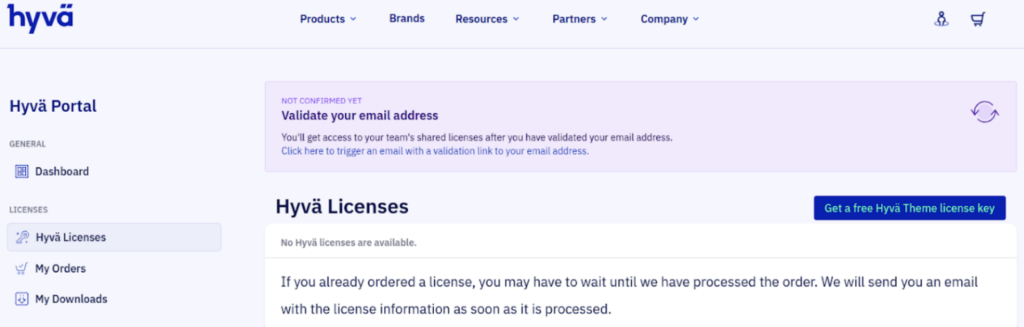
Step 2: Obtaining the Free License Key
Here is an alternate way to obtain the access keys from the portal:
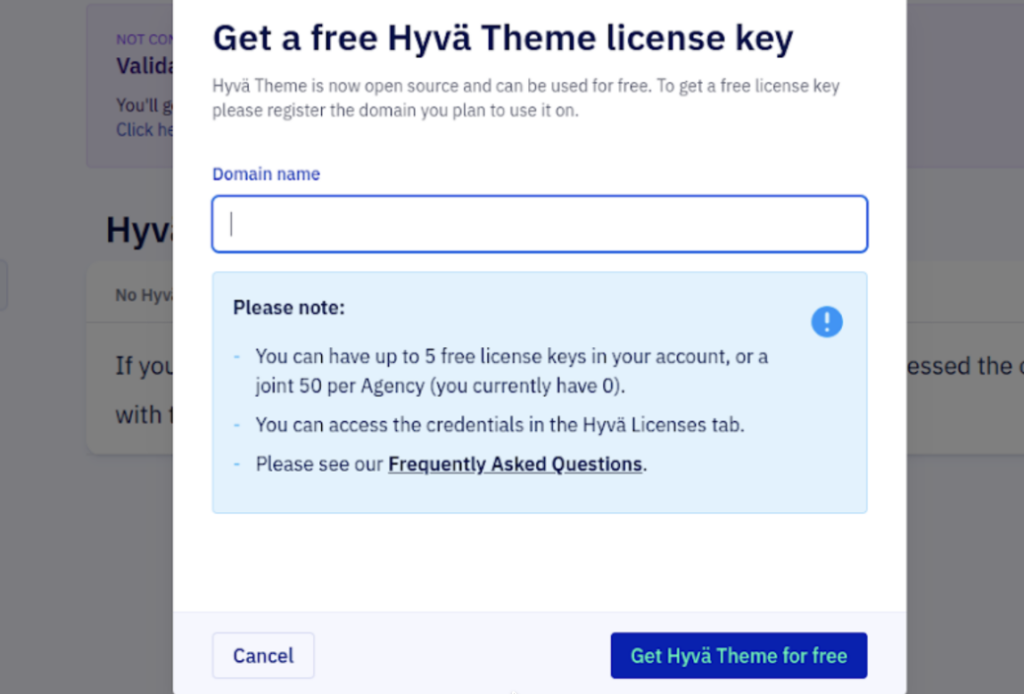
- Go to the “Hyvä Licenses” > “Get a Free Hyvä Theme License Key” button.
- It will prompt you to enter a domain name.
- Enter and then click “Get Hyvä Theme for Free”.
Once complete, you will have all the keys required to proceed with the installation.
Step 3: Retrieve Composer Credentials
Under the “All Licenses” section, find the entry corresponding to your registered domain name.
Click on “Show Composer Credentials” to reveal your unique access details. You will find your private Packagist key and the necessary commands to configure your environment for the open-source installation.
The format will look similar to this:
composer config --auth http-basic.hyva-themes.repo.packagist.com token {{Your token}}

composer config repositories.private-packagist composer https://hyva-themes.repo.packagist.com/{{ your repo name here}}/
Step 4. Install the Hyvä Default Theme
After setting the credentials above, execute the following command to download the core Hyvä Theme package:
composer require hyva-themes/magento2-default-theme
Here, the Hyvä Theme utilizes its own efficient front-end pipeline. It is strongly recommended to disable the built-in Magento minification and bundling features, as they often cause performance overhead or unwanted effects with Hyvä.
Run the following configuration commands:
php bin/magento config:set customer/captcha/enable 0

php bin/magento config:set dev/template/minify_html 0

php bin/magento config:set dev/js/merge_files 0

php bin/magento config:set dev/js/enable_js_bundling 0

php bin/magento config:set dev/js/minify_files 0

php bin/magento config:set dev/js/move_script_to_bottom 0

php bin/magento config:set dev/css/merge_css_files 0

php bin/magento config:set dev/css/minify_files 0
Step 5: Install Essential Hyvä Modules
Now, you will need to install the following modules for full theme functionality, including Luma compatibility for the checkout and the Tailwind Just-In-Time compiler:
composer require hyva-themes/magento2-luma-checkout

composer require hyva-themes/magento2-cms-tailwind-jit
Step 6. Run Final Magento Commands & Verify
Once all packages are installed, execute the standard Magento commands to finalize the setup:
php bin/magento se:up

php bin/magento s:s:d -f

php bin/magento s:d:c

php bin/magento c:c

php bin/magento c:f
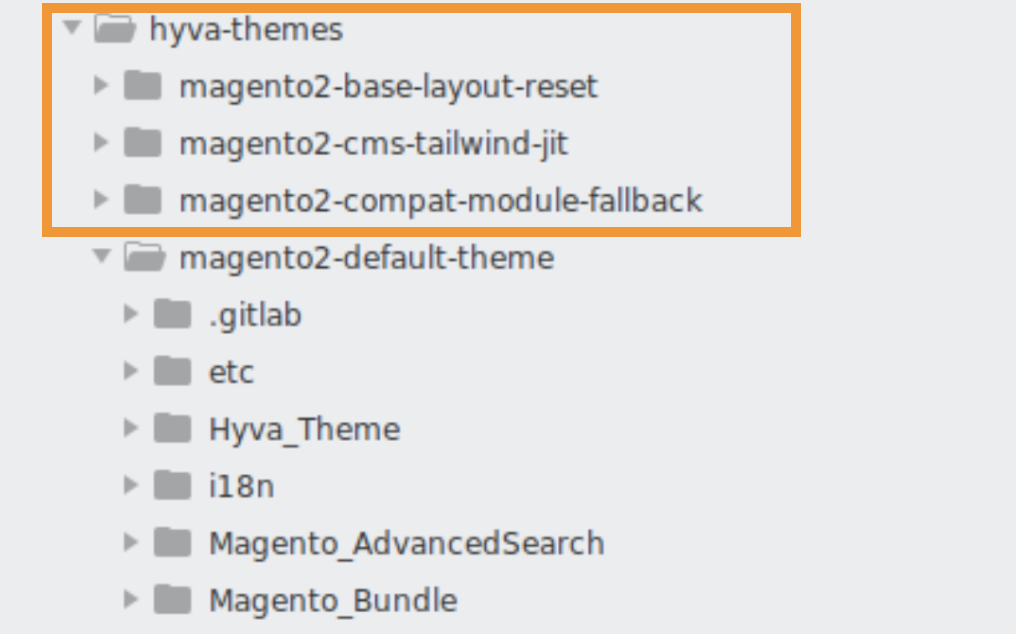
When you have successfully followed the above steps, you will be able to see the Hyvä theme folder structure within your Magento installation directory.
This wraps up our simple guide on how to download and install Hyvä open source successfully.
If you are feeling uncertain about doing these steps yourself, our Hyvä experts are here to help you out.
Our expert can help you:
- Create your theme from scratch
- Customize the theme as per your idea
- Create child theme for any specific project
Get in touch today and make the most of this super effective Hyvä theme in your Magento 2 store.