

Creating detailed product descriptions is a headache for a large number of SKUs.
And they can’t even be ignored, as product description is a great opportunity to drive more customers to your virtual front door.
So how do you write quality descriptions without spending too much time?
In this blog post, learn the easiest way to bulk edit product descriptions in Shopify.
Can You Bulk Edit Product Descriptions in Shopify?
Yes, you can bulk edit Shopify descriptions.
You can edit or update your product’s descriptions using a CSV file or Shopify’s bulk editor.
The process of bulk editing collections, product details, and product variants depends on the attributes you would like to update.
How to Bulk Edit Product Descriptions in Shopify?
Here are the steps on how to bulk edit product descriptions on Shopify
Step 1: Go to Shopify Products
Log in to your Shopify admin panel and navigate to the Products section.

Step 2: Select Products for Bulk Editing
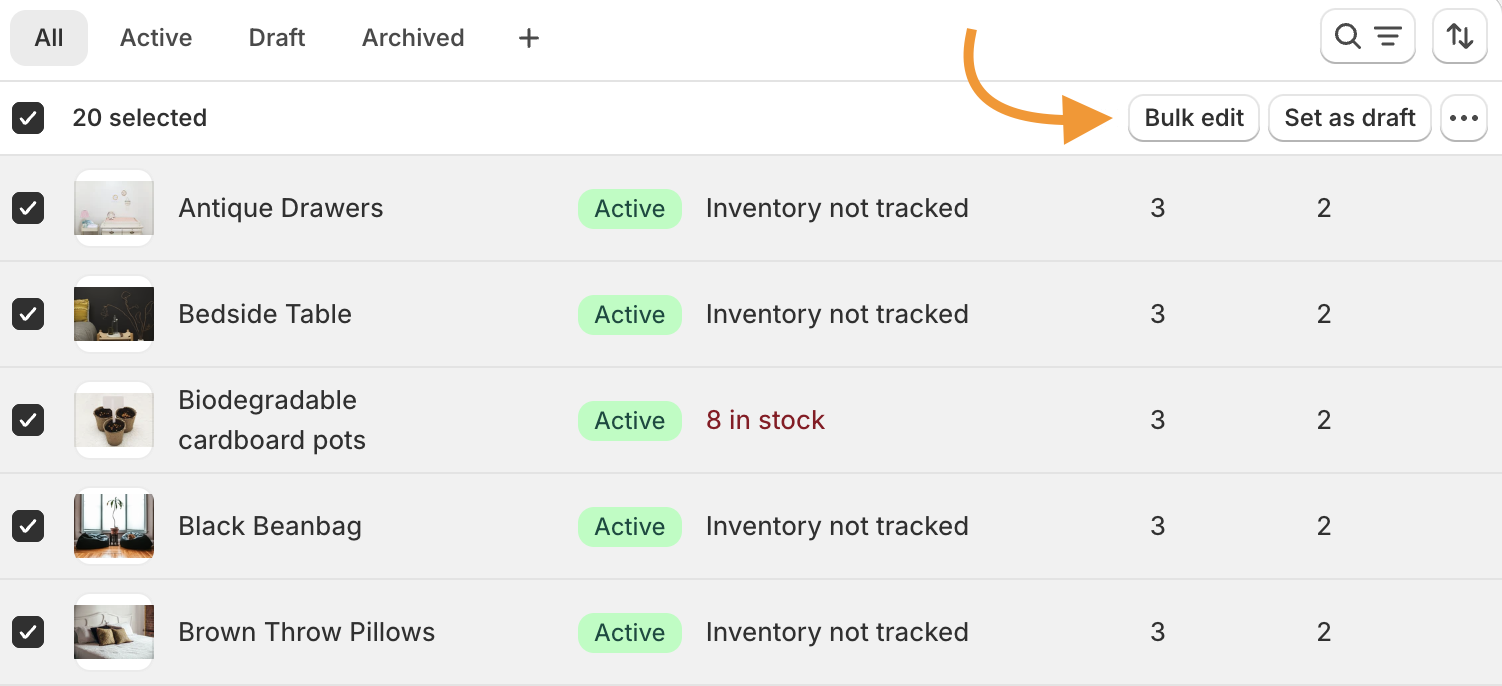
Click on the checkbox next to the product to select the products for which you want to edit the product description. Once done, click the Bulk edit option.
Step 3: Select the Product Description Columns
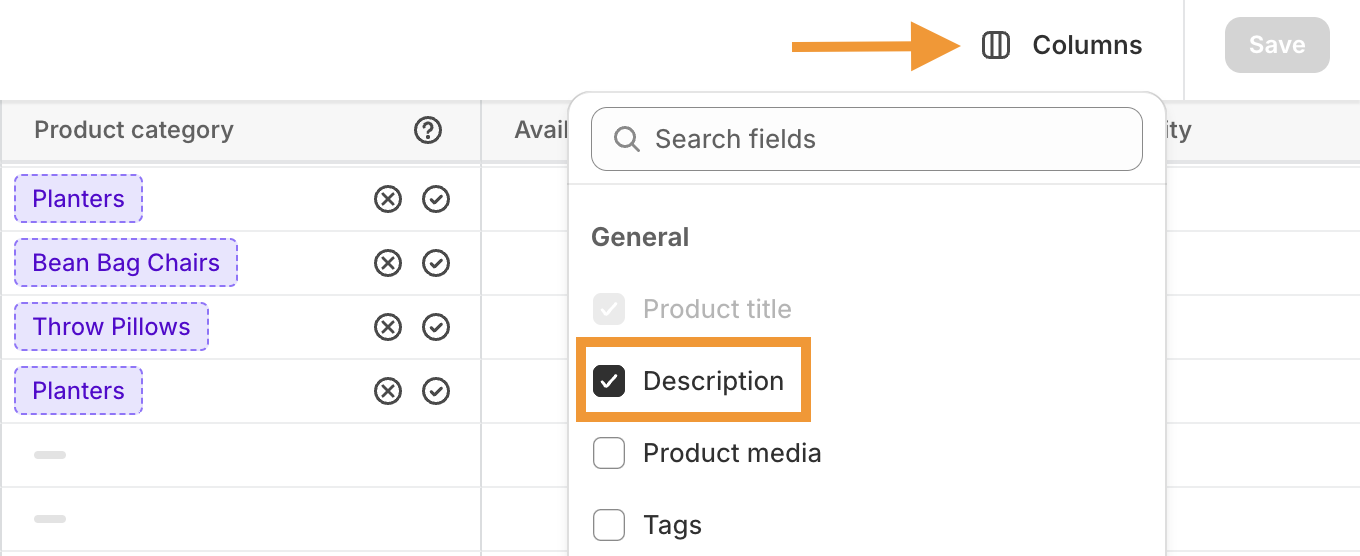
Here, you will get various columns relating to the products you have selected. If you don’t see the description field, go to Columns and select Description from the check box.
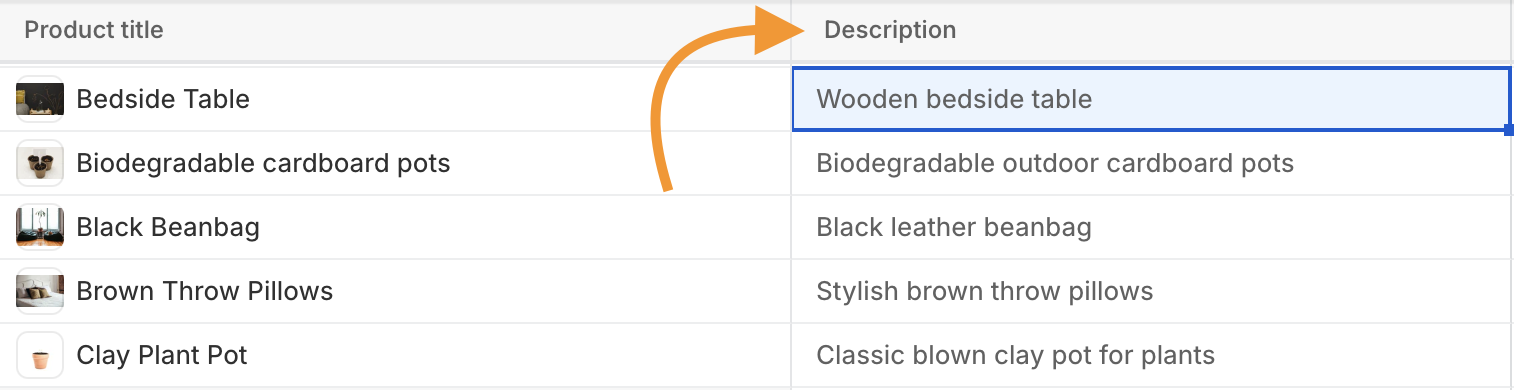
After this, head to the Description column and start editing the description for each of your products. Click Save once it is done.
However, you still need to put effort into crafting SEO-friendly product descriptions.
While it not only takes your productive hours your way, it is also prone to errors or other formatting issues while editing your content in real-time.
At this point, you will need a solution that minimizes your efforts in such tasks.
Bulk Generate Product Description in Shopify (Using AI)
The Meetanshi’s AI content generator app can bulk edit and update product descriptions for you just in a click.
You don’t need to manually write any copy for any of the product descriptions regardless of the SKU count.
Additionally, you can optimize your collections page, get detailed SEO-optimized blog posts, SEO titles and meta descriptions using our AI content generator app.
Here are the steps to bulk edit product descriptions in Shopify using our app,
Step 1: Install the Meetanshi AI Content Generator App
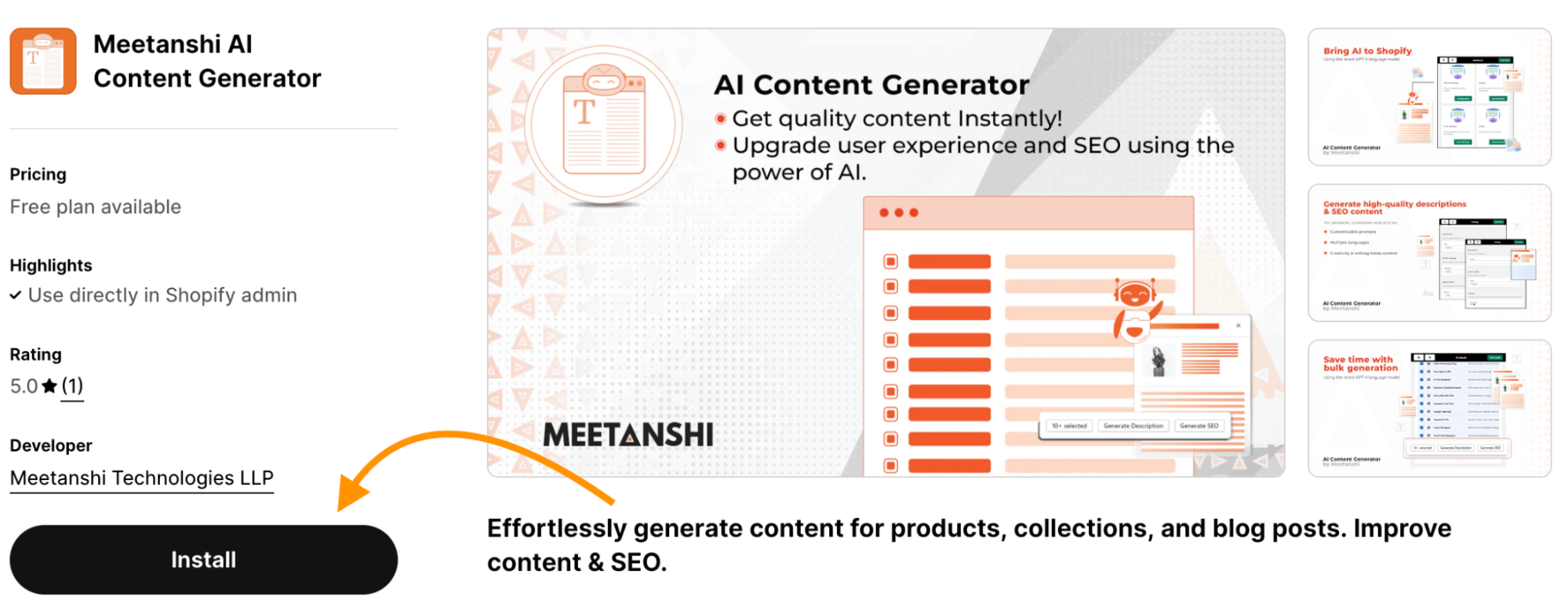
Go to the Shopify app store and install Meetanshi AI Content Generator app.
Step 2: Select Products to Edit
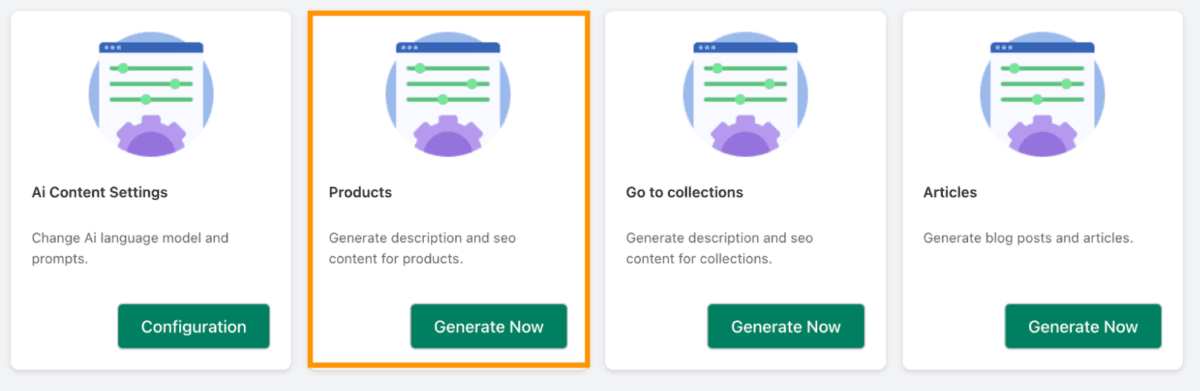
Open the app dashboard, go to the Products card and click on Generate Now.
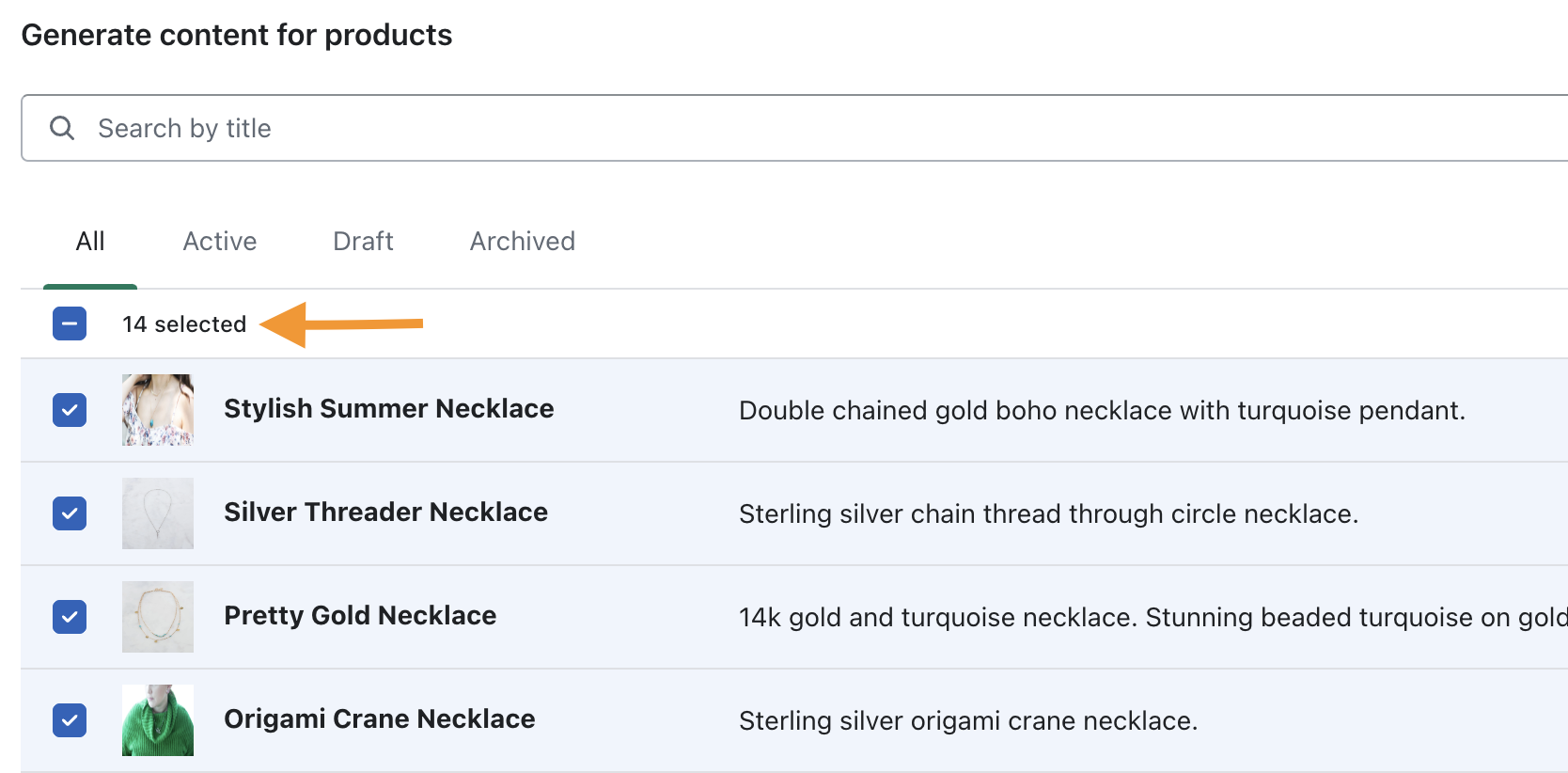
Here, you have to select the products for which you want to rewrite the product description.
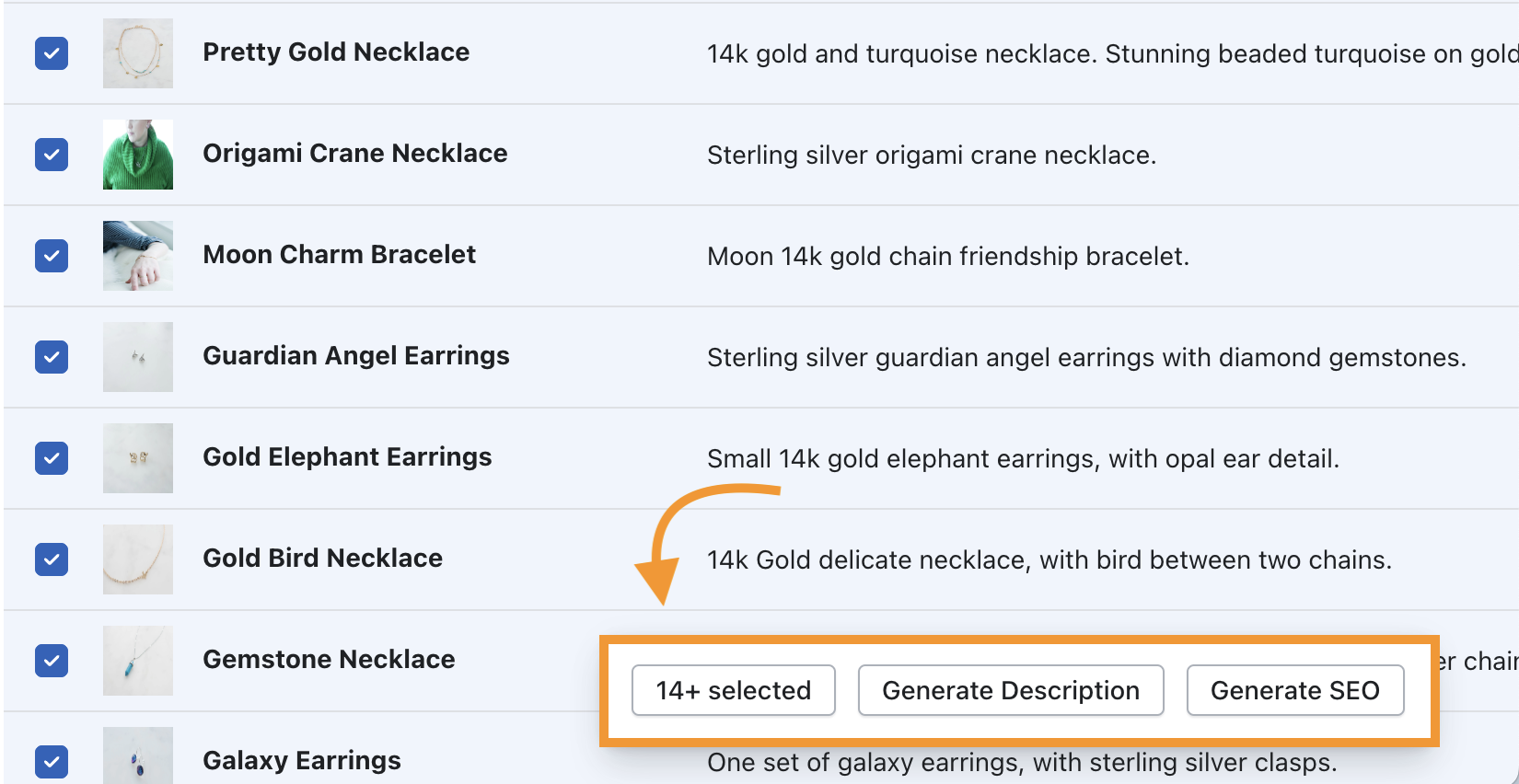
Step 3: Generate Bulk Description in Minutes
Then, click the Generate Description to let AI write effective product descriptions for you.
Voila! Your products are ready with fresh product descriptions to entice more shoppers with just a few clicks and in just a few minutes.
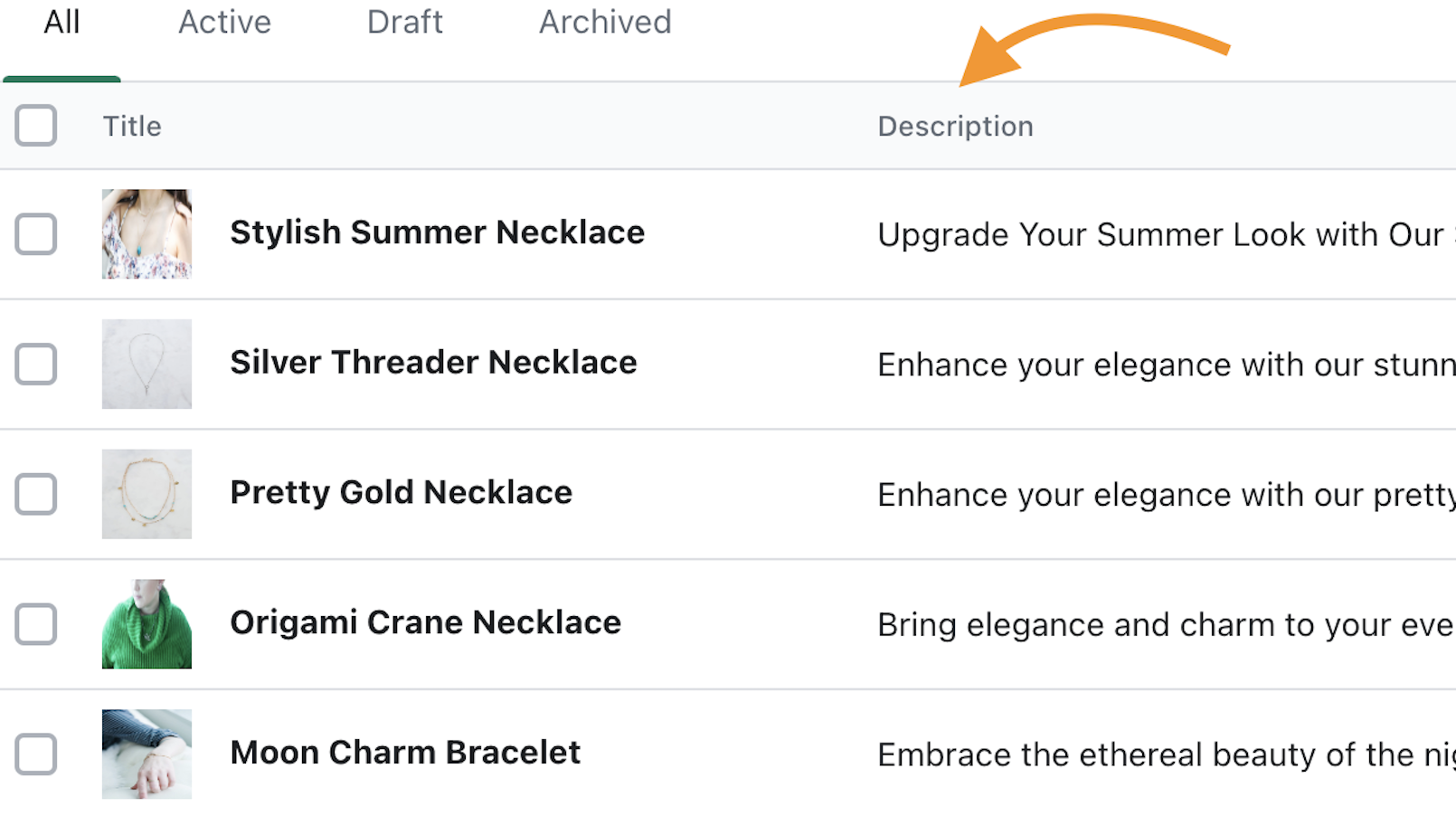
You can also regenerate the product description as many times as you want and fine-tune the language of the prompts to blend the content with your brand’s voice.
Leverage the latest AI models like GPT-4 to speed up your content production.
Start Today
Frequently Asked Questions
How do I bulk edit product variants in Shopify?
Follow the below steps to bulk edit product variants:
- From your admin dashboard, go to Products.
- Select the products you like to edit using checkboxes and then click Bulk Edit.
- From the columns start editing and once all done, click Save.
How do I access Shopify bulk editor?
- Go to your Shopify Admin dashboard and select what you want to edit in bulk from products, collections, inventory or customers.
- Select the section, and on the individual pages of these sections, select list items you like to edit.
- Click ‘Bulk Edit’ to use the bulk editor to edit all the list items in one go.
How do I edit all product descriptions in Shopify?
The Meetanshi AI content generator app is your easy way to edit all product descriptions using AI powers with just a few clicks.
Scale Your Content Creation Process
Juggling between writing content and managing other store-related things can get overwhelming.
You can leave your content worries to us, as our Meetanshi AI Content Generator app can help you create content instantly and without any need of external help.
So, get started with the Meetanshi AI Content Generator app for free and leverage the power of AI into your Shopify store.
