Want to make your product browsing easier? Adding a Shopify collection list to your store lets you display multiple product categories on a single page, enhancing navigation and UX.
This blog covers two ways of adding a collection list using the Shopify theme settings.
How to Add a Basic Collection List in Shopify
This method helps to create a basic design to add to your Shopify collection list. Using the default theme template, you can add the list, which might look something like this:
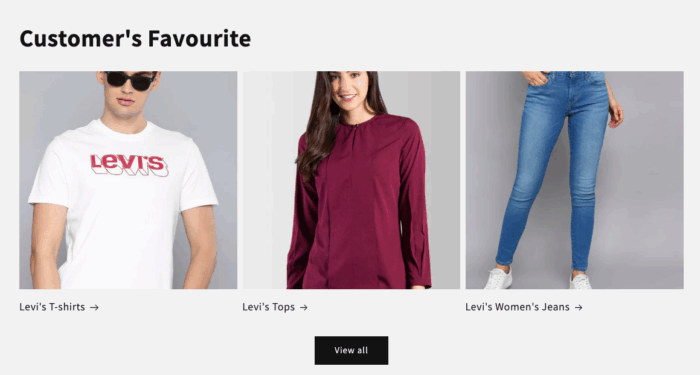
While it offers simple navigation, it doesn’t do justice to the UI of your store. Here are the steps to configure it.
- Step 1: Head to collection lists
- Step 2: Add collections
- Step 3: Save the changes
Step 1: Head to Collection Lists
Open the Shopify admin > Online store > Themes > Customize.
In the theme editor, select the Add section under the Template. In the search bar, find and select the Collection list.
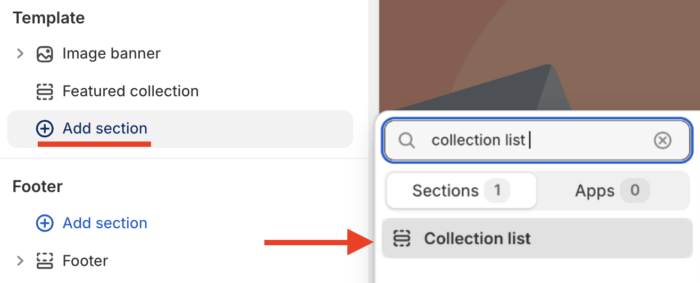
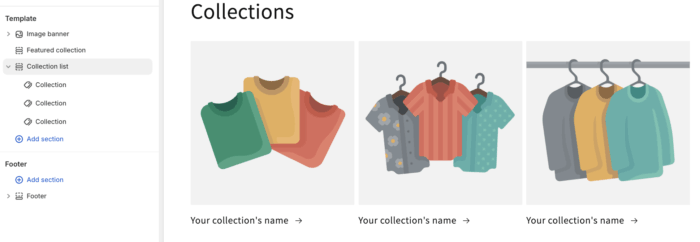
Then, you will see a template of the collection list, which you can start customizing based on your liking.
Step 2: Customize Your Collection List
First, select Collection after you expand the Collection List and navigate to the right-hand side to add the collection.
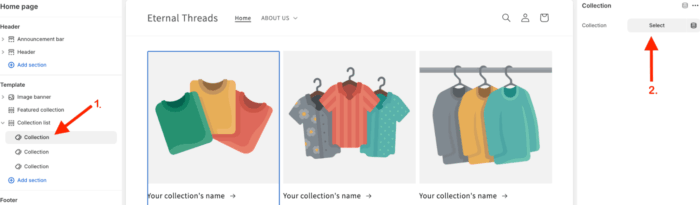
Simply click on Select, and you will get a list of all your store collections. Find the right one to add to your collection list.
Follow the same process to add the rest of the collections.
Now, click on the Collection List to get an option to customize the format of this list.
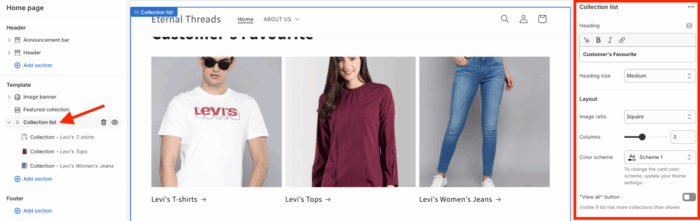
Step 3: Save the Changes
Once you’re done making the changes and adding collections, Save it.
The collection list will show you in your store accordingly. While it improves your browsing experience, you can also add infinite scrolling functionality.
Add a Modern Collection List Section to Shopify (Free)
This method creates a visually appealing collection list, helping you to optimize your store’s design. Using simple navigation, you can create a design like this one (no code and no cost):
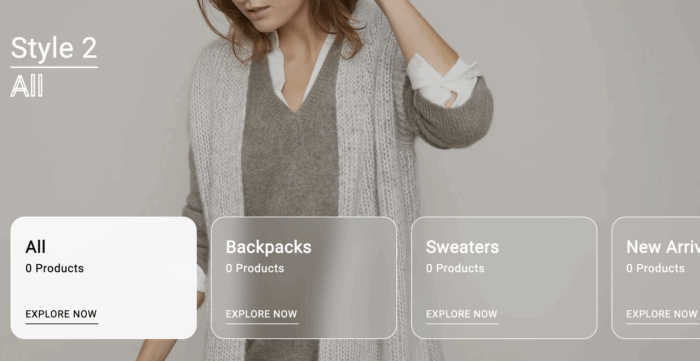
For this, we will use the MIT Sections Pro app, where you get a range of Shopify expert-coded sections. You can add any section with a single click, eliminating the need for any manual coding or theme code edits.
Here are the simple steps you need to follow.
Step 1: Install and Pick a Collection List
Install the MIT Sections Pro from the Shopify App Store for free. Then, from the app dashboard, click on the Browse section.
Then, select the Collection list section. Here you will find a few different template options.
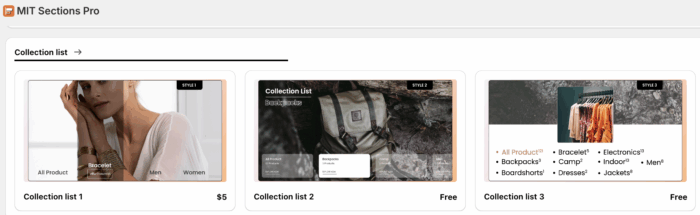
Let’s go ahead with Collection list 2. Open the collection and click Get for Free.
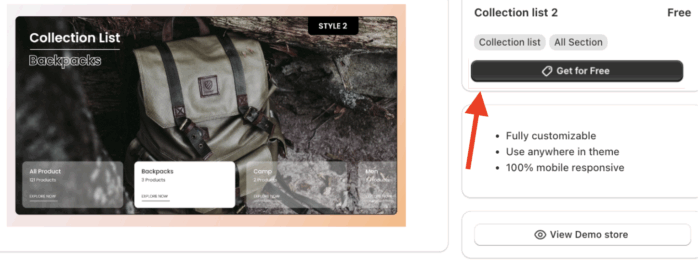
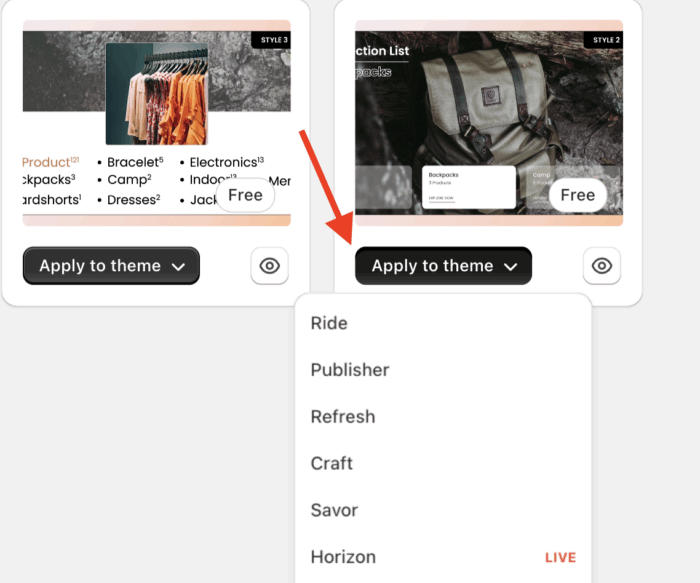
Now navigate to My section and click on the Apply to theme button on the selected free section. Select the theme from the dropdown menu.
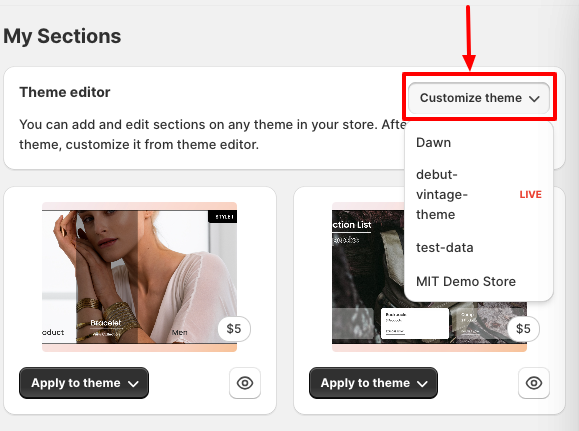
Step 2: Add the Collection List to Your Store
Click on Customize theme and select your store theme. This will redirect you to the theme editor.
From there, click the Add section and scroll down to the new section named Meetanshi: Collection list 2.
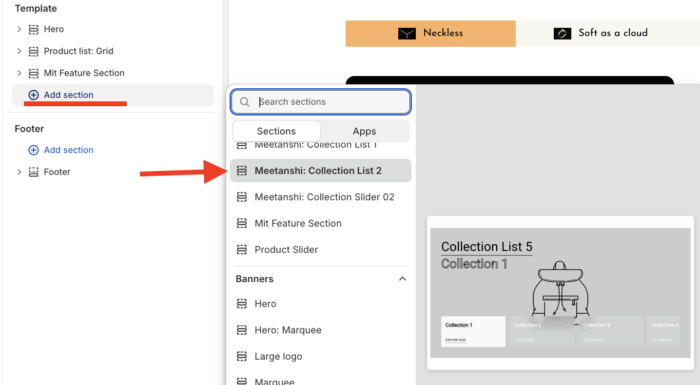
Once you’ve added the collection list, there are plenty of options available for customization; you can make changes as per your requirements.
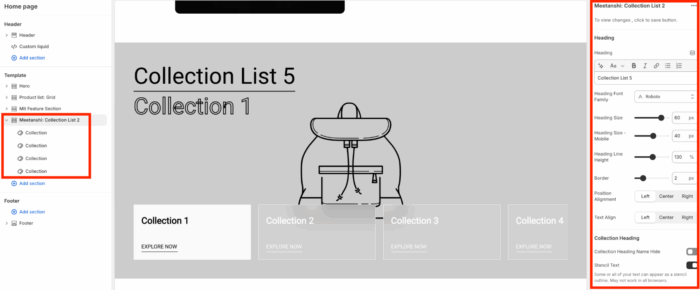
Step 3: Get a Stylish Section in the Frontend
Save the changes, and your compelling collection list section is ready.
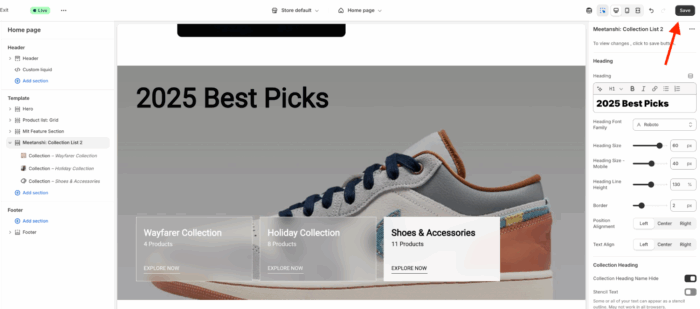
Here, you get 20+ customization options, compared to the basic one that only gives you 10.
You can also use the paid sections using the same steps. Instead of the “get it for free,” you will see a “buy now” button.
Why Choose the MIT Sections Pro App?
The app is loaded with multiple ready-made sections available at just a click.
It is an ideal solution to add modern and engaging designs at a minimal cost:
- Completely free to install, making it easy for you to tap into advanced customization
- Access to 130+ free and paid beautiful sections, such as product sliders, banners, testimonials, FAQs, and more, covering all major storefront needs
- Sections can be added to any page anytime, without any technical knowledge or developer help
- Compatible with all Shopify themes and optimized to keep a high page speed, serving a smooth experience
- Easily add or swap sections as your business grows, so the store’s UI evolves around your requirements
- Free to install, and an option to check the demo to test it to see if it goes with your store’s personality, before making any commitments
Your all-in-one solution to create a professional Shopify store
Install App Now