In order to hide payment method by location in Shopify, use the MIT Payment Hider Shopify app.
It is a simple app to hide, edit, and rename payment methods.
The other option to restrict payment methods by location is using the Shopify Functions, but here you need to hire a developer to handle this task if technicalities are not your strong suit.
The MIT Payment Hider Shopify is a DIY and code-free solution.
Steps to Restrict Payment Method Visibility by Country
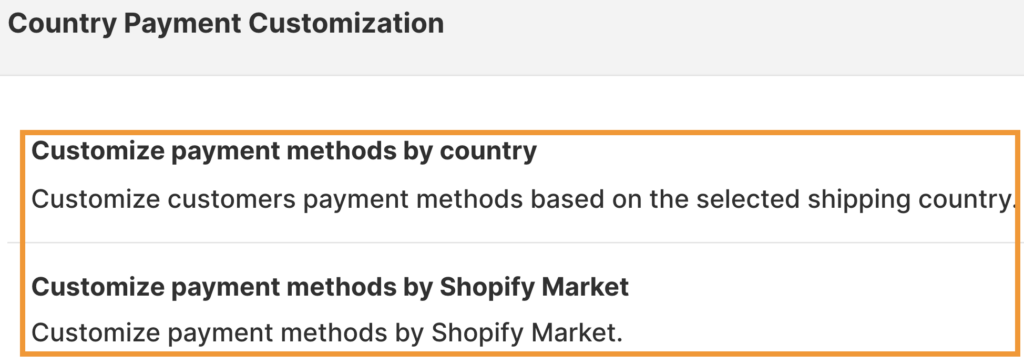
You can manage the visibility of the payment method based on two customization options using the app: customization based on shipping country or by Shopify market.
In both, you have complete control over adding the different market/country groups, with the option of including the desired payments.
Here are the steps to hide payment method by location on Shopify:
- Select the Payment Customization Option
- Add Hide Payment Settings
- Show Payment Methods as Required
Step 1: Select the Payment Customization Option
Install the MIT Payment Hider from the Shopify App Store
Head to Createa Customization and pick between: Customize payment method by country or by Shopify market.
Step 2: Add Hide Payment Settings
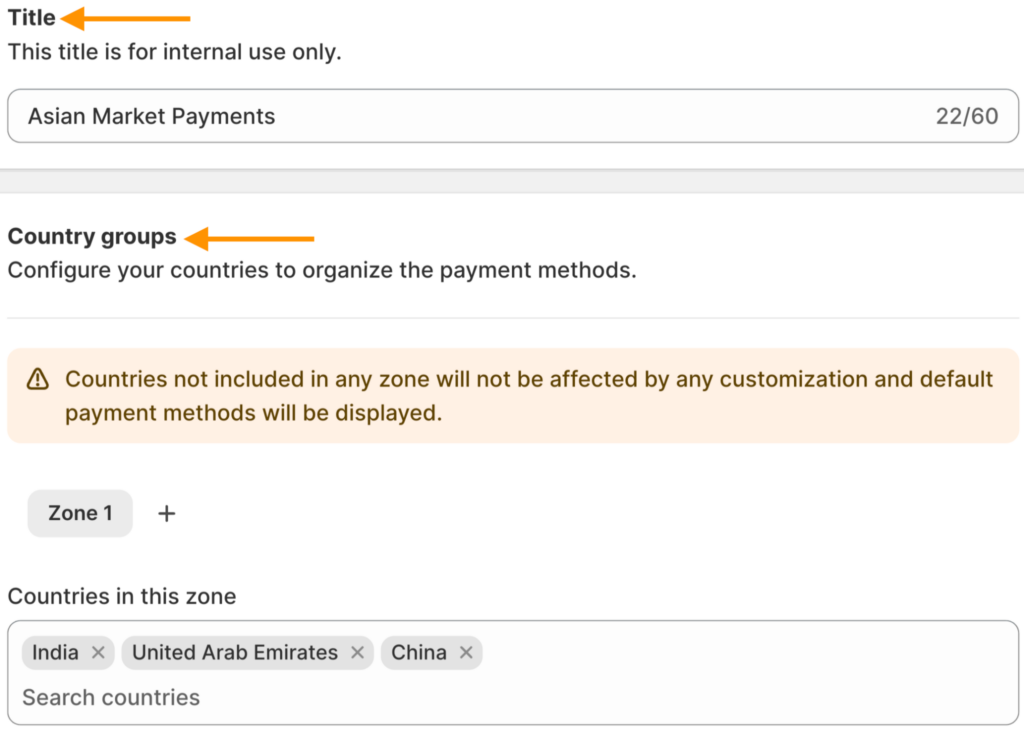
- If you select the customize payment methods by country, then add the following settings (they would be the same for the Shopify market, only the market group section is added).
Now, add the following details:
- Add a title for your payment rule
- Add the country groups to restrict the payment method
- You can click on the + icon next to Zone 1 to add more country groups
Step 3: Show Payment Methods as Required
- Edit the payment name if needed, or delete the payment option you don’t want to show in this particular zone using the X mark.
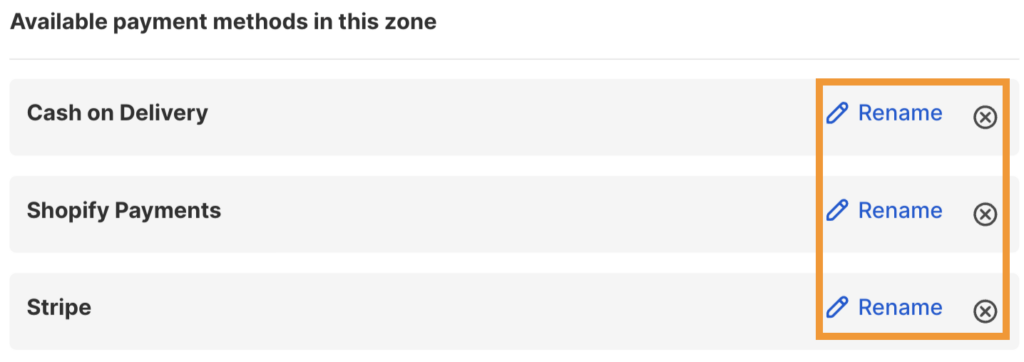
If you don’t find a payment option, scroll and click + Add payment method at the end to edit the payment as need.
Then, click Save and find this process
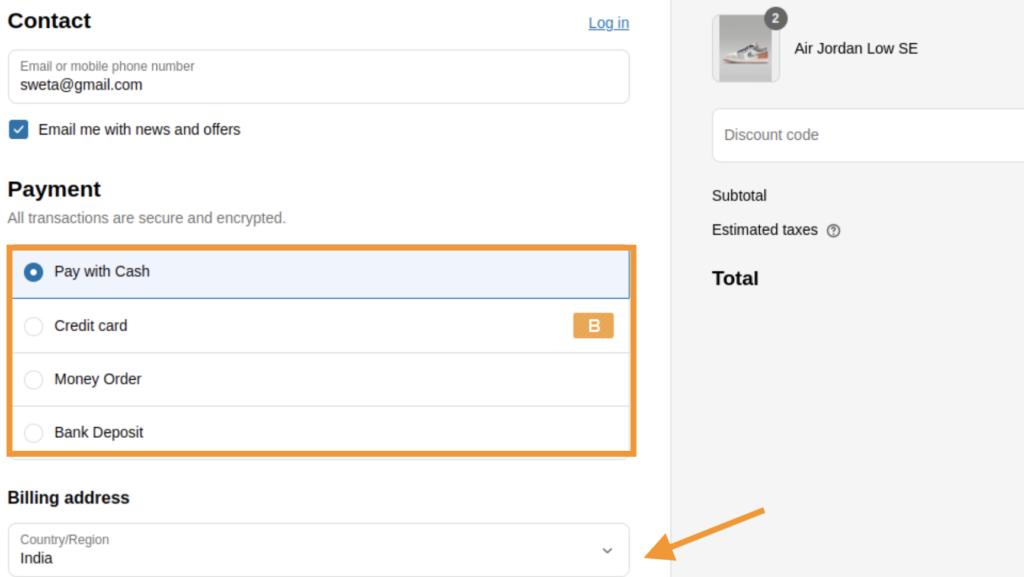
And this is how it will show in the front end: COD payment method hidden for shoppers from India.
This is how you can restrict payment methods in Shopify without complicating the process.
Hide, sort, and rename payment options in your Shopify store without editing the theme file.
Edit Now