Shopify lacks a native tool to restrict Cash on Delivery to specific customer segments or tags.
By using the MIT Payment Hider app, you can automatically hide COD for high-risk profiles or guest users to protect your business from unnecessary returns.
Learn here the exact way to hide cash on delivery for certain customers in Shopify.
Steps to Hide Cash on Delivery for Certain Customers
Follow these simple steps to hide the payment option for a specific group.
Step 1: Create Customer-Based Customization
Navigate to MIT Payment Hider > click on the Create Customization button. Select the Customer Payment Customization.
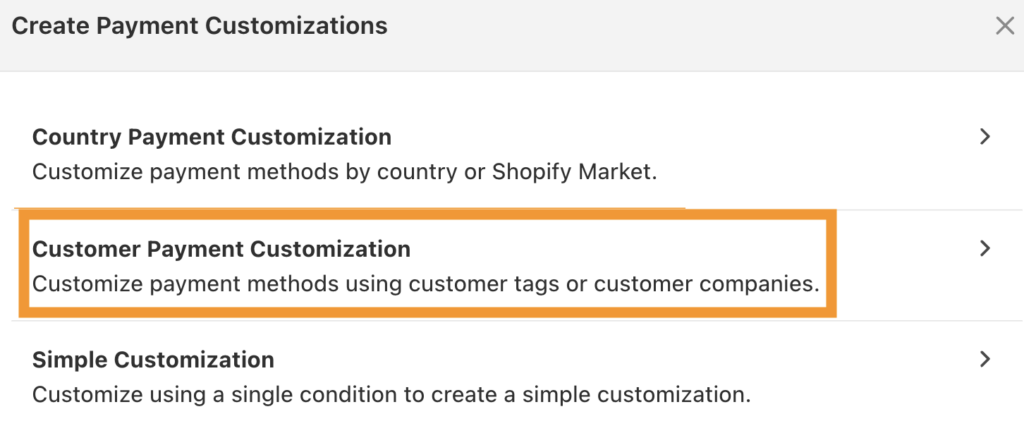
Step 2: Hide COD for the Selected Group
First, add the the payment title for internal use.
Then, add the specific customer tags (e.g., “Guest” or “login”) that should trigger the rule to hide the payment method.
Scroll down and locate Cash on Delivery in the payment methods list. Click on the cross mark to remove the payment method for this specific customer group.
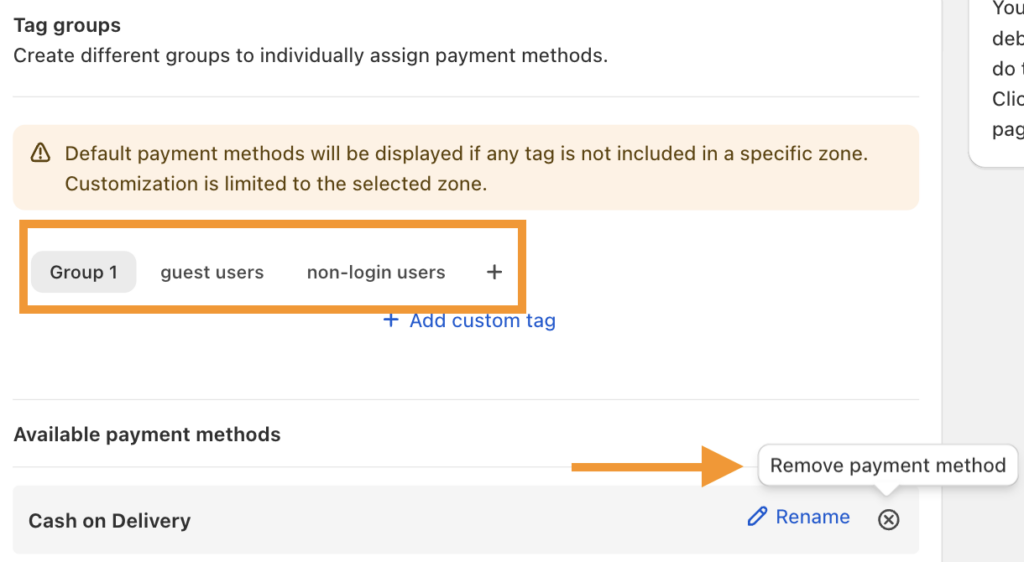
If COD label is not visible in the list, use the Add Missing Method button to manually add it.
Step 3: Payment Changes at Checkout
Log in as a customer with the specified tag or proceed as a guest (depending on your rule) and head to the checkout page.
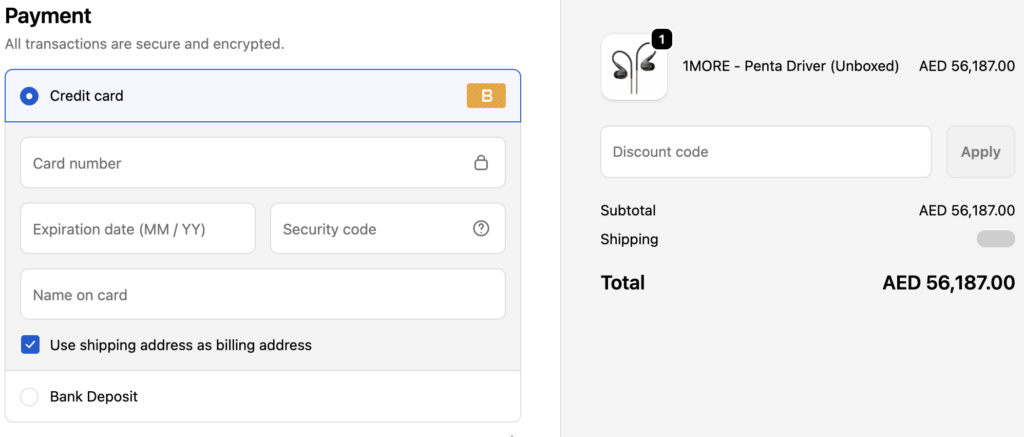
The Cash on Delivery option is hidden, while other customers will continue to see it.
Frequently Asked Questions
1. How to disable Cash on Delivery (COD) in Shopify
You can disable COD entirely across your store from the Shopify admin:
- Go to Settings > Payments.
- Scroll to Manual Payment Methods.
- Find Cash on Delivery, click Edit, and select Deactivate.
If you only want to disable for certain orders, use the MIT Payment Hider Shopify app.
2. How to hide COD (Cash on Delivery) based on location in Shopify?
Use the MIT Payment Hider app to create country-based customization and remove the COD payment method for shoppers from the added location.
3. How to hide Cash on Delivery (COD) for international orders on Shopify ?
Use our Shopify app and create a simple customization logic to ensure only domestic customers can use COD.
The app will check the customer’s shipping address. If the country is anything other than your selected home country, the COD option will be stripped from the checkout page automatically.
Shopify lacks a native tool to restrict Cash on Delivery to specific customer segments or tags. By using the MIT Payment Hider app, you can automatically hide COD for high-risk profiles or guest users to protect your business from unnecessary returns.
Hide, sort, and rename payment options in your Shopify store without editing the theme file.
Edit Now