There is no built-in Shopify feature to selectively hide payment gateways based on your specific business rules. The MIT Payment Hider app gives you the control you need to hide unnecessary options and create a cleaner, more focused checkout experience.
Steps to Hide Specific Payment Methods in Shopify
Step 1: Create Payment Customization
Navigate to MIT Payment Hider > click on the Create Customization button. Select a category (e.g., Simple Conditions or Advanced Conditions) depending on how broad or specific you want the rule to be.
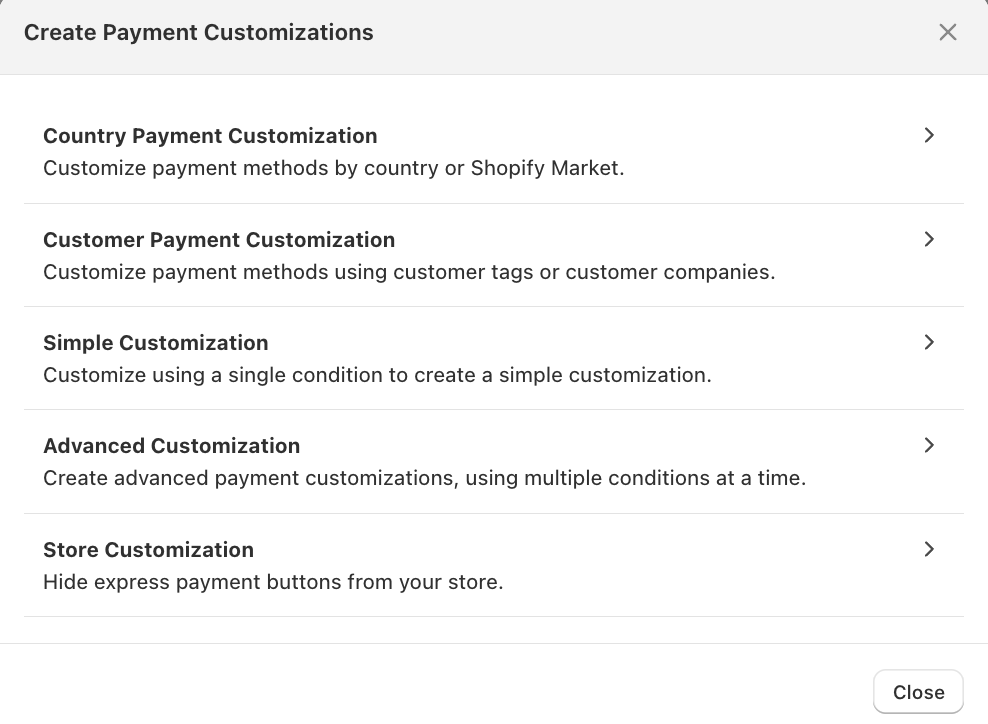
Add the needed conditions to run the customization specific to cart totals, products, or order attributes.
Step 2: Disable the Payment Method
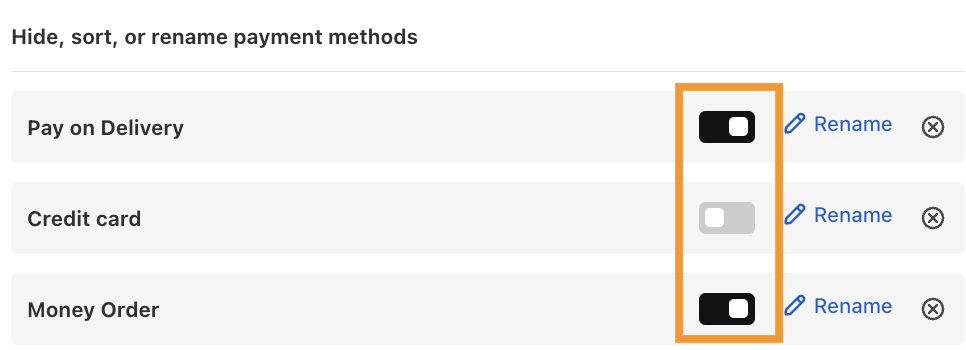
Locate the payment method you wish to hide from the list.
Toggle the visibility switch to the “Hide” position. If the specific gateway you want to hide is not listed, click the Add Missing Method button and enter the exact name as it appears in your Shopify settings.
Step 3: Payment Changes at Checkout
Take a store preview and add a product to the checkout page that meets the conditions you defined. You will see that the restricted payment method is now hidden from the list of available options.
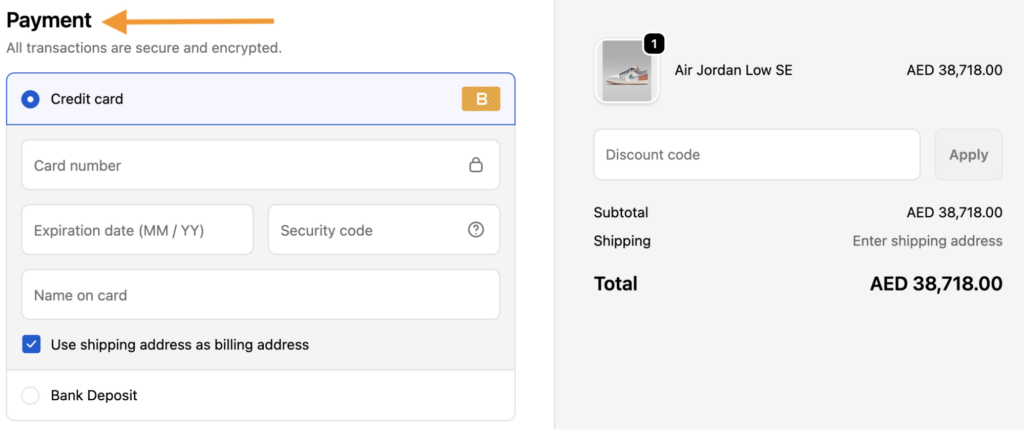
As set, the pay on delivery and money order methods are hidden from the checkout.
A clean checkout is a high-converting checkout. Removing irrelevant payment options reduces decision fatigue for your shoppers. With the flexibility of MIT Payment Hider, you can keep your checkout sleek, professional, and optimized for your business needs.
Hide, sort, and rename payment options in your Shopify store without editing the theme file.
Edit Now