

Moving to Shopify is a big leap forward for your business, and you don’t have to leave your trusted Wix domain behind.
By connecting it to Shopify, you can maintain your brand credibility, keep your SEO intact, and make the switch smooth for your customers.
This blog outlines the step-by-step process to connect the Wix domain to Shopify.
Can You Connect a Wix Domain to Shopify?
Yes, you can connect a Wix domain to a Shopify store, and it is easier than you might think. When you set up a new Shopify store, you have a few different options for adding a domain.
In fact, you can choose the one that fits your business.
The first option is connecting a Wix domain to Shopify if you have already registered through Wix. You can simply update the DNS settings in Wix to point to your Shopify store. This lets you keep the existing domain name without transferring the ownership.
Another option is to buy a new domain directly from Shopify; this is easy to utilize, and your domain will be directly set up and connected to your Shopify store.
Instead of connecting domains, you can also transfer the domain to Wix from Shopify. Meaning Shopify will become your domain registrar, and you can manage everything from the Shopify dashboard.
Wix Domain to Shopify: Prerequisites
Before you connect the Wix domain to Shopify, make sure you have the following essentials ready.
- Ensure you have access to your Wix and Shopify accounts with the correct login details
- Your domain must be at least 60 days old and unlocked to be eligible
- The Wix domain should be linked to a valid email for potential verification
- Be patient with DNS propagation, as it can take up to 48 hours
- Keep your Shopify DNS information ready, including the A record and CNAME record
How to Connect a Wix Domain to a Shopify Store?
Here I’m going to walk you through the process of connecting your Wix domain to Shopify in just three simple steps.
- Step 1: Update the A records in Wix
- Step 2: Update the CNAME records in Wix
- Step 3: Connect & Verify Domain in Shopify
Step 1: Update the A records in Wix
Log in to your Wix account and head to Account Settings > Domains > … > Manage DNS records.
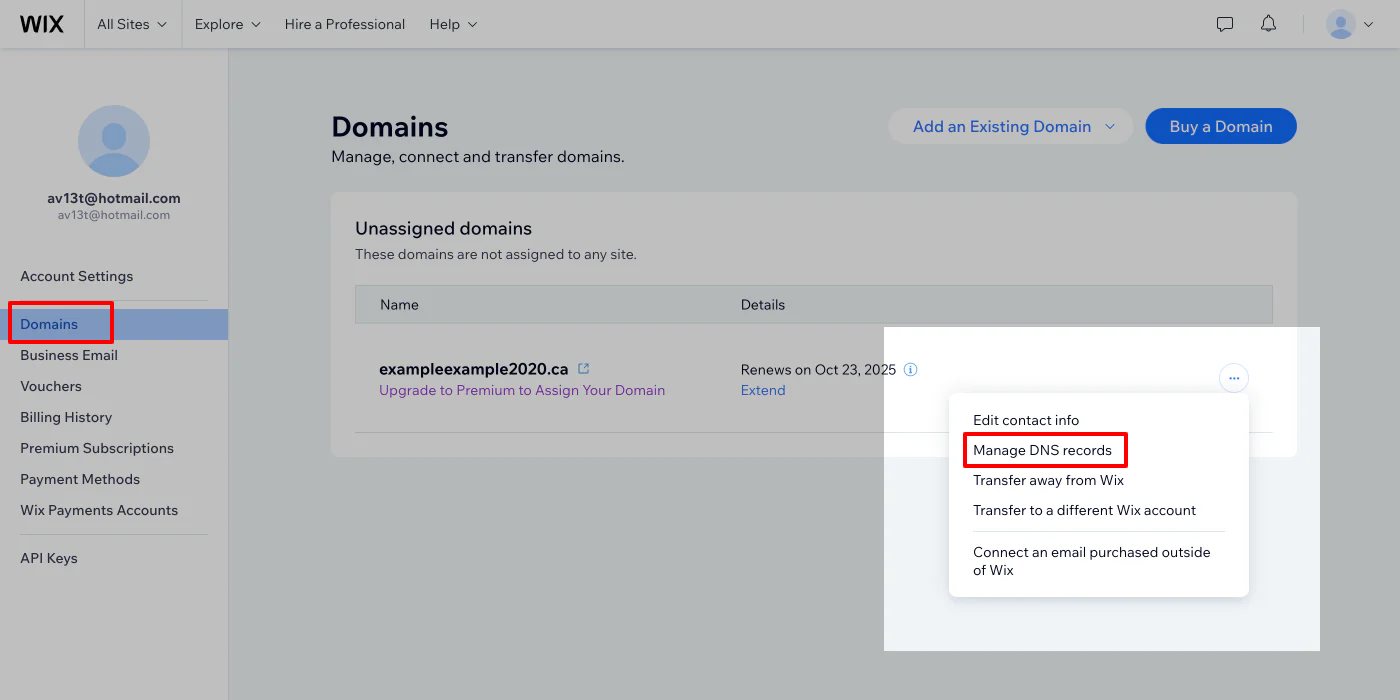
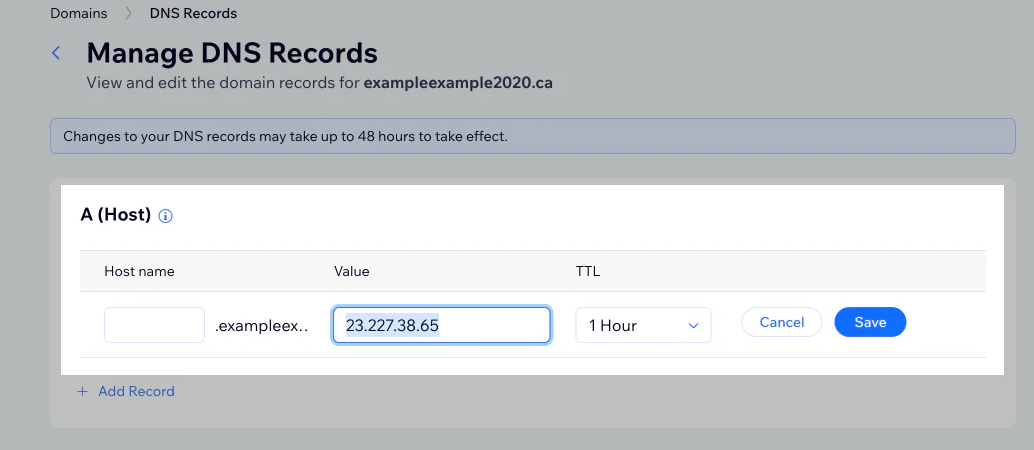
Now, click on Advanced to open the DNS records and find the A(Host) record and set it to point to Shopify’s IP address. Save the changes
Step 2: Update the CNAME records in Wix
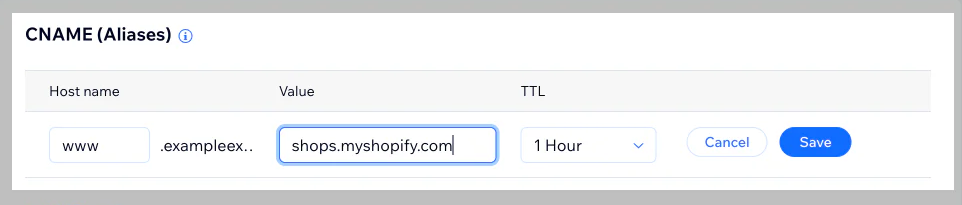
Then, in the CNAME (Aliases), click Edit. In the Host name field, enter www. In the Value field, enter shops.myshopify.com.
Then, save the changes.
Step 3: Connect & Verify Domain in Wix & Shopify
To verify the Shopify domain, open your Shopify account > Settings > Domains. Click Connect existing domain, enter the Wix domain name, and then click Next.
Shopify will give you a TXT record that you need to add to your domain DNS settings.
Now, go to the Wix tab, then Account settings > Domains … > Manage DNS records.
Under the TXT (Text) Records section, click Add Record.
In the Value field, paste the TXT record Shopify gave you.
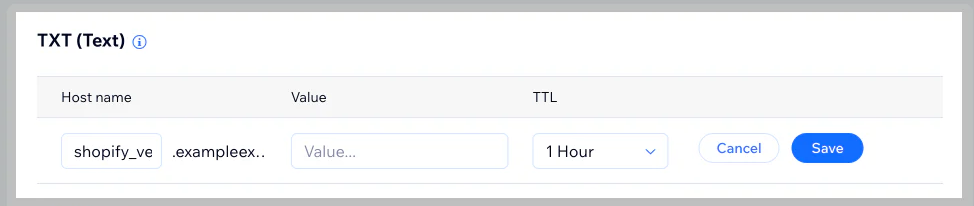
At last, save the changes.
It may take up to 48 hours for DNS changes to take full effect globally, but it often updates sooner.
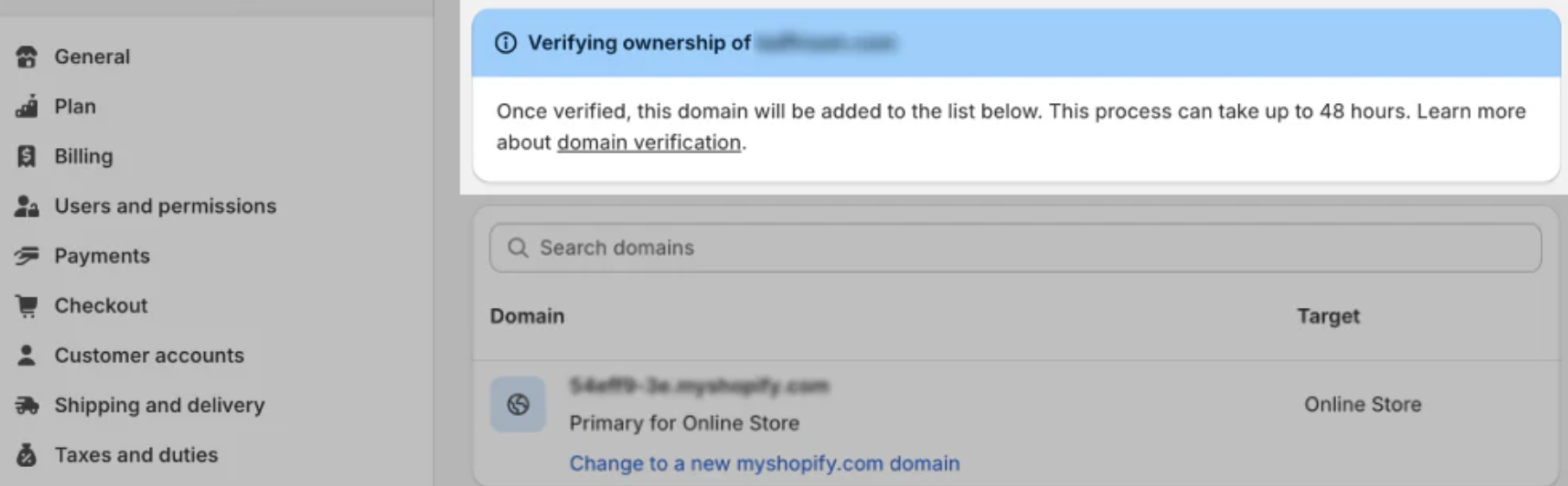
Once verified, your Wix domain will start pointing toward your Shopify Store. You can keep checking from different devices to check that everything is live.
These simplified steps will undoubtedly make your domain connection easier.
Frequently Asked Questions
How long does it take to verify the Wix DNS record in Shopify?
It can take up to 48 hours for Shopify to verify your updated Wix DNS record and fully connect your domain.
How to know if the Wix domain is connected to Shopify?
This can be checked within your Shopify store. Go to Settings > Domains > Connect existing domain, type in your Wix domain name without “www.”, and your domain status shows “Connected” or “Verified”.
What happens after connecting a Wix domain to Shopify?
After connecting your Wix domain to Shopify, your domain will point to your new Shopify store, and visitors will see your Shopify site when they enter your web address. Your brand stays consistent without needing a new domain.
Start Your Shopify Journey With Ease
By following the steps above, you will be able to easily connect the Wix domain to Shopify and make a seamless transition. This is a huge deal for expanding your business and online presence.
Connecting with Shopify should feel exciting, not stressful. If you need a hand with setting everything up just right, our skilled Shopify developers are here to help, so you can focus on your growing business.
