

A copyright notice tells that the content of the Magento 2 store is not copied and it is protected by copyright laws. Just a short copyright notice drives awareness and authenticity of your Ecommerce website.
Timely updates in copyright notice in Magento 2 store is important as it displays the current year.
If a competitor tries to copy the website content created by you, you have the rights to claim to the competitor that he/she is now allowed to copy the website as it is protected under the copyright law.
Having copyright notice in the footer area for your website allows you to legally protect your store.
Being a Magento 2 store owner, if you wish to change copyright notice in Magento 2, you can easily do it using the below method.
Steps to Change Copyright Notice in Magento 2
1. Log in to Magento 2 admin panel
2. Navigate to Content > Configuration
3. Click Edit for selecting the store view
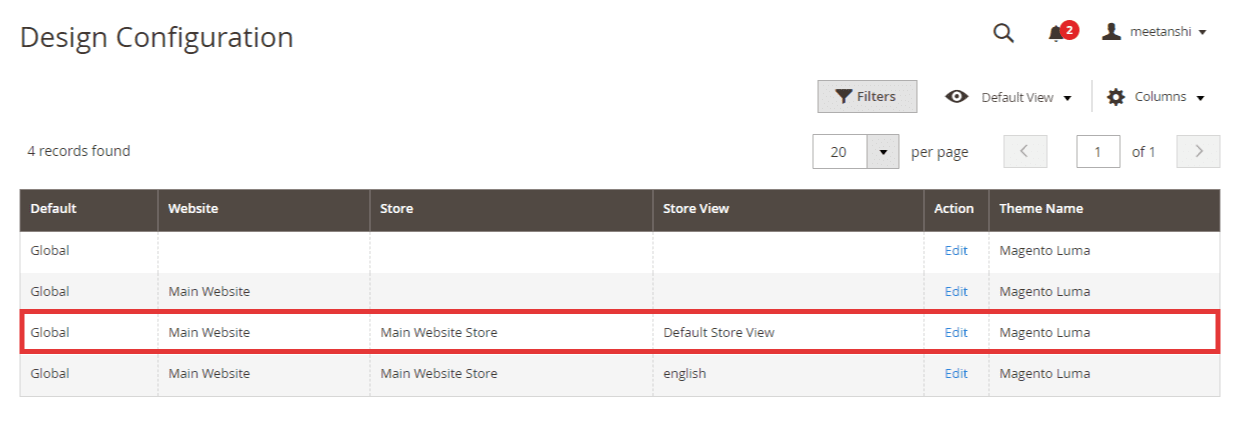
4. Expand Footer and update copyright notice under the Copyright area.
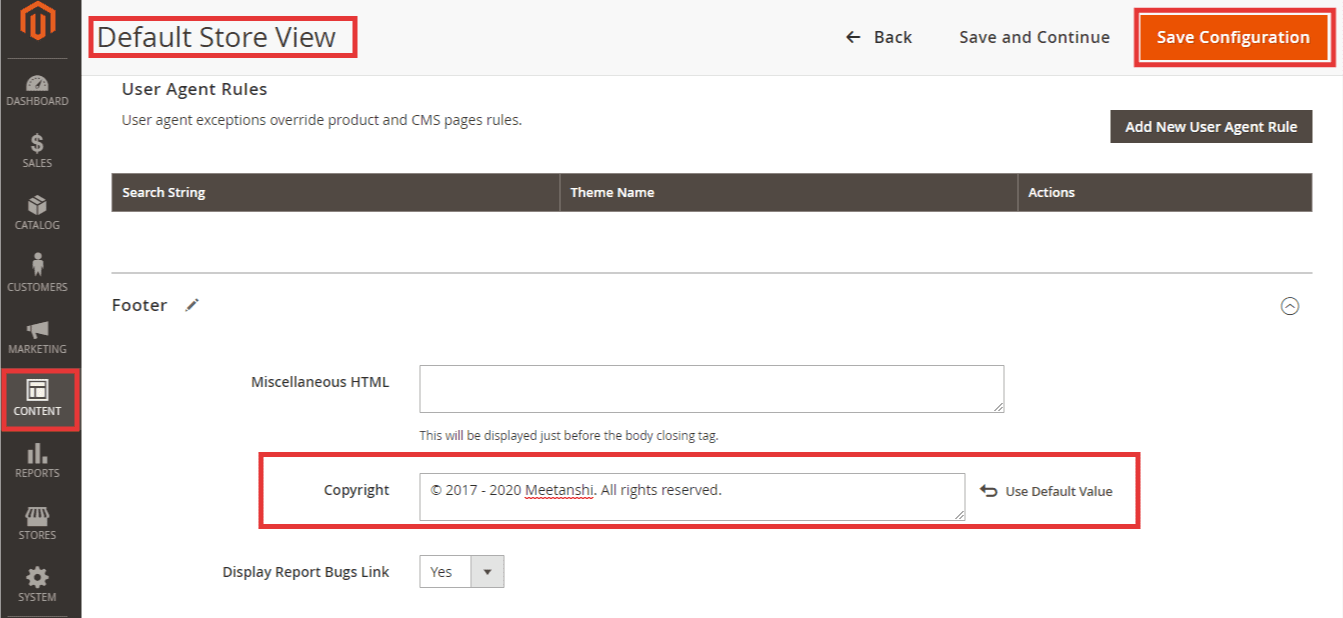
5. After updating, click Save Configuration
The frontend looks something like this:

That’s it.
Share this post with Magento Community via social media.
Thank you.
