

Looking to boost your Shopify store sales?
Adding this feature is a proven way to increase the average value (AOV) by suggesting related products to your customers.
In this blog post, we will see how to add frequently bought-together items on Shopify.
But first, let’s learn why it matters.
Why Add a Frequently Bought Together Section?
This functionality in Shopify is a game-changer to make your customers’ shopping journey easy.
Here are the reasons why you should compile it with your store:
- When you suggest related or complementary items, customers are more likely to buy multiple products at once, rather than just one
- Allows you to display relevant add-ons or upgrades straight on the product page, driving upselling without overwhelming customers
- Profitable for stores selling products in sets like clothing outfits, tech accessories, kitchen materials, etc.
How to Add Frequently Bought Together on Shopify?
Here is the step-by-step process to add frequently bought products to your store.
You can do this by utilizing the Shopify Search & Discovery app. This app will make shopping easier for your customers and enhance sales. It also lets you customize search, filter, and recommendations to help customers find what they need.
Step 1: Install the App
Go to the Shopify App Store, search for Shopify Search & Discovery, and install it.
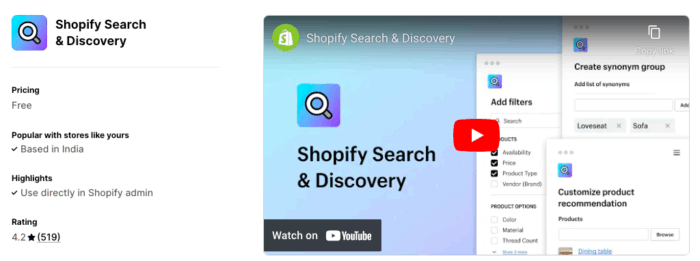
This is the official app by Shopify to add product recommendations or frequently bought together.
Step 2: Enable the Product Recommendation on the Theme
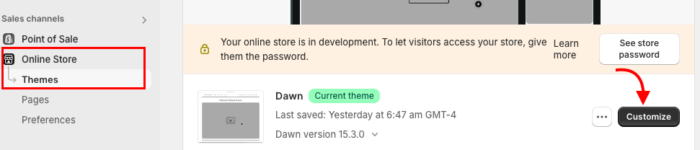
From your Shopify admin panel, Online stores > Themes > Customize
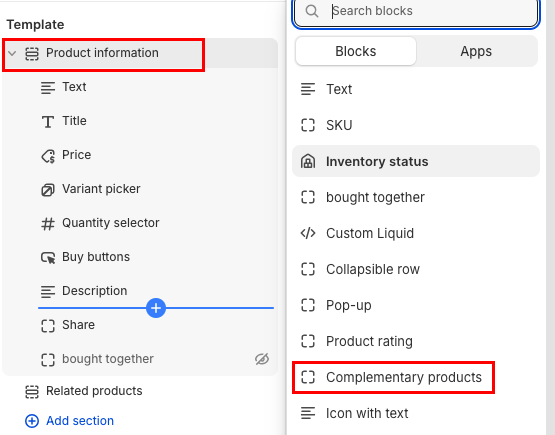
Then from the top dropdown, select Products. Now, click Product information > Add block, then select Complementary products.
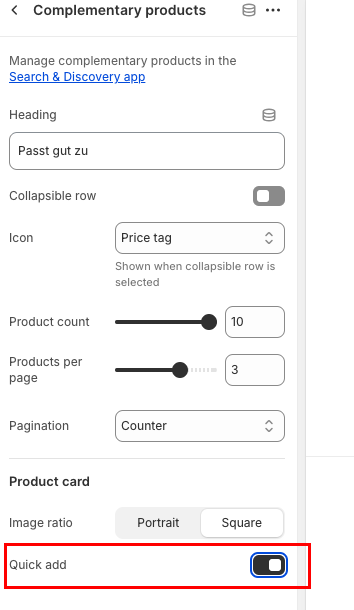
Enable the Quick add button to add the shop now and the add to cart feature. You can also customize other features as you want from here.
Step 3: Add Complementary Products
Now, head to the Apps > Search & Discovery > Recommendations > Add recommendation
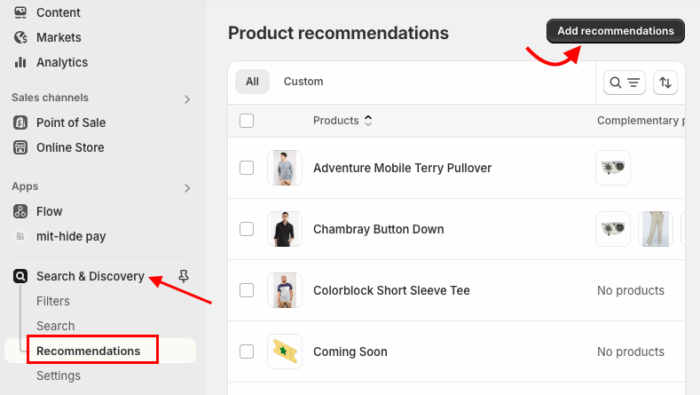
Click Browse to select the main product you want to add recommendations to.
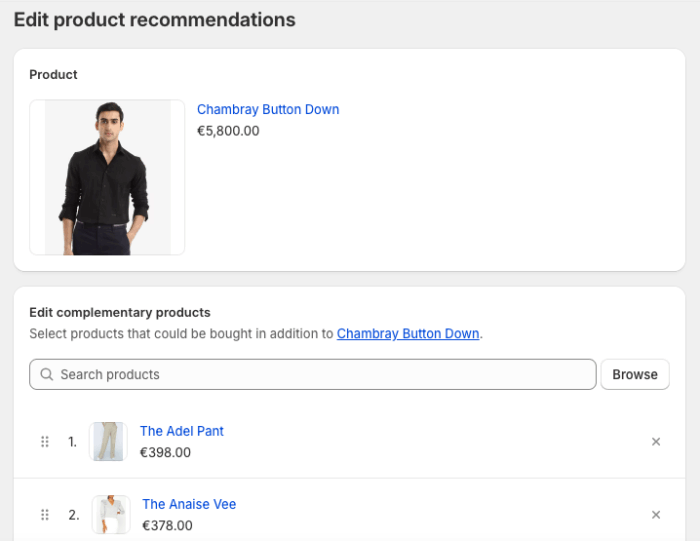
Then, add complementary products (these will be shown as Frequently Bought Together items).
Save the changes.
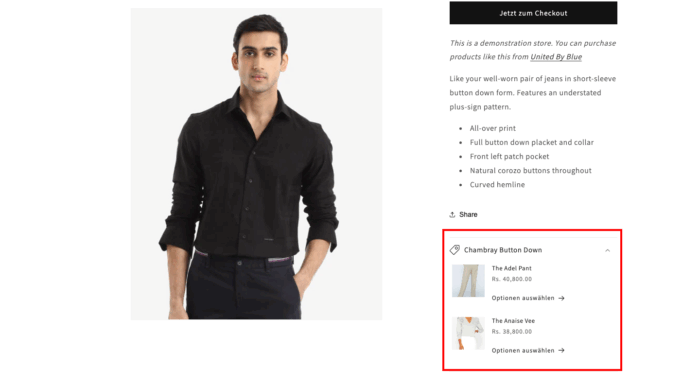
This is how you add a complementary product in your Shopify store, and here’s what it looks like.
Ready to Elevate your Shopify Store?
Add frequently bought together to enhance your Shopify store and help you turn a single purchase into a higher-value order.
It is a simple yet effective way to boost sales while adding more value for your customers.
