

The default Magento 2 offers “Products” grid that lists the product name, ID, thumbnail, type, attribute set, SKU, price, quantity, etc. for the admin to easily manage the products in the online store.
Depending on the type of business and its requirements, the admin may want to add a custom column in the Magento 2 product grid.
For example, stock status is an important factor that the admin needs to monitor so that a customer may not return from his store due to the product unavailability.
So, if the admin fix Magento 2 reset button in grid column not working error to add stock status column in product grid in Magento 2, it would be easy to have an eye on the products’ inventory.
Add the stock status column in Magento 2 product grid itself with the steps given below:
Steps to Add Stock Status Column in Product Grid in Magento 2
1. Login to Magento 2 admin panel.
2. Navigate to Stores > Attributes > Product.
3. Click on the ‘quantity_and_stock_status‘ attribute from the product attributes grid.
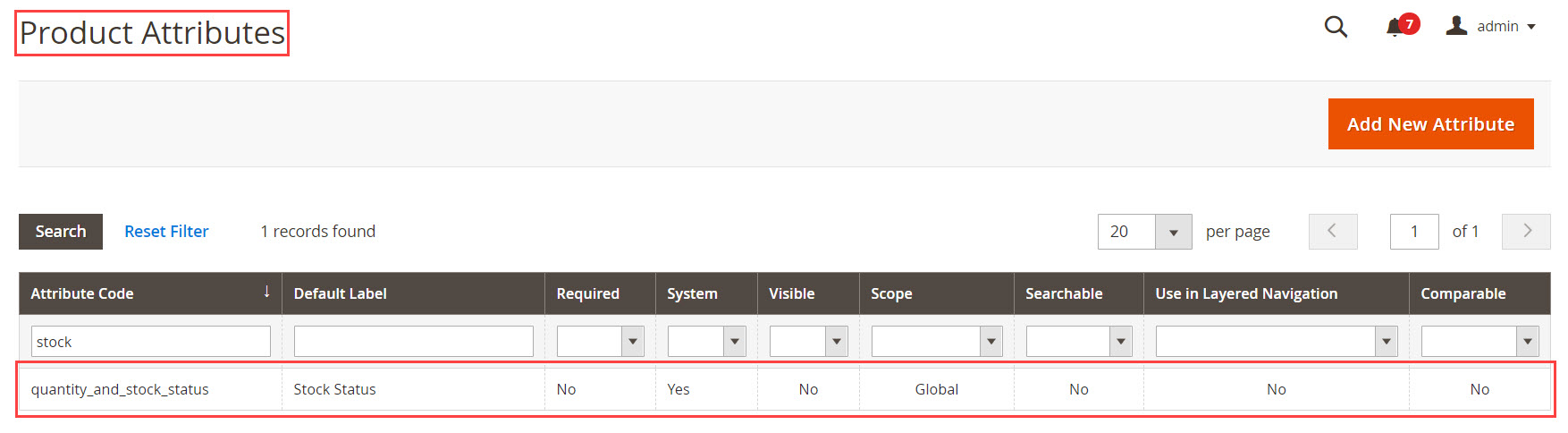
4. Set the Default Label from Attribute Properties that will display in the product grid later.

5. Set YES to Add to Column Options and click on the Save Attribute button from the Advanced Attribute Properties.

6. Select Stock Status or the name you have given to quantity_and_stock_status attribute from Columns option.

7. By enabling Stock Status, you can see the stock column which displays Instock and out of stock status in the products grid.

That’s all.
You can also refer to the video tutorial to Add Stock Status Column in Product Grid in Magento 2 from our Magento 2 video tutorial series:
Feel free to share the solution with Magento Community via social media.
Thank You.
